Details
-
Bug
-
Status: Open
-
 Medium
-
Resolution: Unresolved
-
Xporter DC 7.4.4
-
None
-
None
-
macOS 26.3, Google Chrome Version 145.0.7632.160 (Official Build) (arm64)
Description
Description
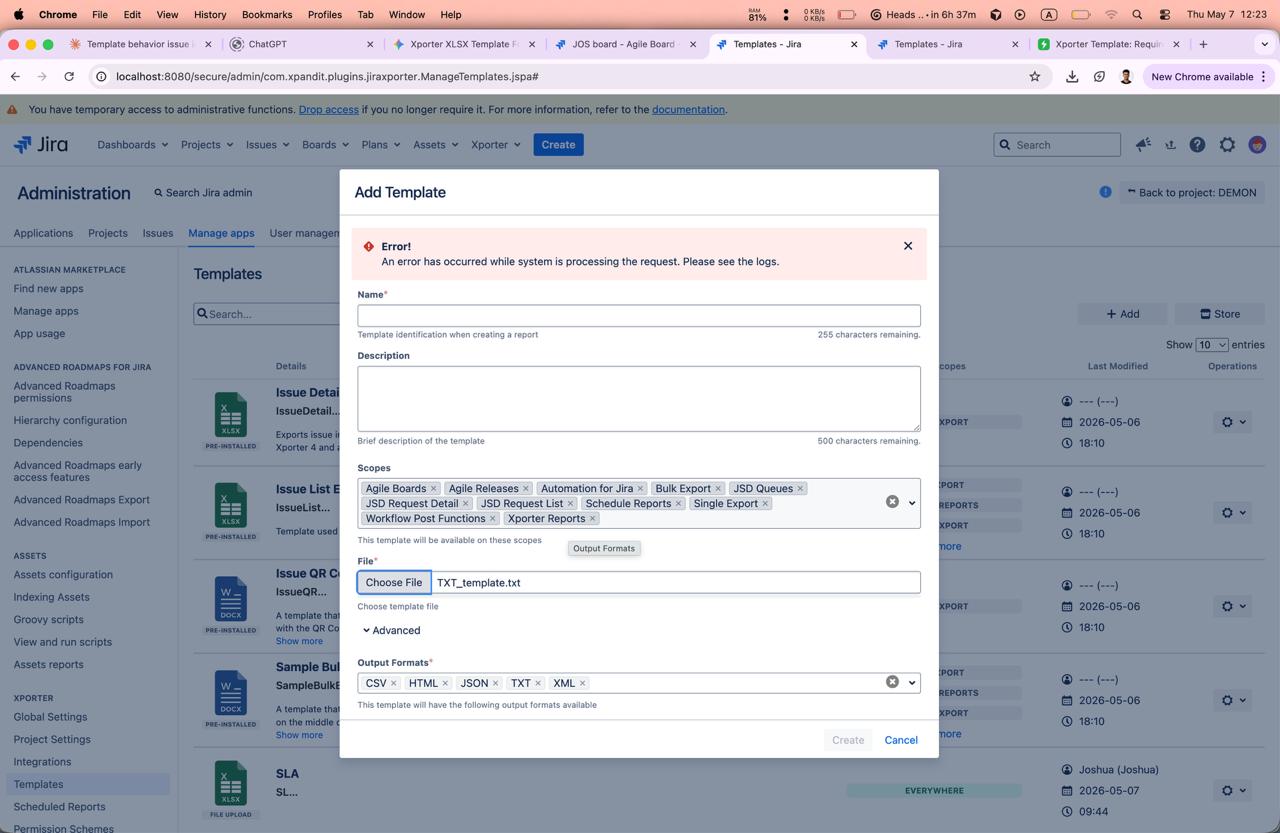
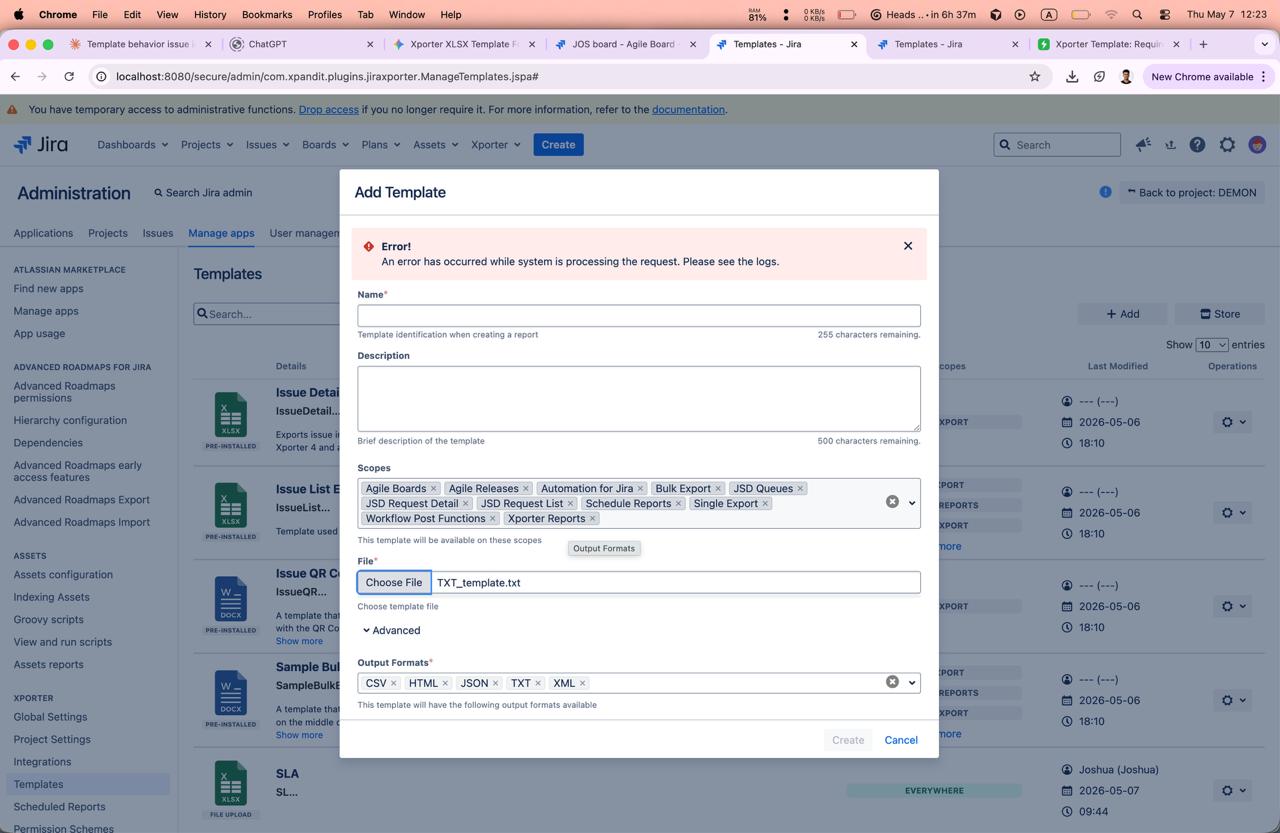
When attempting to import a TXT file as a template in Xporter, a 403 error is returned by the browser and the upload fails. The issue occurs both from project and from the global template settings. Importing Word or Excel template files works without any issue. The server logs show an XSRF token validation failure as the root cause.
Pre-conditions
- Jira Software version 10.3.19
- Xporter version 7.4.4-j10
How to reproduce
- Navigate to Project Settings > Apps > Xporter > Templates.
- Attempt to import a TXT template file.
- Observe that an error message appears, and the TXT template import fails
Actual result/Attachments
Expected result
TXT template files should import successfully or display an appropriate “output format not allowed” message in both project-level and administrator-level template management pages.
Version
- Jira Software: 10.3.19
- Xporter: 7.4.4-j10
Workaround
No workaround identified for TXT template imports. As an alternative, Excel and Word template imports work successfully.