Details
-
Bug
-
Status: Open
-
 Medium
-
Resolution: Unresolved
-
Xporter DC 7.4.5
-
None
-
None
-
macOS 26.3
Google Chrome Version 145.0.7632.160 (Official Build) (arm64)
Description
Description
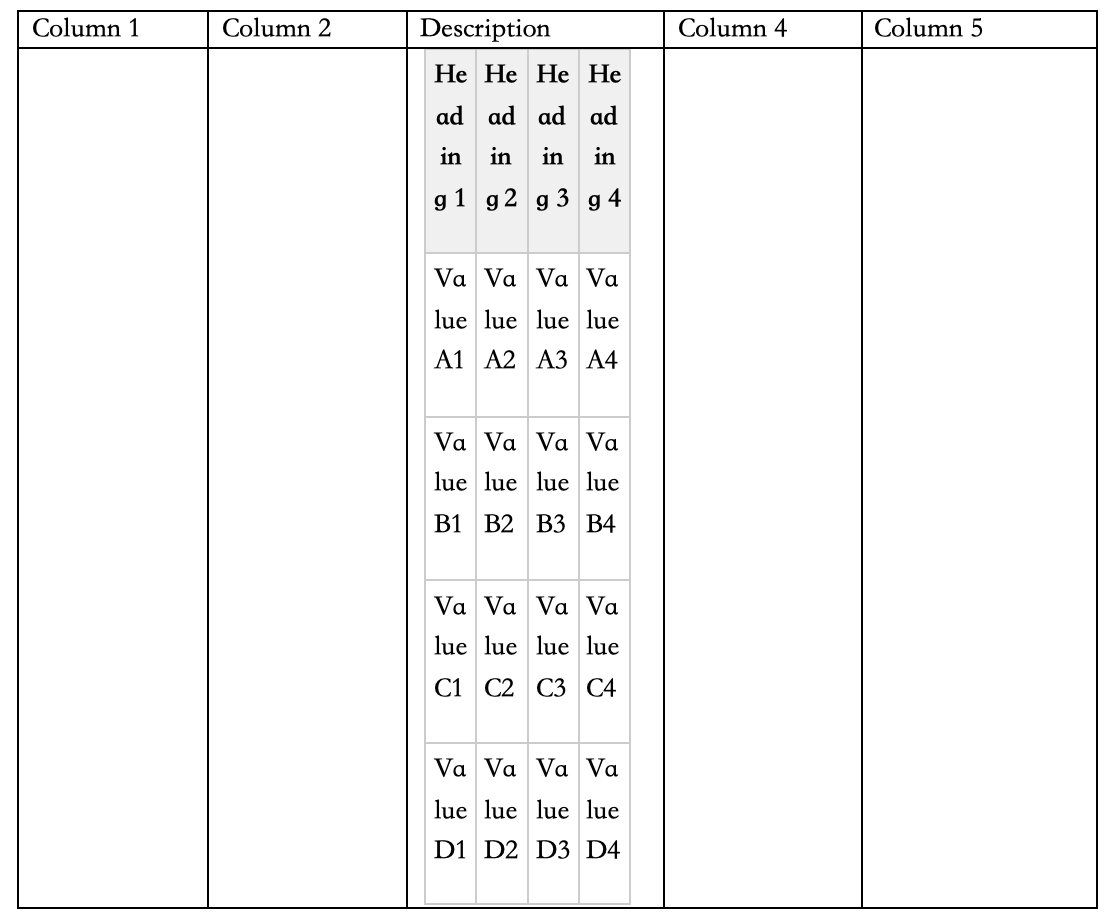
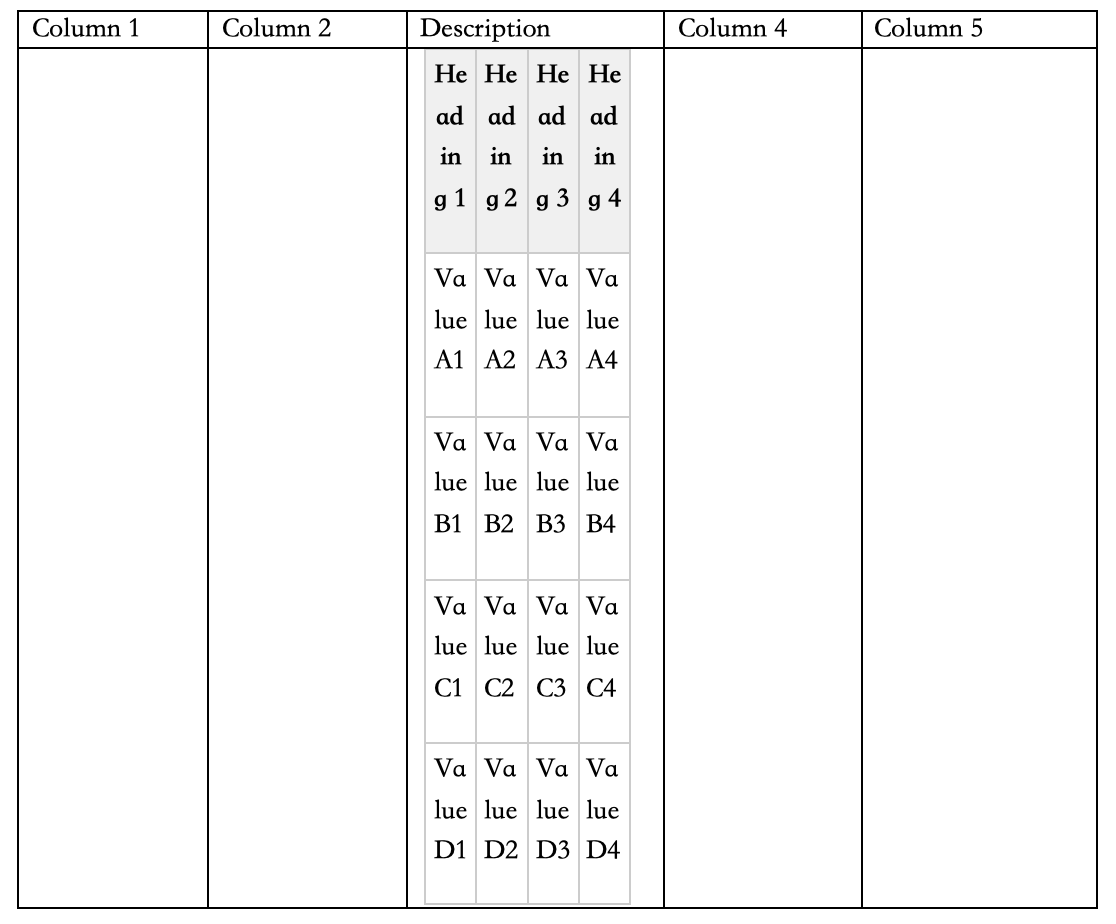
When a rich-text field containing a table is exported (verified using ${wiki:Description}) in a Word document, the nested table does not expand to fill its cell. Its columns collapse to minimum width, forcing text to wrap one character per line and making the content unreadable. The same template against the same data rendered correctly on Xporter version 7.3.4.
Pre-conditions
- An issue whose Description contains a table with data rows across multiple columns.
- A docx Xporter template that outputs that field via ${wiki:Description} inside a parent table cell.
Attached is the template that was used to recreate the bug:

How to reproduce
- Open an issue and insert a table in the Description field.
- Upload the attached template to Xporter.
- Run an export of the issue using that template.
- Open the exported document and observe tables are collapsed.
Actual result/Attachments{}
The nested table is collapsed into a narrow strip inside the parent cell.
Expected result
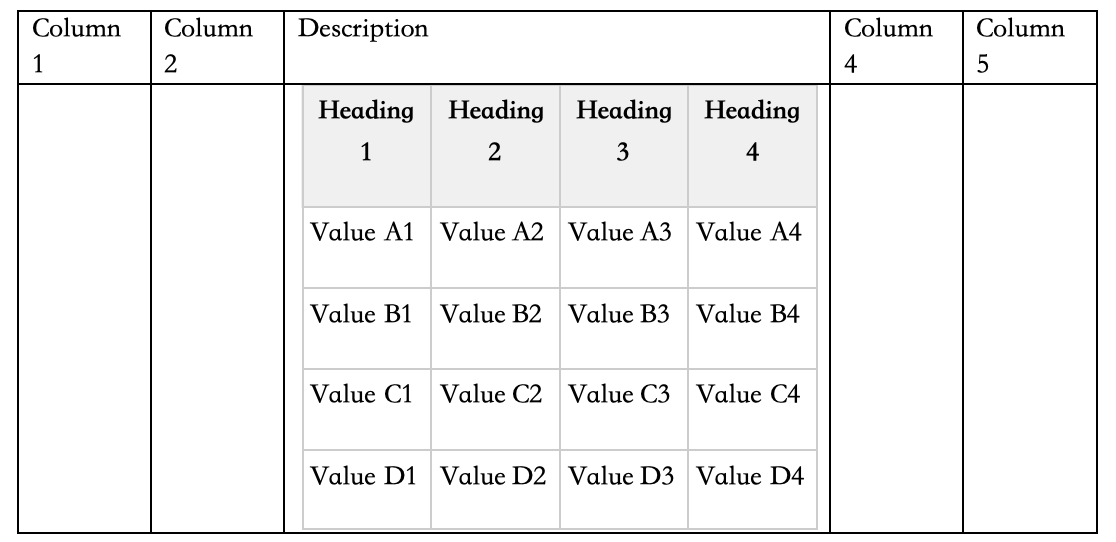
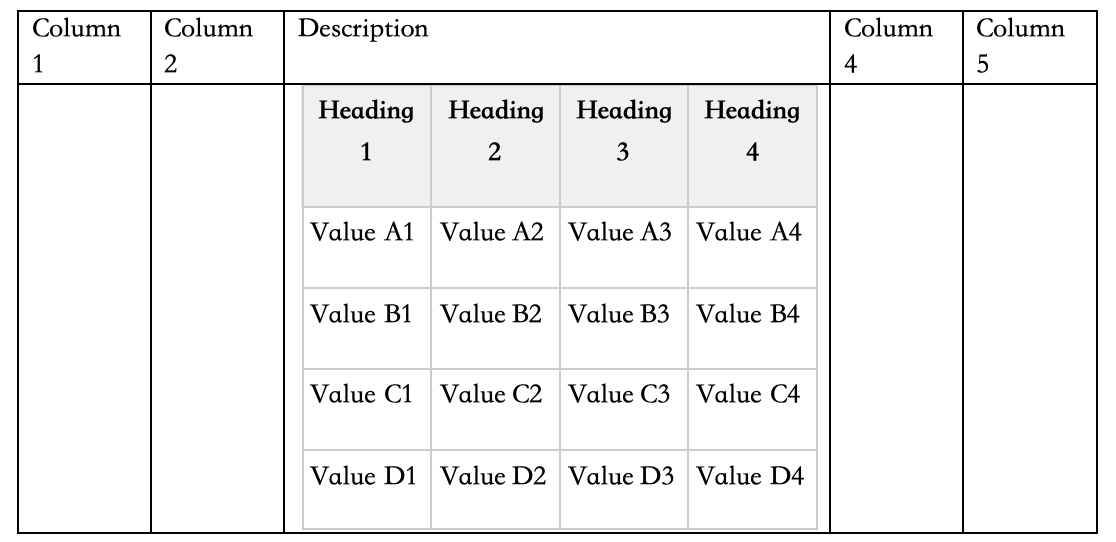
The nested table should expand dynamically to fill the parent cell.
Version
- Xporter 7.4.5
Workaround: N/A
Attachments
Issue Links
- duplicates
-
XPOR-467 Loading...