Details
-
Bug
-
Status: Open
-
 Medium
-
Resolution: Unresolved
-
Xporter DC 7.4.5
-
None
-
None
-
macOS 27
Version 145.0.7632.160 (Official Build) (arm64)
Description
Description
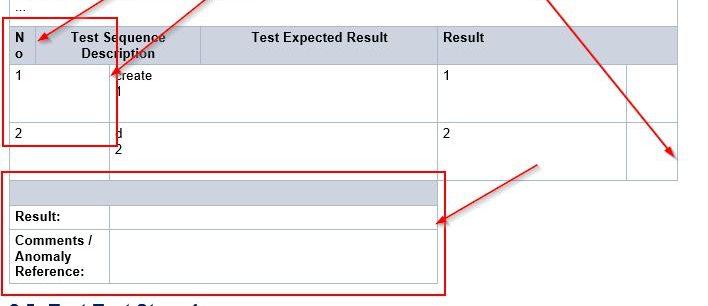
When exporting a DOCX document with Xporter 7.4.5, table column widths in the output do not match those defined in the template and are resized automatically, causing columns to misalign and some to collapse, independent of the content of the table. This issue has only been reproducible using the specific customer-provided template attached. Export works fine with Xporter DC 7.3.4.
Pre-conditions
- Xporter for Jira installed at version 7.4.5
- A DOCX template containing one or more tables with defined column widths
How to reproduce
- Open Xporter and upload the DOCX template attached
- Run an export (any issue type)
- Open the exported .docx file
- Inspect the tables
Template used for the export: Bug_Repro.docx
Actual result/Attachments
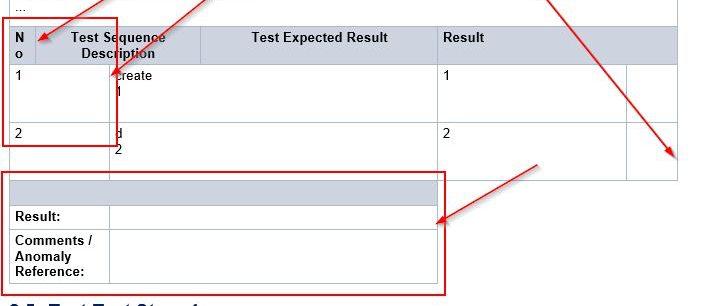
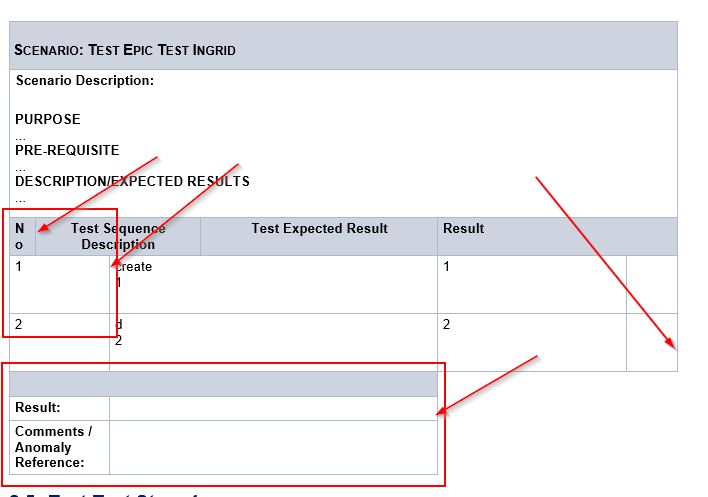
Table columns collapse, overriding the column width definitions set in the template.
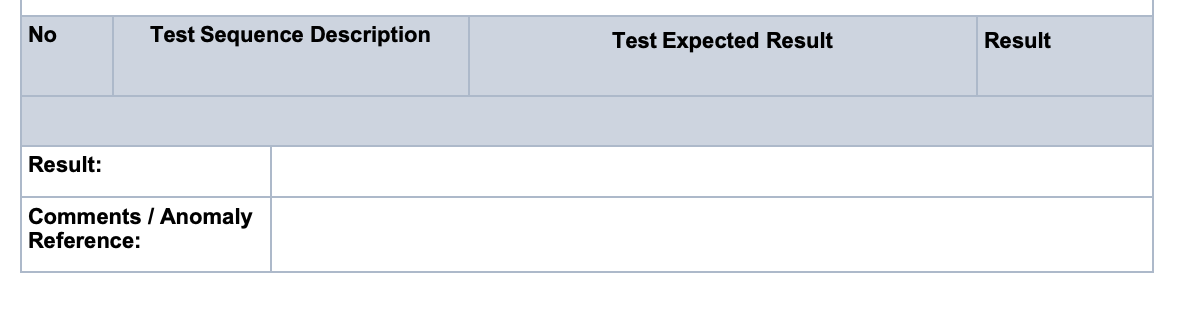
Expected result
Version
- Xporter DC 7.4.5
Attachments
Issue Links
- duplicates
-
XPOR-538 Loading...