Details
-
Bug
-
Status: Open
-
 Medium
-
Resolution: Unresolved
-
Xporter DC 7.4.6
-
None
-
None
-
Jira Server, windows OS, Edge and Chrome browser
Description
Description
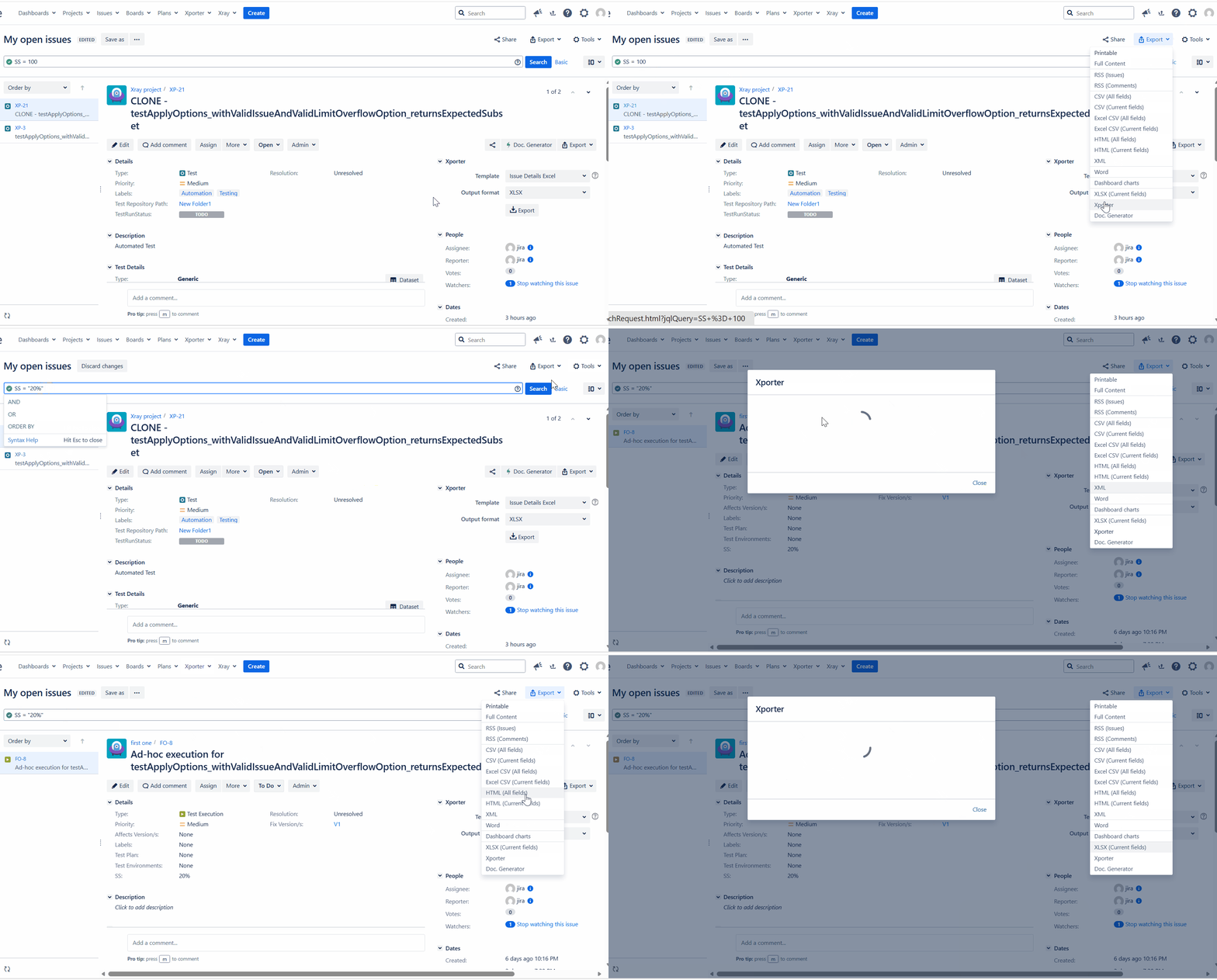
If the JQL in the issue navigator contains any special characters, then, the Xporter dialog spins forever wihtout displaying the templates. The dialog should show the templates to export the data despite the JQL having special characters.
Pre-conditions
Either the field name or field value should contain a special character to form a JQL.{}
How to reproduce
- In the issue navigator, use a JQL with a special character in it.
An eg is here:
price = "$ 10" and project = abc
- Try to export the issues using Xporter.
- Now, have a similar JQL without the special symbol in it.
price = "USD 10"
Actual result/Attachments
The Xporter dialog spins endlessly and do not display the templates that are available for exporting the issues when the JQL contains a special chracter. However, it shows the tempaltes when there are no special characters.
Expected result
Irrespective of the special symbols in the JQL, the Xporter dialog should show the templates.
Version
- Xporter 7.4.6
Workaround
Use a negative JQL or form a JQL with the Keys of the issues. This way the resultant JQL will not contain the special characters.
Eg: key in (ABC-123, ABC-234)
 price != "USD 10"  (this should display the rest of the issues that have value $ 10).
Attachments
Issue Links
- duplicates
-
XPOR-708 Loading...