Details
-
Bug
-
Status: Open
-
 Medium
-
Resolution: Unresolved
-
Xporter Cloud 5.0.0
-
None
-
macOS 26.3
Google chrome Version 145.0.7632.160 (Official Build) (arm64)
Description
Description
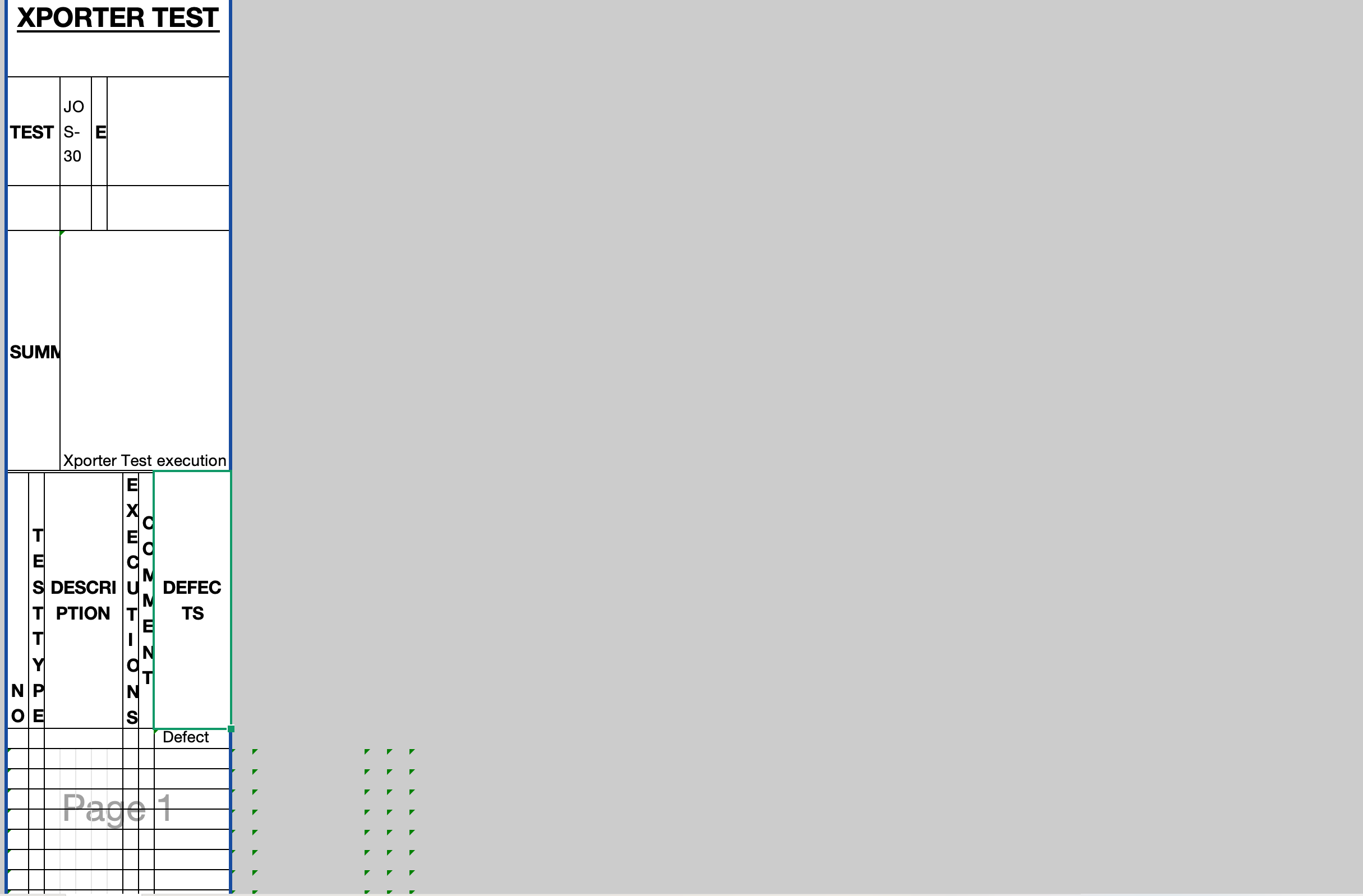
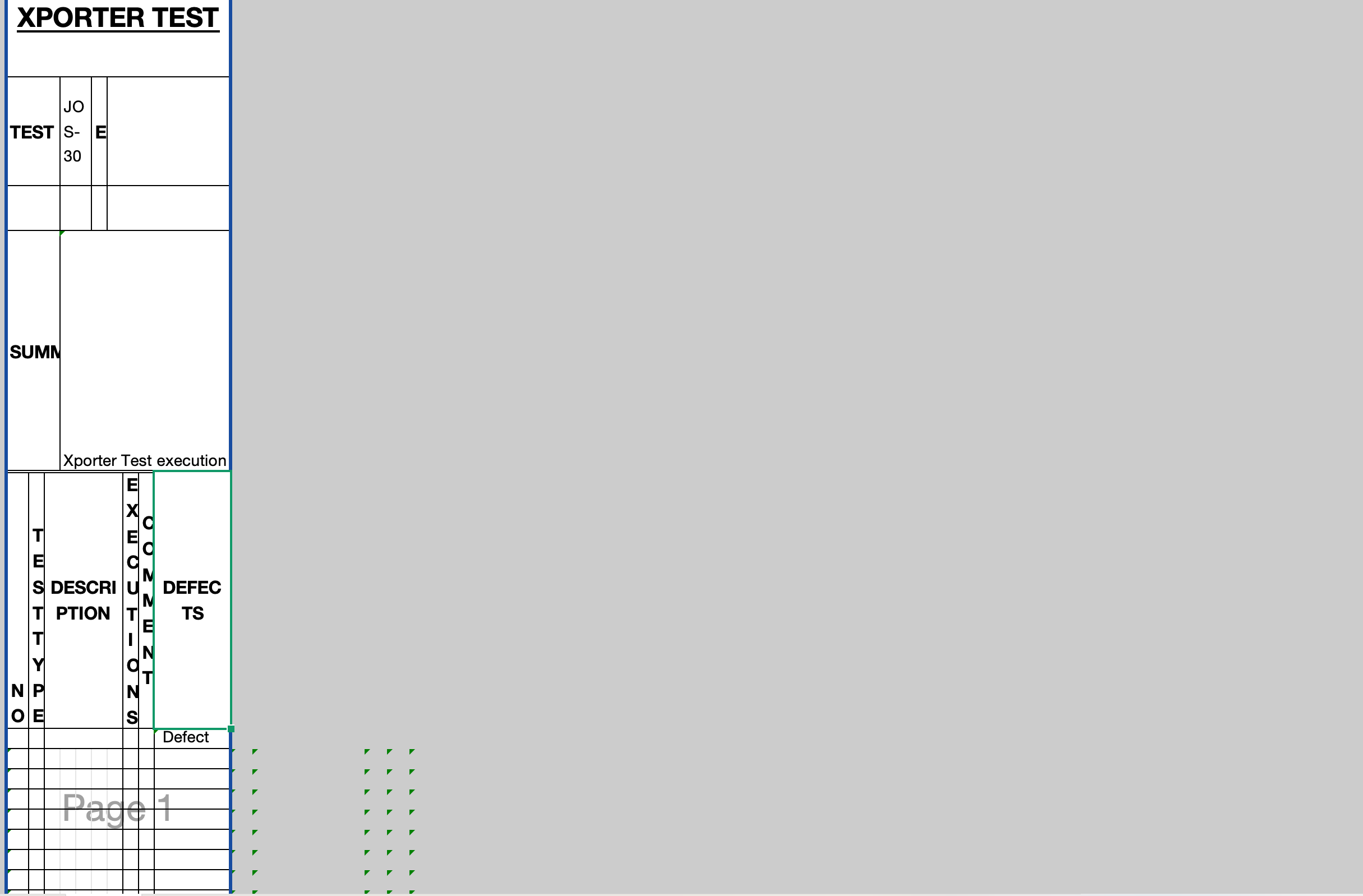
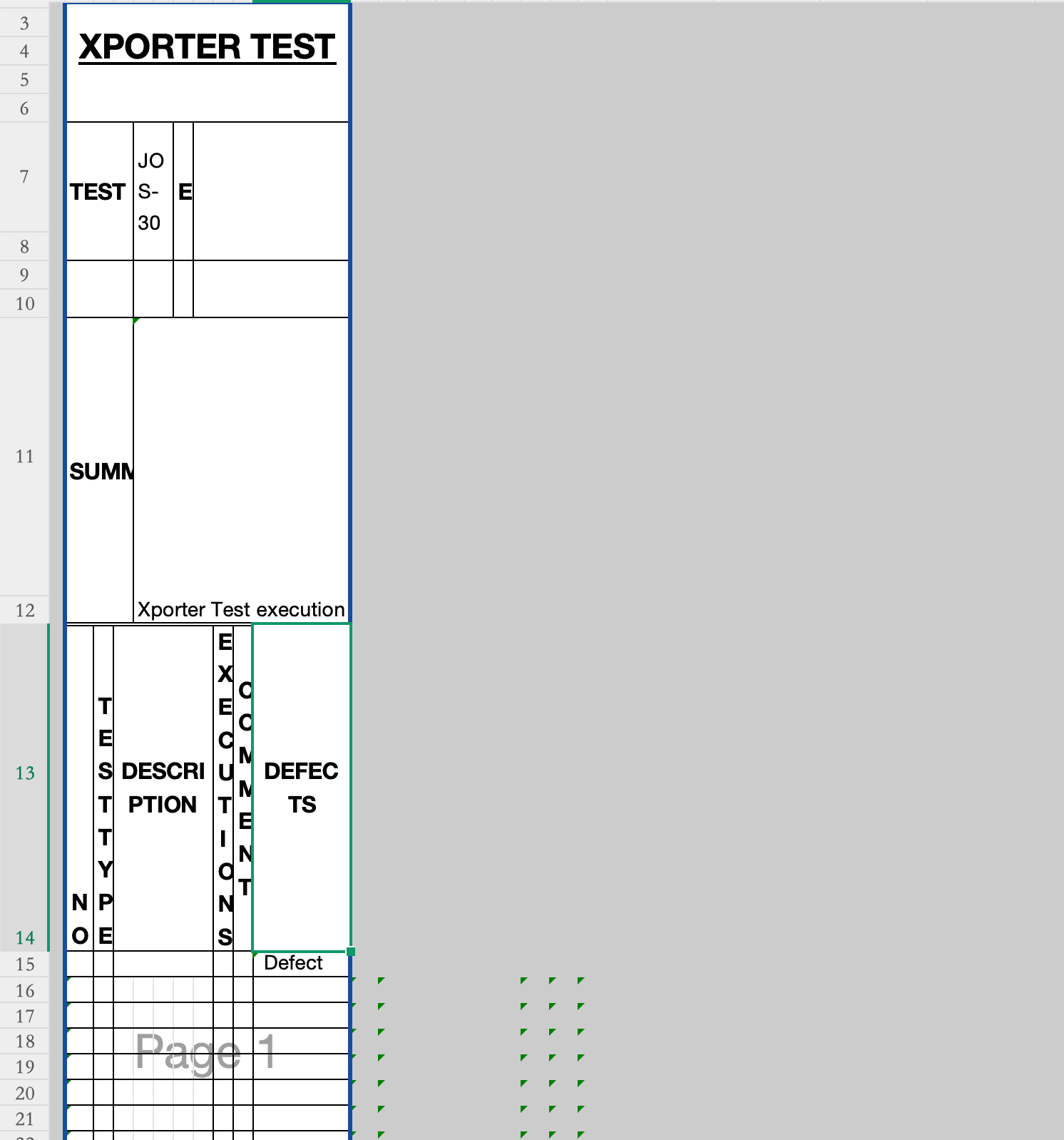
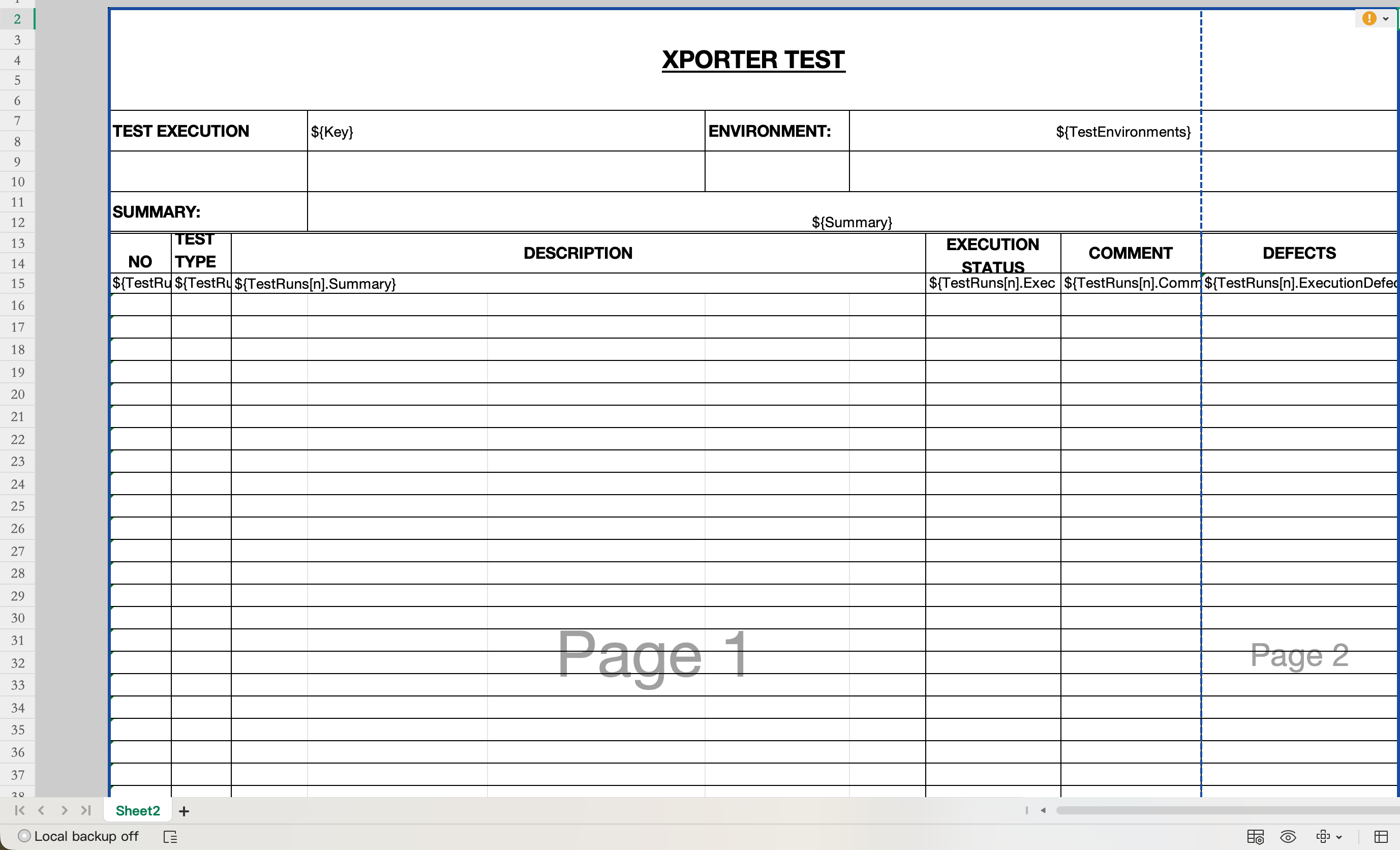
When exporting to XLSX, Xporter does not preserve column widths and row heights defined in the template. Columns are auto-resized during export, breaking the intended layout, this occurs even on templates with no content.
Pre-conditions
- Xporter installed and configured
- An XLSX template with manually defined column widths and row heights
- At least one Jira issue with data is available for export
How to reproduce
- Create or upload an XLSX template with manually defined column widths and row heights
- Add Xporter variables inside the template
- Select an issue and export it using the XLSX template
- Open the exported file and compare the column widths and row heights to the original template
Actual result/Attachments
XPORTER TEST.xlsx
Expected result
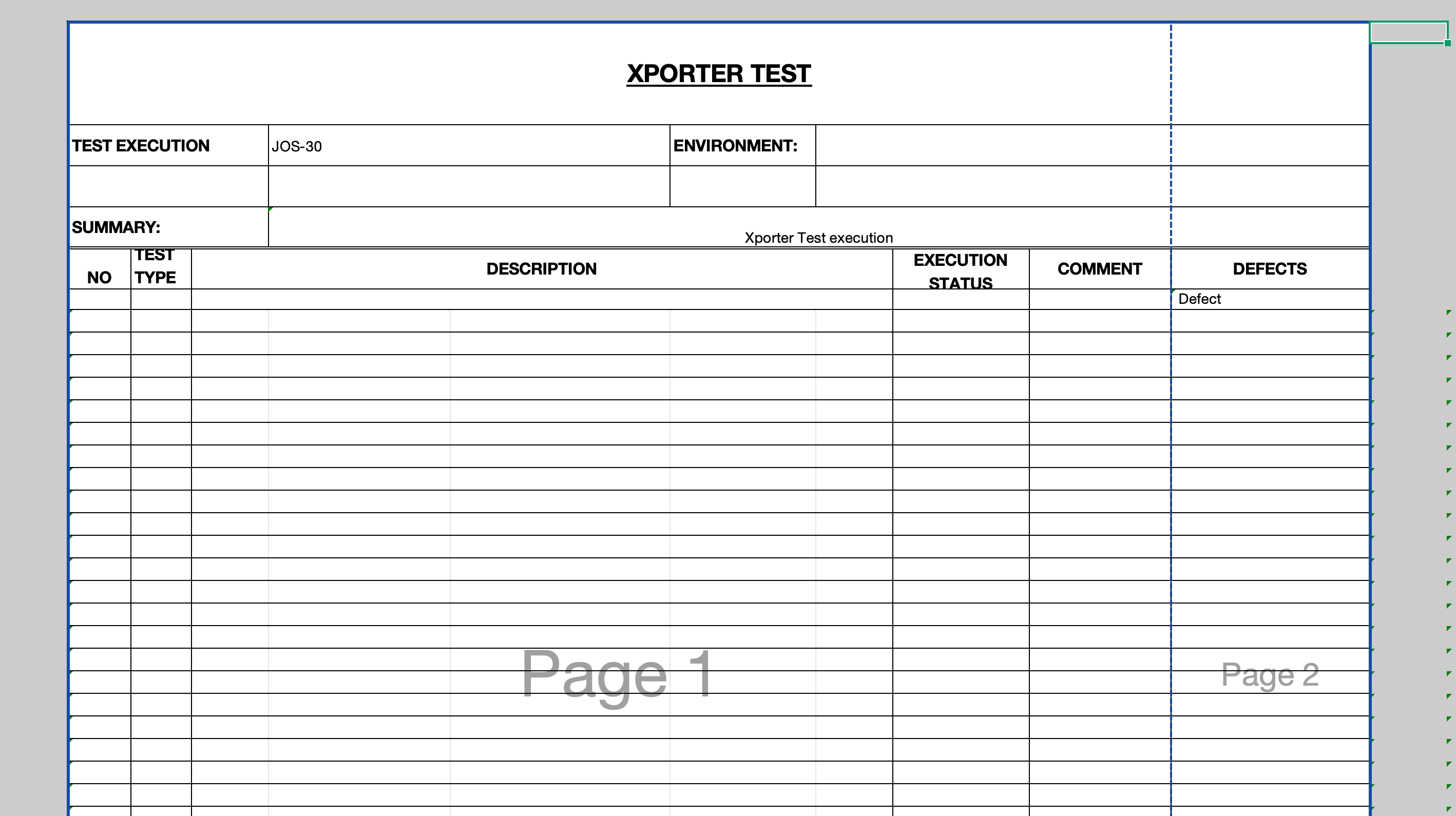
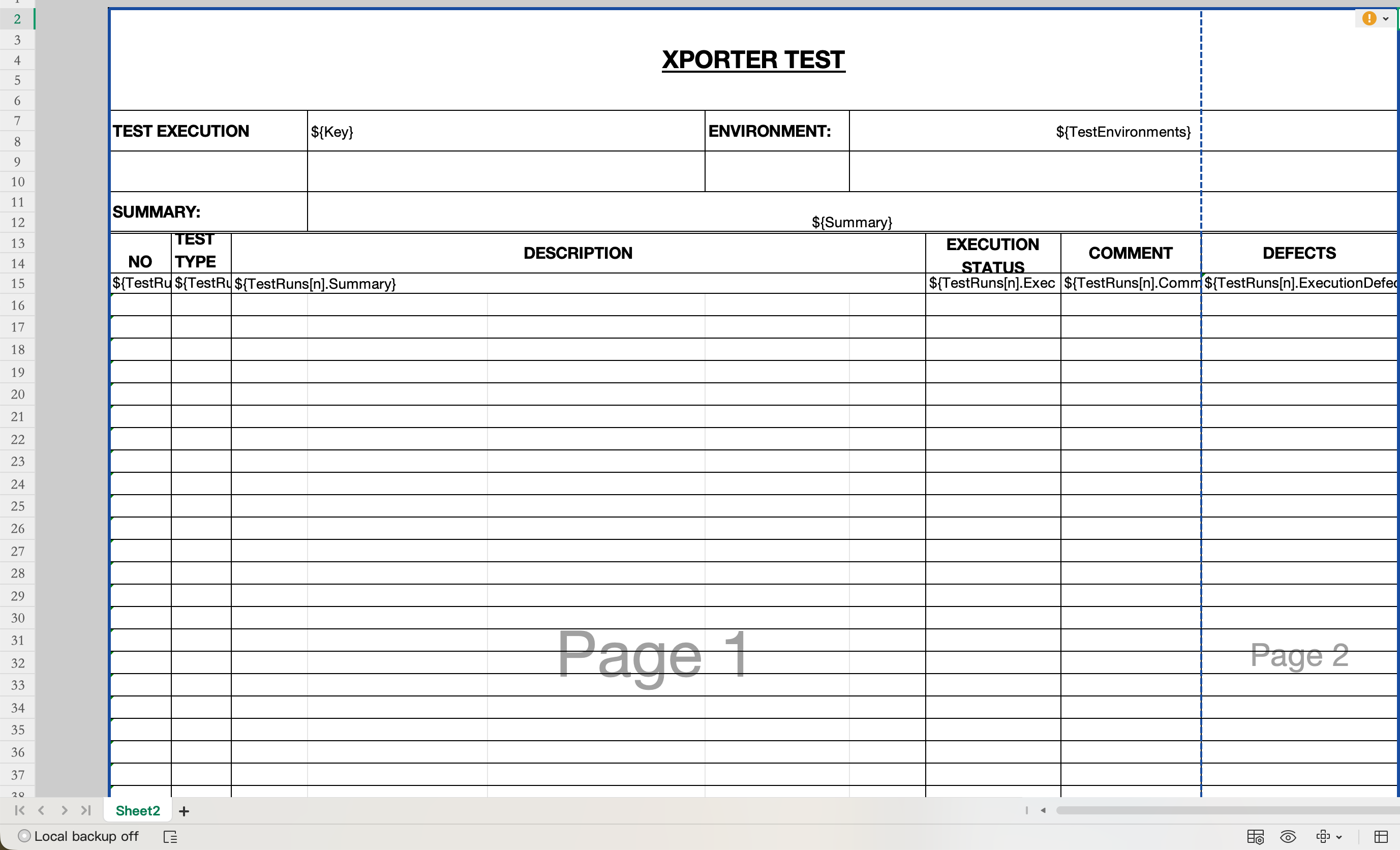
The exported XLSX file should preserve the exact column widths and row heights as defined in the template:
Version
- Xporter - 6.0.0
- Xray - 10.0.0
Workaround
Adding the flag ${prop(document.autofit,false)} anywhere inside the template document resolves the issue.
Attachments
Issue Links
- duplicates
-
XPOR-248 Loading...