Details
-
Bug
-
Status: Open
-
 Minor
Minor
-
Resolution: Unresolved
-
Xray DC 7.12.2
-
None
-
Jira Server, Windows, Chrome
Description
Description
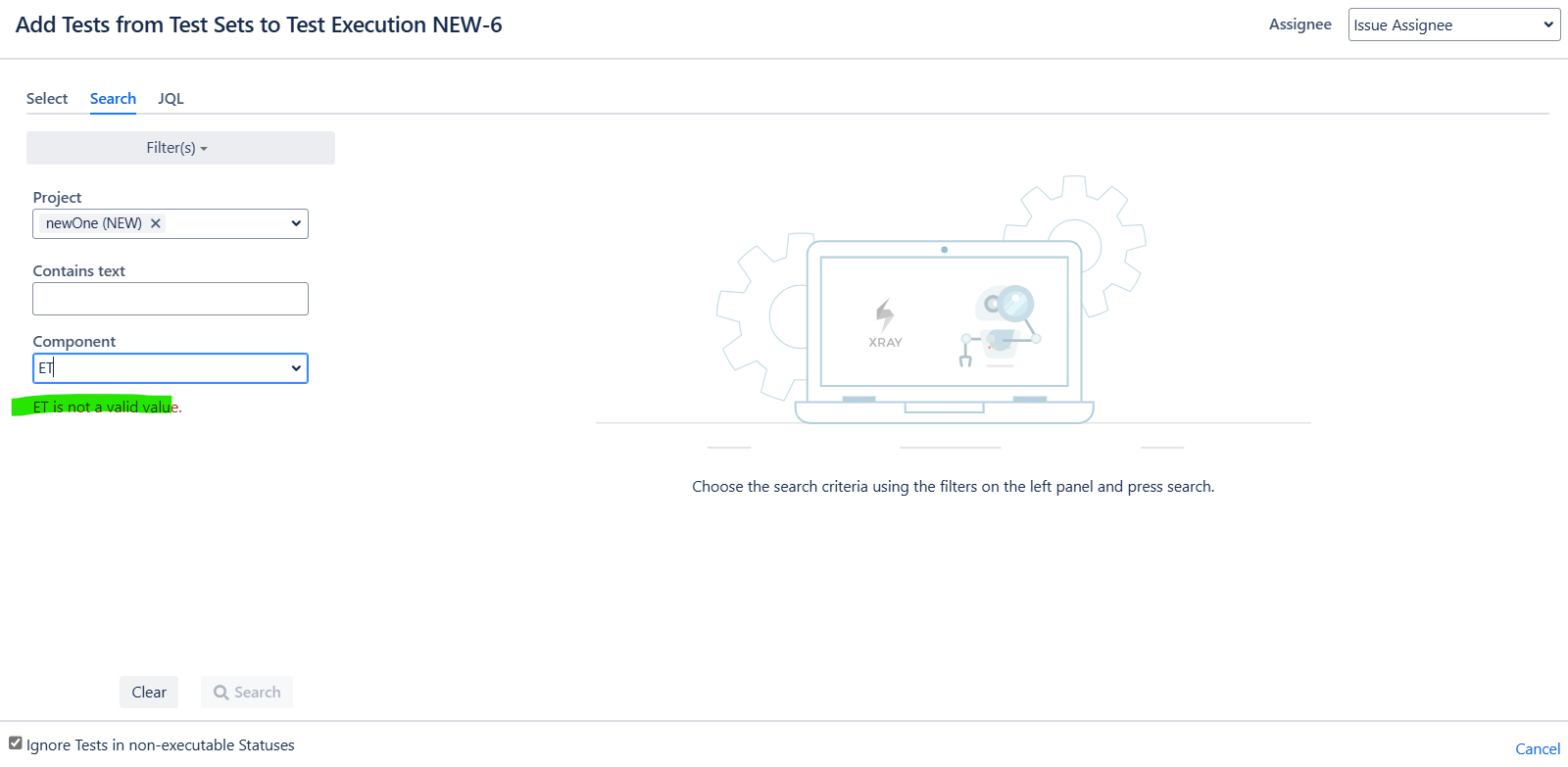
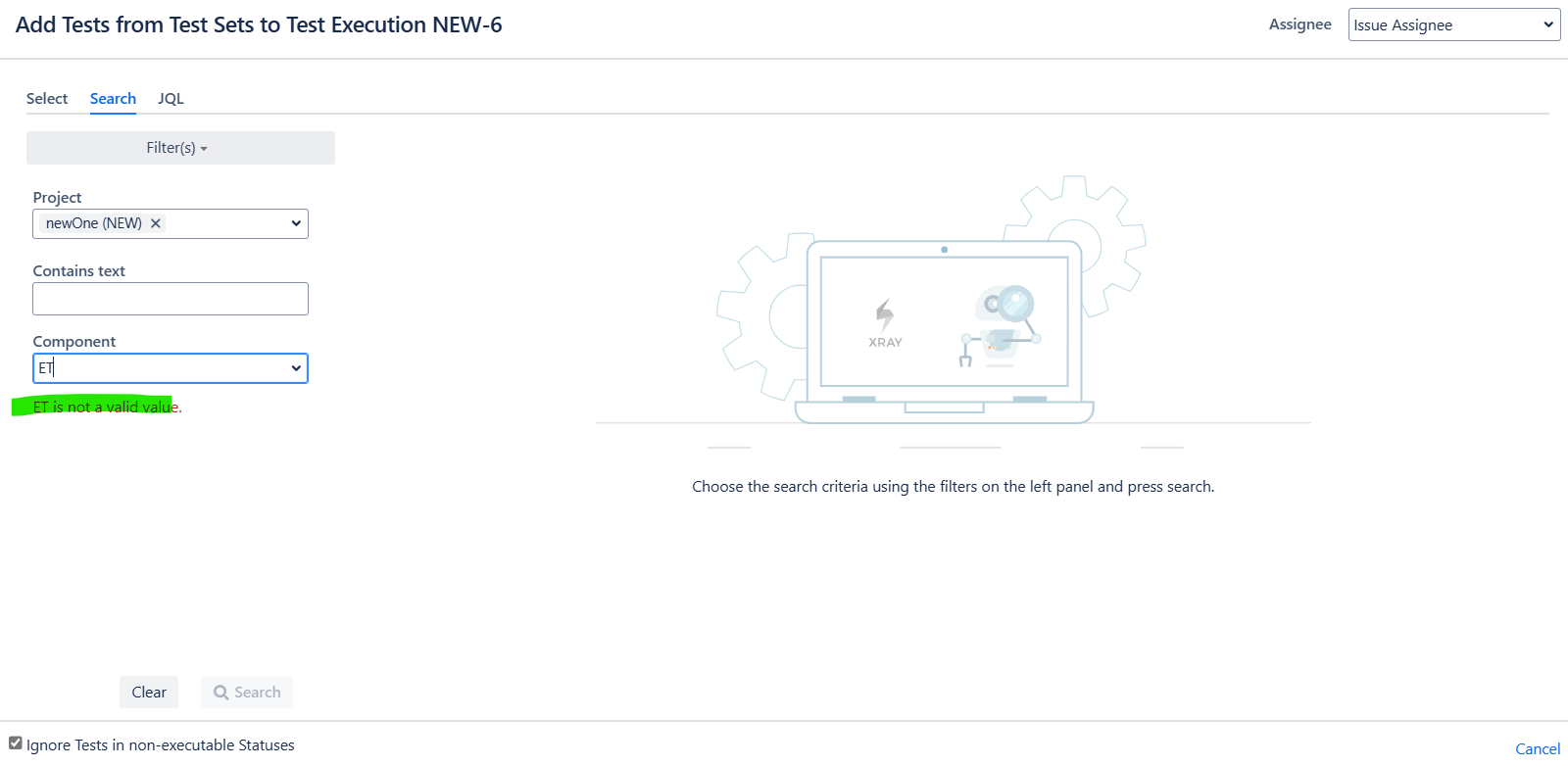
While adding Tests from Test Sets to Test Execution/ Test Plan/ Requirements filter for component is not searchable for more than 100 components.
Also, components of different projects are shown.
Pre-conditions
Add more than 100 Components for the given project and have a few more Components in another project.
How to reproduce
- Go to Test Execution/ Test Plan/ Requirements and click on Add Test from Test Sets.
- On the search panel filter, add Components.
- Search for 101st Component(All Components in the Instance are alphabetically sorted in ascending order)
Actual result/Attachments
The component is not searchable, also Components from different projects are visible.
Expected result
The Component should be shown as the Component is present in the project.
Version
- <app versions>
Workaround
Use JQL query tab to filter the Component.
Attachments
Issue Links
- duplicates
-
XDC-822 Loading...