Details
-
Bug
-
Status: Closed
-
 Minor
Minor
-
Resolution: Fixed
-
Xray DC 8.2.3, Xray DC 8.4.2
-
None
-
Crome
Description
Description
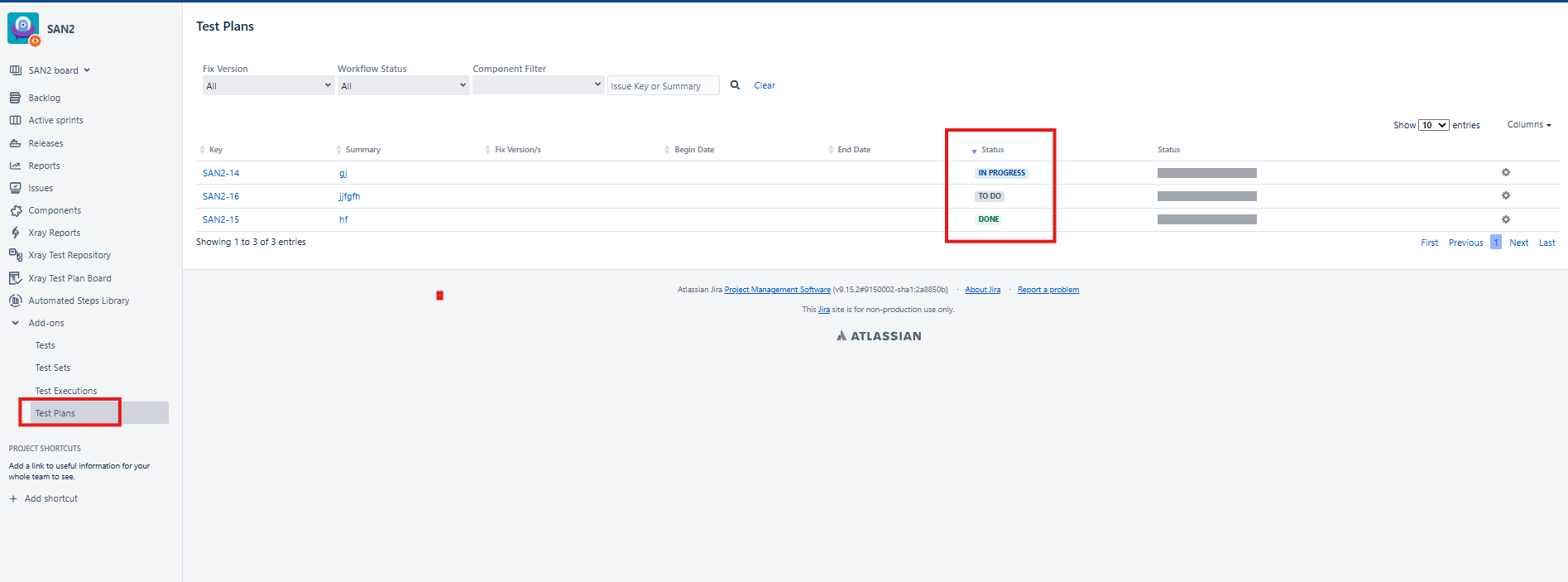
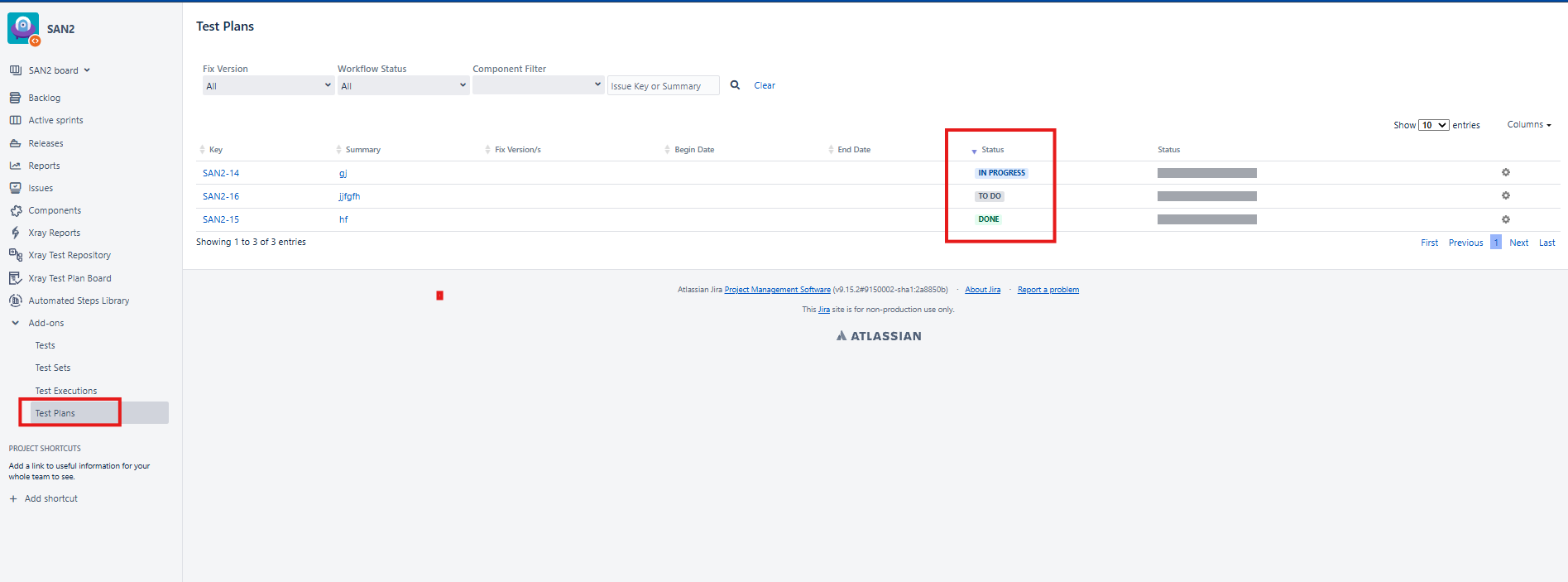
The sorting functionality in the Test Plan Add-ons section is not working as expected. When attempting to sort the Status column, the results are not arranged correctly in ascending or descending order.
Pre-conditions
**
- Xray is installed and configured.
- User has access to the Test Plan Add-ons section.
- Multiple Test Plans exist with different workflow statuses.
How to reproduce
- Navigate to Add-ons → Test Plans.
- Locate the Status column in the Test Plans table.
- Click on the sorting icon/header for the Status column.
- Observe the displayed order of the statuses.
Actual result/Attachments
**
The Status column is not sorted correctly after clicking the sorting option. The displayed order does not follow the expected ascending or descending sequence.
Attachment: Screenshot provided showing the issue in the Test Plan Add-ons section.
Expected result
The Status column should sort the Test Plans correctly in ascending or descending order based on the selected sorting option.
Version
- 8.2.3-j10
Workaround