Details
-
Bug
-
Status: Resolved
-
 Minor
Minor
-
Resolution: Fixed
-
Xray DC 8.4.3
-
None
-
8.4.3 Jira 11
-
Enterprise
-
Description
Description
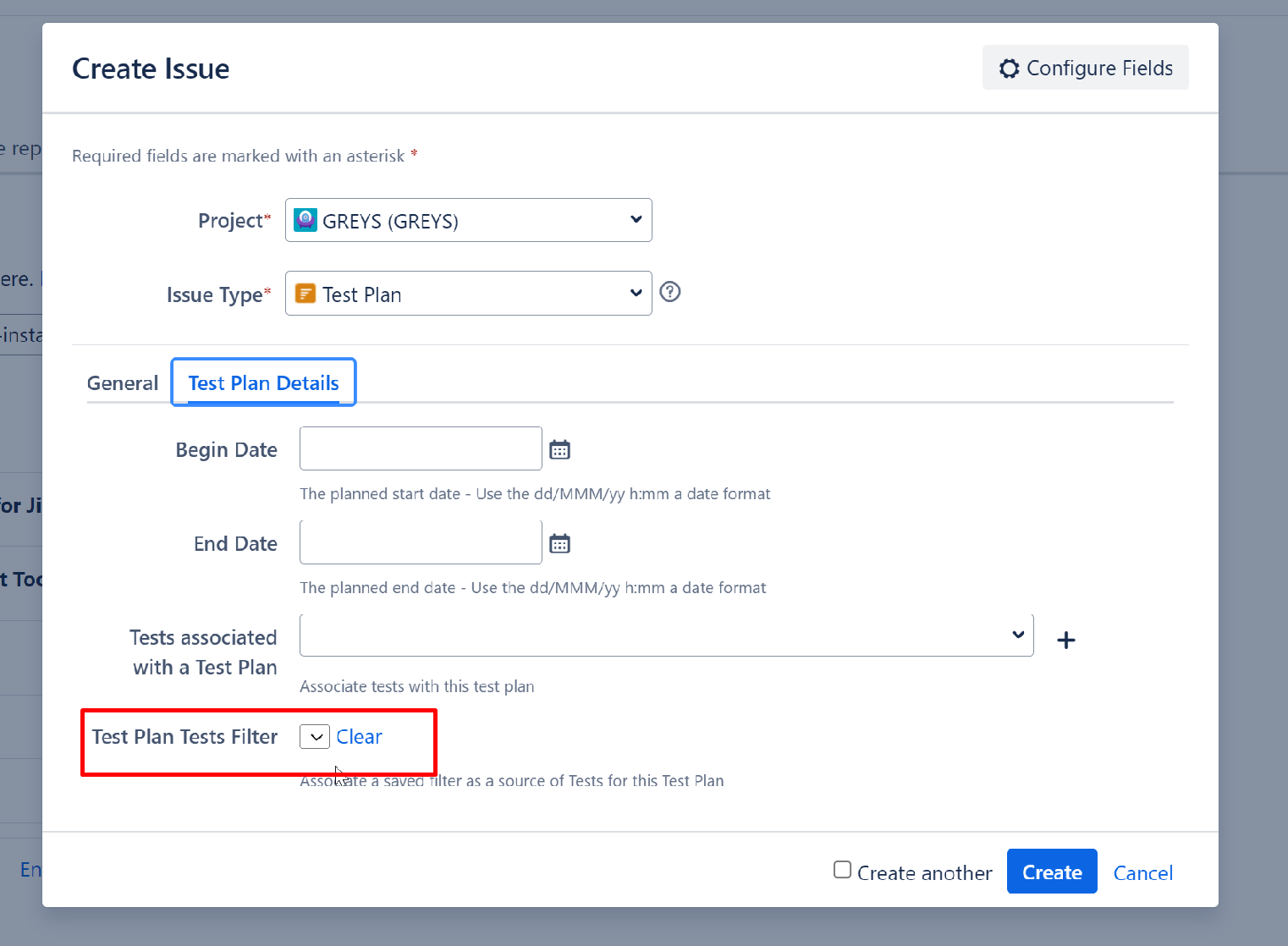
When creating a Test Plan on the create screen, the Test Plans Test Filter field appears shrunk.
How to reproduce
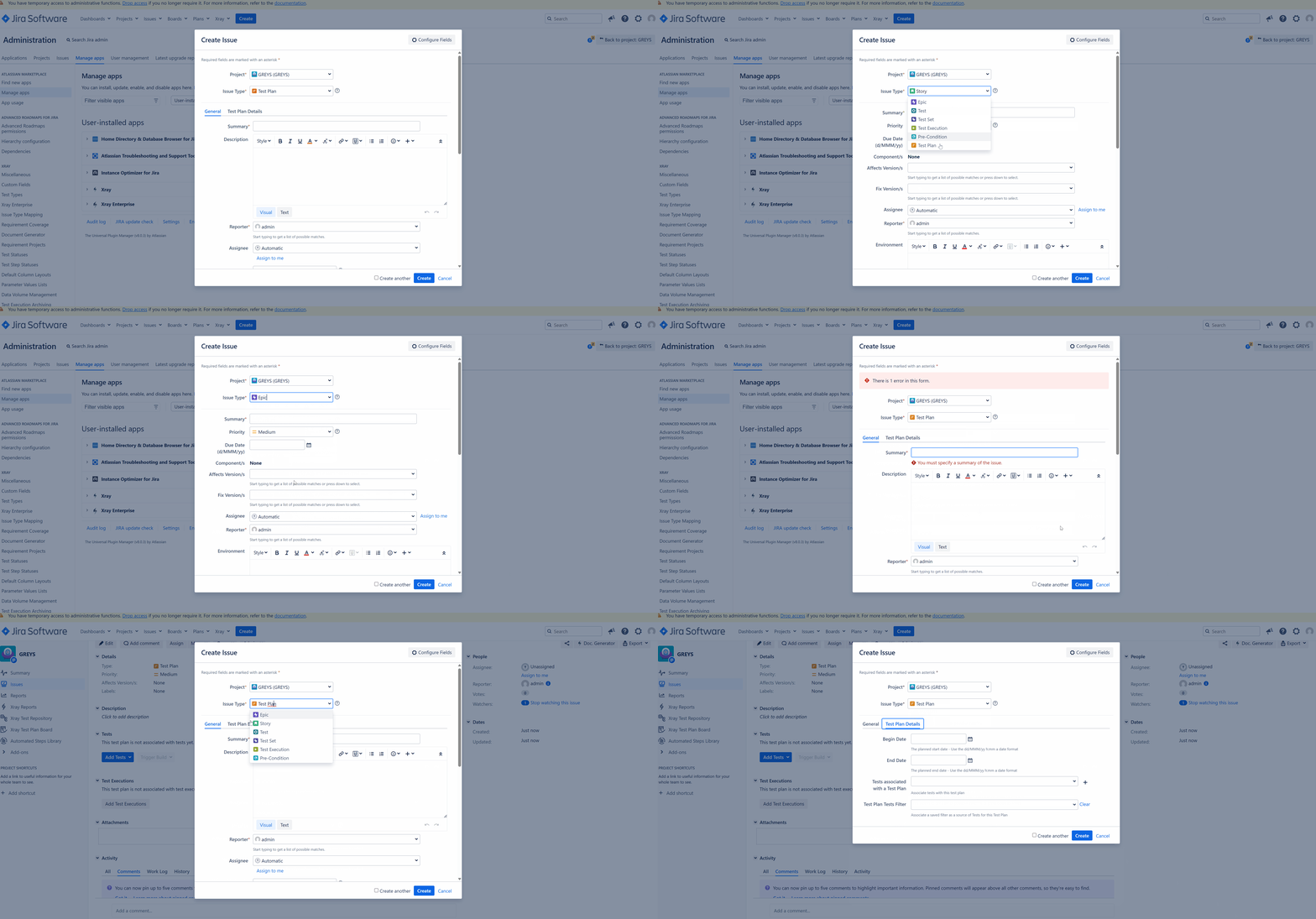
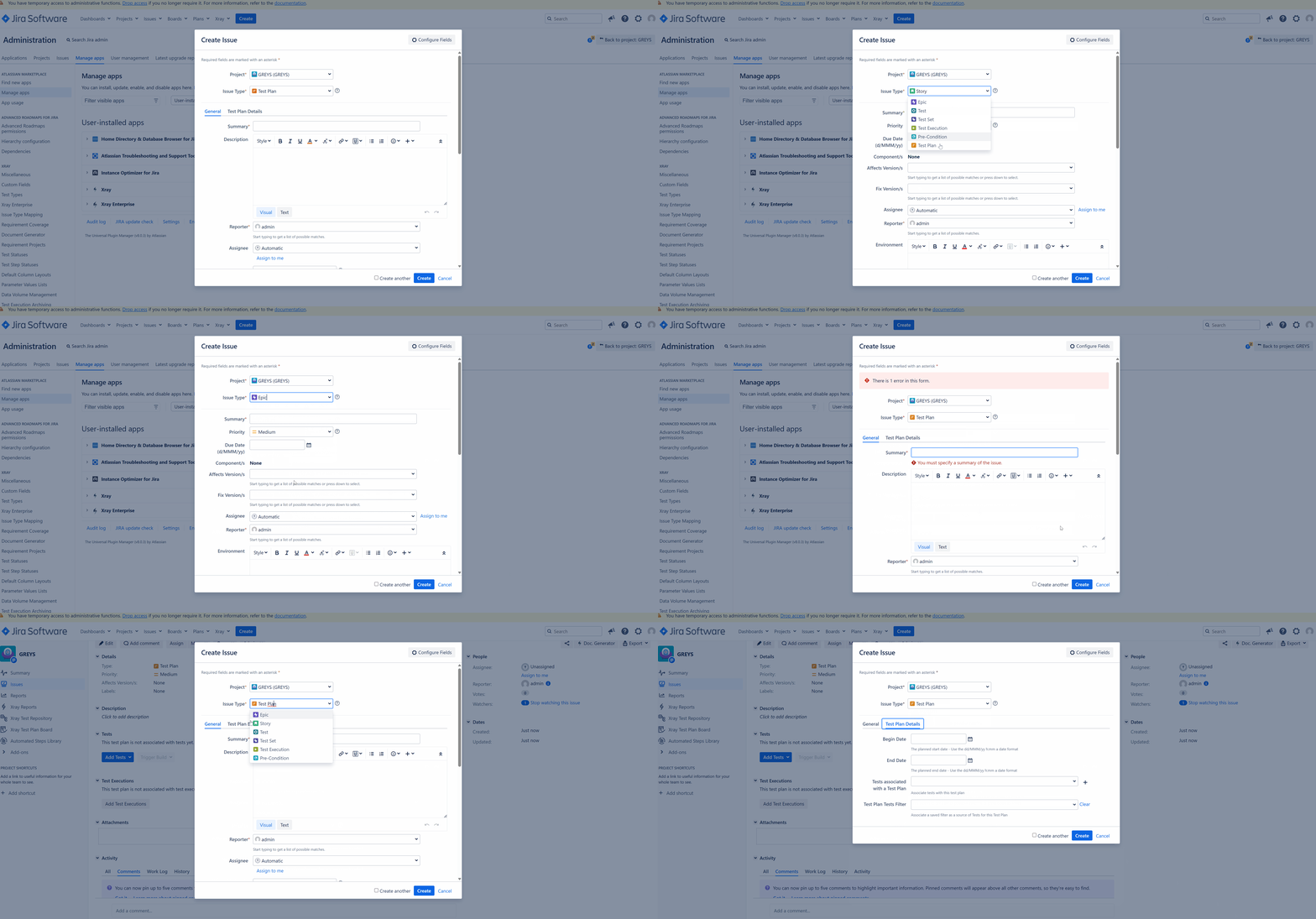
- Click on the create button, and select the issue type Test Plan
- Change to Test Plan details tab
Please note that if we refresh the page or change the issuetype, the field is then presented correctly for some time. But after some period, and when opening new tabs, etc., the problem comes back.
Actual result/Attachments
The Test Plans Test Filter is shrunk.
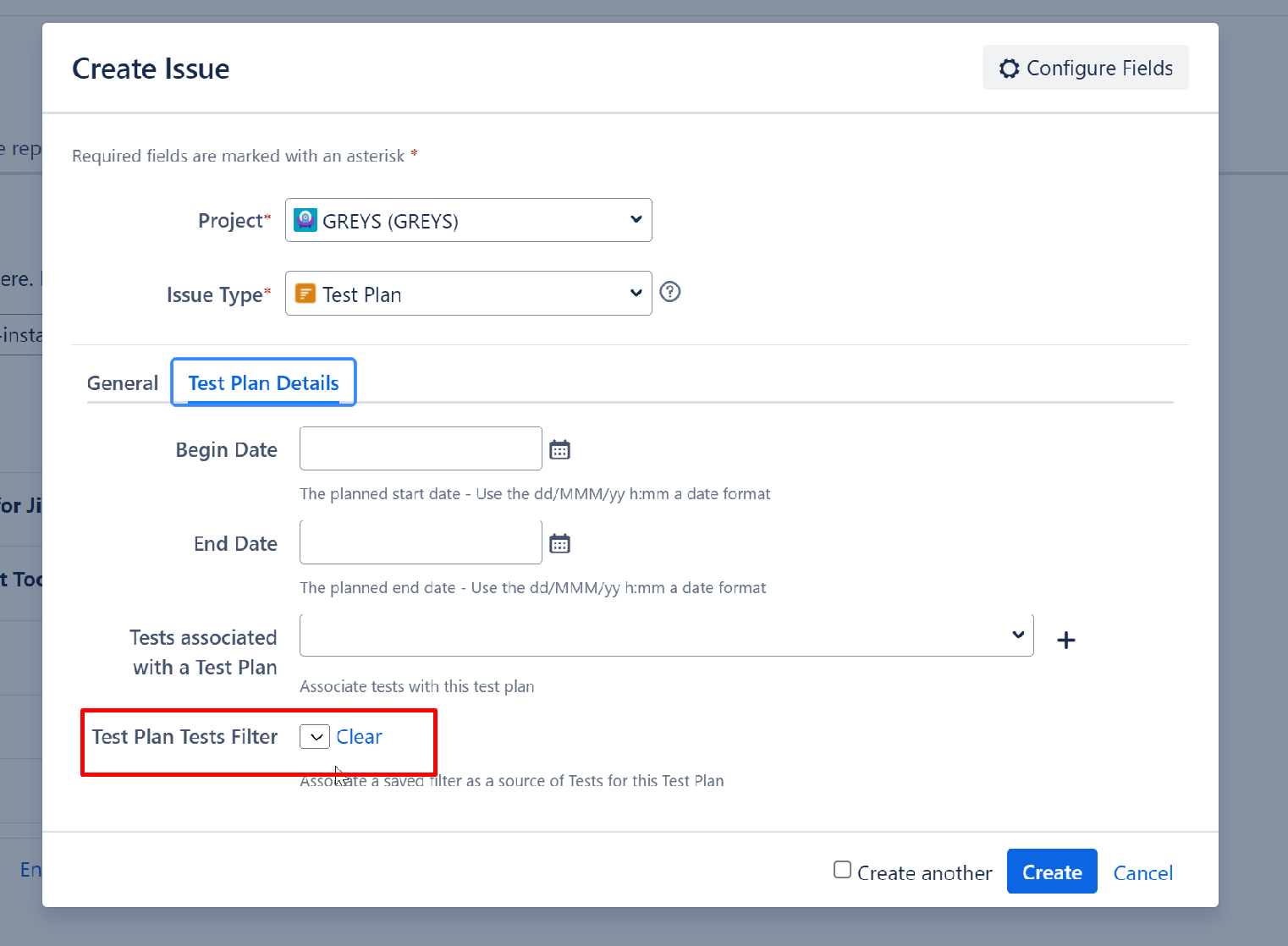
Please check the GIF below, replicating it:
Expected result
The field should be presented properly.
Version
- 8.4.3-j11
Workaround
Refresh the page (but this will clean all fields info) or change the issuetype in the modal and revert back to Test Plan.
Attachments
Issue Links
- duplicates
-
XDC-235 Loading...