Details
-
Bug
-
Status: Open
-
 Minor
Minor
-
Resolution: Unresolved
-
Xray DC 8.4.0, Xray DC 8.4.1, Xray DC 8.4.2, Xray DC 8.4.3, Xray DC 8.4.4
-
None
-
None
-
UI
Description
Description
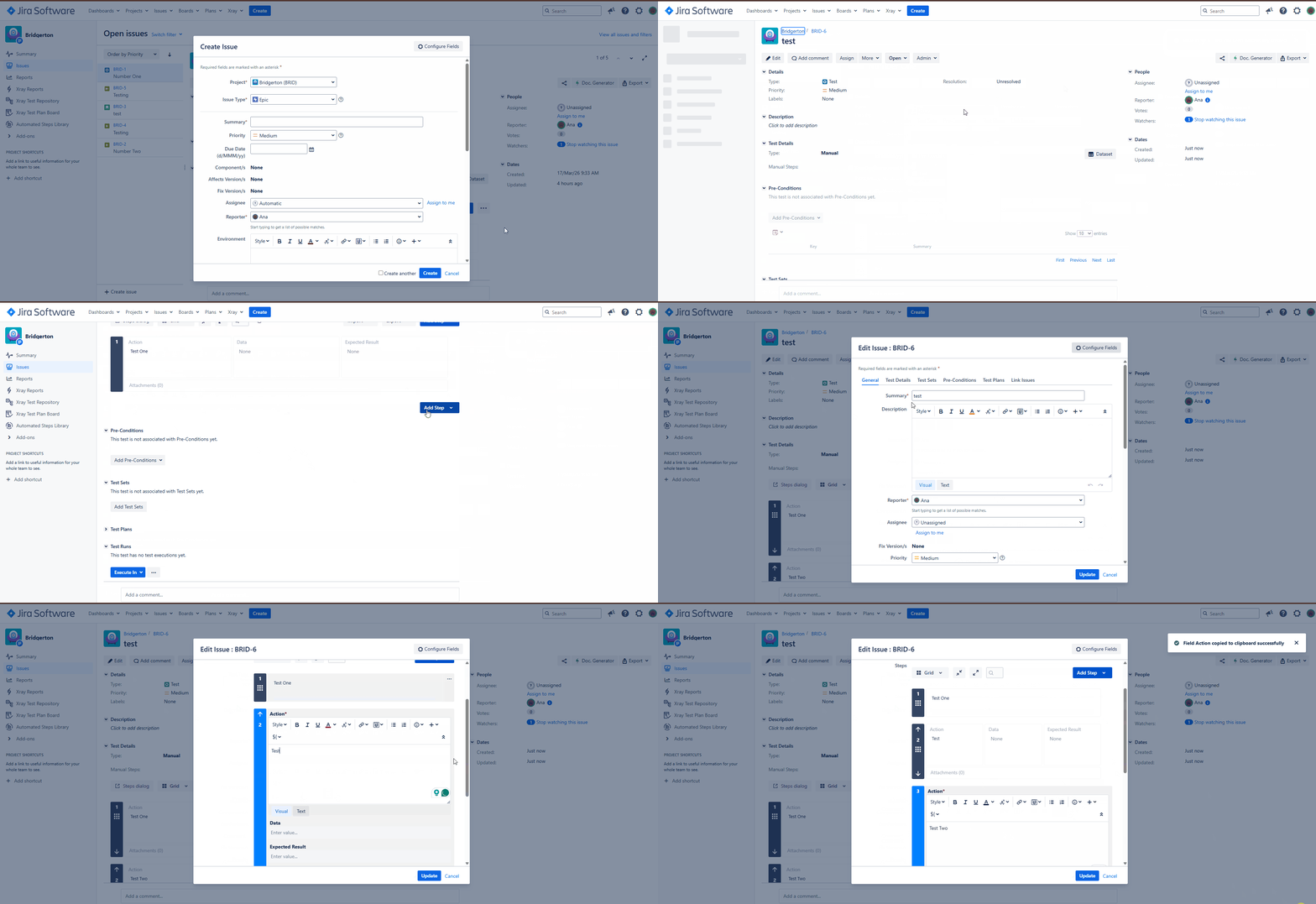
When a user is in Edit mode and copies a test step, the copied step retains the previous value instead of the most recently updated value.
How to reproduce
- Create a Test
- Add one or two Test Steps
- Open the Test in Edit mode
- Update the information under Action in one of the Steps
- Press Add (to save the information on the Test Step
- Copy the data from the updated Test Step
- Create a new Test Step and Paste the information previously copied
- The information pasted is not the one copied, but the original step information
Actual result/Attachments
The copied test step contains the old value that existed before the update, rather than the latest updated value.
Expected result
The copied test step should contain the most recently updated value from the original test step.
Version
- 8.4.0
- 8.4.1
- 8.4.2
- 8.4.3
- 8.4.4
- 8.4.5
Workaround
- Perform this same step in the View Screen instead of the Edit Screen
Attachments
Issue Links
- duplicates
-
XDC-1079 Loading...