Details
-
Suggestion
-
Status: New
-
Resolution: Unresolved
-
None
-
None
-
None
-
UI
Description
Description
As a user, I would like to have a "Test Runs Count" column available in the Tests table of a Test Execution so I can immediately see how many Test Runs exist for each Test without opening the Test Run details.
User friction
Currently, users must open each Test or navigate to other views to determine how many Test Runs have been created. This is time-consuming, especially when working with large Test Executions.
Steps to reproduce (right now) / Actual Result:
- Open a Test Execution in Xray Data Center.
- Navigate to the Tests section.
- Review the available columns in the Tests table.
Actual Result:
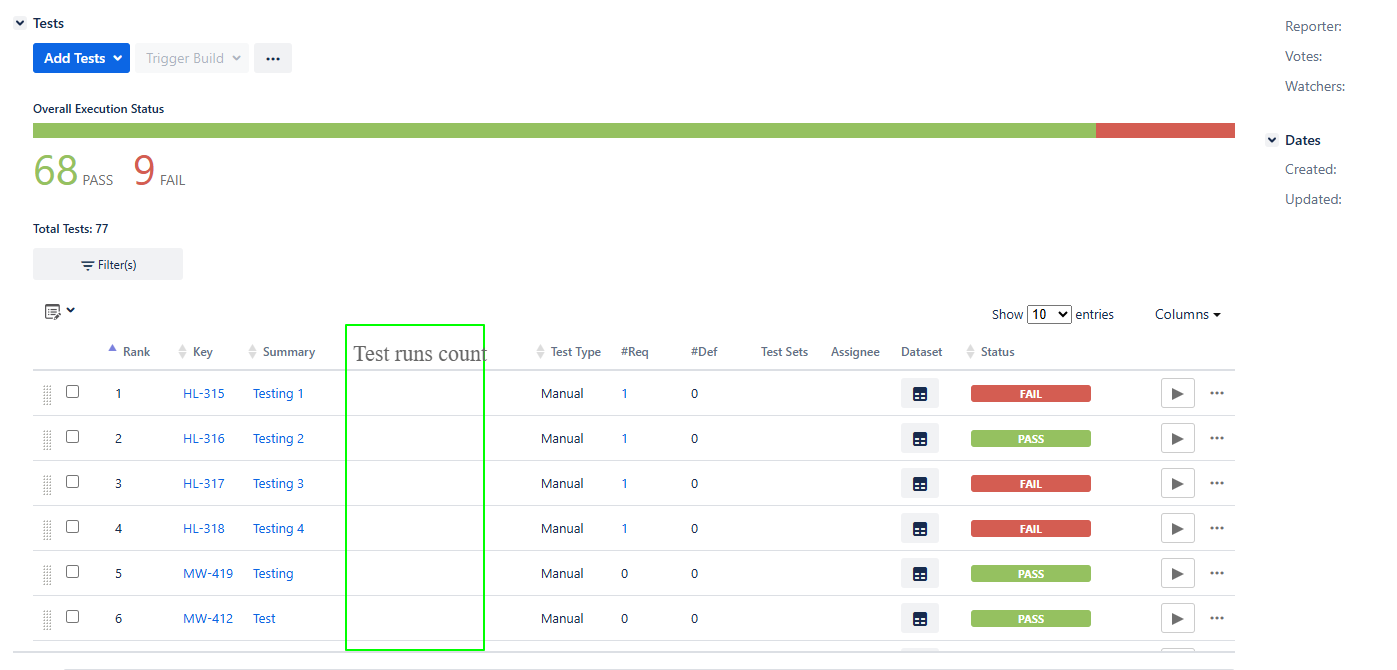
There is no "Test Runs Count" column available, so users cannot see how many Test Runs exist for each Test directly from the Test Execution. They must open each Test or navigate to other views to obtain this information.
IMPACT
What would improve if solved:
- Quickly identify Tests that have multiple Test Runs.
- Improve visibility of execution history directly from the Test Execution.
- Reduce the number of clicks required to inspect execution information.
Impact on stakeholders:
- Users can quickly identify Tests with multiple Test Runs without leaving the Test Execution view
- Users gain better visibility into execution progress and rerun activity, making it easier to identify Tests that required multiple executions.
Current workaround:
Users must open each Test to determine how many Test Runs exist for a particular Test.
CONTEXT & EXAMPLES:
Concrete example:
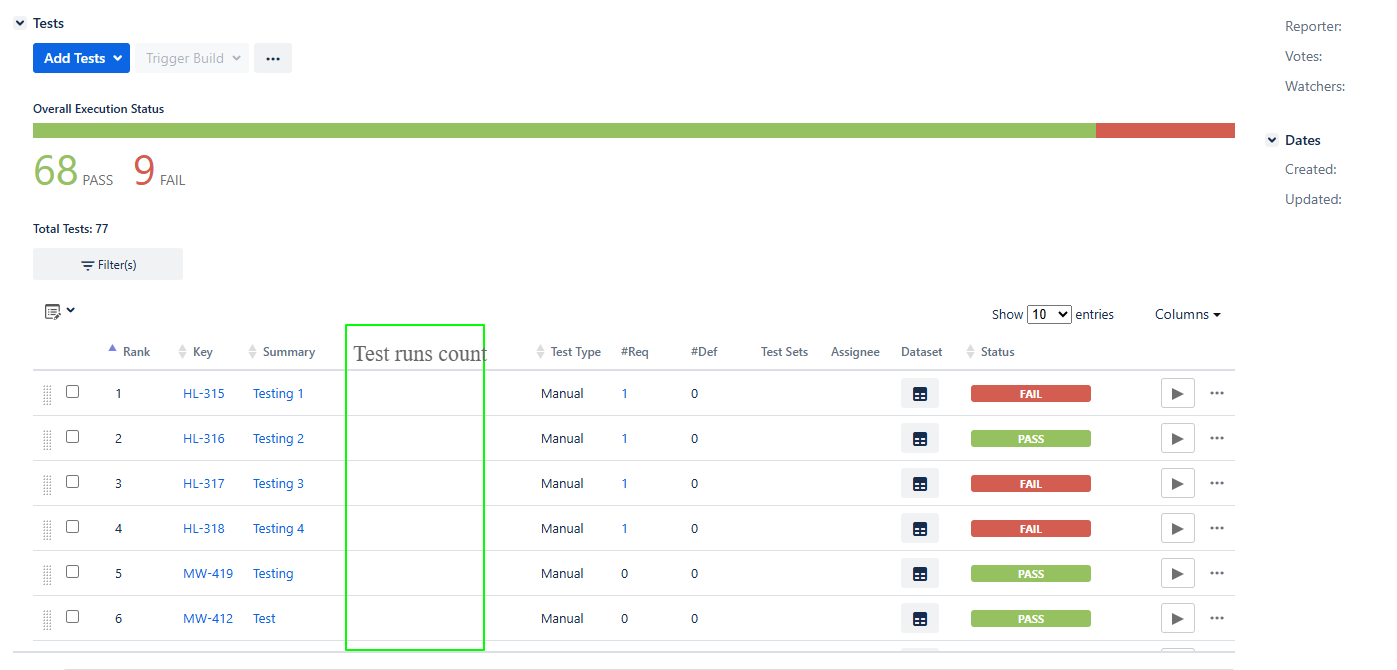
In the Test Execution's Tests table, add a "Test Runs Count" column (similar to the one highlighted in the screenshot) that displays the number of Test Runs for each Test.
Workaround risk:
The workaround is time-consuming and inefficient, particularly for large Test Executions. It increases the number of manual steps required, making it more likely that users overlook Tests with multiple Test Runs or spend unnecessary time gathering execution information.