Details
-
Bug
-
Status: Open
-
 Minor
Minor
-
Resolution: Unresolved
-
Xray DC 8.2.3
-
None
-
None
-
Tested in
Jira 10.3.22 Xray 8.4.7j10, 8.2.3J10
Jira 10.3.10 Xray 8.4.7j10
-
Standard
-
Description
Description
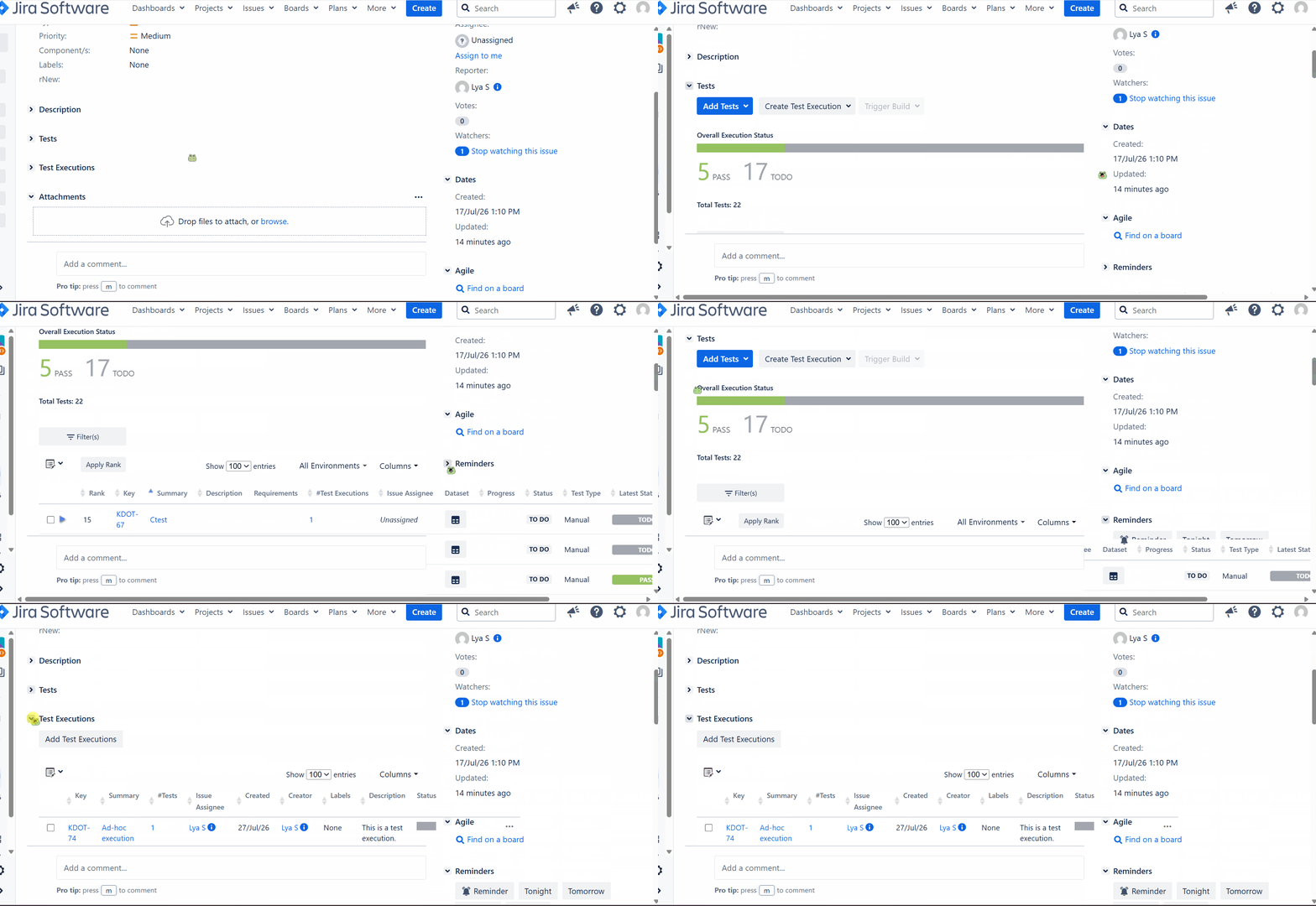
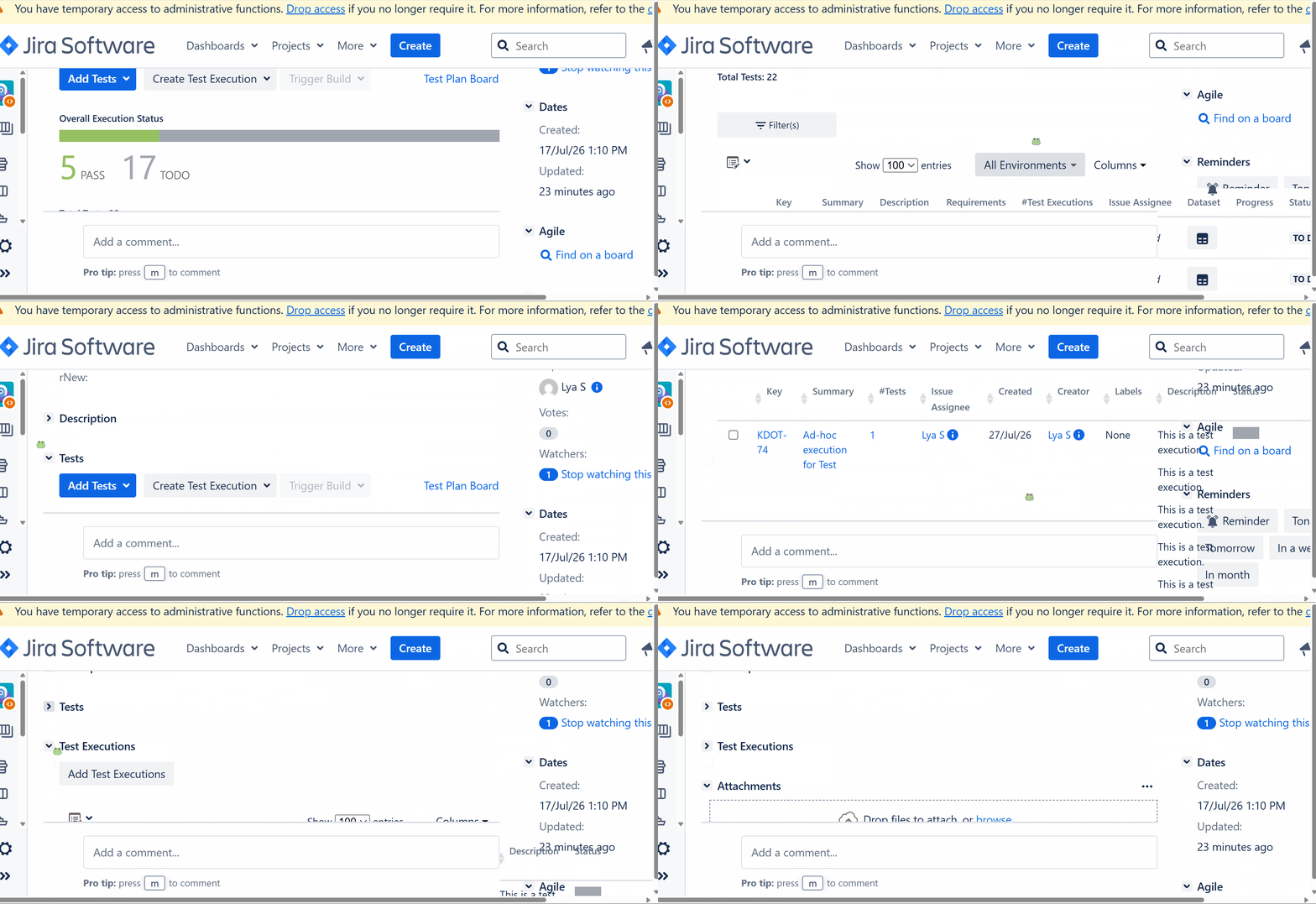
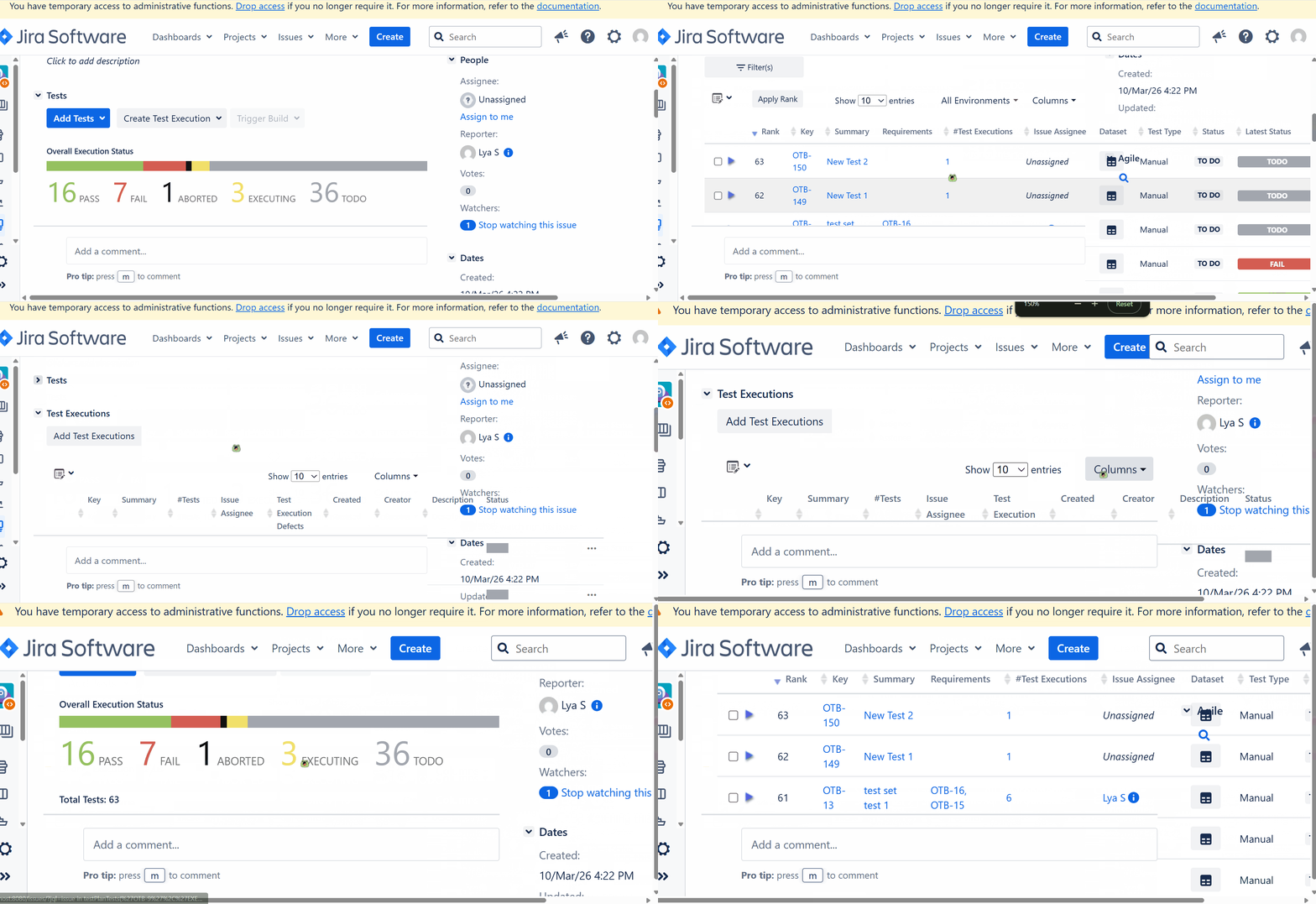
Xray panels overlap with the right-side panel when the browser is zoomed in
Pre-conditions
- A right-side panel from another app, such as Reminders for Jira, is displayed.
- The browser is zoomed in or the issue is viewed on a smaller screen.
How to reproduce
- Open an issue containing Xray panels, such as a Test Execution or Test Plan.
- Make sure the right-side panel is displayed.
- Increase the browser zoom level to 150%.
- Observe the Xray panels.
Actual result/Attachments
Jira 10.3.22 Xray 8.2.3j10
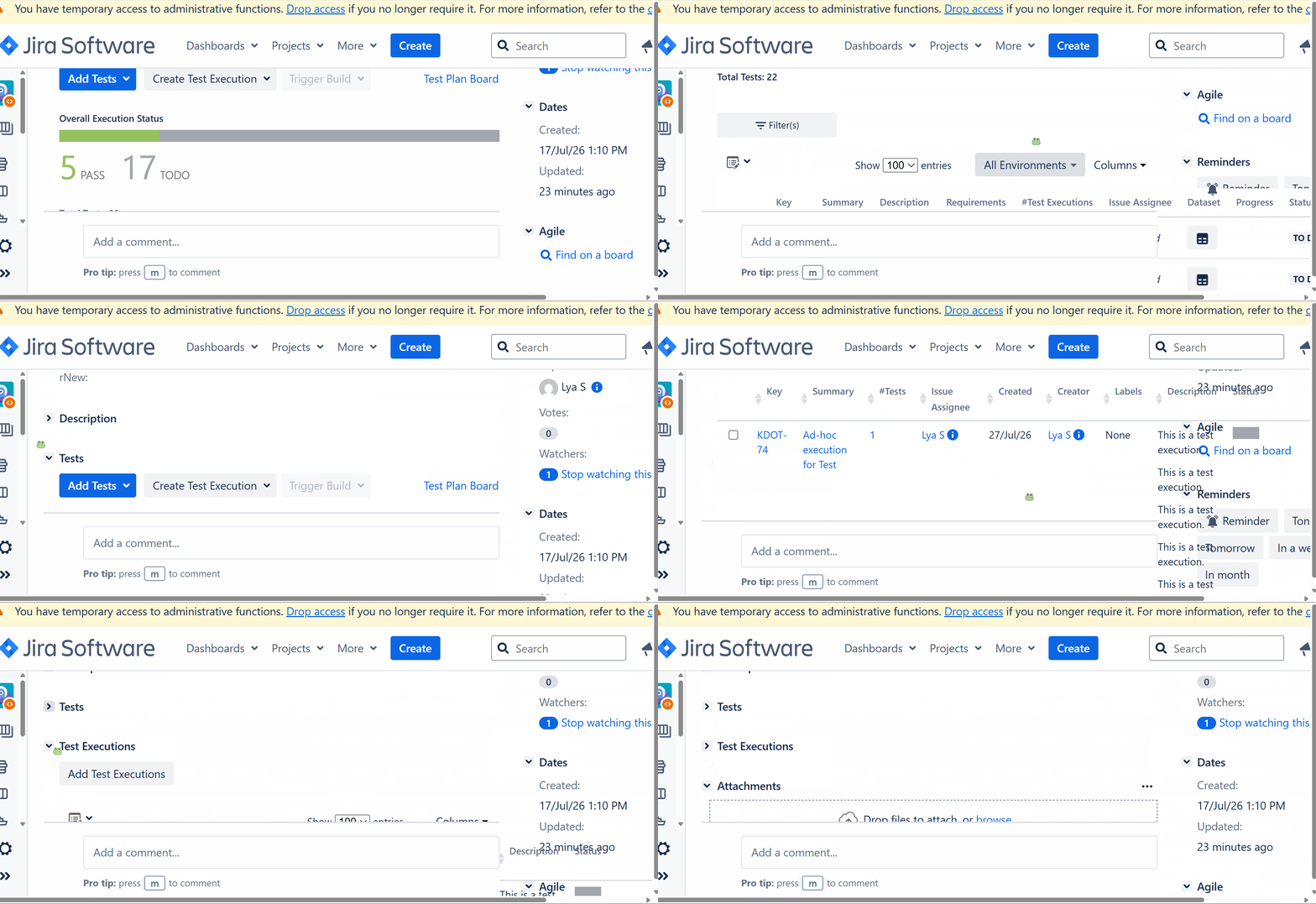
Jira 10.3.22 Xray 8.4.7j10
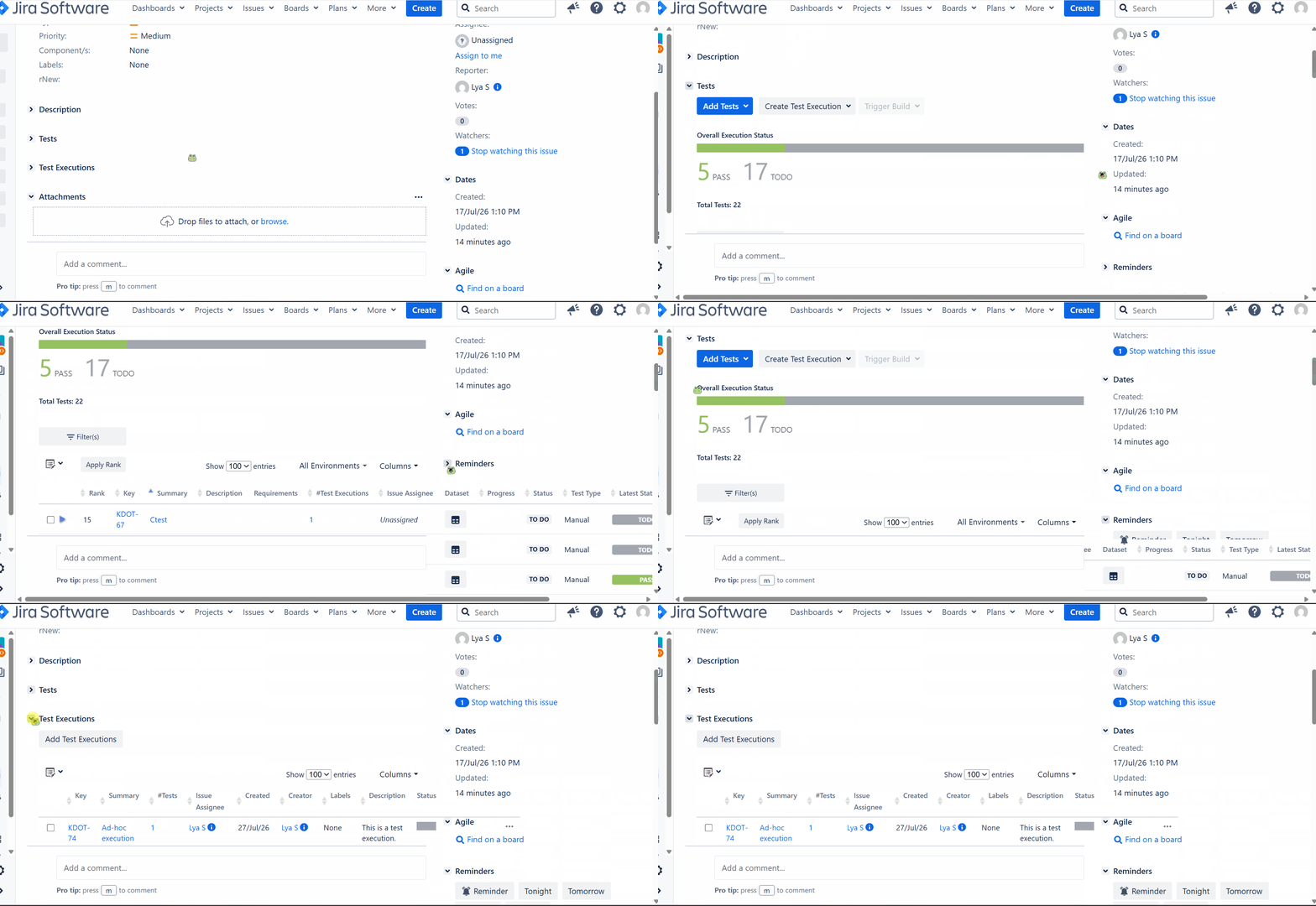
Jira 10.3.10 Xray 8.4.7j10
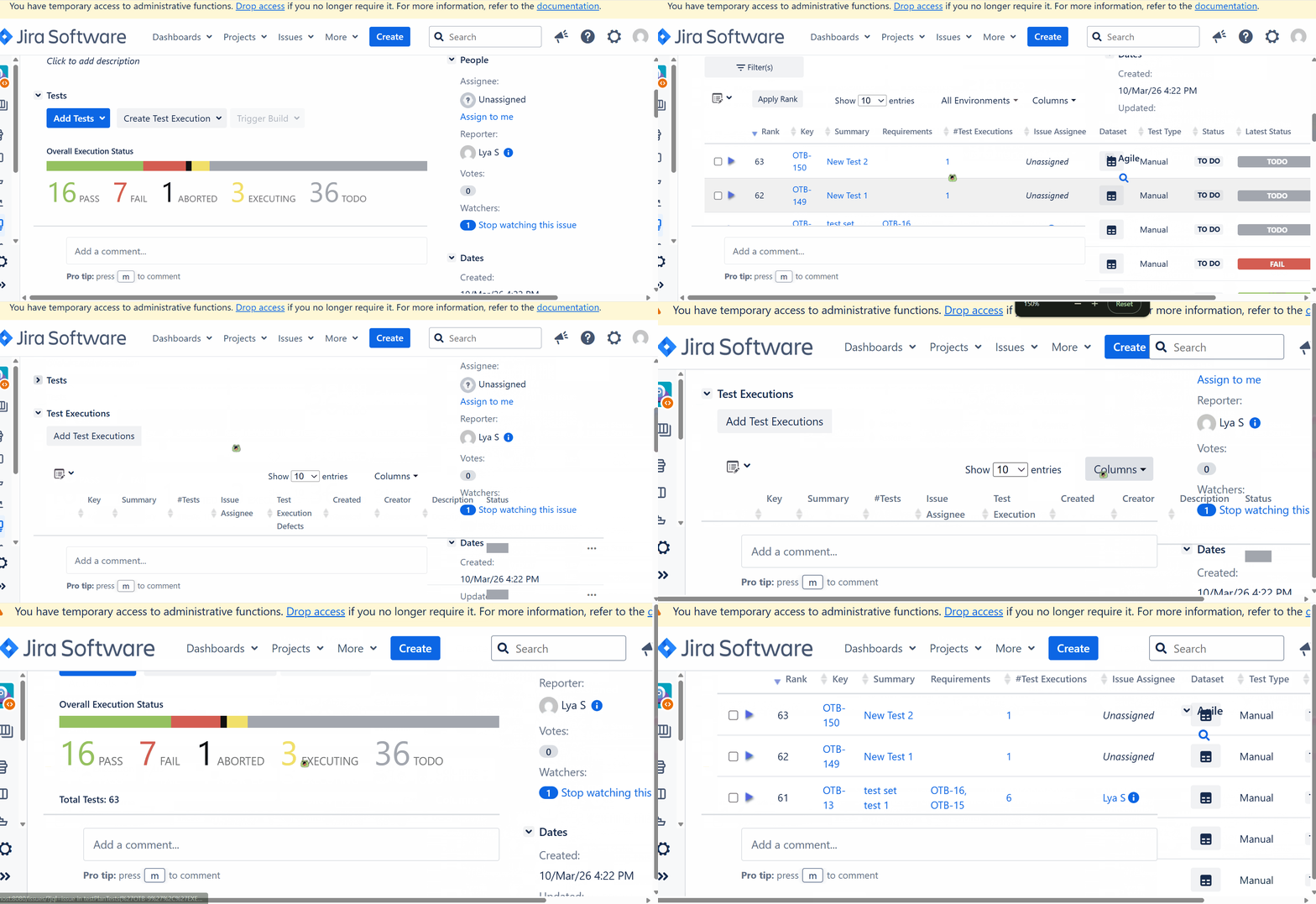
Expected result
The Xray panels should display correctly.
Version
- 8.4.7
- 8.2.3
Workaround
Reduce the browser zoom level
Attachments
Issue Links
- duplicates
-
XDC-1138 Loading...