Details
-
Bug
-
Status: Open
-
 Minor
Minor
-
Resolution: Unresolved
-
Xray DC 8.5.0
-
None
-
None
-
DC
Description
Description
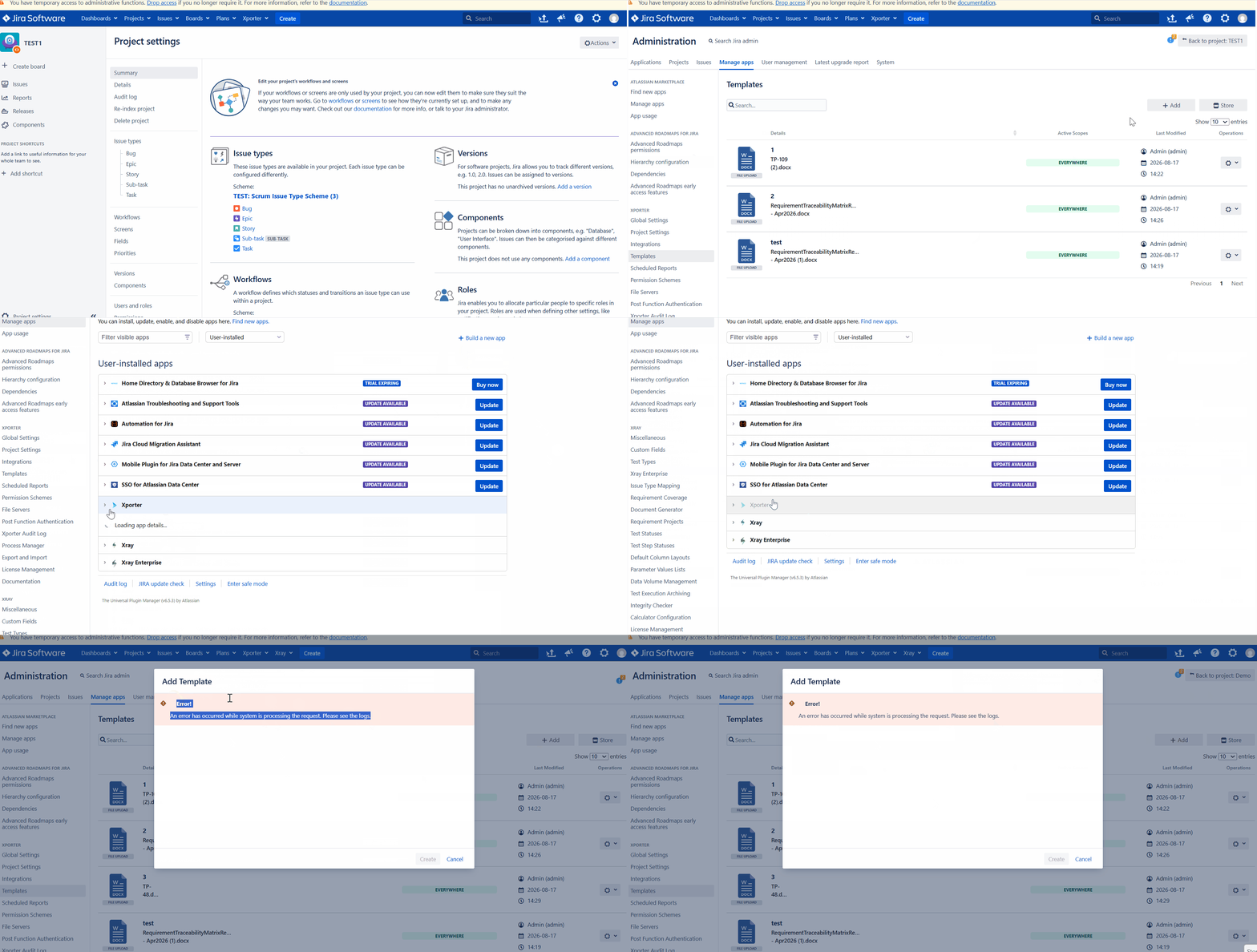
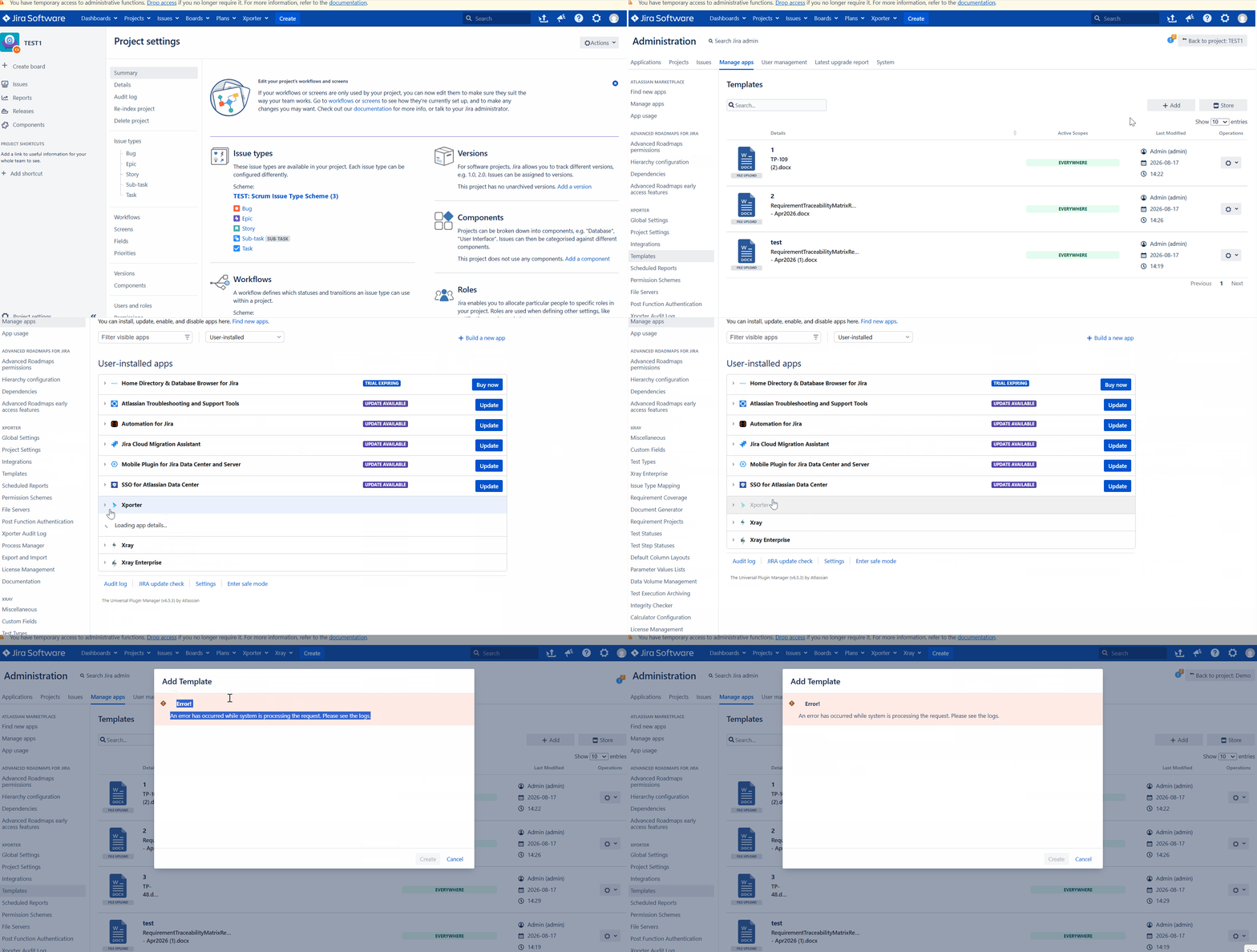
Xporter throws an error "An error has occurred while system is processing the request. Please see the logs." While accessing the Xporter template from Global settings in DC/Server
Pre-conditions
- Jira Data Center instance with Xporter installed.
- A project-scoped Xporter template exists.
- The associated Jira project is deleted while the template association remains in the Xporter database tables.
How to reproduce
- Create a test project, for example TEST1 .
- Create one or more Xporter templates and associate them with that project.
- Stop the Xporter app (disable it from ) while leaving Jira running.
- Delete the TEST1 project from Jira.
- Re-enable/start Xporter.
Actual result/Attachments
When we try to add the template from Xporter global settings below error appears

Expected result
Xporter should handle templates associated with deleted projects gracefully. Orphaned project-template associations should be ignored, cleaned up automatically, or displayed without causing an error
Version
DC:10.3.19
Xporter: 7.4.8
Workaround
Remove orphaned project-template associations from the Xporter table using below SQL manually.
The query identifies Xporter templates that are still associated with Jira projects that have been deleted.
SELECT "ID", "PROJECT_ID", "TEMPLATE_ID" FROM PUBLIC."AO_3C6513_XPORTER_PRJ_TEMPLATE"
LEFT JOIN public.project
  ON "PROJECT_ID" = "id"
WHERE "project"."id" IS NULL
And to remove the connection between the template and the project.
DELETE FROM PUBLIC."AO_3C6513_XPORTER_PRJ_TEMPLATE" WHERE "PROJECT_ID" IN (SELECT PUBLIC."AO_3C6513_XPORTER_PRJ_TEMPLATE"."PROJECT_ID" FROM PUBLIC."AO_3C6513_XPORTER_PRJ_TEMPLATE" LEFT JOIN public.project ON "PROJECT_ID" = "id" WHERE "project"."id" IS NULL)
Afterward, these templates will be available on the admin templates page.
Attachments

Issue Links
- duplicates
-
XDC-1166 Loading...