Details
-
Bug
-
Status: Open
-
 Minor
-
Resolution: Unresolved
-
Xray DC 8.5.2, Xray DC 8.5.3, Xray DC 8.5.4, Xray DC 8.5.5, Xray DC 8.5.6, Xray DC 8.6.0, Xray DC 8.6.1
-
None
-
None
-
UI
Description
Description
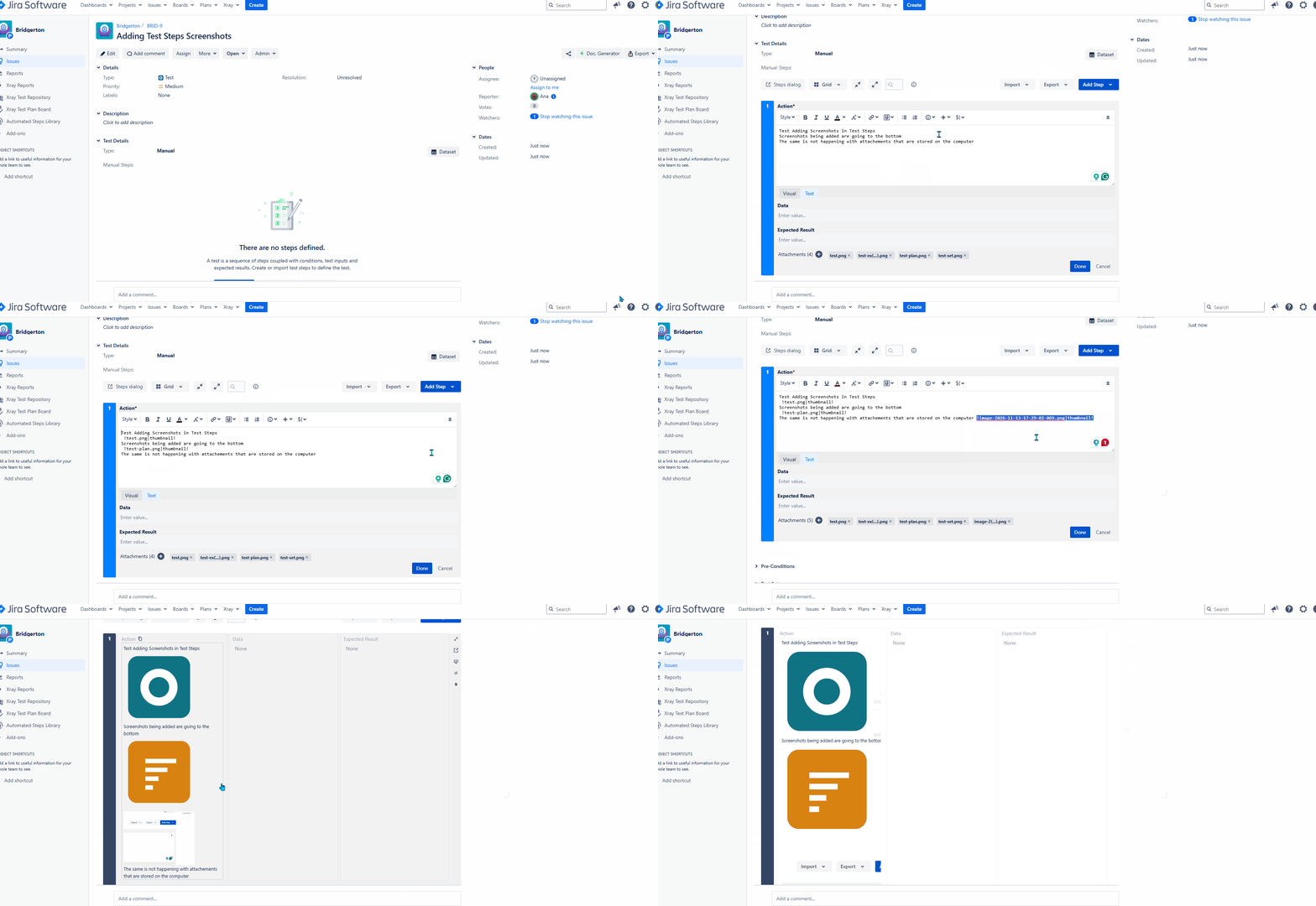
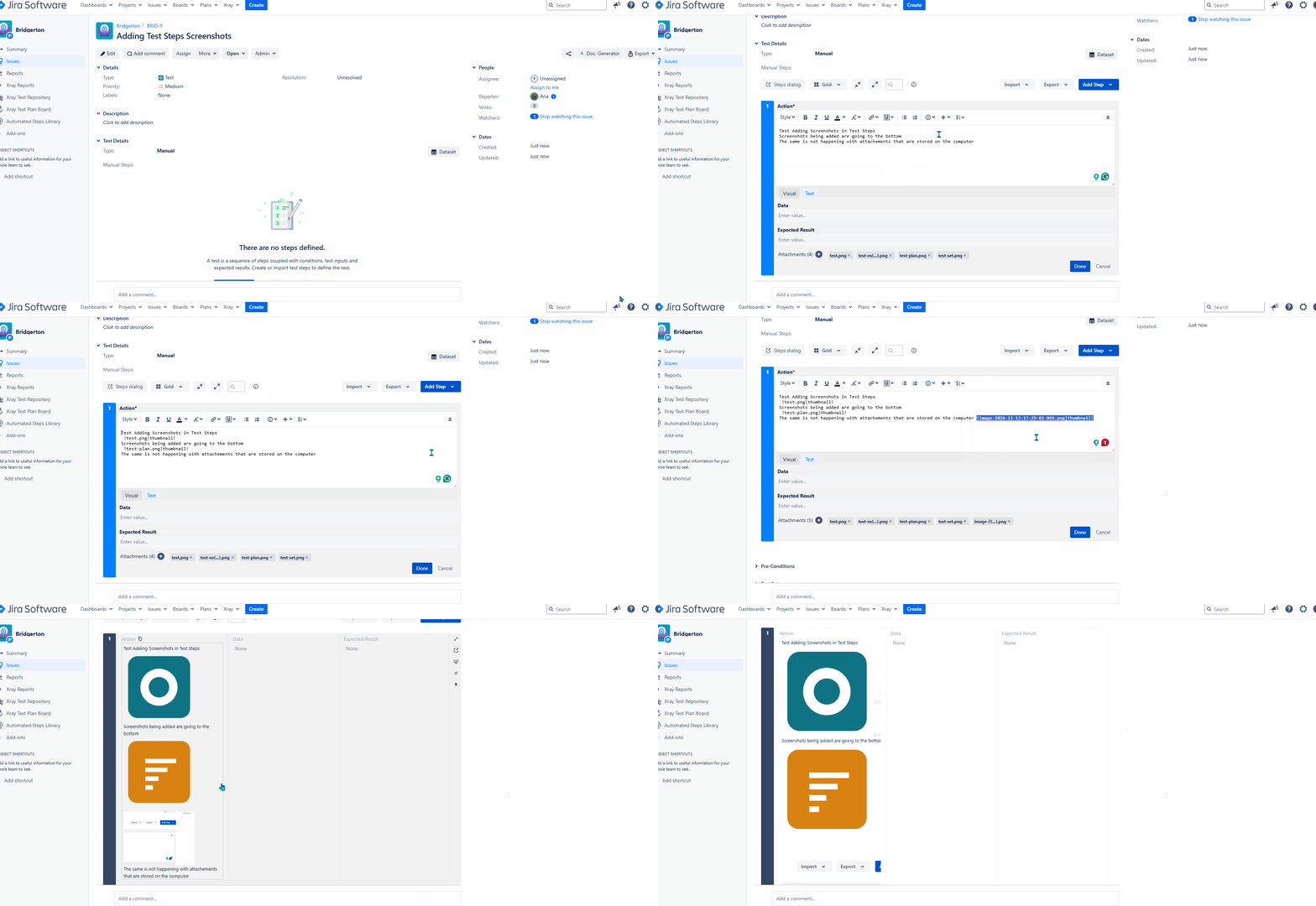
When pasting a screenshot into an existing Test Step while using Text View, the image is always inserted at the end of the last sentence, regardless of the position selected for insertion.
This behavior appears to be specific to screenshots pasted directly into the Test Step. It does not occur when:
- Adding an image that was previously saved on the computer.
- Pasting a screenshot while using Visual View.
How to reproduce
- Create a Test
- Add a few Test Steps
- Enter two or three sentences in one of the Test Step fields (Action, Data, or Expected Result)
- Make sure you are using Text View
- Take a screenshot
- Place the cursor between two sentences (or at any desired insertion point) and paste the screenshot
- Observe where the screenshot is inserted
- Repeat the same process using an image previously saved on the computer
- The image is correctly inserted at the selected position when uploaded from the computer
Actual result/Attachments
When pasting a screenshot directly into a Test Step in Text View, the image is automatically placed at the end of the last sentence, regardless of where the cursor is positioned.
This prevents users from placing screenshots at their intended locations within the Test Step content.
Expected result
Screenshots pasted directly into a Test Step should be inserted at the selected cursor position, following the same behavior as images uploaded from the computer.
The insertion position should be respected regardless of whether the image is pasted directly or uploaded as an attachment.
Version
- Jira Version: 10.7.4
- Xray Version: 8.5.2 to 8.6.1
Workaround
There are currently two possible workarounds:
1 - Switch to Visual View before pasting the screenshot.
2 - If using Text View, cut the screenshot's address and paste it manually at the desired position.
Attachments
Issue Links
- duplicates
-
XDC-1372 Loading...