Details
-
Bug
-
Status: Closed
-
 Medium
-
Resolution: Resolved
-
Xray Cloud 7.2.0
-
None
-
Chrome Browser, Windows OS, Jira Cloud
Description
Description:
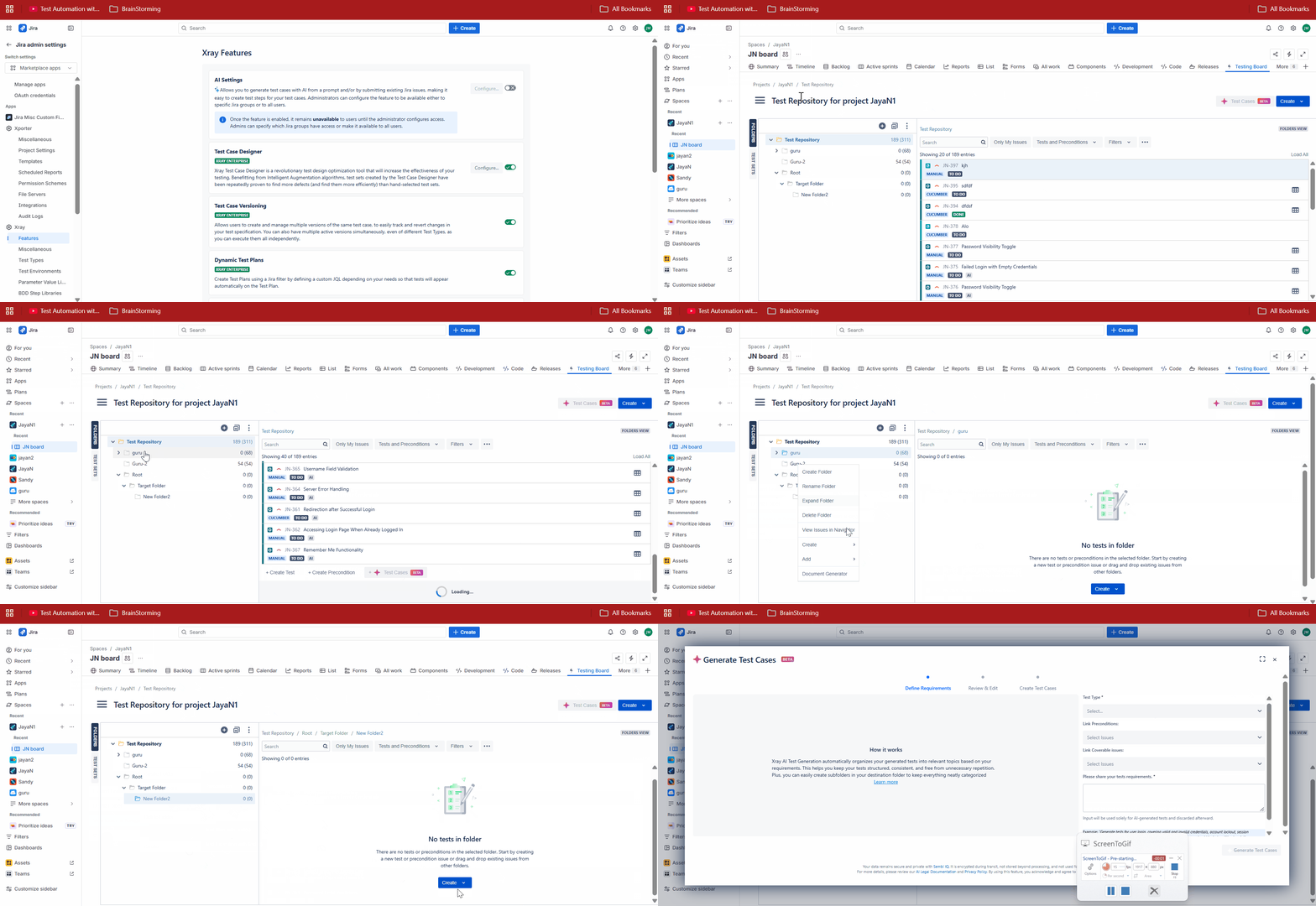
Even after disabling the AI Feature, we can still generate Test Cases with AI feature from an empty Test Repository folder using Create Dropdown.
Pre-conditions: N/A
How to reproduce
- Go to Xray settings -> Features
- Disable "AI Settings" toggle
- Go to Testing board -> Test Repository
- Click on an empty folder (or create one)
- Click the Create dropdown and select the (AI) Test Cases Beta button to create Tests
Actual result/Attachments:
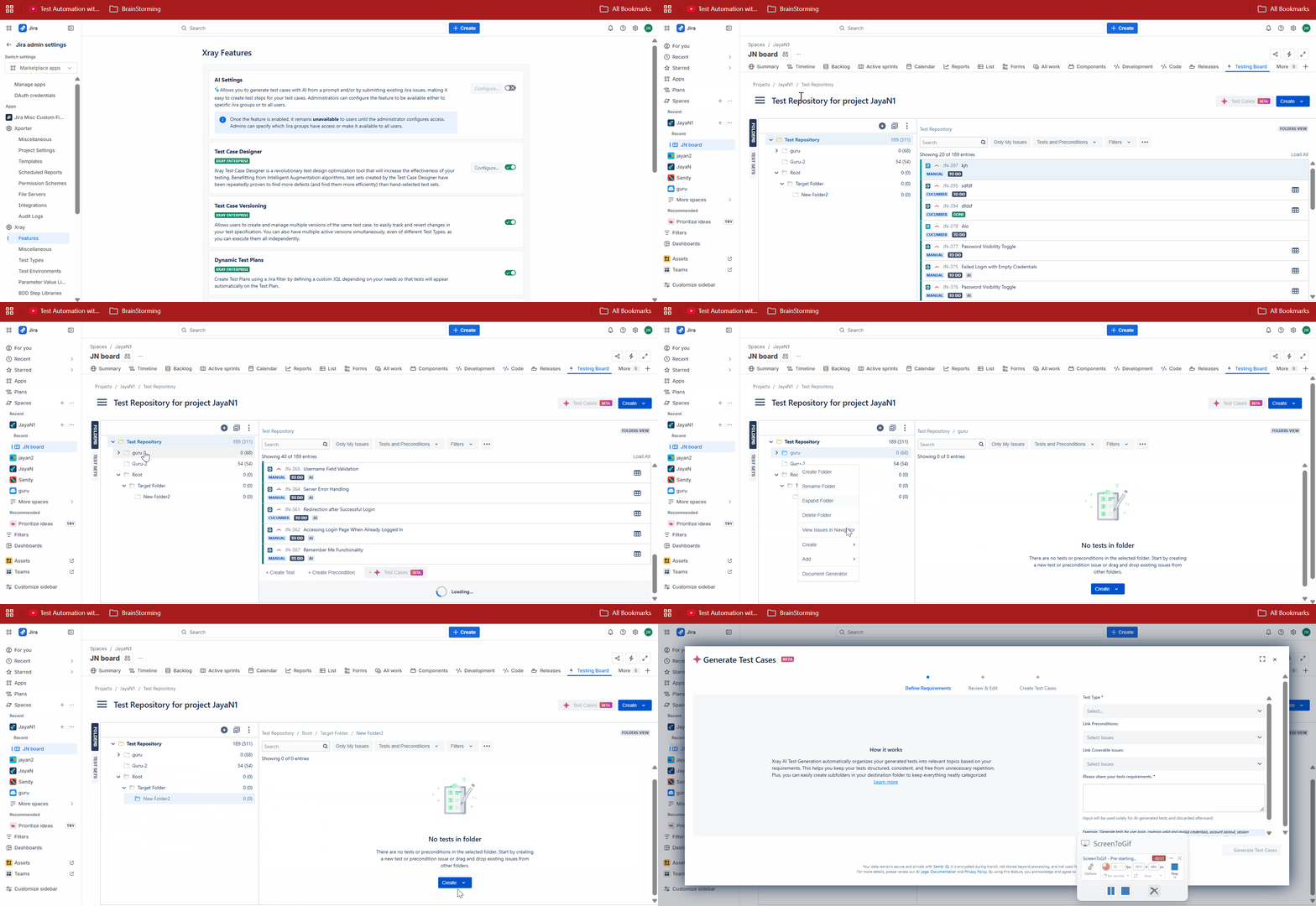
The Create dropdown allows the AI Test creation.
Expected result
As the feature is disabled, the AI feature should not allow users to generate Tests using the AI Feature.
Version
- Xray Cloud 7.2.0