Details
-
Bug
-
Status: Waiting Approval
-
 Medium
-
Resolution: Unresolved
-
Xray Cloud 7.3.0
-
None
-
None
-
Call Test
-
Enterprise
-
Description
Description:
When creating a Call Test, searching by the issue key does not consistently return the expected Test. The issue only appears after performing certain modifications on the target Test, such as changing the Test Type.
How to reproduce
- Create at least four Test issues.
- Add test steps to all of them.
- Open one Test (e.g., XRAYTESTPRI-1).
- Scroll down to Test Details.
- Click between two existing test steps.
- Select Call Test.
- In the search field, enter the issue key of another Test (e.g., XRAYTESTPRI-2).
Actual result/Attachments:
- The Test Case cannot be found, so it cannot be added.
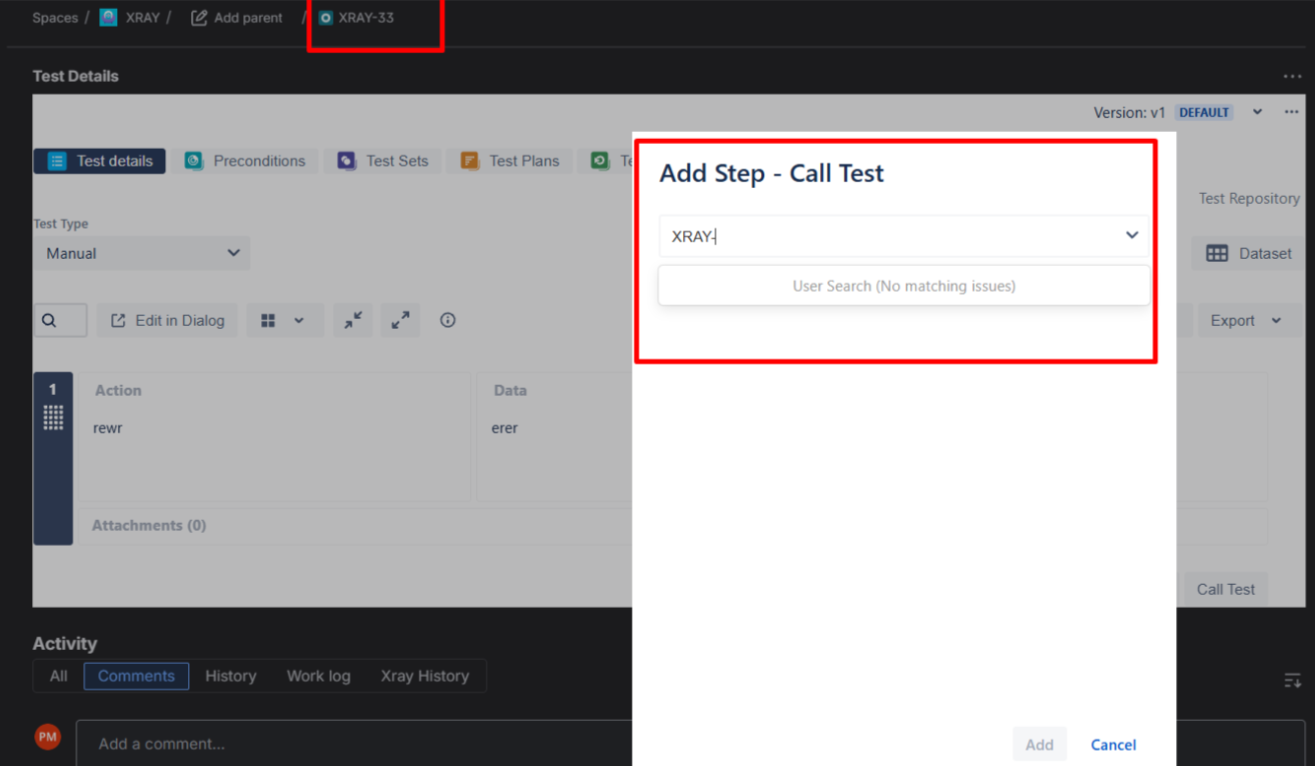
Trigger Condition Identified
- Open the target Test (e.g., XRAYTESTPRI-2).
- Change the Test Type (e.g., from Manual to Generic)
- Change it back to the original type (e.g., Manual).
- Return to XRAYTESTPRI-1.
- Open Call Test again.
- Search again using the issue key (XRAYTESTPRI-2).
Result After Test Type Change:
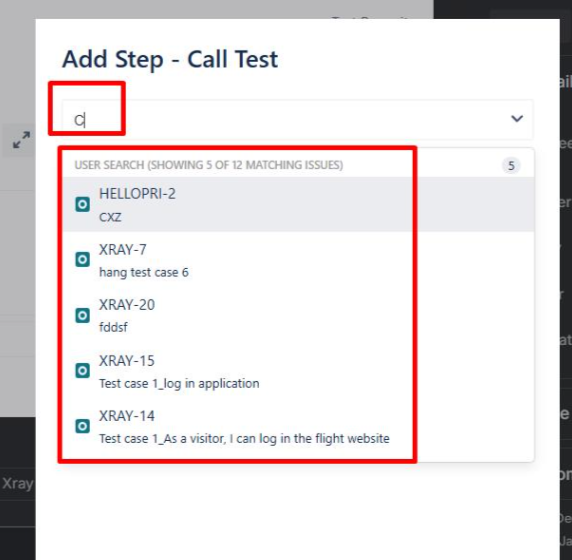
- The Test now appears in the search results.
- Searching by issue key works correctly.
Additional Observations
- Adding steps alone does not consistently resolve the issue.
- The behavior appears to be specifically triggered after changing the Test Type.
- It seems the Test only becomes searchable by issue key after a modification that triggers a reindex/update.
Expected result:
- The Call Test search should return results when searching by issue key, allowing the Test to be found and added correctly.
Xray versions:
- Xray Enterprise: 6.16.0
- Xray: 7.3.0
Attachments
Issue Links
- duplicates
-
XCC-2063 Loading...