Details
-
Bug
-
Status: Waiting Approval
-
 High
High
-
Resolution: Unresolved
-
Xray Cloud (8.0.1) [Silent Release26.4]
-
None
-
None
-
Jira Cloud, Windows, Chrome browser
Description
Description:
To enable Project-level Test Types, we need to map the existing Tests to the relevant Test Types of the Project.
But when any Test Type is available only at the Global-level, then we cannot map the existing Tests of that type to the same, as it is not available at the Project level. So, it becomes a blocker if we need to enable the project-level setting.
Pre-conditions:
Make sure that you have disabled Project-level Test Types.
How to reproduce
- Create a new Test Type at the Global level.
- Create a new issue in the Project of the newly added custom test type.
- Go to Project Settings to enable the Test Types

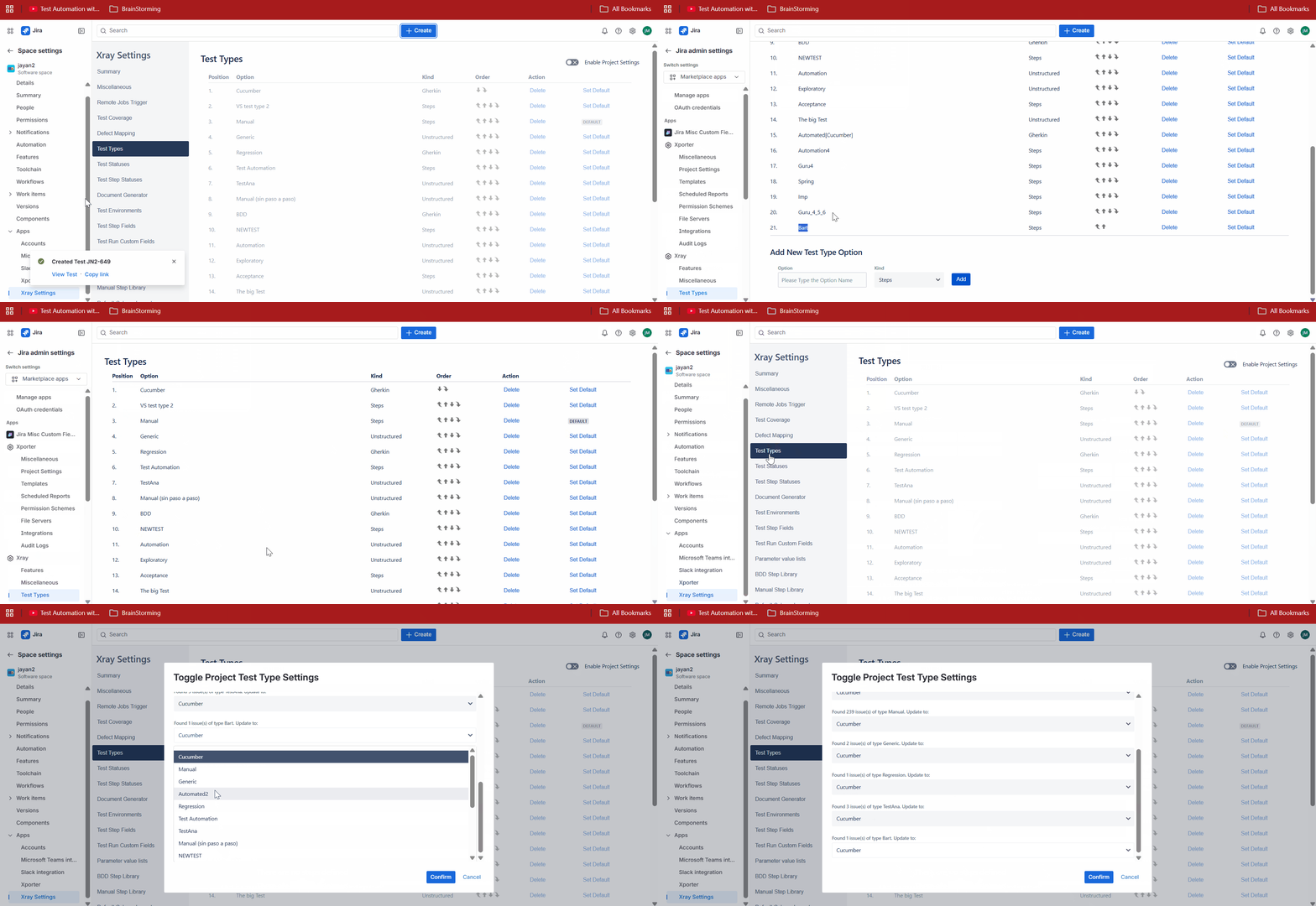
Actual result/Attachments:
The newly created Test Type is missing from the mappings.
Expected result
To show the Global and Project-level Test Types such that we can map the applicable Tests Types to them.
Version
- Xray Cloud 8.0.0
Attachments
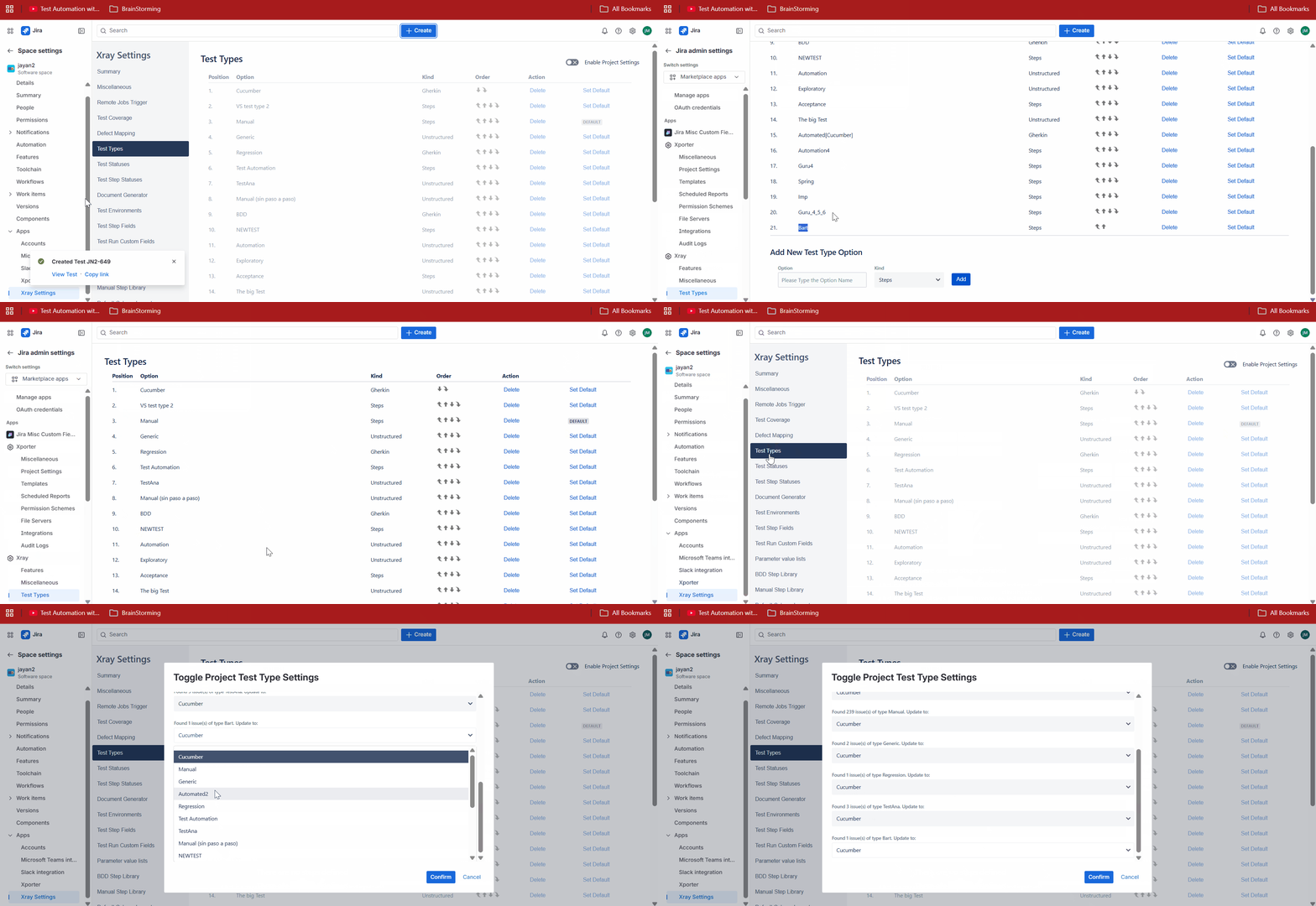
Issue Links
- duplicates
-
XCC-2052 Loading...