Details
-
Bug
-
Status: Resolved
-
 Medium
-
Resolution: Fixed
-
Xray Cloud 13.0.0
-
None
-
macOS 26.3
Google Chrome Version 145.0.7632.160 (Official Build) (arm64)
Description
Description
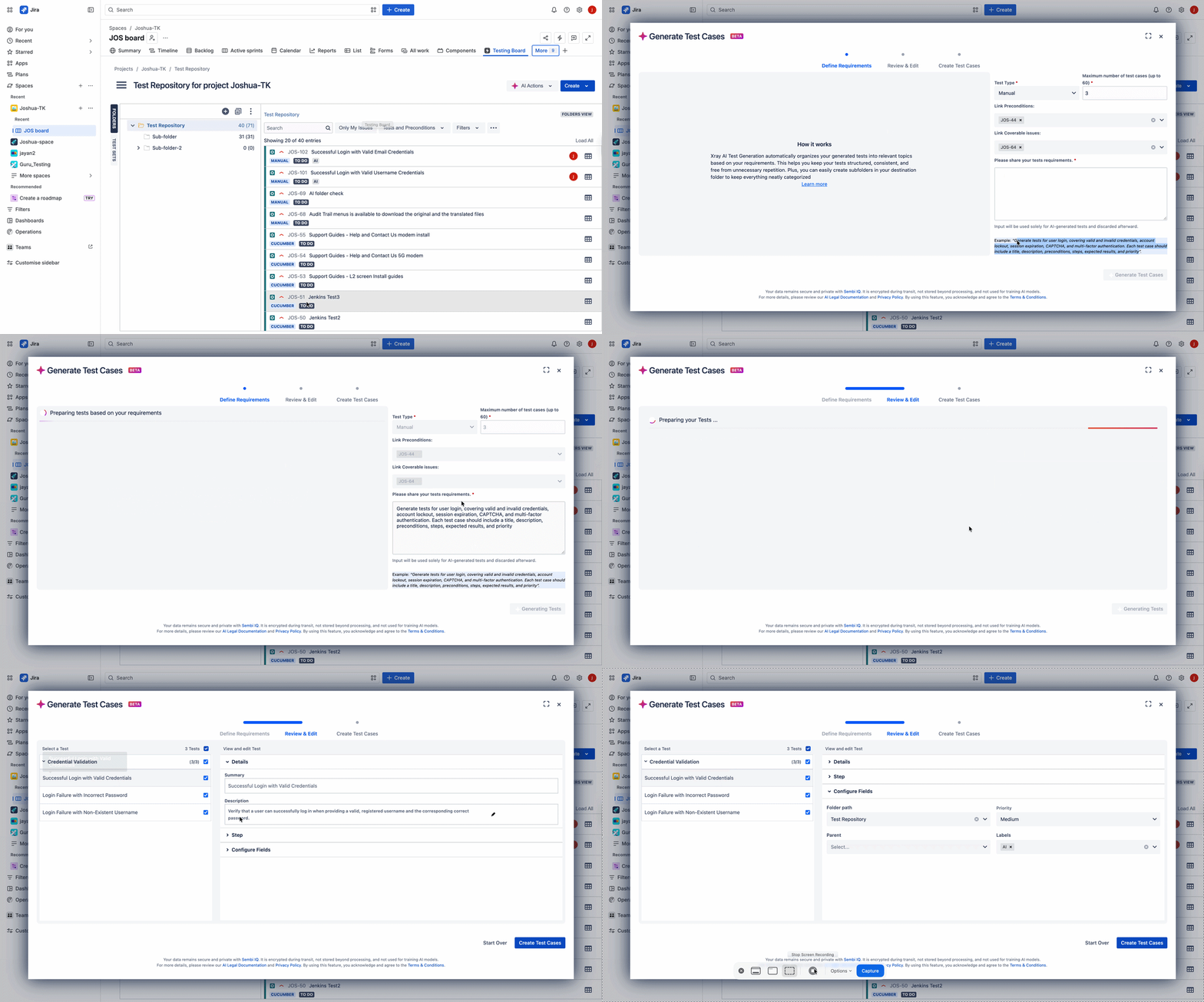
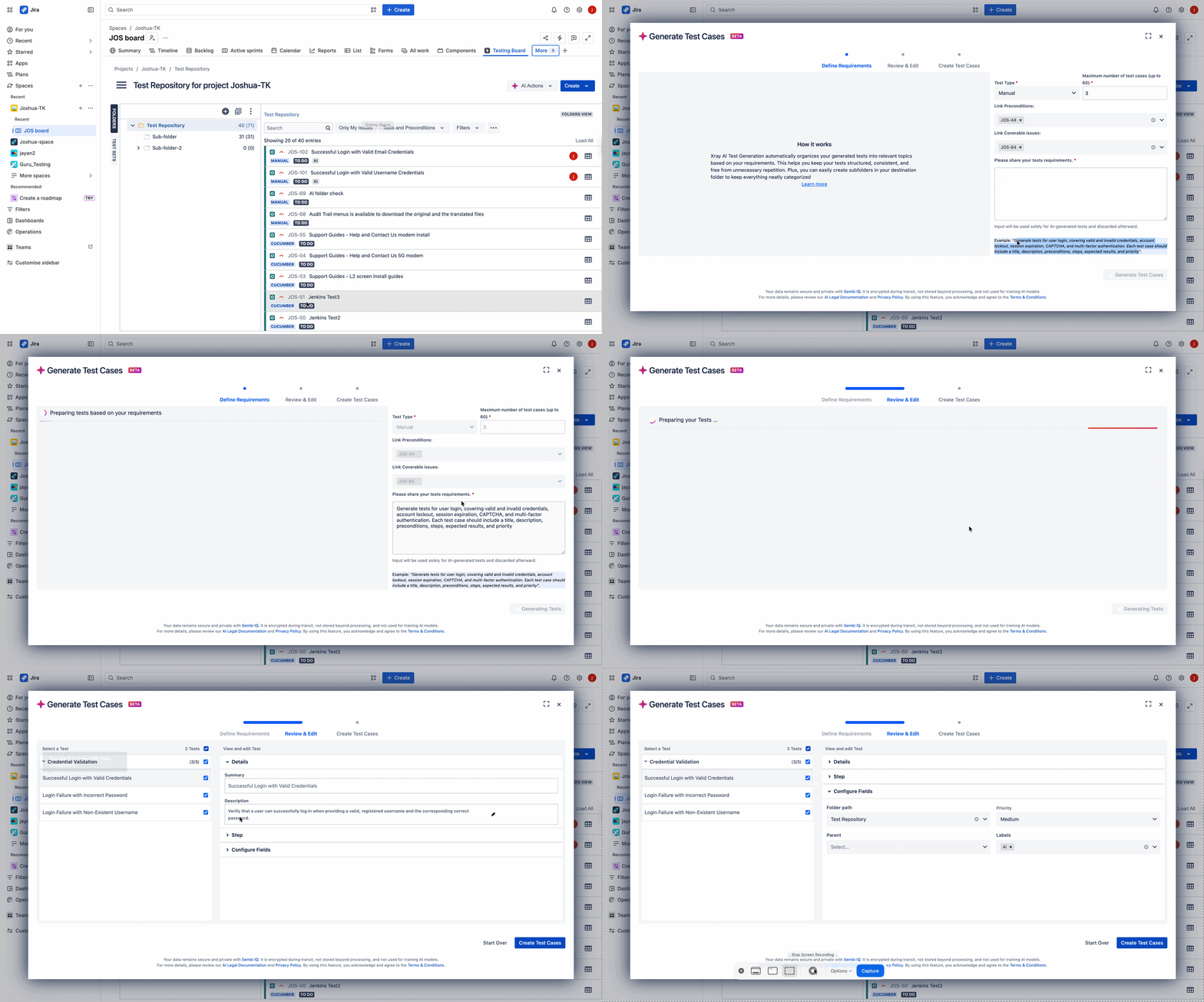
In the AI Test Case Generation flow on the Review & edit section, each generated test has a Configure Fields → Folder path dropdown. This dropdown lists only the root folder, even when subfolders exist in the project's Test Repository. As a result, generated tests currently cannot be individually assigned to different sub-folders. The only achievable outcome is placing all generated tests collectively into a single location.
Pre-conditions
- Xray Cloud with the AI Test Case Generation feature enabled.
- A project whose Test Repository contains the root plus at least one sub-folder.
How to reproduce
- Open the Testing Board
- Confirm the Test Repository contains one or more sub-folders under the root.
- Navigate to AI Actions > Test Cases.
- In Define Requirements, set Test Type, provide a requirement, and click Generate Tests.
- On the tests list, optionally set a Destination Folder, then click Review & Edit.
- Select an individual generated test and expand Configure Fields.
- Open the Folder path dropdown.
Actual result/Attachments
The only option in the folder path dropdown of the review and edit step is the folder which was selected as the Destination Folder in the first step of the AI Test Case Generation feature modal.
Expected result
The folder selected in the first step is added as the default "folder path" on review and edit step for all test cases and in the review and edit step, the user should be able to select any folder in the test repository on each individual test case to be generated
Version
- Xray Cloud 13.0.0
Workaround
Generate all tests into the root folder, then manually move individual tests to the desired sub-folders in the Test Repository.
Attachments
Issue Links
- duplicates
-
XCC-1981 Loading...