Details
-
Bug
-
Status: Resolved
-
 Major
Major
-
Resolution: Fixed
-
Xray Cloud 13.0.0
-
None
-
Jira Cloud
Description
Description
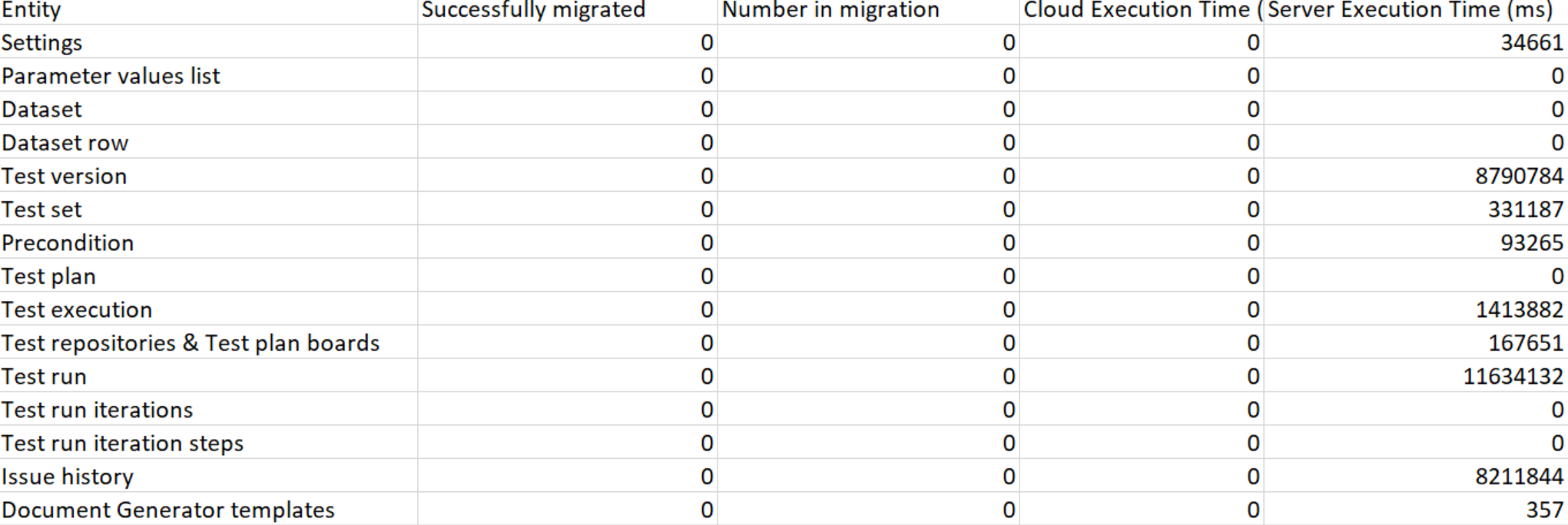
After completing an Xray Data Center -> Cloud migration, the generated Migration Report -> Post Migration Report file displays incorrect migration statistics.
All entities always show 0 for:
- Successfully migrated
- Number in migration
- Cloud Execution Time (ms)
Only the Server Execution Time (ms) column contains values.
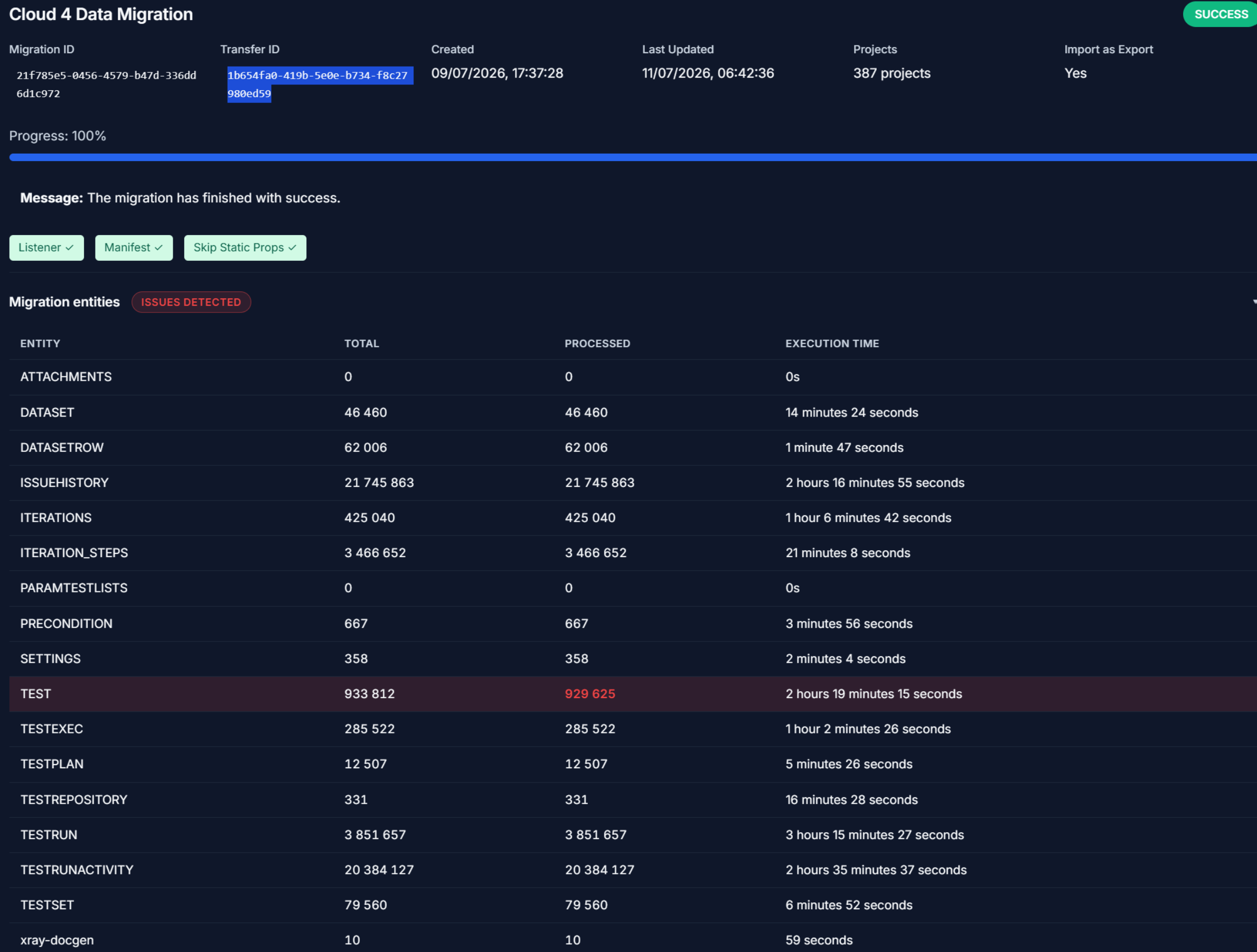
This makes the report unreliable for validating migration results, even when the migration itself was completed successfully, and the data was migrated to the Cloud.
Pre-conditions
- Xray Data Center instance configured for migration.
- Xray Cloud instance configured as migration target.
- Migration completed successfully.
- Migration Report generated after migration completion.
How to reproduce
- Perform an Xray DC -> Cloud migration using JCMA.
- Wait for the migration to complete successfully.
- Go to Jira Settings -> Marketplace Apps -> Xray -> Migrations, download the Migration Report and open the Post Migration Report file.
- Review the migration statistics for the migrated entities.
Actual result/Attachments
The Post Migration Report displays:
- Successfully migrated = 0
- Number in migration = 0
- Cloud Execution Time (ms) = 0
for all entities.
Only the Server Execution Time (ms) column contains values.
Example attached.
Expected result
The Post Migration Report should display the correct values for:
- Successfully migrated entities
- Number of entities included in the migration
- Cloud Execution Time (ms)
- Server Execution Time (ms)
Version
Xray Cloud 13.0.0
Workaround
No workaround is currently available.
Migration results must be manually validated by comparing source Data Center data with the migrated data in the Cloud.
Attachments
Issue Links
- duplicates
-
XCC-1999 Loading...