Details
-
Suggestion
-
Status: New
-
Resolution: Unresolved
-
None
-
None
-
None
Description
Description
In Xray Cloud reports, there is no indication of the total number of entries, and currently, unlike in Xray Server/DC, reports do not display a "Showing X of Y entries" count.
User friction
Without a total count, users only see the loaded rows and have no way to know how many entries the report actually contains.
Steps to reproduce (right now) / Actual Result:
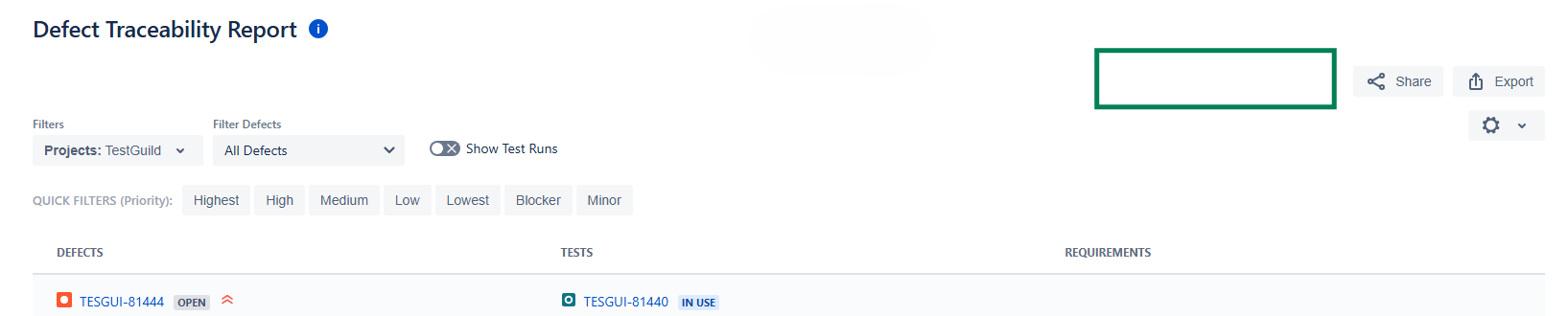
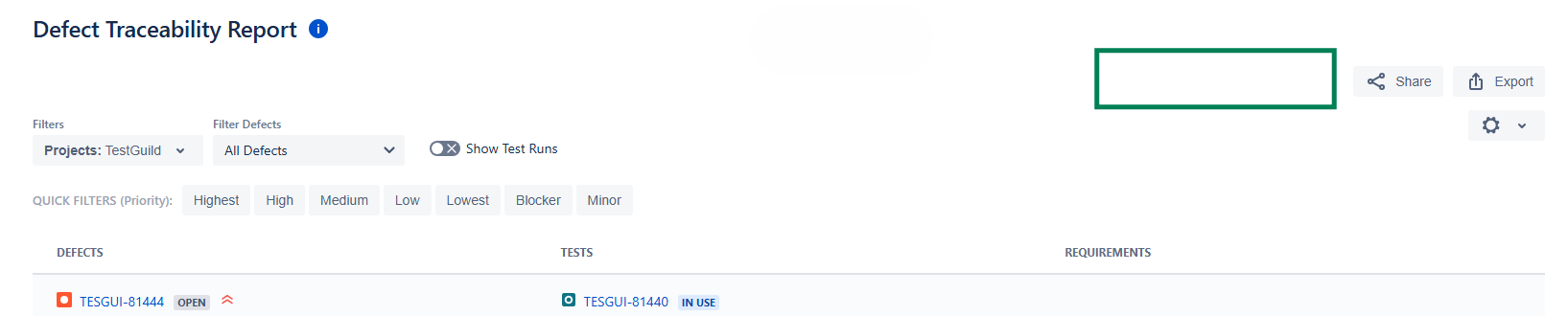
- Open any Xray report in Cloud (e.g. Defect Traceability Report).
- Observe that the report shows no entry count.
- Open the equivalent report in Xray Server/DC, which shows "Showing X of Y entries".
IMPACT
The absence of a total entry count means users cannot judge the size or completeness of a report, which is information readily available in Xray Server/DC.
What would improve if solved:
Users would see the total number of entries in a report at a glance, matching the behavior available in Xray Server/DC.
Impact on stakeholders:
Affects Cloud customers who rely on reports to judge data volume and completeness.
Current workaround:
Determine totals separately through JQL or by exporting the report.
CONTEXT & EXAMPLES:
This applies across all Xray reports on Cloud, not a single report. The entry count is consistently shown on Xray Server/DC but is missing on Cloud.
Concrete example:
In the Defect Traceability Report, Xray Server/DC shows "Showing 20 of 345 entries" while the equivalent Cloud report shows only the listed entries with no total count. The same applies across other Xray reports. See attached screenshots comparing Cloud and DC.

Workaround risk:
Without a visible total, users may assume the displayed entries are the full set and act on incomplete data.