Details
-
Suggestion
-
Status: New
-
Resolution: Unresolved
-
None
-
None
-
None
-
Xray Cloud
-
-
21
Description
Description
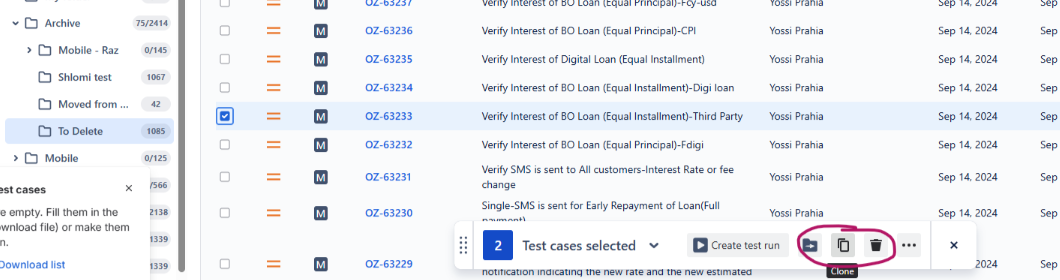
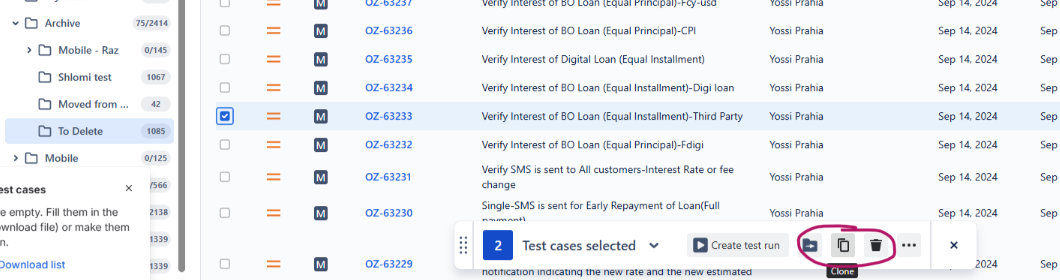
In Xray Cloud, users should have a Clone option directly available in the right-click context menu when interacting with tests inside the Test Repository tree/grid. Currently, the right-click menu offers basic folder and issue management actions, but cannot completely quickly duplicate a test case within the repository interface.
User friction
- When writing similar test cases, users are forced to break their momentum, leave the Test Repository view entirely, open the native Jira issue page, clone it there, and then navigate back to the repository to organize the new test.
- Moving away from the Test Repository to clone an issue requires extra clicks to find the original folder location they were working in.
Steps to reproduce (right now) / Actual Result:
- Navigate to the Test Repository in Xray Cloud.
- Locate a specific test within a folder that you want to duplicate.
- Right-click on the test issue to open the context actions menu.
- The context menu displays options like Move to root, Remove, or Create Test, but there is no Clone option. To clone it, the user must click into the test key, wait for the Jira issue page to load, click the native Jira "Clone" button, and then manually move the new test back into the correct repository folder.
IMPACT
What would improve if solved:
- Users could rapidly duplicate and create tests directly inside their target folders, massively speeding up test authoring.
- Cloned tests would ideally inherit or remain in the current folder location, eliminating the extra step of finding and sorting "unassigned" cloned issues later.
- Aligning the right-click menu with native Jira capabilities creates a better experience.
Impact on stakeholders:
- Saves substantial time during test design phases, especially when creating multiple regression or edge-case variations of a base test scenario.
Current workaround:
Users need to navigate to every single issue and Clone the issue in the Jira issue Screen.
CONTEXT & EXAMPLES:
Concrete example:
A user needs to create 5 variations of a login test case for different user roles (Admin, Guest, Premium, Editor, Banned). Instead of right-clicking the base "Admin Login" test 4 times to clone it directly inside the Login folder, they must open the test in a new tab, use Jira's native clone function 4 separate times, manually rename each one, and then drag-and-drop the newly generated issues back from the root folder into the Login folder.
Workaround risk:
NA