Details
-
Bug
-
Status: Open
-
 Medium
-
Resolution: Unresolved
-
Xray Cloud 14.0.0
-
None
-
None
-
Jenkins, Jira Cloud, Windows OS
Description
Description
When importing Cucumber feature files into Xray Cloud from Jenkins using the "Xray: Cucumber Features Import Task", the "Modified in Last Hours" configuration is not being honored.
The task is expected to import only the feature files that were modified within the specified time window. However, it imports all feature files available in the configured Cucumber Features directory, regardless of their last modified timestamp.
Pre-conditions
- Jenkins is integrated with Xray Cloud.
- Multiple Cucumber feature files exist with different modification timestamps.
How to reproduce
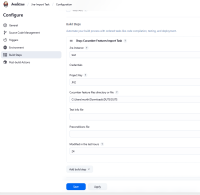
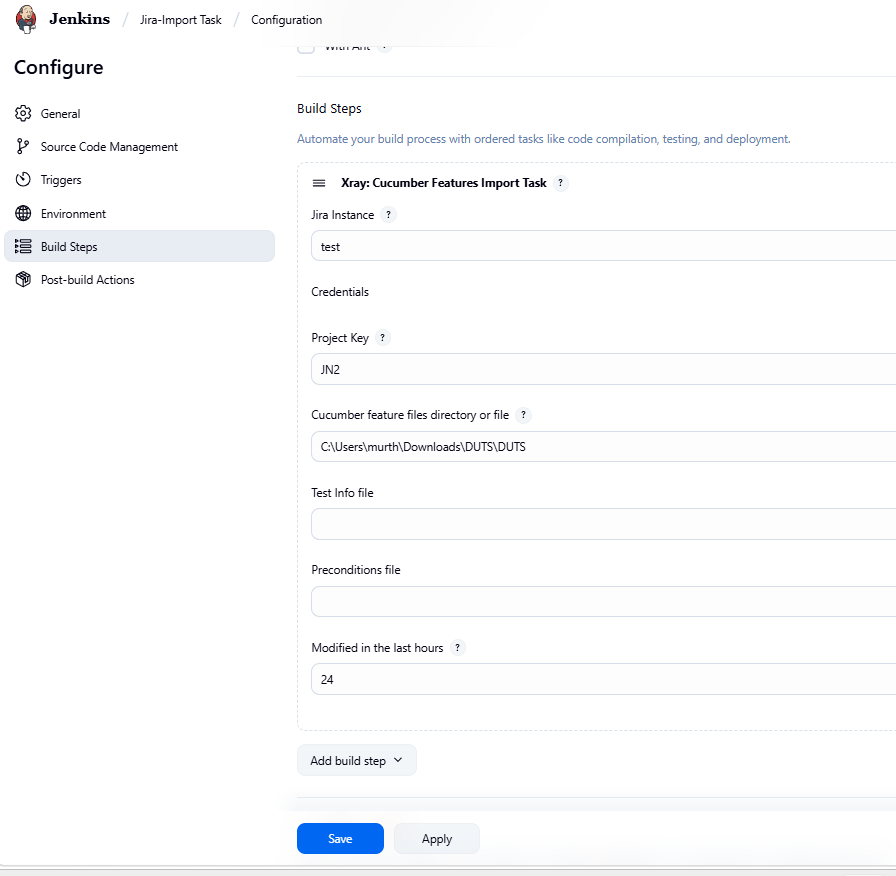
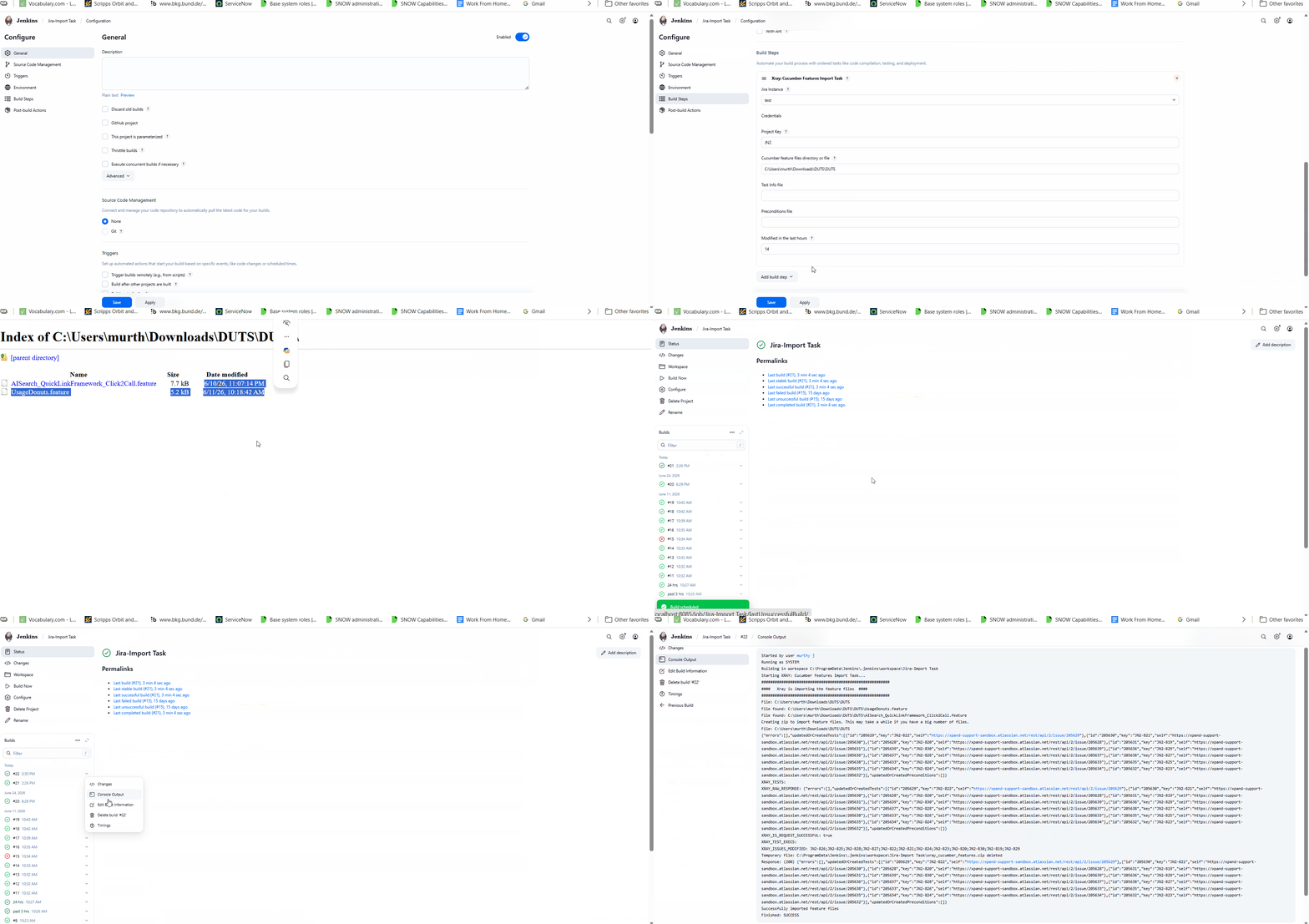
- In Jenkins, configure the "Xray: Cucumber Features Import Task".
- Set the Modified in Last Hours option so that only a subset of feature files should qualify for import.
- Trigger the job using Build Now.
- Review the Jenkins Console Output and the updates created in Jira/Xray.
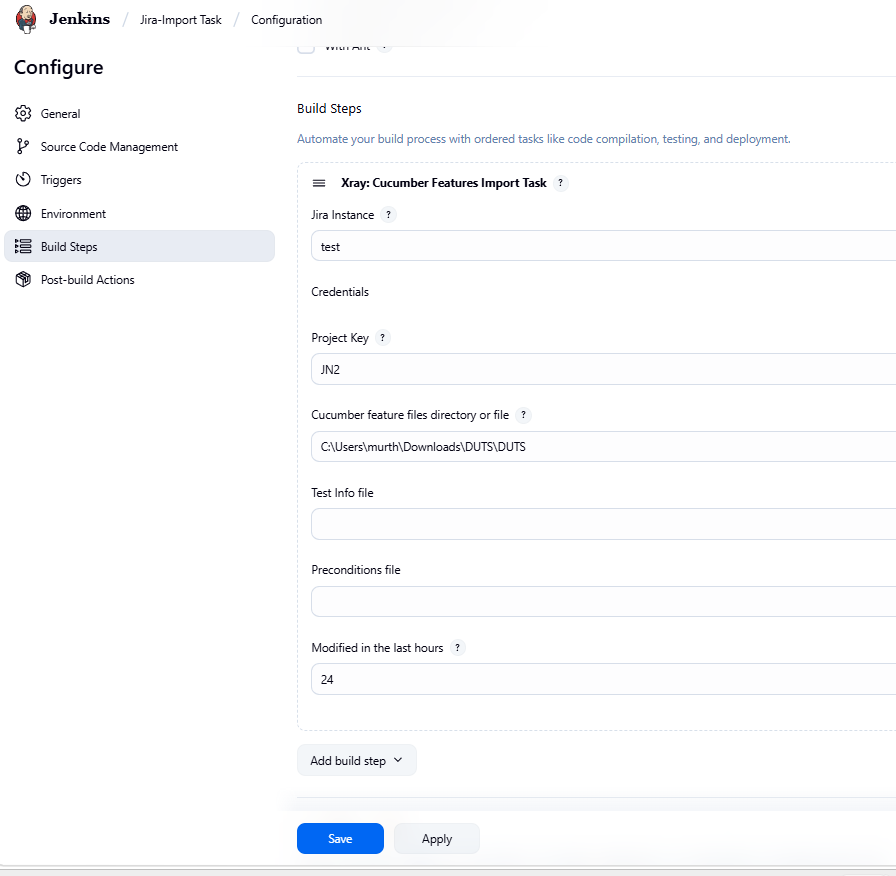
Actual result/Attachments
The console logs and Jira/Xray updates indicate that all feature files are processed and imported, regardless of their modification timestamp.
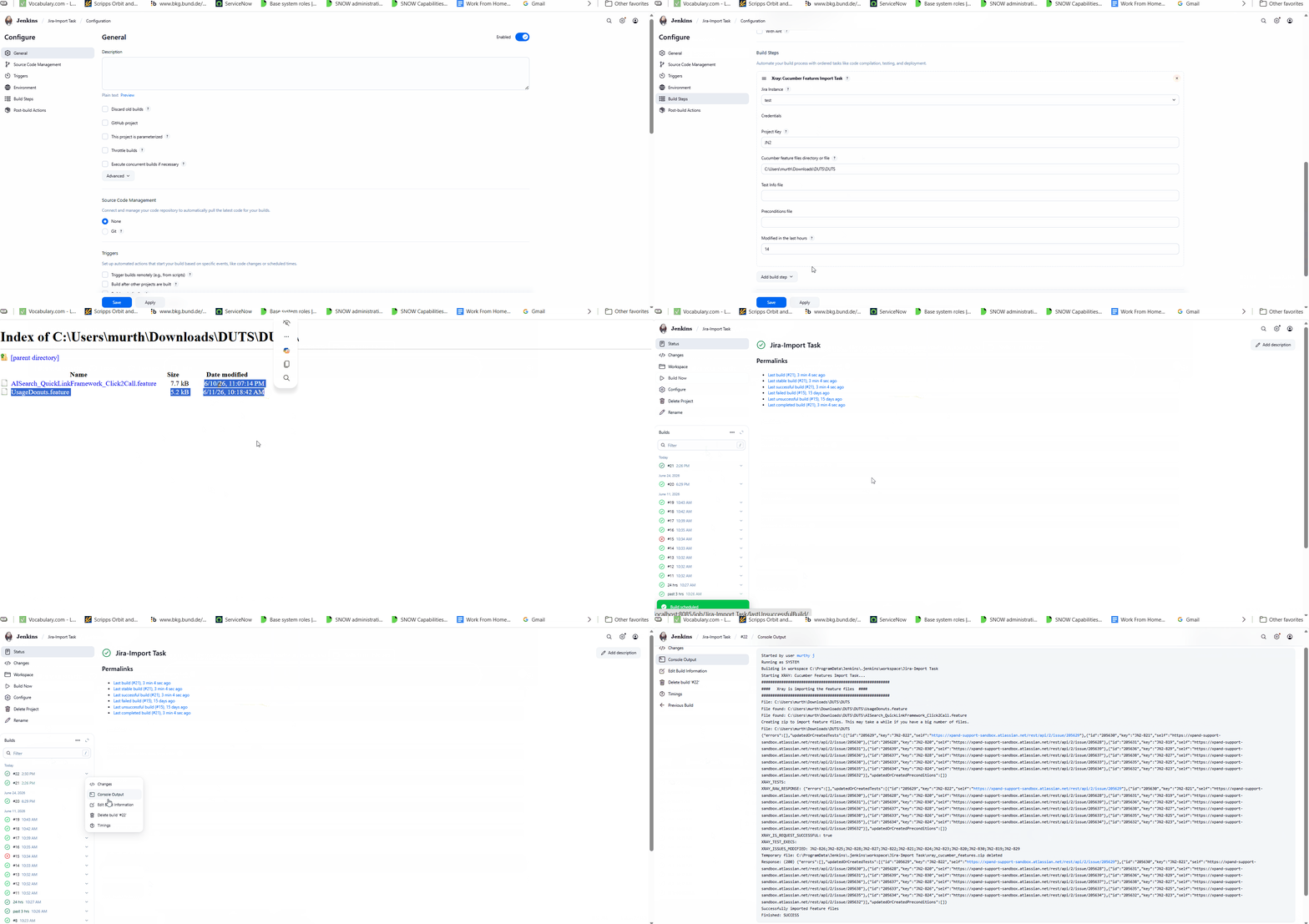
In the provided example, the configuration was set to process only files modified within the last 24 hours. However, none of the feature files met that criterion, yet multiple Test issues were still updated, demonstrating that all files were imported.
Expected result
The Modified in Last Hours setting should be respected, and only the feature files whose modification timestamps fall within the configured time range should be imported.
Version
- Xray Cloud 14.0.0
Workaround
Restrict the source file path to include only the feature files that should be imported. This ensures that unwanted files are not processed until the issue is resolved.
Attachments
Issue Links
- is duplicated by
-
XCC-2673 Loading...