Details
-
Bug
-
Status: Resolved
-
 Medium
-
Resolution: Fixed
-
Xray Cloud 16.3.0
-
None
-
N/A
Description
When loading the Migrations settings page (/plugins/servlet/ac/com.xpandit.plugins.xray/xray-global-migrations), the frontend issues an individual GET /rest/api/2/project/{id} call for every project ID associated with every migration entry, instead of deduplicating project IDs across migrations or using a bulk project-fetch call.
If a site has had multiple migrations, and/or a migration involving a large number of projects, this results in the same set of project IDs being fetched repeatedly, once per migration entry shown on the page. On instances with enough migrations and/or projects, this can result in a very large number of concurrent XHR calls fired on page load. In one observed case, ~280 unique project IDs combined with several migration entries produced 1,700+ concurrent project-fetch calls out of ~1,900 total requests on page load.
Because of browser per-origin connection limits, the vast majority of these requests get queued and time out client-side before receiving a response. HAR entries show hundreds of project/{id} calls returning:
status: 0, [MIME][CHROME ERROR][NOT AVAILABLE][RESP W]
(status 0: no HTTP response received, request aborted/timed out client-side).
Each failed call appears to trigger the frontend's generic error handler, surfacing an "Unexpected error has occurred" message. With hundreds of failures, these messages stack and block the UI.
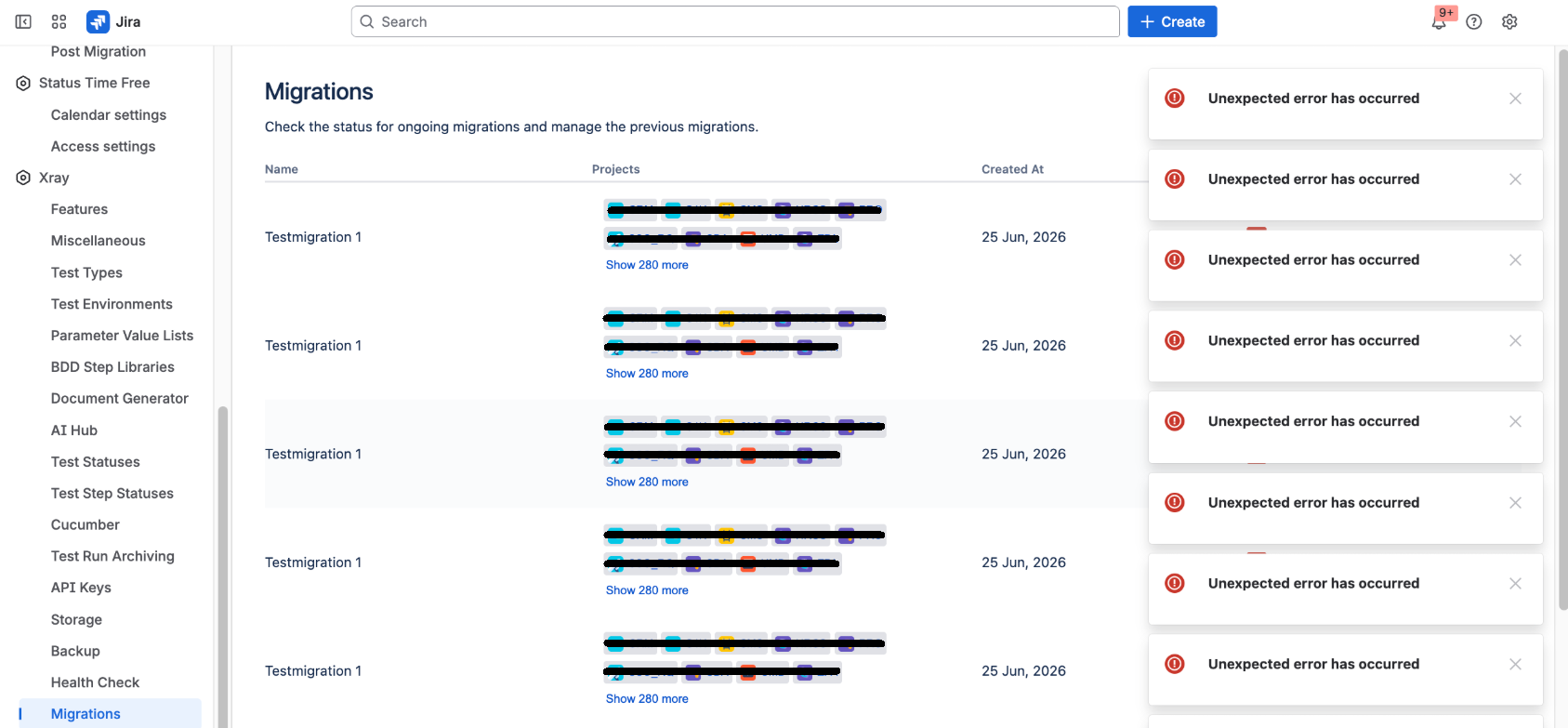
Steps to reproduce:
- On an instance with a large number of projects (200+) that have migration history.
- Navigate to Jira Settings > Marketplace apps > Xray > Migrations.
- Open browser DevTools > Network tab.
- Observe repeated identical GET /rest/api/2/project/{id} calls fired for the same IDs across multiple migration rows.
- Observe multiple "Unexpected error has occurred" messages appearing and stacking on the UI.
Attachments
Issue Links
- is duplicated by
-
XCC-2858 Loading...