Details
-
Suggestion
-
Status: New
-
Resolution: Unresolved
-
None
-
None
-
None
Description
Description
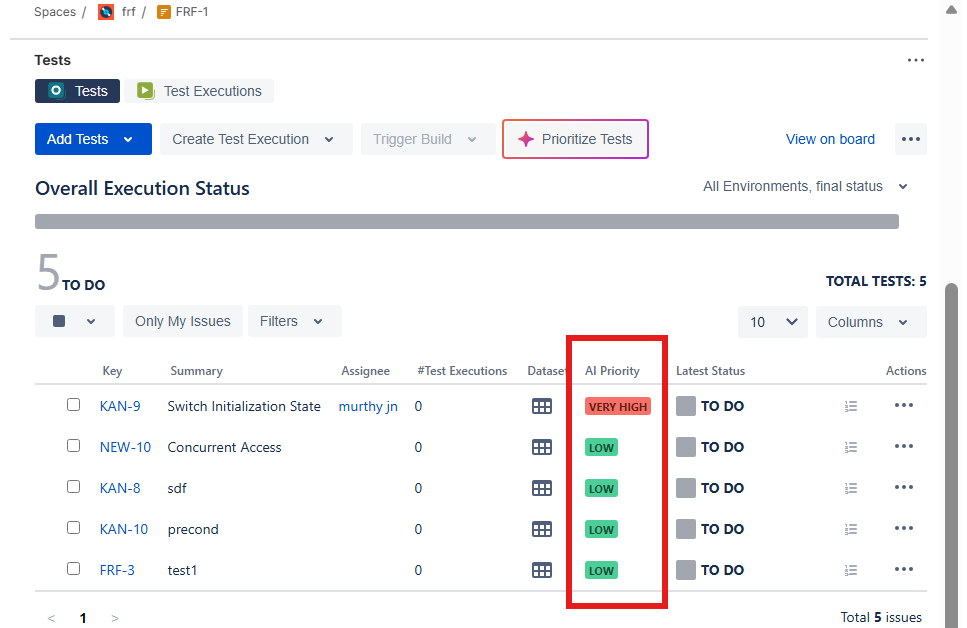
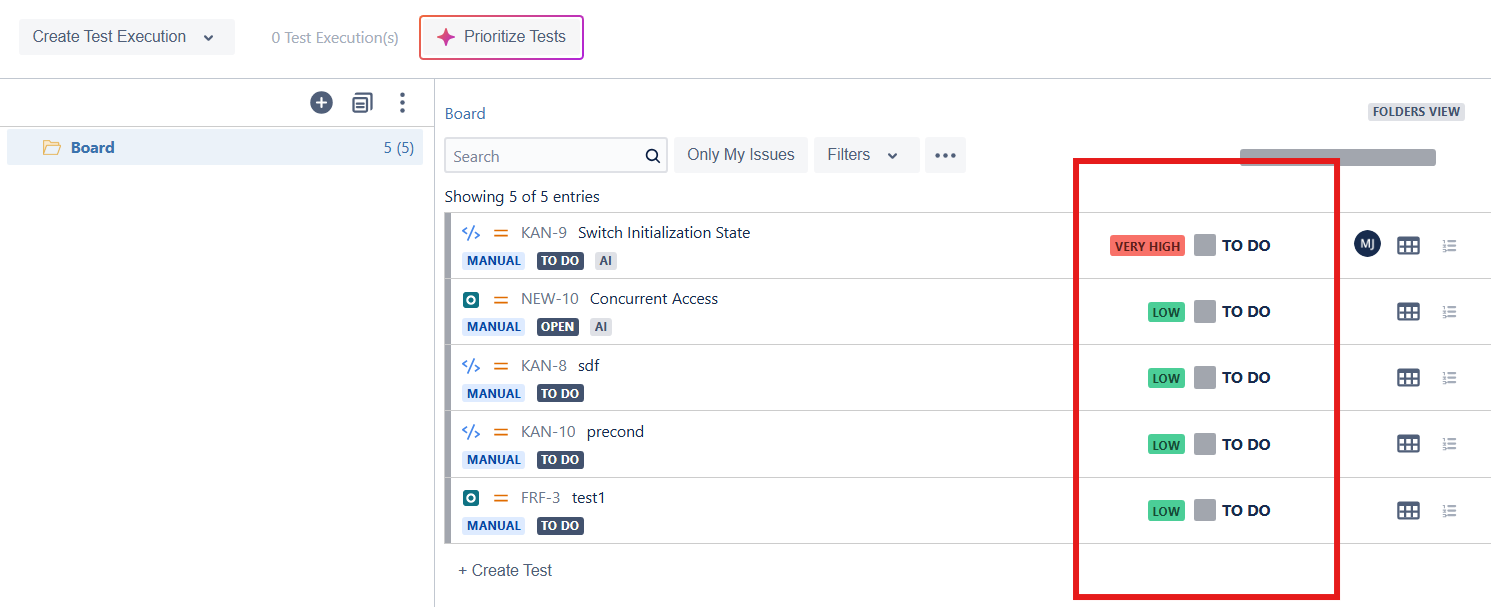
The AI Priority column is currently displayed by default in the Tests table within both Test Execution and Test Plan views. It also shows up in the Test Plan and Test Executions Boards. Users have no option to hide/remove this column, even when AI-generated prioritization is not relevant to their workflow. Xray should provide the ability to hide/remove the AI Priority column, either through column customization/settings or by not displaying it by default.
User friction
Users are forced to view a column that user want to hide for their use cases, resulting in unnecessary visual clutter and reduced usability of the Tests table.
Steps to reproduce (right now) / Actual Result:
- Open an Xray Test Execution or Test Plan.
- Navigate to the Tests table.
- Observe that the AI Priority column is displayed by default.
- Attempt to remove or hide the column.
Similarly open the Test Plan or Test Execution Board.
Actual Result:
The AI Priority column cannot be hidden and remains visible in the Tests table. There is no option to remove the AI Priority as well. On the Board also, there is no option to remove it.
IMPACT
The Tests table becomes less customizable and harder to tailor to individual team needs, especially for teams that do not use AI-based prioritization.
What would improve if solved:
- Cleaner and more relevant table views.
- Improved user experience through customizable column visibility.
- Better alignment with different team workflows and preferences.
Impact on stakeholders:
- Testers: Reduced distractions and improved focus on relevant test information.
- Test Managers: Greater flexibility when configuring test management views.
- Organizations not using AI prioritization: Ability to remove unnecessary information from their daily workflows.
Current workaround:
No effective workaround is available. Users must continue viewing the AI Priority column even when it is not needed.
CONTEXT & EXAMPLES:
Many table-based interfaces across Jira and Xray allow users to customize visible columns. AI Priority should follow the same behavior to ensure consistency and user control.
Concrete example:
A QA team that prioritizes tests using custom fields and manual processes does not use AI prioritization. The AI Priority column occupies screen space and adds noise to the Tests table without providing value to the team.
Workaround risk:
Since there is no workaround, users are required to work with a less efficient interface, which may reduce productivity and adoption of the AI Priority feature.