Details
-
Bug
-
Status: Open
-
 Medium
-
Resolution: Unresolved
-
Xray Cloud 15.0.0, Xray Cloud 16.0.0
-
None
-
None
-
Xray Cloud
Description
Description
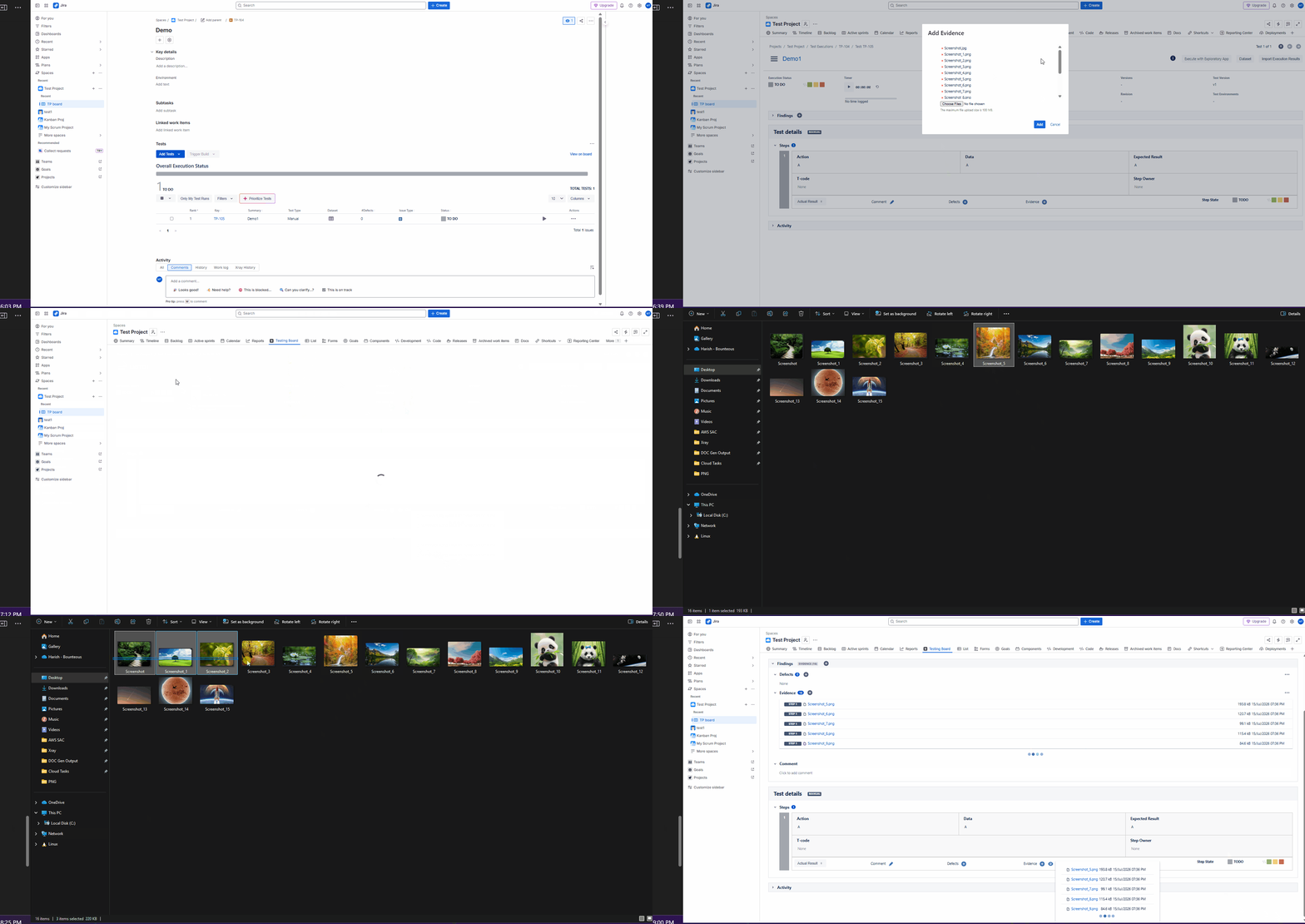
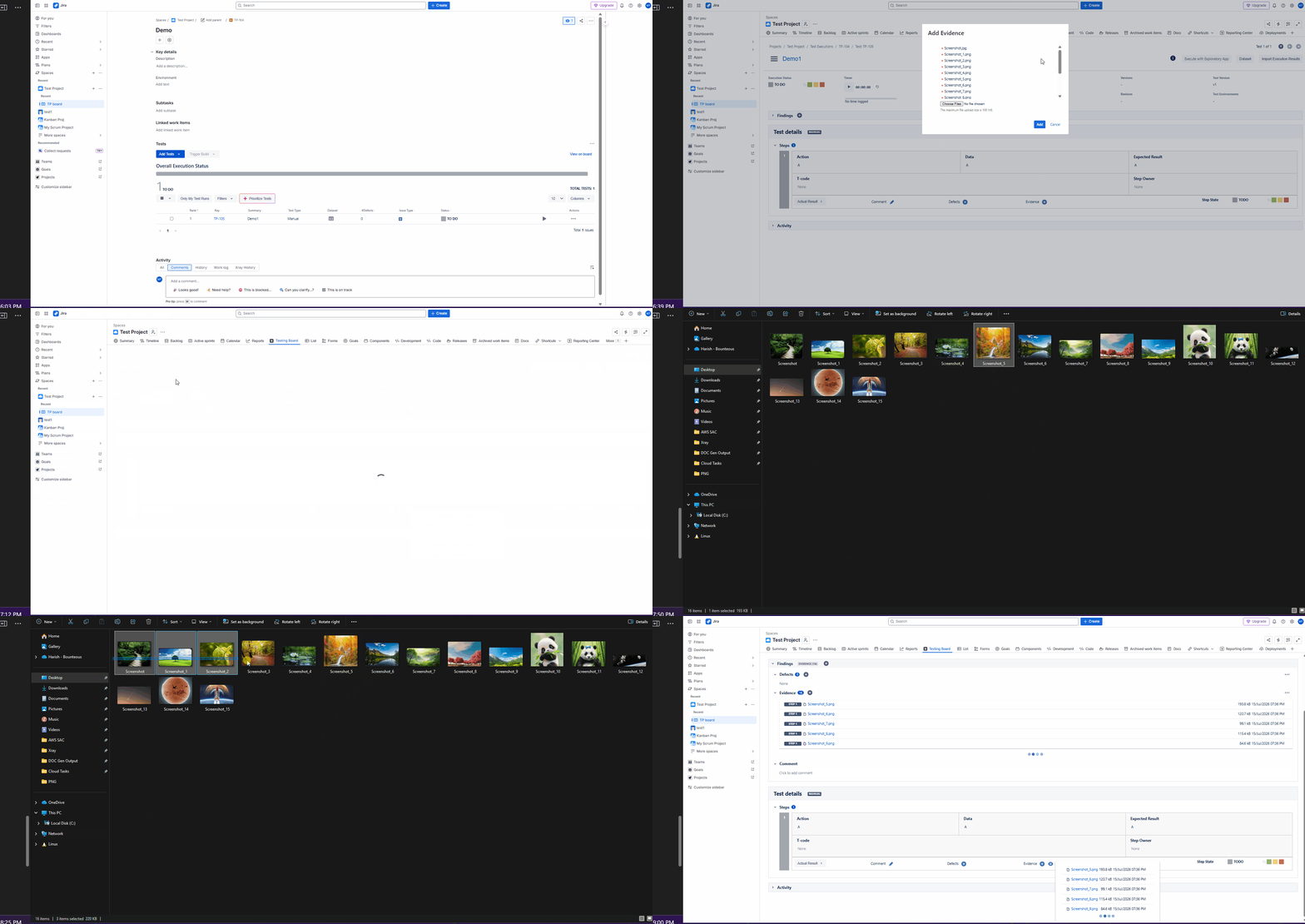
At the Step Evidence level, evidence pagination is not working correctly. Only the first five evidence files are displayed correctly. When navigating to subsequent pages in the Evidence panel, the same five evidence files from the first page are repeatedly displayed instead of showing the remaining uploaded evidences.
Additionally, downloading evidence files from the Step Evidence section results in incorrect files that do not match the expected documents. However, the correct evidence files can still be viewed and downloaded from the EVIDENCE section available at the top of the Test Run page.
This issue prevents users from accessing and downloading the correct evidence files associated with test steps.
Pre-conditions
- User has access to a Test Execution and Test Run.
- A Test Run contains a test step with more than five evidence files uploaded at the step level.
- Test Run has been saved/refreshed after uploading evidence files.
How to Reproduce
- Open a Test Run from a Test Execution.
- Upload more than five evidence files at the Step Evidence level.
- Refresh the Test Run page.
- Verify the files available in the EVIDENCE section at the top and confirm they match the uploaded documents.
- Navigate to a test step and click the Evidence (Eye) icon.
- Open the Step Evidence panel.
- Move to the second page (or subsequent pages) of the evidence list.
- Attempt to view or download evidence files from the Step Evidence panel.
Actual Result / Attachments
- Only the first five evidence files are displayed correctly.
- On subsequent pages, the same five evidence files are repeated instead of displaying the remaining uploaded evidences.
- Downloading files from the Step Evidence panel retrieves incorrect files that do not match the expected documents.
- The correct evidence files are only accessible from the EVIDENCE section at the top of the Test Run page.
Attachments: Screenshots/video demonstrating:
Expected Result
- All uploaded step-level evidence files should be displayed correctly across all pages of the Step Evidence panel.
- Pagination should show unique evidence records without duplication.
- Downloading an evidence file from the Step Evidence panel should retrieve the correct document associated with that evidence.
- Files shown in the Step Evidence panel should match the files displayed in the top-level EVIDENCE section.
Version
Application Version: Xray Cloud 16
Workaround
Users can access and download the correct evidence files from the EVIDENCE section at the top of the Test Run page. However, the Step Evidence panel cannot be relied upon for viewing or downloading the correct evidence files.
Attachments
Issue Links
- duplicates
-
XCC-2874 Loading...