Details
-
Bug
-
Status: Open
-
 Medium
-
Resolution: Unresolved
-
Xray Cloud 16.3.0
-
None
-
None
-
N/A
-
Standard
-
Description
Description:
Test Evolution gadget in Xray Cloud does not display historical trend data for Test Runs migrated from DC to Cloud. The gadget only renders data from the date of migration onward, despite the underlying Test Run history being correctly migrated and dated.
Steps to reproduce:
- Migrate a DC project (with existing Test Run execution history spanning multiple weeks/months) to Cloud via JCMA.
- In Cloud, add the Test Evolution gadget to a dashboard, scoped to the migrated Tests.
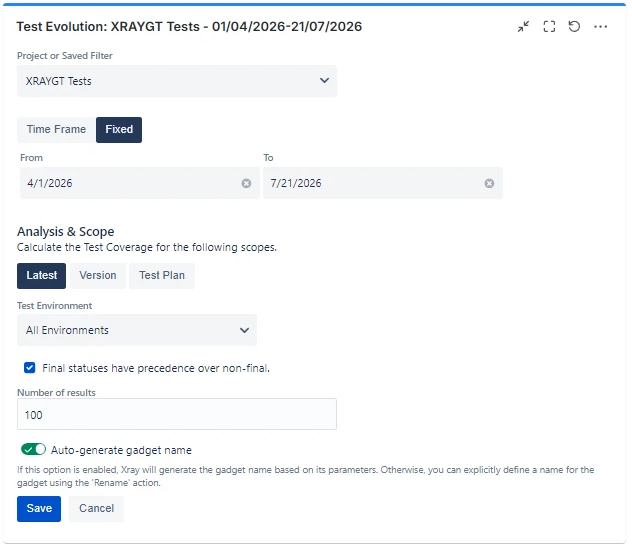
- Set a fixed date range, covering a period starting before the migration date, as shown in the example below:
Expected Result:
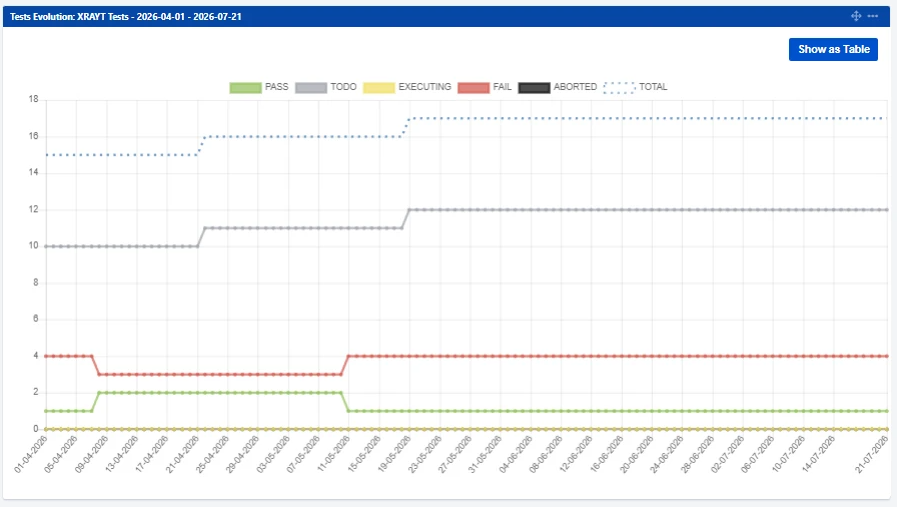
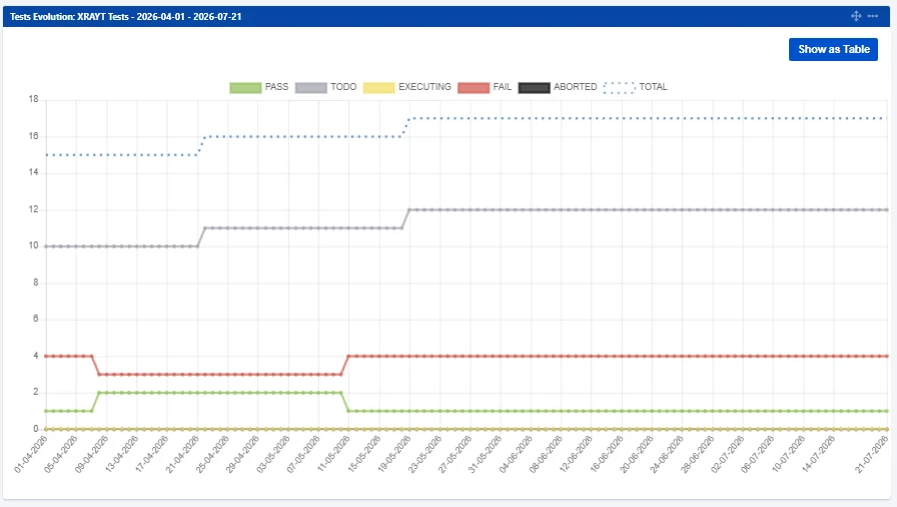
The gadget should plot the calculated Test status per day for the full requested date range, based on the migrated Test Runs activities. For comparison, this is what the gadget looks like in DC:
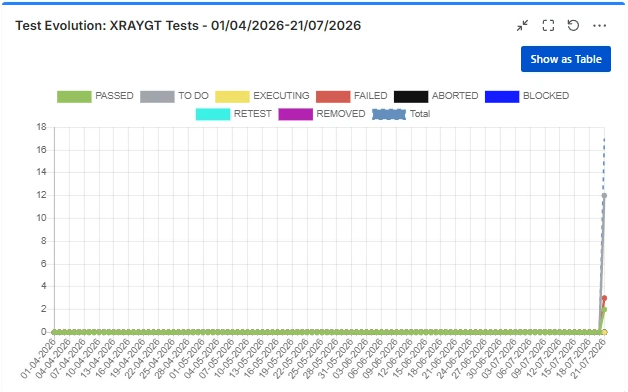
Actual Result:
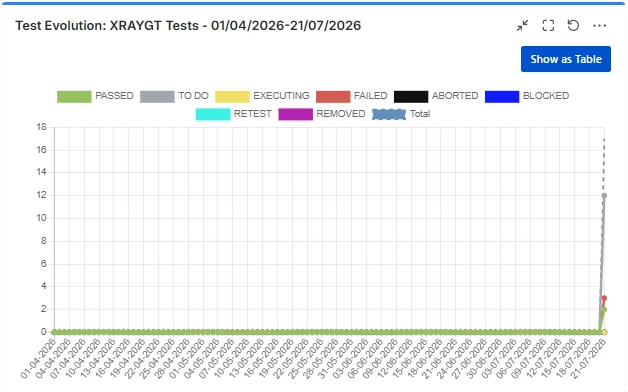
The gadget only shows data from the day of migration onward. All dates prior to migration are blank/zero, even though:
- The underlying Test Run activities for the migrated Tests are confirmed present on the site following the migration, and correctly dated pre-migration.
- The current Test filter results are correct and identical between DC and Cloud.
This is what the gadget looks like on the site, showing data only from the migration date and onwards:
Impact:
Any customer migrating from DC to Cloud loses all historical trend visibility in the Test Evolution gadget for data predating their migration date, despite the source data being intact. Affects reporting continuity for migrated customers.
Attachments
Issue Links
- is duplicated by
-
XCC-2929 Loading...