Details
-
Bug
-
Status: Open
-
 Medium
-
Resolution: Unresolved
-
Xray Cloud 16.3.0
-
None
-
None
-
- Test Run Custom field - project level
Description
After migrating a project from Xray Data Center to Xray Cloud using JCMA, it is not possible to manage the options of the migrated Test Run Custom Fields.
The issue affects only Test Run Custom Fields originally created in the Data Center and later migrated to the Cloud. Test Run: Custom Fields created directly in Xray Cloud work as expected.
When attempting to add a new option to a migrated Test Run Custom Field, the operation fails with the following error:
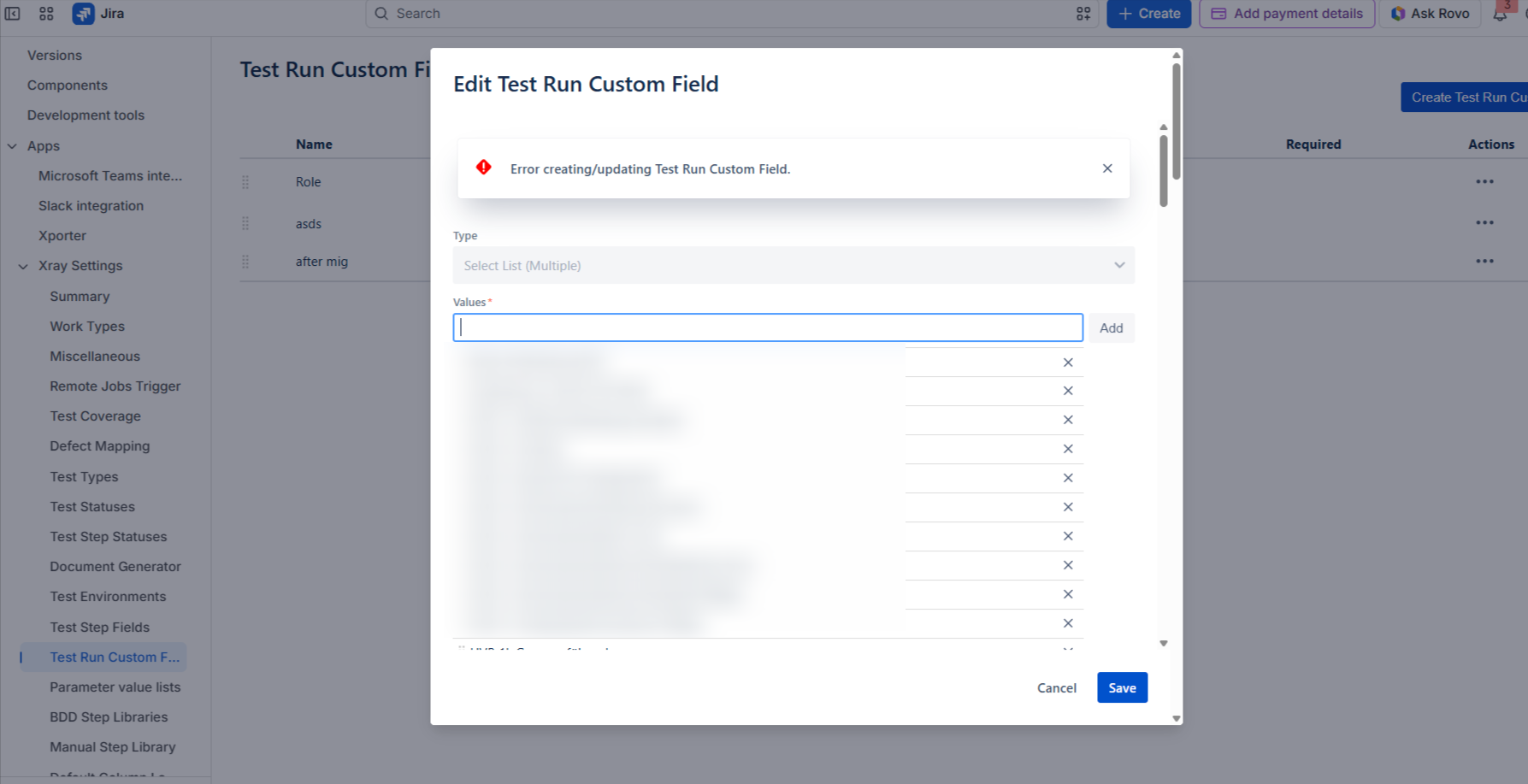
This behavior occurs regardless of whether the Test Run Custom Field is configured as Select List (Single Choice) or Select List (Multiple Choice).
Steps to Reproduce
- In Xray Data Center, create a Test Run Custom Field.
- Configure the field as either:
- Select List (Single Choice), or
- Select List (Multiple Choice).
- Add one or more options to the custom field.
- Migrate the project from the Data Center to Xray Cloud using JCMA.
- In Xray Cloud, open the migrated project.
- Navigate to:
Project Settings → Xray Settings → Test Run Custom Fields. - Open the migrated Test Run Custom Field.
- Attempt to add a new option and save the changes.
Expected Result
The new option should be successfully added to the migrated Test Run Custom Field, allowing administrators to continue managing the field after migration.
Actual Result
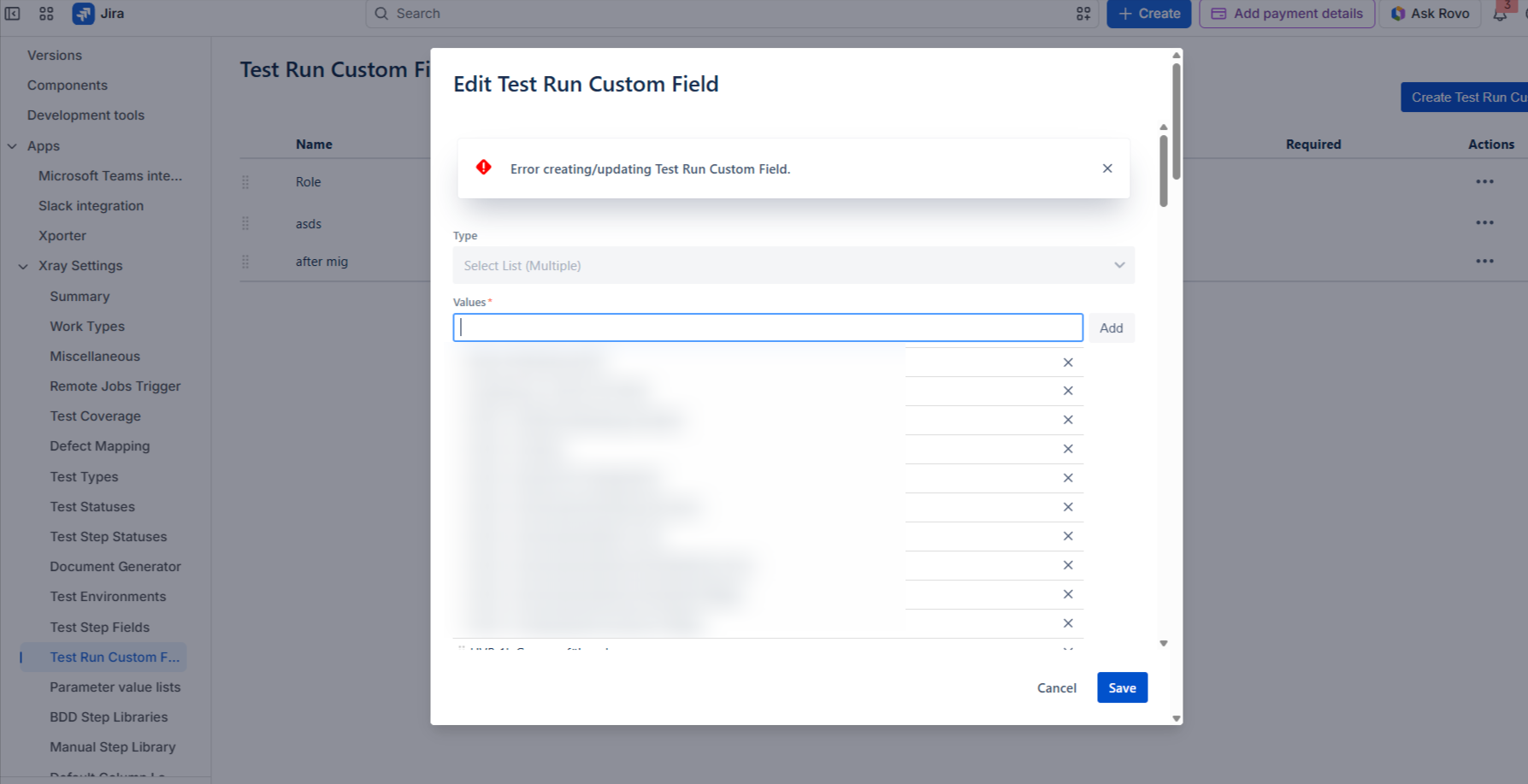
The operation fails, and the following error is displayed:
**
Error creating/updating Test Run Custom Fields
No new option is added to the field.
Attachments
Issue Links
- duplicates
-
XCC-3075 Loading...