Details
-
Bug
-
Status: Resolved
-
 Medium
-
Resolution: Fixed
-
Xray Cloud 16.3.0
-
None
-
Test Repository.
Description
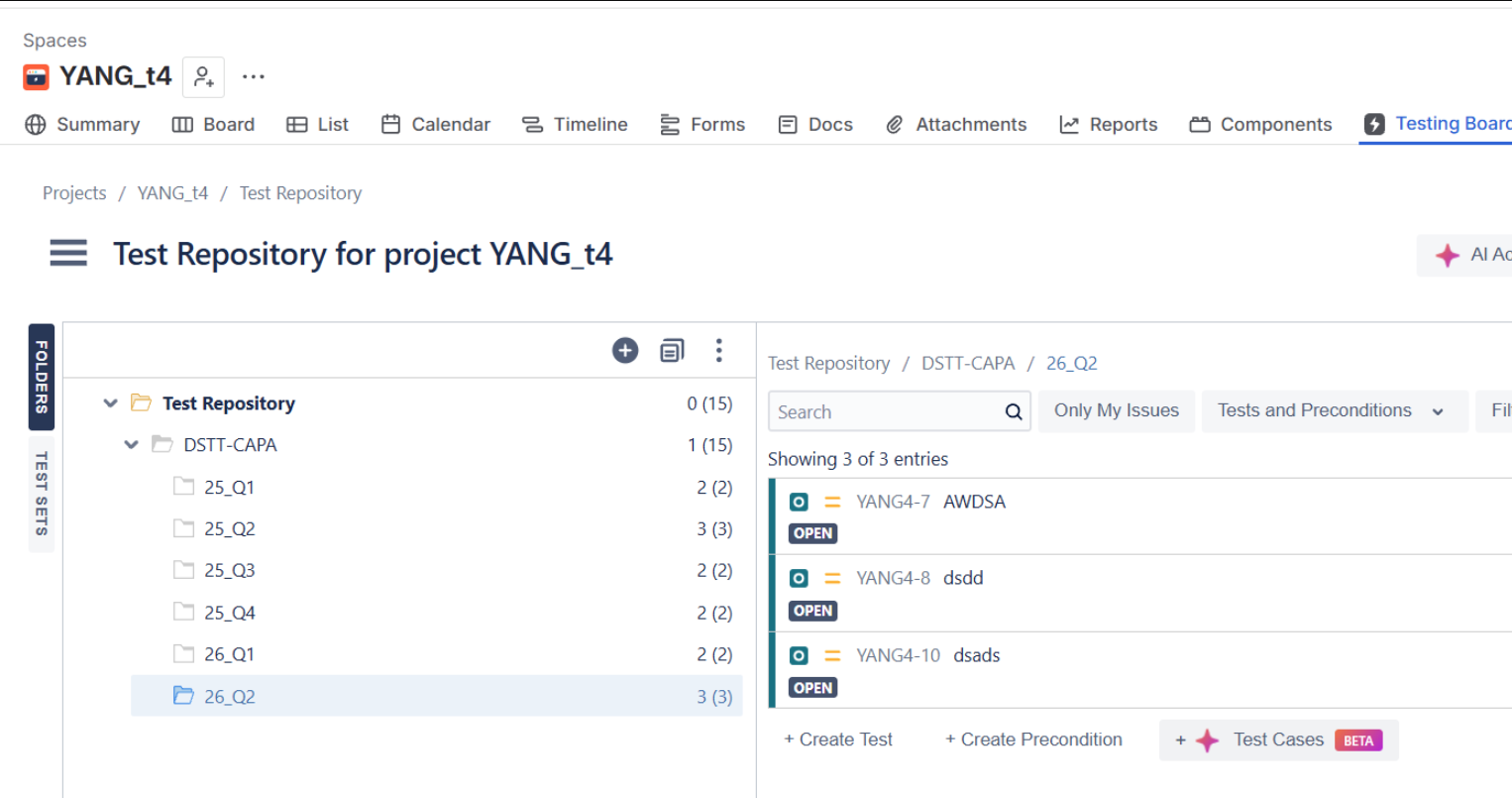
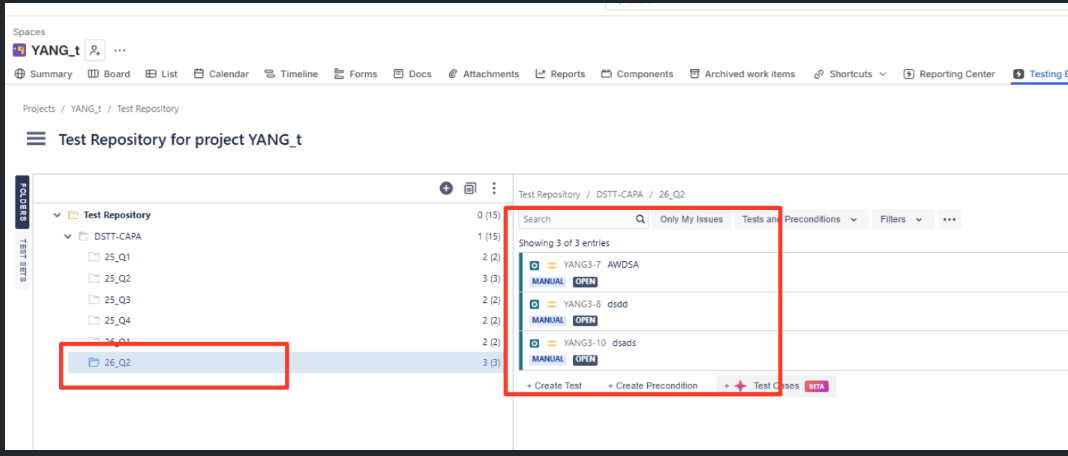
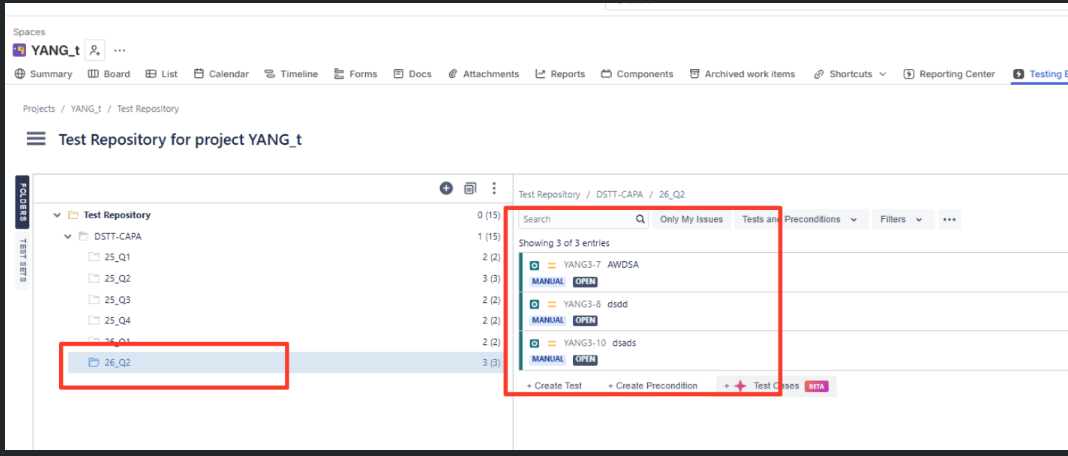
After migrating from Xray Data Center to Xray Cloud, Manual Tests do not display their Test Type label ("Manual") in the Test Repository. The issue can be reproduced consistently and is resolved only after running an Xray project reindex.
The issue is not related to a specific Xray Data Center version, as it was reproduced with both the customer's version and the latest available version.
Running an Xray reindex for the affected project restores the missing labels, indicating that the migration is not refreshing the required Xray properties for Manual Tests.
An additional observation is that earlier migration tests did not reproduce this behavior. The main difference is that the latest migration contained more folders, which may be a contributing factor.
Steps to Reproduce
- Create or use an Xray Data Center project containing Manual Tests.
- Migrate the project to Xray Cloud.
- Open the Test Repository in the migrated Cloud project.
- Observe that the "Manual" Test Type label is missing.
- Run Project Settings → Apps → Xray → Reindexing.
- Refresh the Test Repository.
Actual Result
- Manual Test labels are missing immediately after migration.
- The labels appear only after an Xray reindex is executed.
Expected Result
Manual Test labels should be displayed immediately after the migration completes, without requiring a manual Xray reindex.
Attachments
Issue Links
- duplicates
-
XCC-3080 Loading...