Details
-
Suggestion
-
Status: New
-
Resolution: Unresolved
-
None
-
None
-
None
-
UI
Description
Description
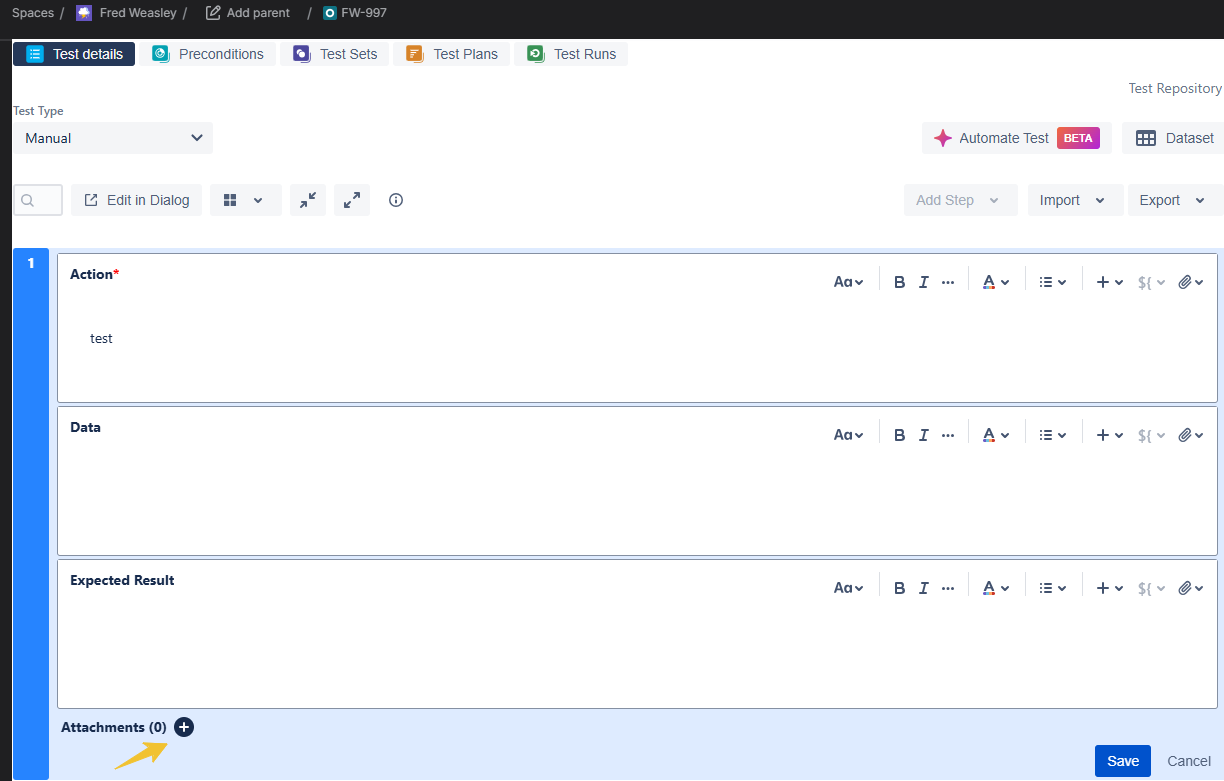
As a user, I would like to add attachments directly to Test Steps in Xray Cloud using the Attachment icon, as available in Xray Data Center.
User friction
Users cannot attach files directly to individual Test Steps in Xray Cloud, having them associate evidence or supporting files with the relevant step initially to a general Attachments option, instead of being able to add them directly as they wish.
Steps to reproduce (right now) / Actual Result:
- Open a Test in Xray Cloud
- Edit a Test Step.
- Try to add an attachment using the Attachment icon.
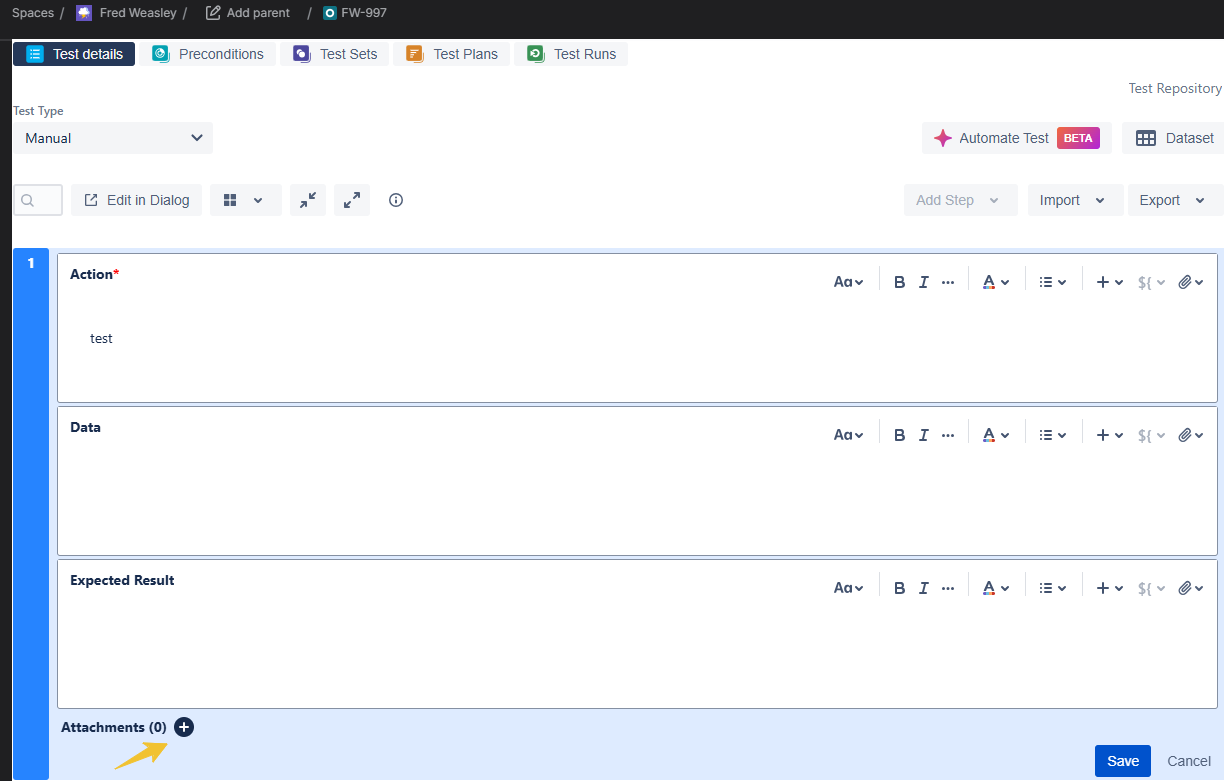
- The option to attach a file directly to the Test Step is not available unless you add the attachments here first
IMPACT
What would improve if solved:
Users would be able to easily attach screenshots, documents, or other evidence directly to the relevant Test Step, providing a more organized and efficient testing experience.
Impact on stakeholders:
Testers, QA teams, and other stakeholders would benefit from easier access to step-specific evidence and improved consistency between Xray Cloud and Data Center.
Current workaround:
Users need to first add the attachements to the Attachments option in the Test Steps and then add them to the Action, Data, and Expected Result individually via the Clip button
CONTEXT & EXAMPLES:
This functionality is already available in Xray Data Center
Concrete example:
A tester needs to attach a screenshot showing the expected result of a specific Test Step. In Xray Data Center, the screenshot can be attached directly to that step. In Xray Cloud, the user must rely on a workaround, making it less clear which attachment belongs to which step.
Workaround risk:
Users may face difficulties in having the attachments correctly added.