Details
-
Bug
-
Status: Closed
-
 High
High
-
Resolution: Unresolved
-
Xray Cloud 16.6.0
-
None
-
Cloud
Description
Desscription:
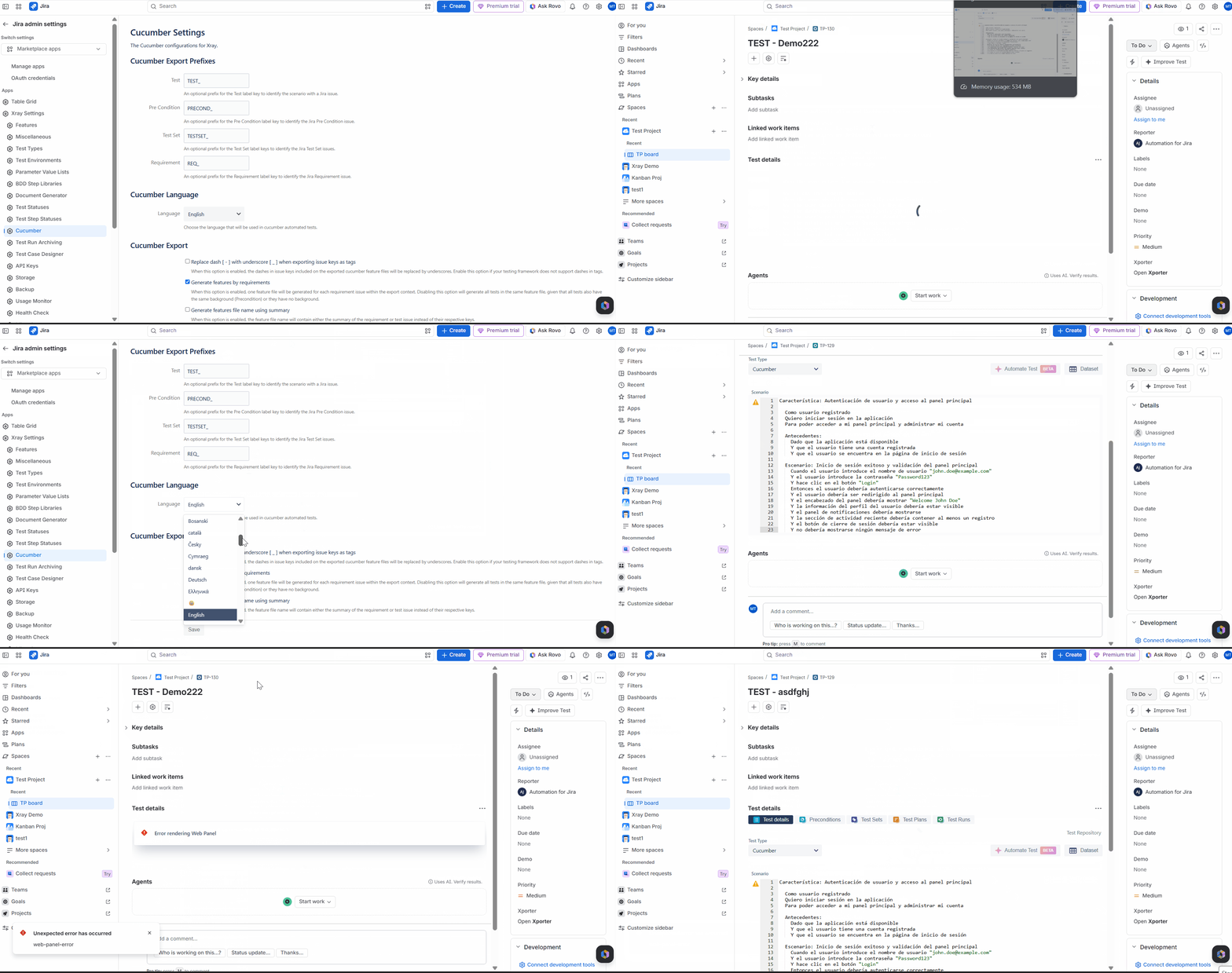
When the Cucumber Language setting is configured to "User Language", opening the Test Details panel for either a Cucumber Test or a Manual Test results in an error message: "Error Rendering Web Panel".
If the Cucumber Language setting is changed from "User Language" to any specific language (for example, English or Spanish), the Test Details panel loads successfully without any errors.
Pre-conditions:
- Xray is installed and configured.
- A Cucumber Test and/or Manual Test exists.
- User has access to view the Test issue.
- Cucumber Settings are accessible.
How to Reproduce:
- Navigate to Xray Settings >> Cucumber Settings.
- Set Cucumber Language to "User Language".
- Save the configuration.
- Open an existing Cucumber Test or Manual Test.
- Observe the Test Details section.
Actual Result / Attachments:
- The Test Details panel fails to load.
- The following error is displayed:
- "Error Rendering Web Panel"
- The issue occurs for both Cucumber Tests and Manual Tests when Cucumber Language is set to "User Language".
Expected Result:
- The Test Details panel should load successfully when Cucumber Language is set to "User Language".
- Users should be able to view and interact with the Test details without any errors.
Version:
Xray Cloud 16.6.0
Workaround:
Change the Cucumber Language setting from "User Language" to a specific language (for example, English, Spanish, etc.). After saving the changes, the Test Details panel loads correctly without the "Error Rendering Web Panel" error.
Attachments
Issue Links
- duplicates
-
XCC-3204 Loading...