Details
-
Bug
-
Status: Closed
-
 Medium
-
Resolution: Unresolved
-
Xray Cloud 16.17.0
-
None
-
Jira Cloud, Windows OS - Edge and Chrome browsers.
Description
Description
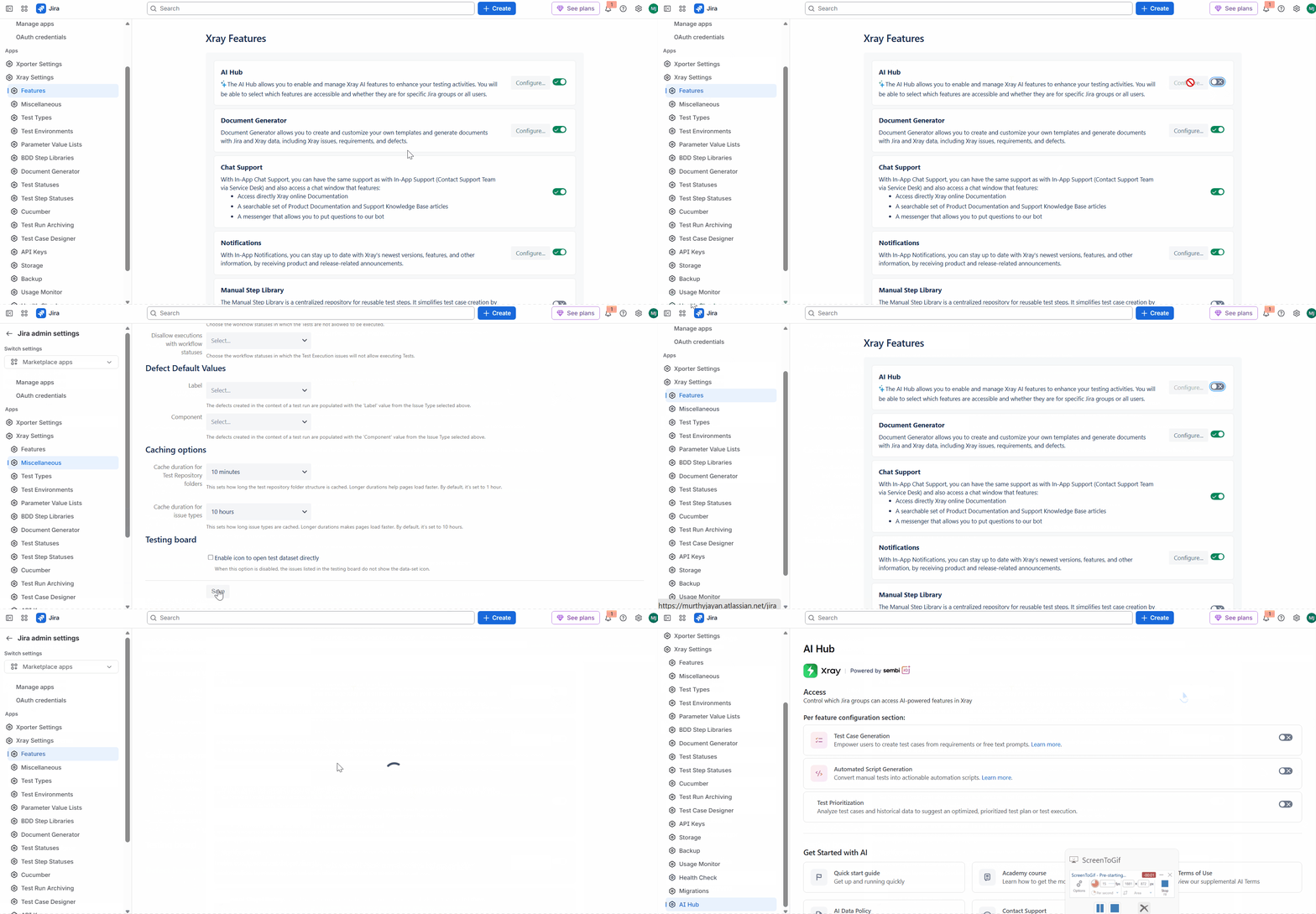
The AI Hub feature is automatically re-enabled upon clicking the Save button on the Global Xray Settings > Miscellaneous Settings, even when the feature was previously disabled from Global Xray Settings > Features.
This occurs even without making any changes on the Miscellaneous screen, indicating that the Save action may be resetting the AI Hub feature flag to its default enabled state.
Pre-conditions
AI Hub feature is disabled.
How to reproduce
- Ensure that you have Disabled the AI Hub feature.
- Navigate to Xray Settings > AI Hub and verify that AI Hub is disabled.
- Navigate to Xray Settings > Miscellaneous.
- Click Save without making any changes.
- Return to Xray Settings > Features.
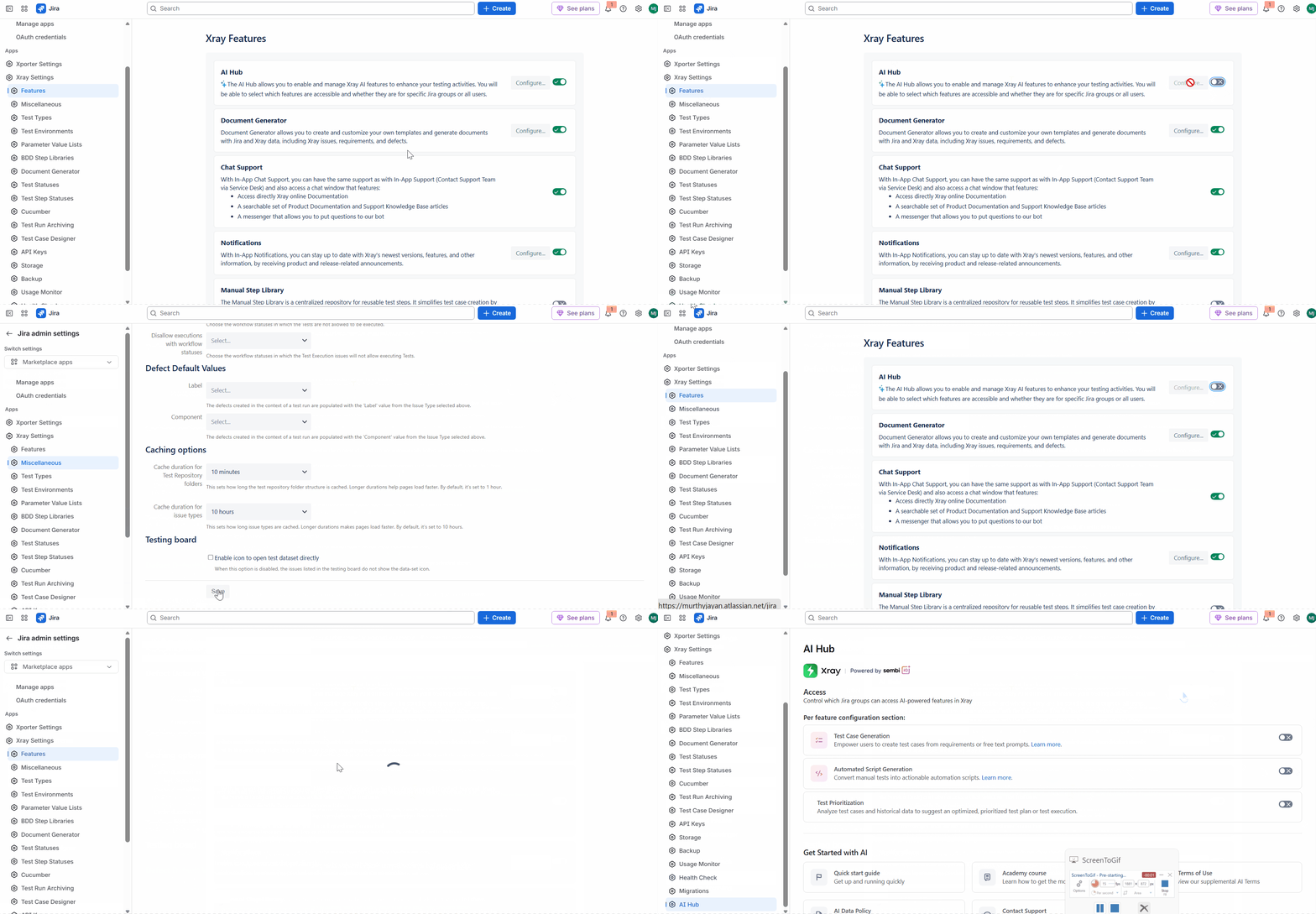
Actual result/Attachments
The AI Hub feature is automatically enabled again after saving the Miscellaneous settings.
Expected result
The AI Hub feature should remain disabled after saving the Miscellaneous settings when no changes related to AI Hub have been made.
Version
- Xray Cloud 16.17.0
Workaround
Users must manually navigate back to Xray Settings > Features and disable AI Hub again after each occurrence.
Additionally, as a precaution, Administrators should explicitly disable the following AI Hub capabilities where applicable:
- AI Test Case Generation
- Automated Script Generation
- Test Prioritization
This reduces the risk of unintended AI functionality becoming available if AI Hub is automatically re-enabled.
Attachments
Issue Links
- duplicates
-
XCC-3528 Loading...