Details
-
Suggestion
-
Status: New
-
Resolution: Unresolved
-
None
-
None
-
None
Description
Description
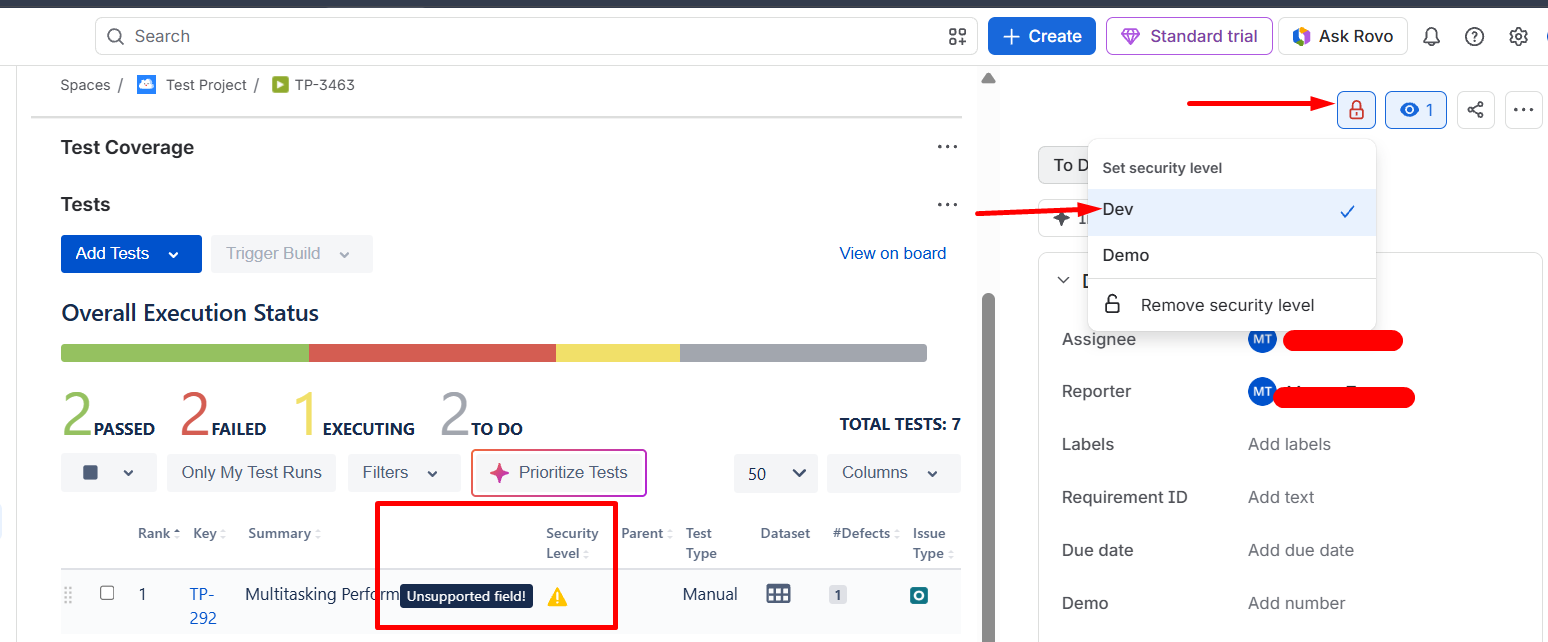
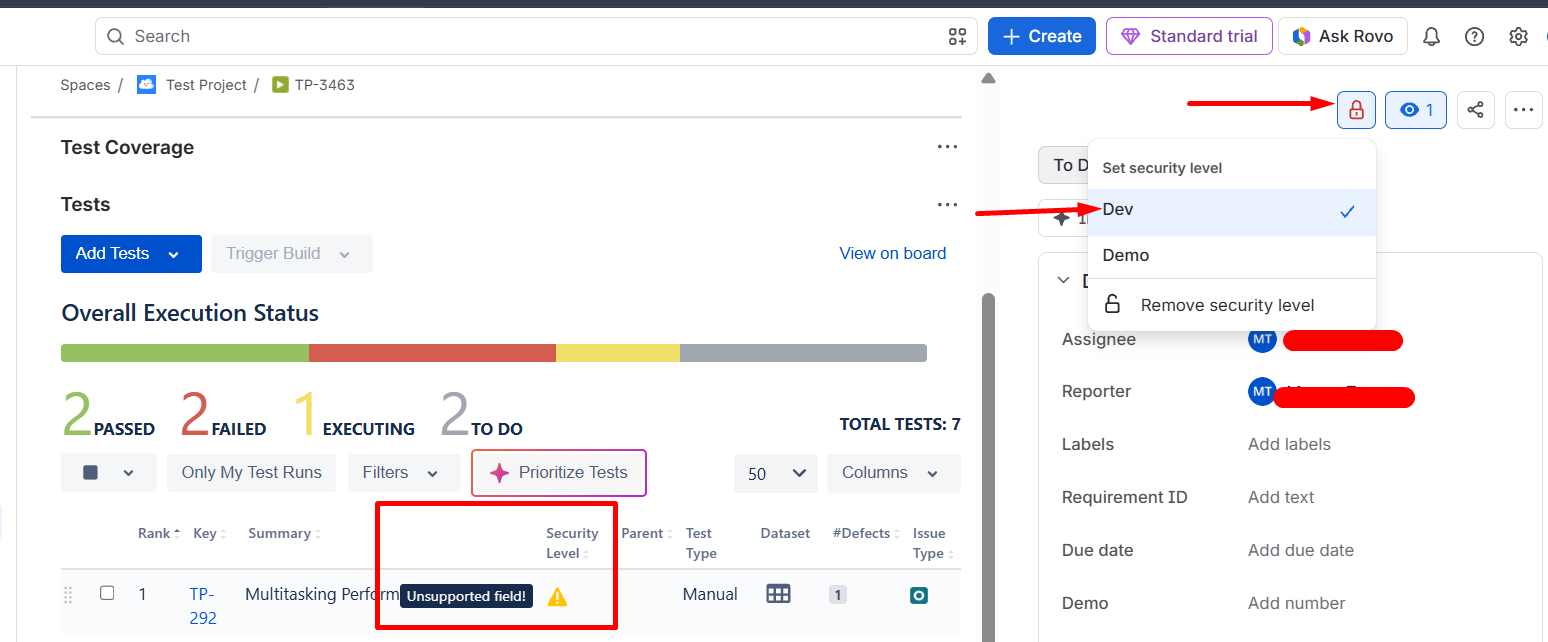
The Jira Security Level field can be added as a column in the Xray Cloud Tests panel (Test Coverage / Test Execution view). However, when the field is displayed, Xray shows an "Unsupported field!" warning icon instead of the actual Security Level value. This creates confusion because the field is selectable and configurable, but its contents cannot be viewed within the grid.
User friction
Users expect the Security Level field to behave like other supported Jira fields once it has been added as a column. Instead, they are presented with an "Unsupported field!" warning, making it unclear whether the field is configured correctly or whether security restrictions are being applied.
Steps to reproduce (right now) / Actual Result:
- Configure Issue Security in Jira Cloud.
- Apply a Security Level to one or more Test issues.
- Open a Test Execution or issue containing the Xray Tests panel.
- Add Security Level as a column in the Tests grid.
- Observe the displayed value.
Actual Result: The column displays a warning icon with the tooltip "Unsupported field!" instead of showing the Security Level value.
IMPACT
Organizations using Jira Issue Security to control access to Test issues cannot easily visualize or validate security assignments from within Xray's Tests panel. Users must open each individual Test issue to verify its Security Level.
What would improve if solved:
- Security Level values would be visible directly in the Tests grid.
- Users could quickly identify secured Tests without navigating away from the Test Execution.
- Improved traceability and governance for projects with strict security requirements.
- Better alignment between Jira native fields and Xray reporting capabilities.
Impact on stakeholders:
Test Managers, QA teams, and administrators cannot easily view or validate Test security settings, resulting in additional manual effort and reduced visibility.
Current workaround:
Open each Test issue individually and review the Security Level field from the Test issue view in Jira.
CONTEXT & EXAMPLES:
The Security Level field is already managed and enforced by Jira. Users can successfully assign and use Security Levels on Test issues, and visibility restrictions are respected. The limitation only occurs within the Xray Tests grid, where the field cannot be rendered and is marked as unsupported.
Concrete example:
A Test Execution contains 100+ Tests secured using Jira Security Levels such as:
- Internal
- Development
- Confidential
When the user adds the Security Level column to the Tests panel, each row displays an "Unsupported field!" warning instead of the configured value, preventing users from identifying which Tests belong to each security classification.
Workaround risk:
- Manual verification is time-consuming and error-prone.
- Increased risk of overlooking incorrectly configured Security Levels.
- Poor user experience due to inconsistency between Jira issue fields and Xray grid behavior.
- Difficult to perform large-scale reviews of Test security assignments.