Details
-
Bug
-
Status: Waiting Approval
-
 Medium
-
Resolution: Unresolved
-
Xray Cloud 16.21.0
-
None
-
None
-
Cloud
-
Standard
-
Description
Description
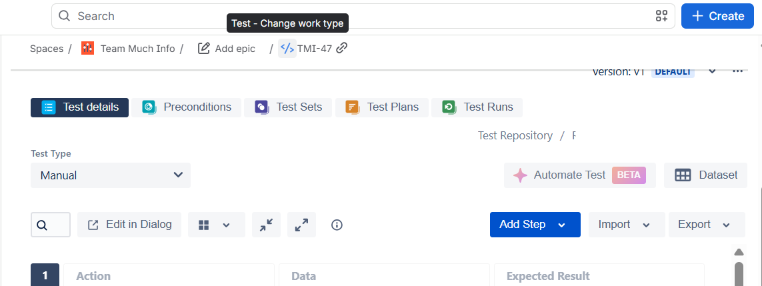
Unable to update existing Tests using the Test Case Importer in a Team-Managed project.
Pre-conditions
- Xray is enabled in a team-managed project.
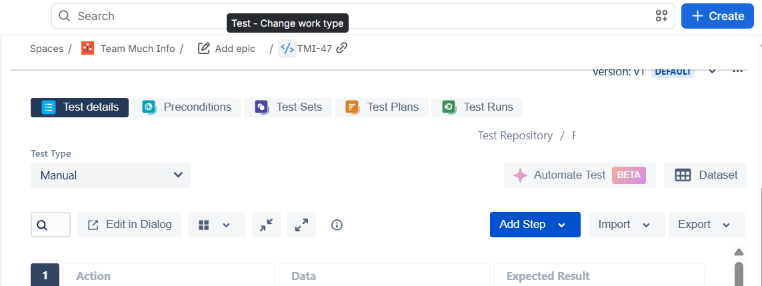
- Existing Test is available in the project.
- An import file is prepared to update the existing Test.
How to reproduce
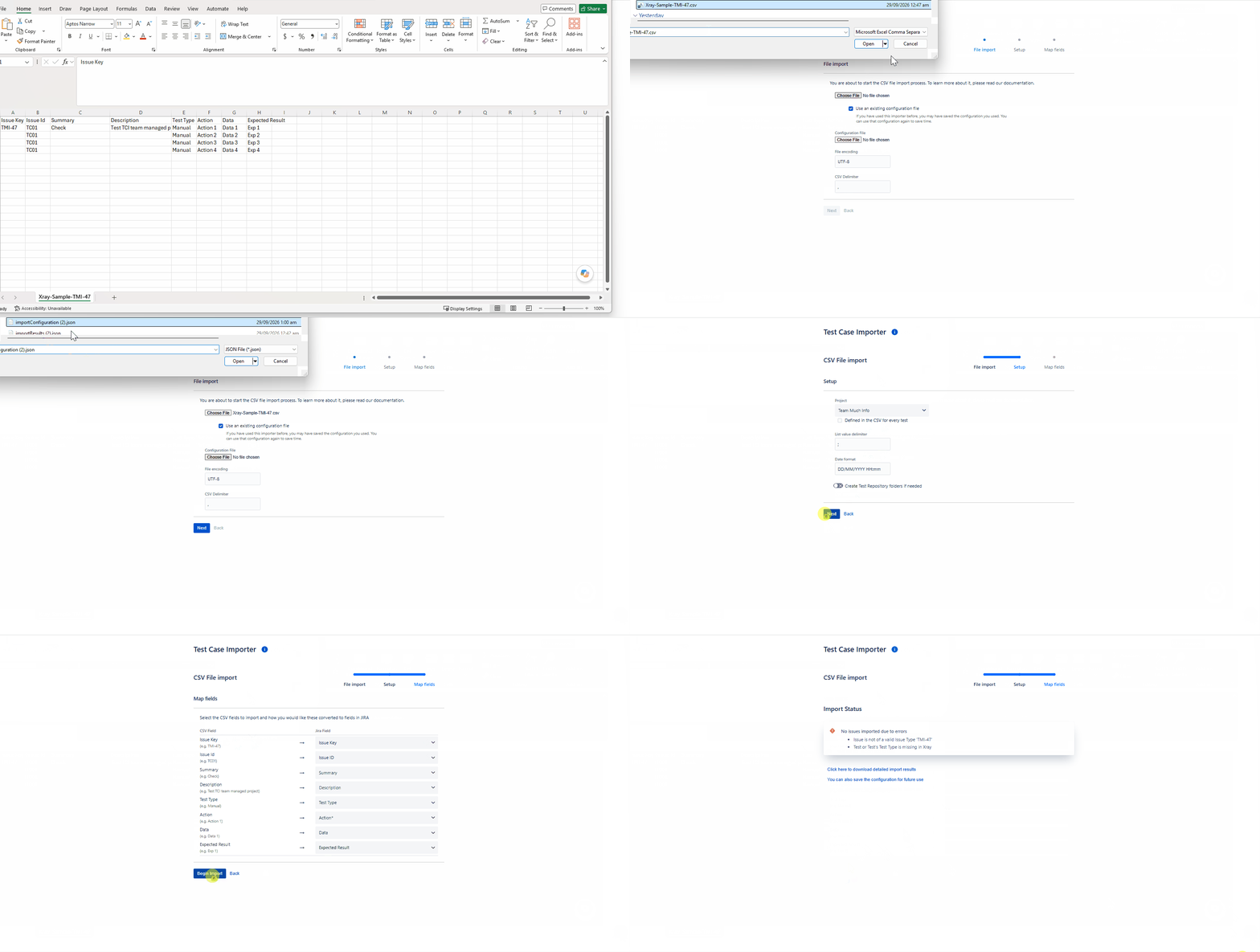
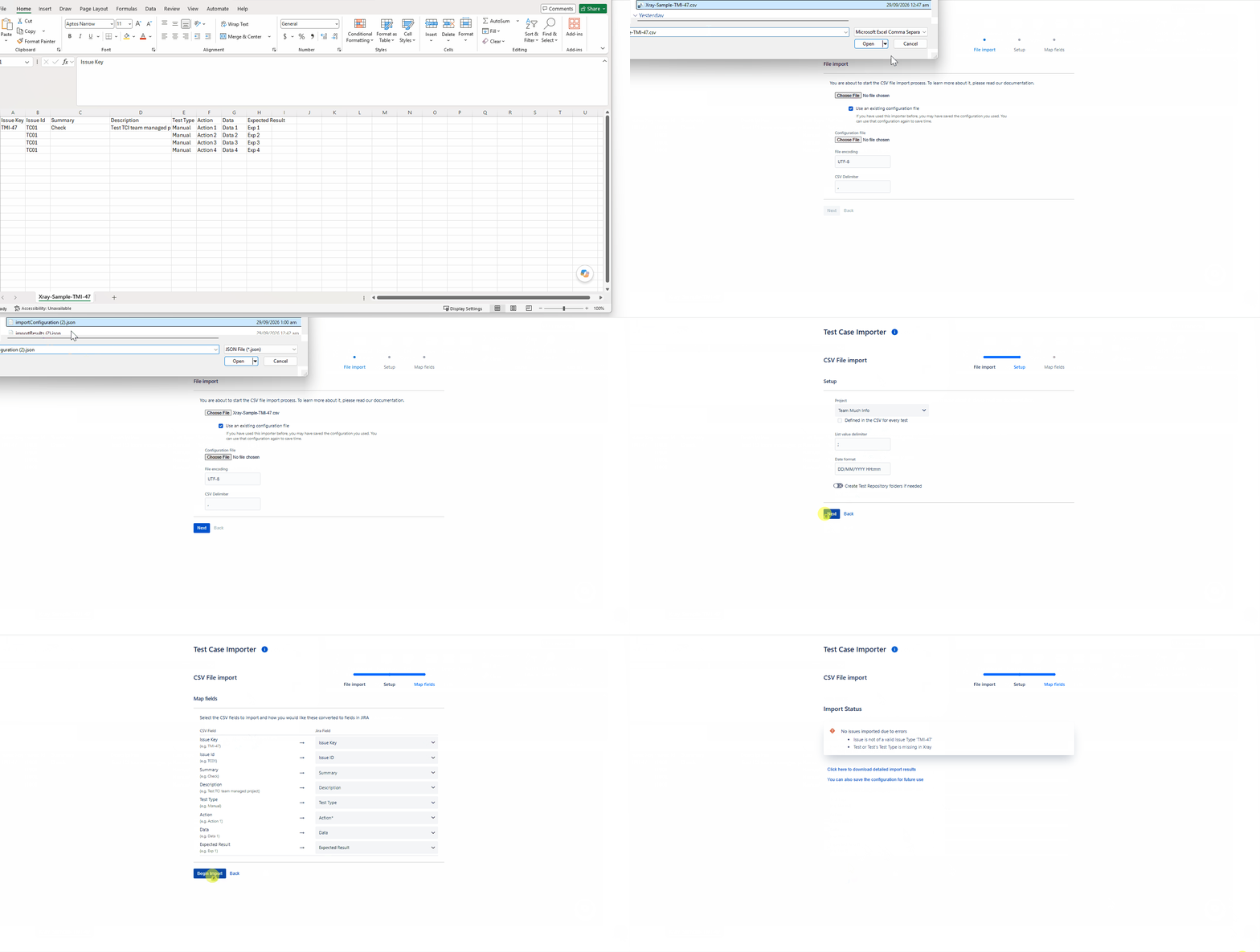
- Open Test Case Importer
- Upload the CSV file and configuration file
- Select project
- Begin the import
Actual result/Attachments
The Test is not updated due to errors, even though the Issue ID provided in the CSV file corresponds to a valid existing Test.
Expected result
The existing Test should be updated successfully.
Version
- 16.21.0
Workaround
Manually update the Test through the UI.
Attachments
Issue Links
- duplicates
-
XCC-3753 Loading...