Details
-
Bug
-
Status: Waiting Approval
-
 Medium
-
Resolution: Unresolved
-
Xray Cloud 16.14.0
-
None
-
None
-
Xray Cloud
Description
Description
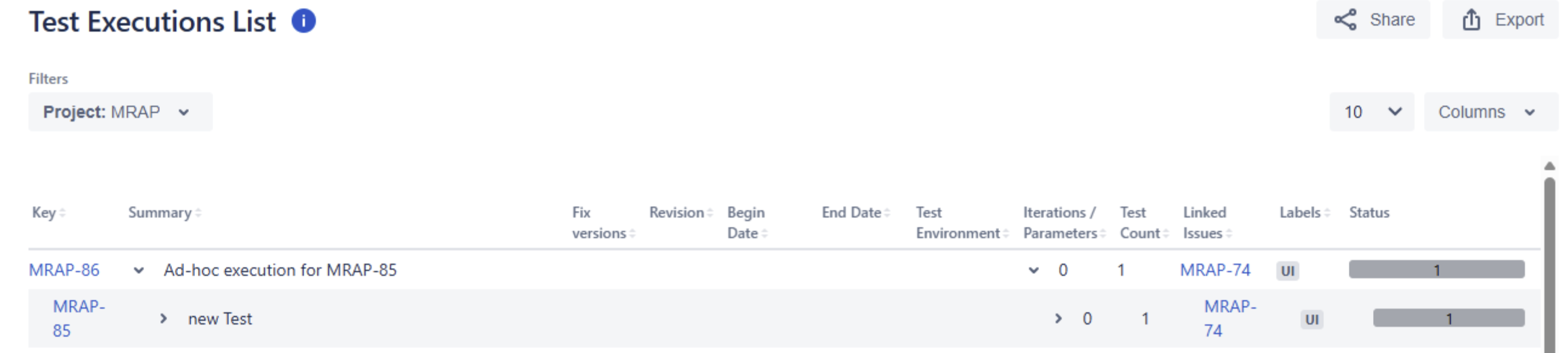
In the expandable version of the Test Executions List Report, the Linked Issues and Labels columns on an expanded Test row display values from its parent Test Execution instead of the Test.
Pre-conditions
- A Test Execution contains a Test.
- The Test Execution and Test have different linked issues and labels.
- The Linked Issues and Labels columns are displayed in the Test Executions List report.
How to reproduce
1. Create a Test Execution and add a Test to it.
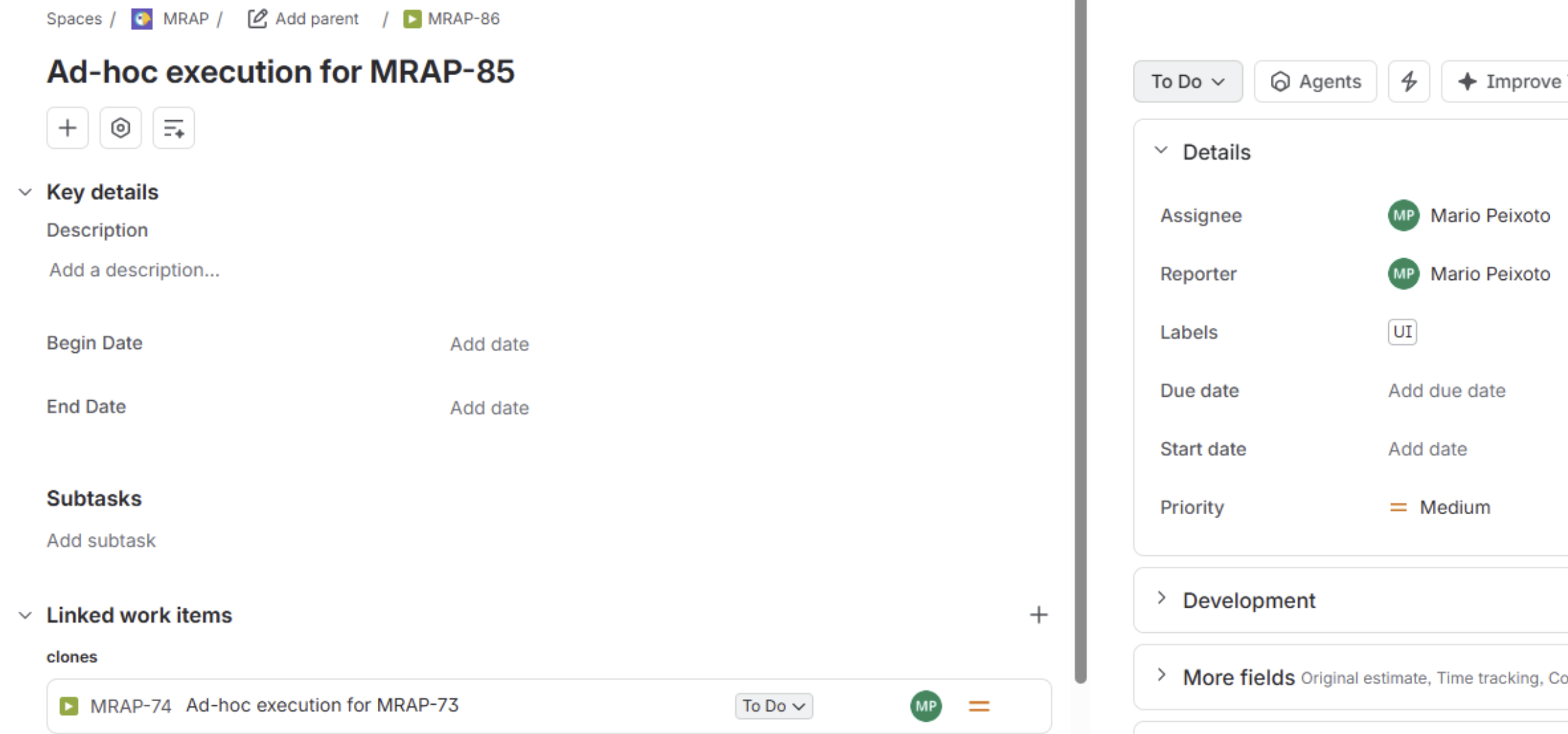
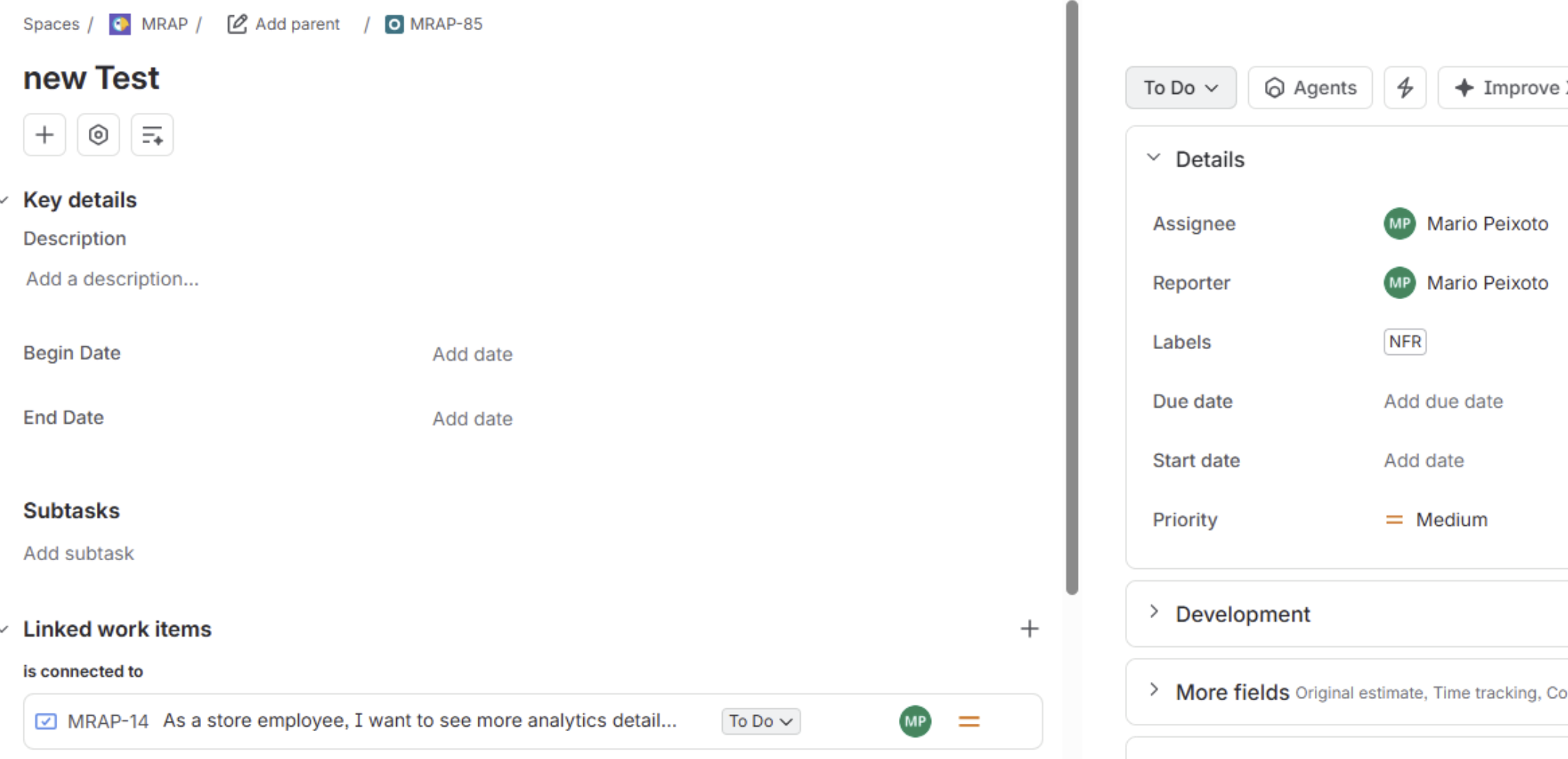
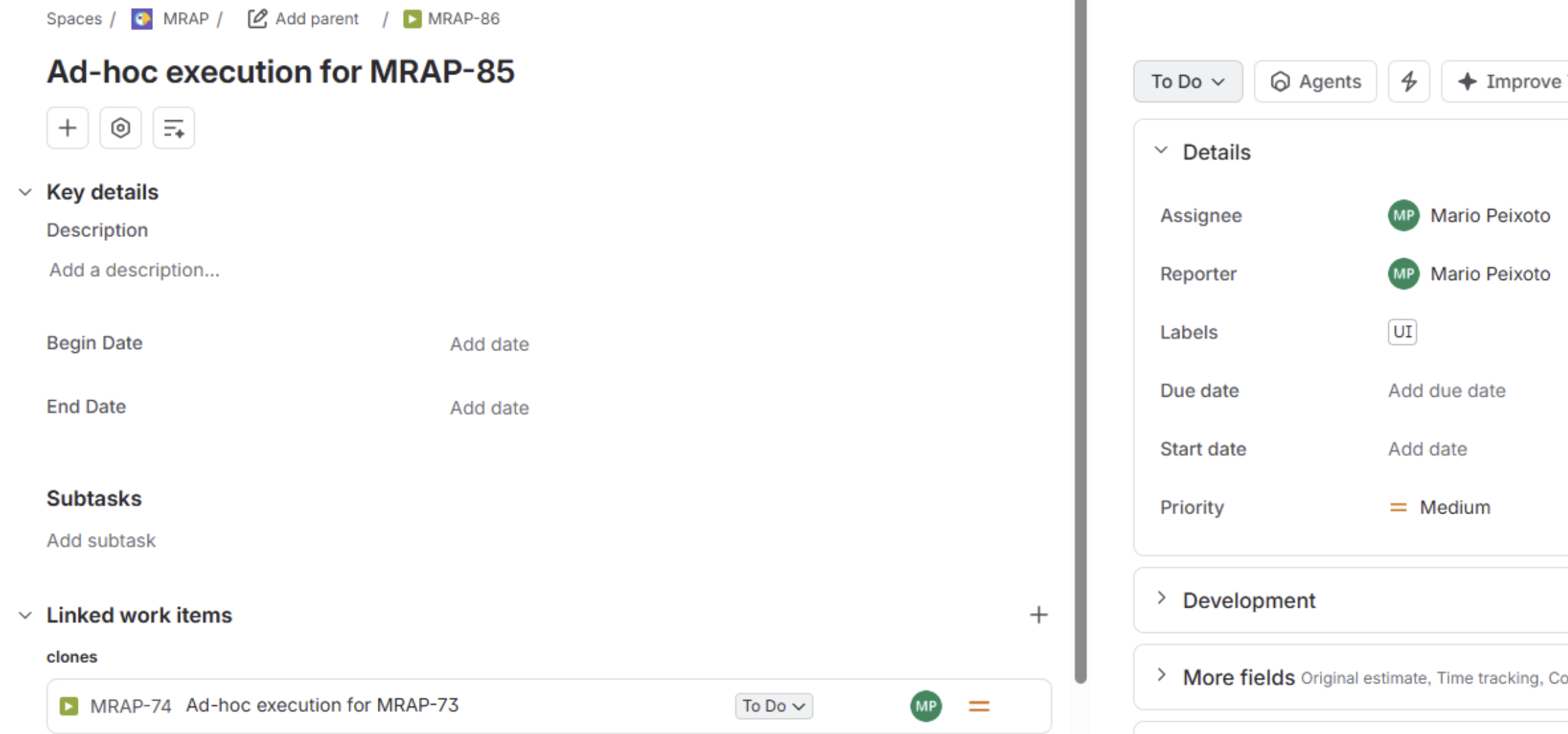
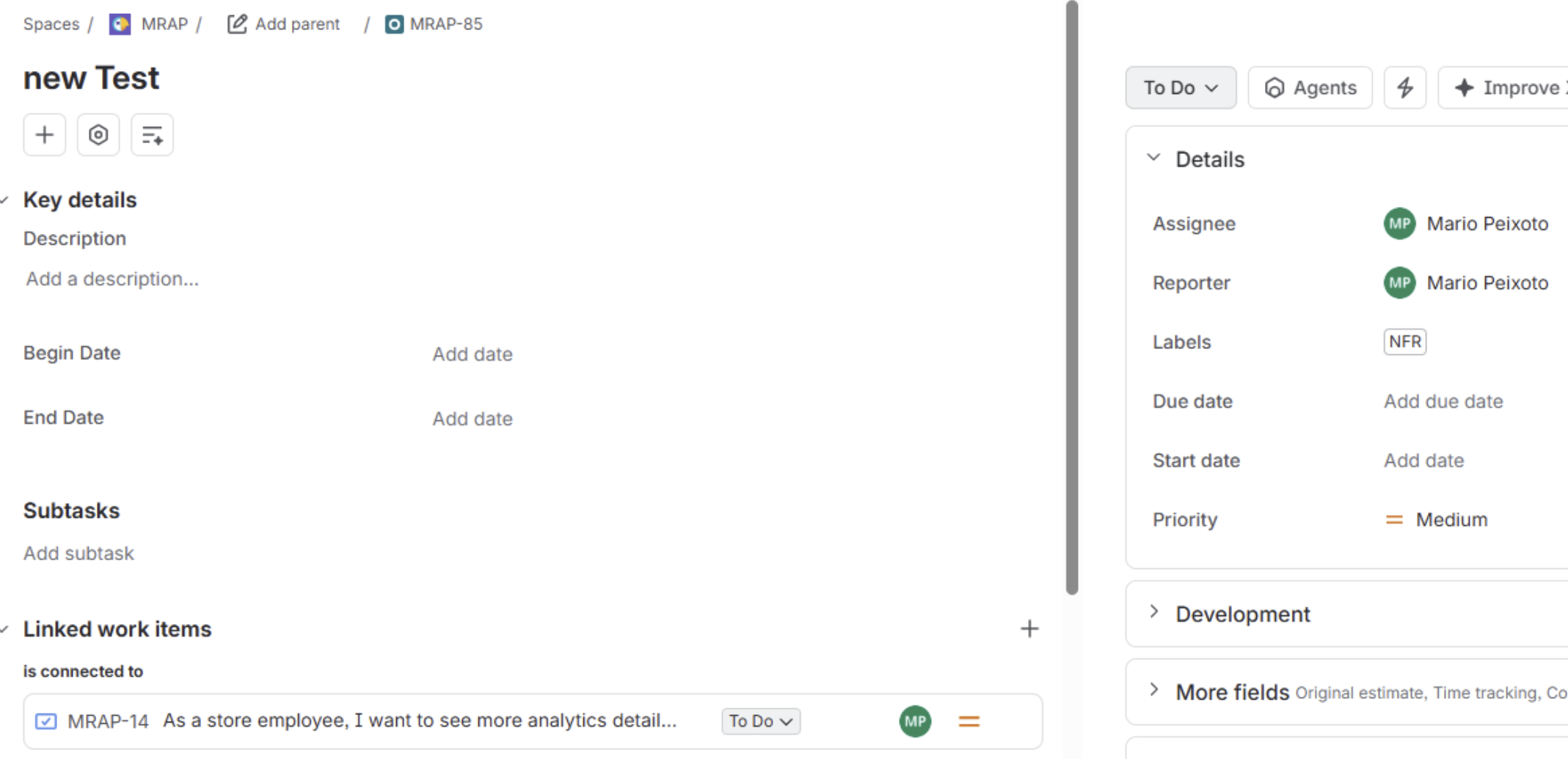
2. Give the Test Execution a label and a linked issue that differ from those on the Test. In the attached example, Test Execution MRAP-86 has label UI and links to MRAP-74, while Test MRAP-85 has label NFR and links to MRAP-14.
Examples:
Test Execution
Test
3. Open the Test Executions List report with the Expandable version, and expand the Test Execution row.
4. Compare the Linked Issues and Labels values on the Test row with the values on each Jira issue.
Actual result/Attachments
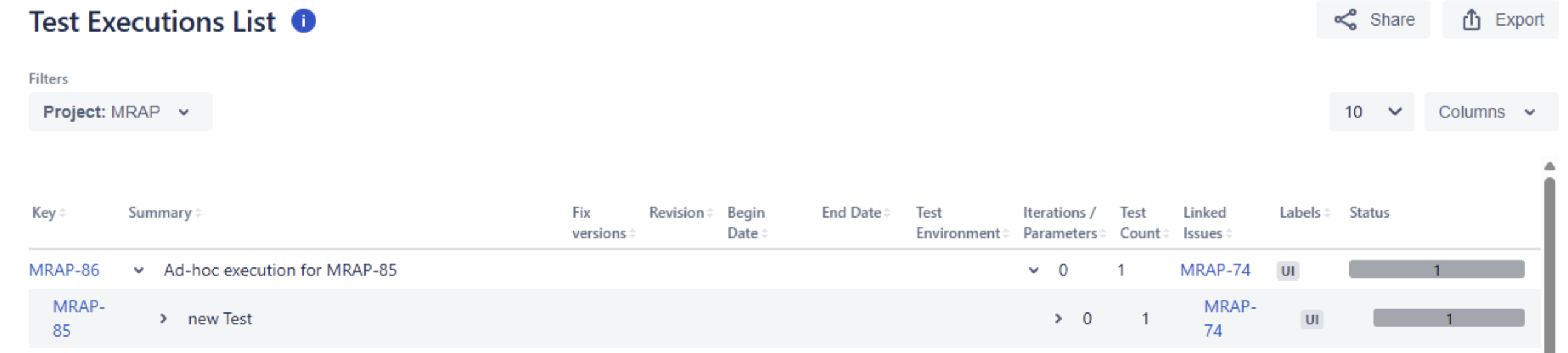
The expanded row for MRAP-85 displays MRAP-74*and *UI, copying the values shown for Test Execution MRAP-86. The attached screenshots show the report and the distinct values on both Jira issues.
Test Execution List example:
Expected result
Each expanded Test row displays the linked issues and labels of that Test. In this example, MRAP-85 should display MRAP-14 and NFR.
Version
- Xray Cloud 16.21.0
Workaround
Open the Test issue in Jira to view its correctly linked issues and labels. The values in these columns on the expanded report row should not be used for the Test until the issue is resolved.
Attachments
Issue Links
- duplicates
-
XCC-3761 Loading...