Details
-
Suggestion
-
Status: New
-
Resolution: Unresolved
-
None
-
None
-
None
-
-
20
Description
Description
It should be possible to choose which Jira site to search when adding an existing defect from the Test Execution details screen. Users should be able to pick their current Jira site or a linked Jira Cloud site (connected through an Application Link). Xray Data Center already offers this choice. This would let users associate defects tracked in a separate Jira site directly with the Test Run, for reporting purposes.
User friction
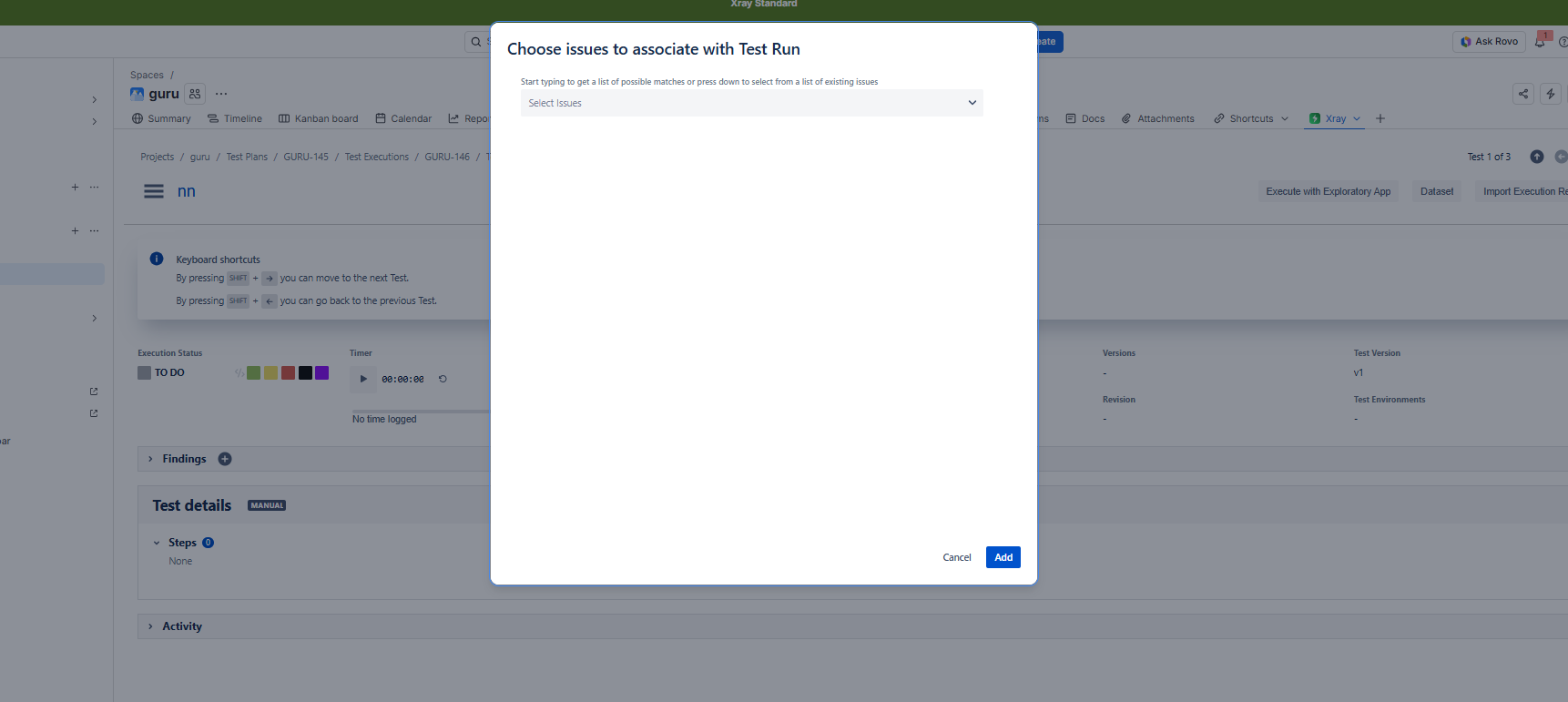
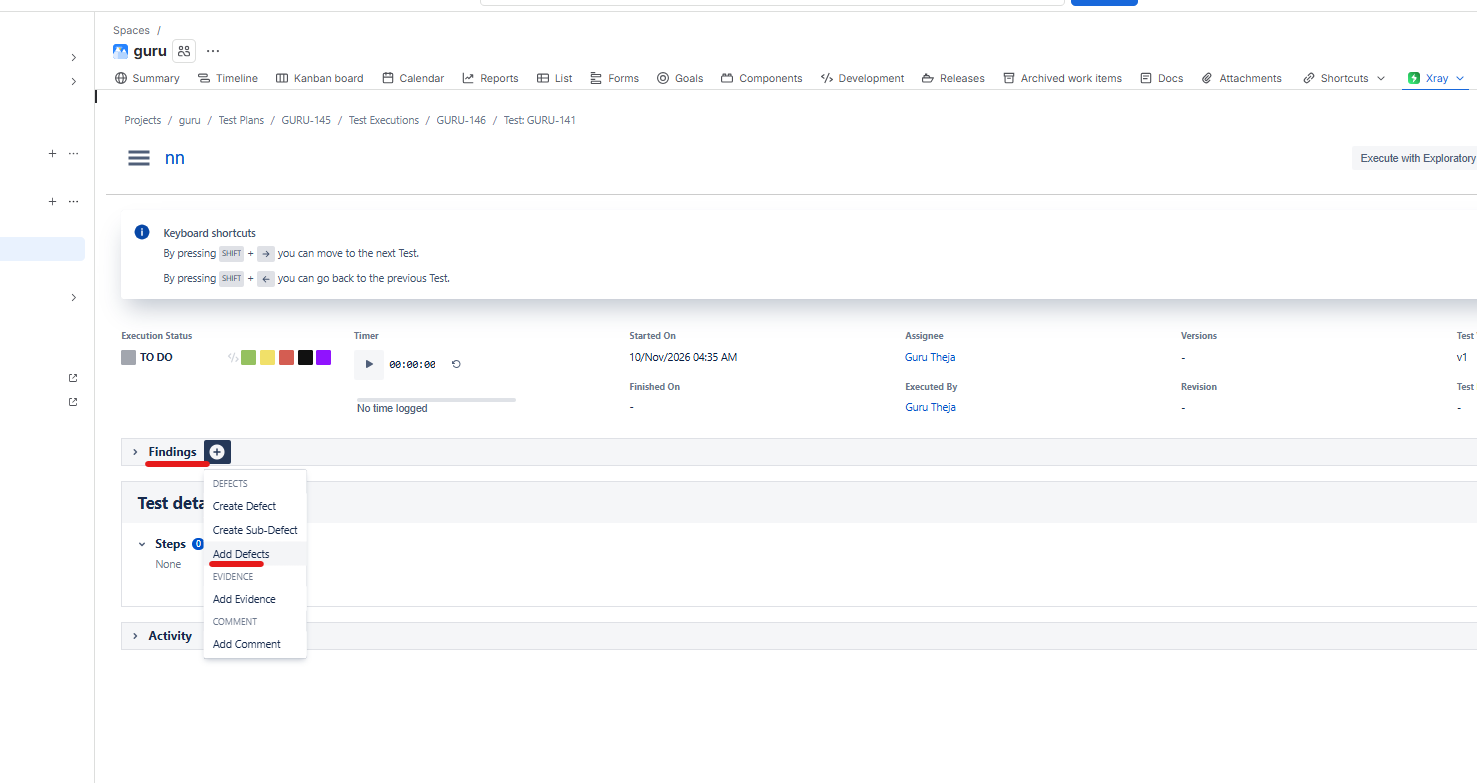
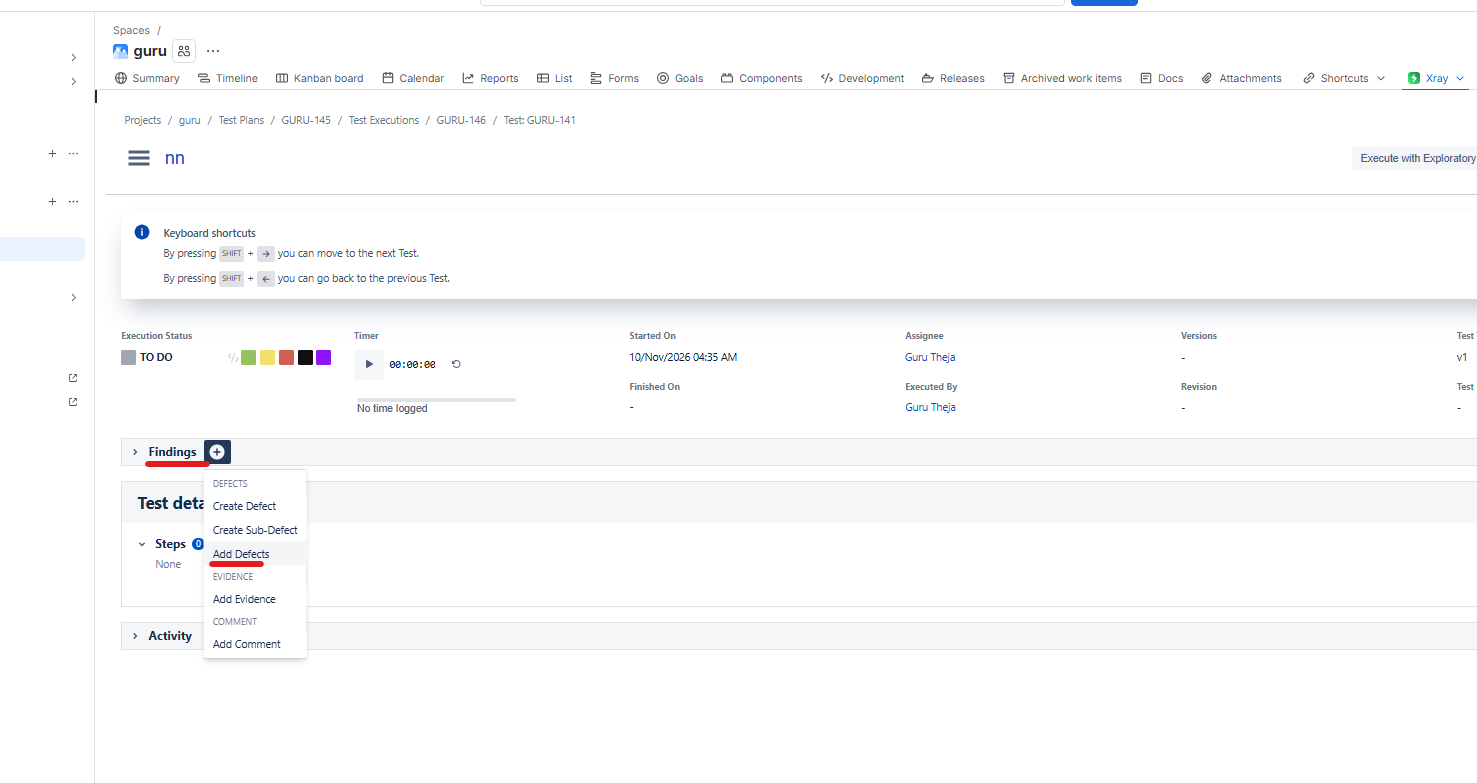
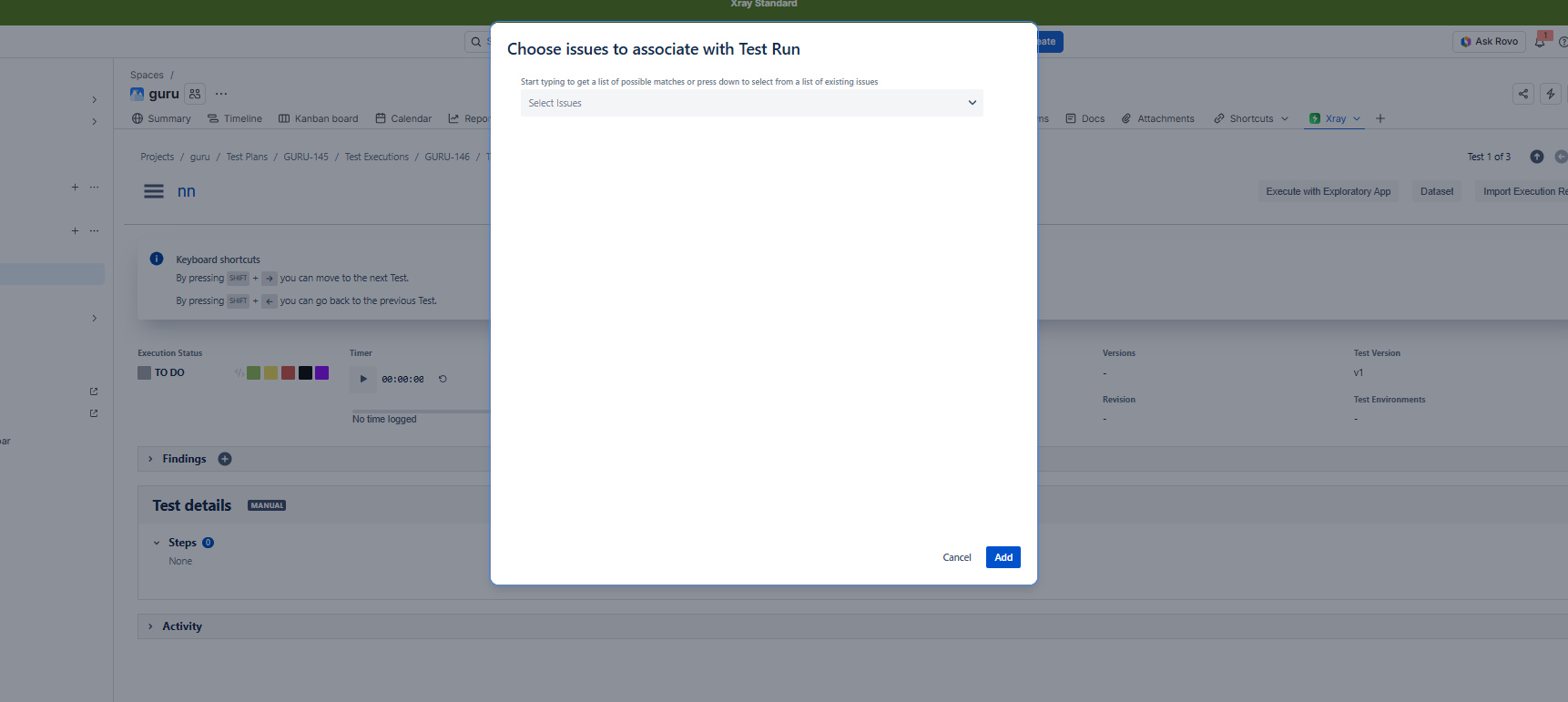
Currently, in the Test Execution details screen, Findings > Defects > "+" > "Add Defects" opens the "Choose issues to associate with Test Run" dialog. This dialog only has a "Select Issues" field that searches the current Jira site. There is no option to choose a linked Jira site, so defects from another site can't be associated with the Test Run.
Steps to reproduce:
- Open a Test Execution and, in the Actions column of the Tests table, click the Execute (play) button or the Execution details icon on a Test to open the Test Execution details screen
- In the Findings section, click the "+" next to Defects
- Select "Add Defects"
- In the "Choose issues to associate with Test Run" dialog, try to select or search for a defect from a linked Jira Cloud site
Actual Result:
The dialog only shows a "Select Issues" field, and it only returns issues from the current Jira site. You can't choose a linked Jira site.
Expected Result:
The dialog should have a selector to choose the current Jira site or a linked Jira site, and then search for the defect in the selected site, as in Xray Data Center.
IMPACT
Users can't associate defects from a linked Jira Cloud site with Test Runs. As a result, execution defects and reports in Xray are incomplete for teams that track defects in a separate Jira site.
What would improve if solved:
Users could associate defects from a linked Jira Cloud site directly with the Test Run in the Test Execution details screen. Those defects would then show up in Test Run defects, execution results and reports.
Impact on stakeholders:
Testers, Test Managers and QA teams whose development defects are tracked in a separate Jira site would get accurate defect traceability and reporting across sites.
Current workaround:
Once a Jira admin sets up an Application Link between the two sites, users can use Jira's native "Link work item" option on an issue (for example, the Test or Test Execution) to link the defect from the other site. However, this link is at the issue level, not the Test Run level, so Xray does not count it as an execution defect.
CONTEXT & EXAMPLES:
Concrete example:
A team runs tests in Jira site A, but the developers track defects in Jira site B. While executing a Test, the tester finds a bug that is already logged in site B as DEV-123. The tester wants to add DEV-123 as a defect to the Test Run, but the "Add Defects" dialog only shows issues from site A.
Workaround risk:
Defects from the linked Jira Cloud site can only be linked at the work item level (for example, to the Test or Test Execution) using the "Link work item" option, once the linking connection between the two Jira sites is established. They cannot be linked at the Test Run level, so these defects do not show in the Test Run defects or in Xray reports, and the reports can be incomplete.