Details
-
Suggestion
-
Status: New
-
Resolution: Unresolved
-
None
-
None
-
None
-
-
1
Description
DESCRIPTION
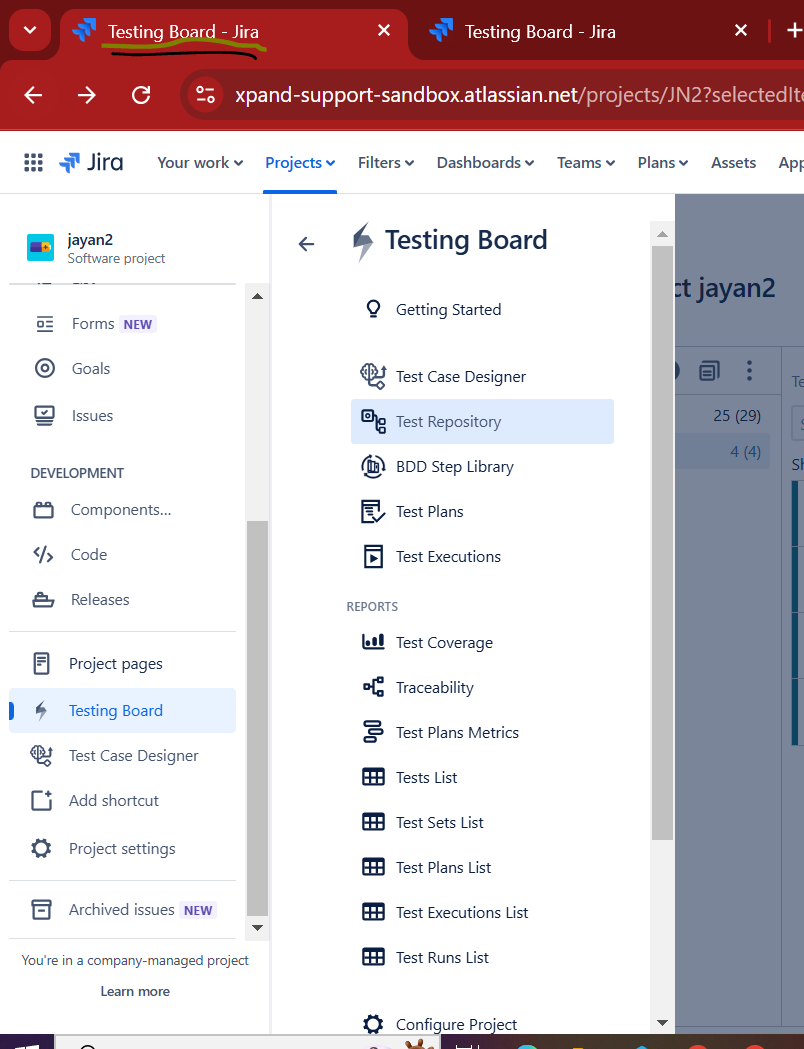
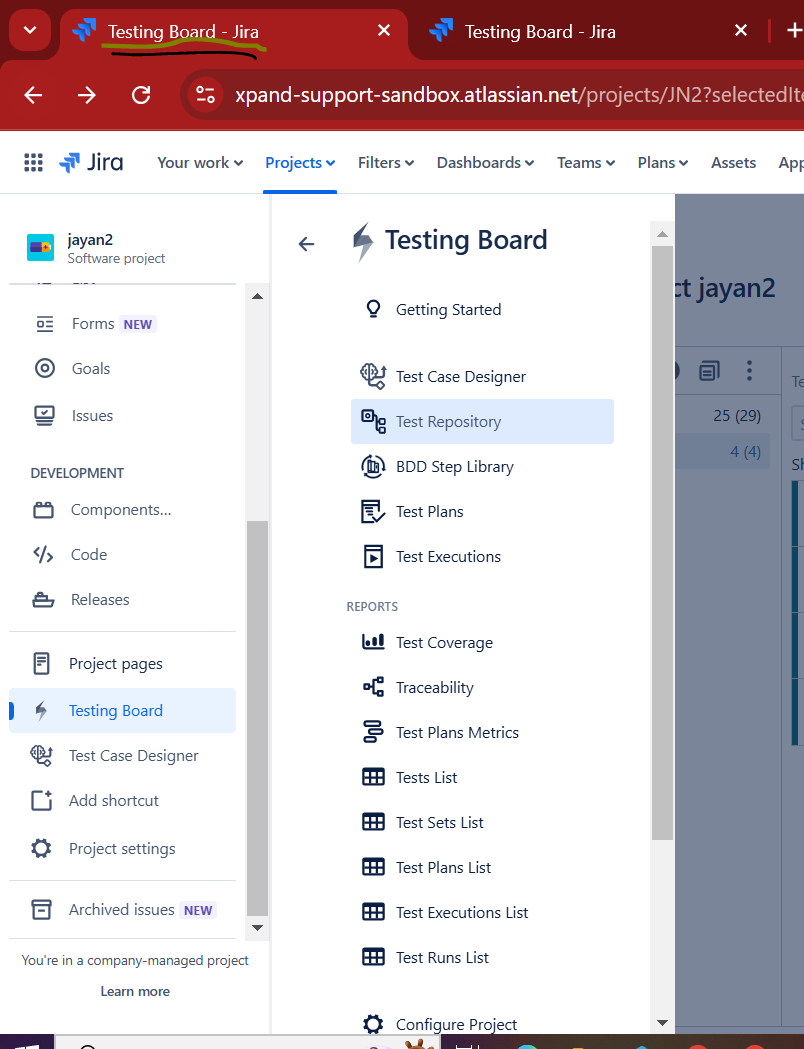
- Problem Statement: Regardless of what Xray page a user has open, a specific Test, a Test Execution, or the Testing Board itself, the browser tab always displays "Testing Board." This makes it impossible to distinguish between multiple open Xray tabs at a glance.
- Impact: Users running tests in parallel or navigating between multiple Xray entities are forced to click through every open tab to locate the right context. The problem compounds with scale: the more Xray tabs a user has open, the more disorienting the experience. Jira native issue pages already display the issue key in the tab title (e.g., DEV-1776), setting a usability baseline that Xray does not meet. For Testing Board views specifically, even distinguishing the board type (e.g., "Test Repository," "Test Plan Board") would be a meaningful improvement. For Test and Test Execution pages, the tab title should include the entity key and summary, following Jira's own pattern.
- Current workaround: None. The browser tab title is rendered from the HTML <title> tag and cannot be customised by end users.
- Context & Examples: Two independent reports. First, a team regularly navigating between board views where all tabs look identical. Second, a team running 8+ Test Executions simultaneously where every tab reads "Testing Board". Suggested formats: Testing Board — Test Repository or Testing Board — Test Plan Board for board-level pages; [TEST-123] Test summary or [EXEC-456] Execution summary for entity-level pages.