Details
-
Bug
-
Status: Open
-
 Medium
-
Resolution: Unresolved
-
Xray Cloud 6.8.0
-
None
-
None
-
Jira Cloud, Chrome Browser, and Windows
Description
Description:
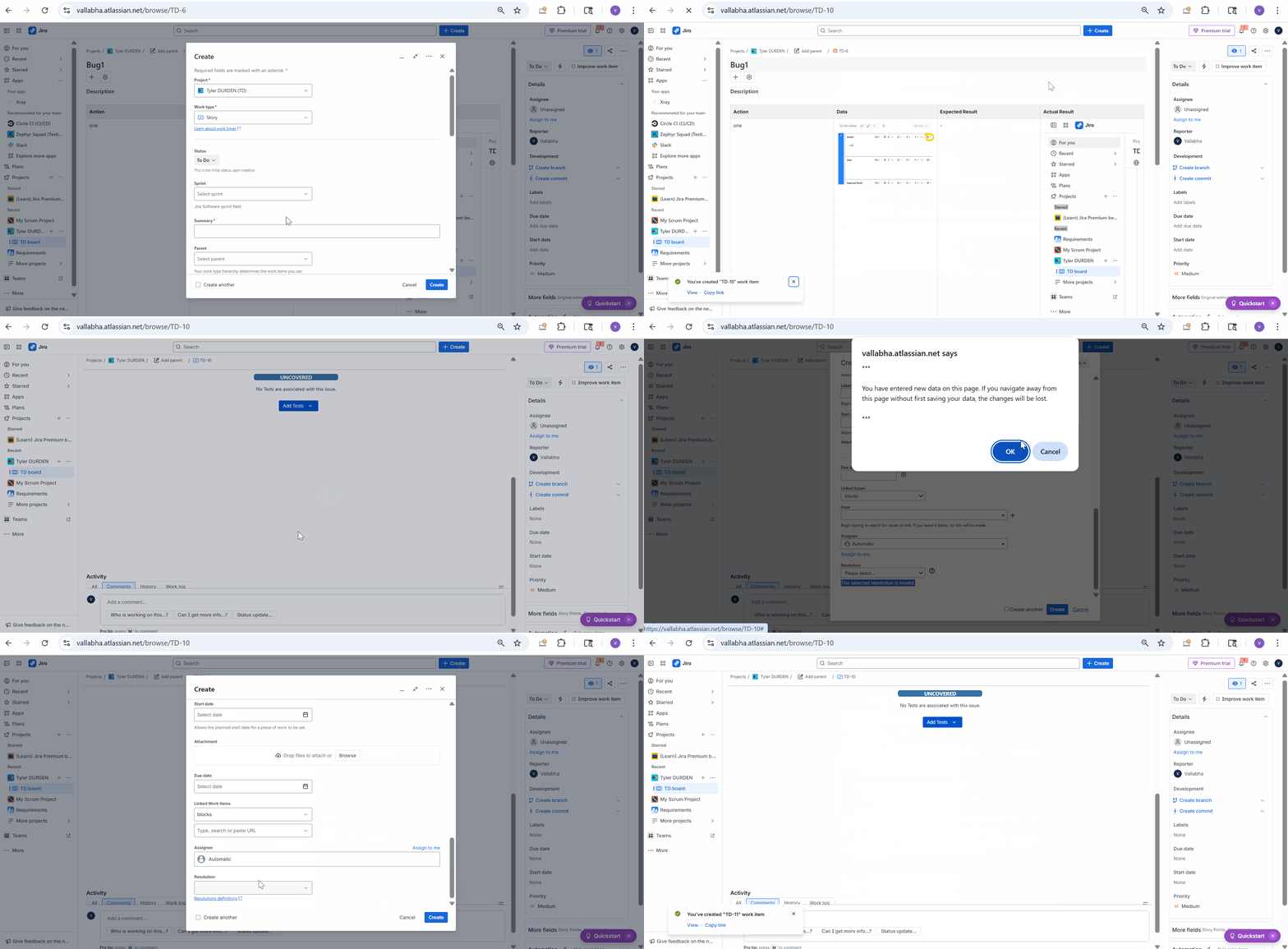
If we have a "Resolution" field for the issue creation screen, the issue creation fails from the Xray-specific dialog, like: Creation of Tests from Test Executions, Tests from Requirements, Defect creation from the Test Runs.
This is not the same for the creation of issues from the Jira issue creation dialogue.
Pre-conditions:
Make the Resolution field available for the issue creation screen.
How to reproduce
- Create a Test from Test Execution, create a Test from a Requirement or Defect from a Test Run by using Xray Dialogs.
- Create Xray Test by using Jira Issue create button
- Do not select any value for the Resolution field.
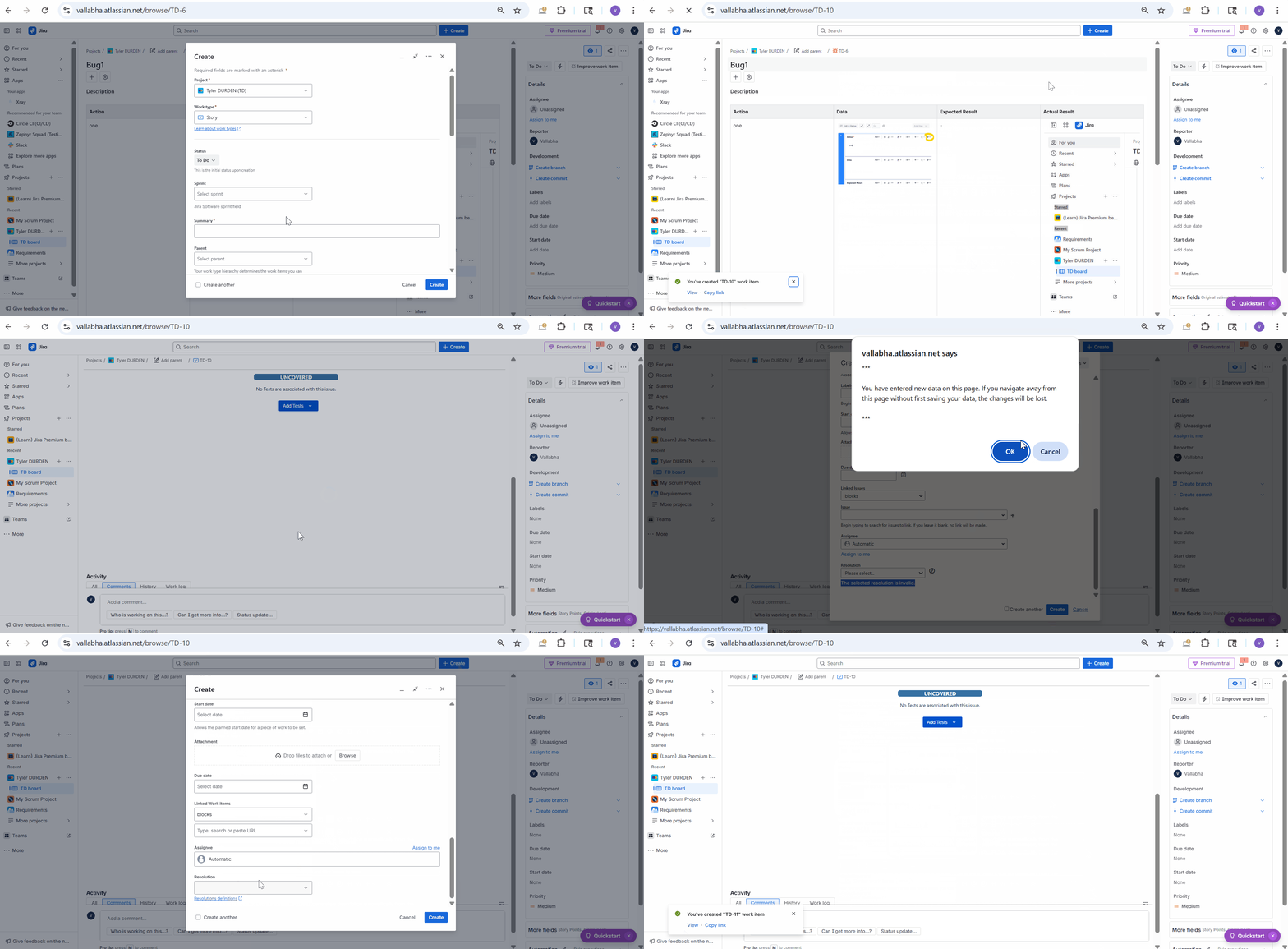
Actual result/Attachments:
While Tests are created if we use Jira create Button, Issue creation fails for Xray specific dialog, showing an error "The selected Resolution is Invalid".
Expected result:
The issue should be created from Xray-specific dialogs as we can create using Jira create button.
Version
- Xray Cloud 6.8.0
Attachments
Issue Links
- duplicates
-
XCC-2273 Loading...