Details
-
Bug
-
Status: Open
-
 Medium
-
Resolution: Unresolved
-
Xray Cloud 6.12.0 | release/6.12.0
-
None
-
None
-
Xray Cloud – Storage page
Google Chrome
Description
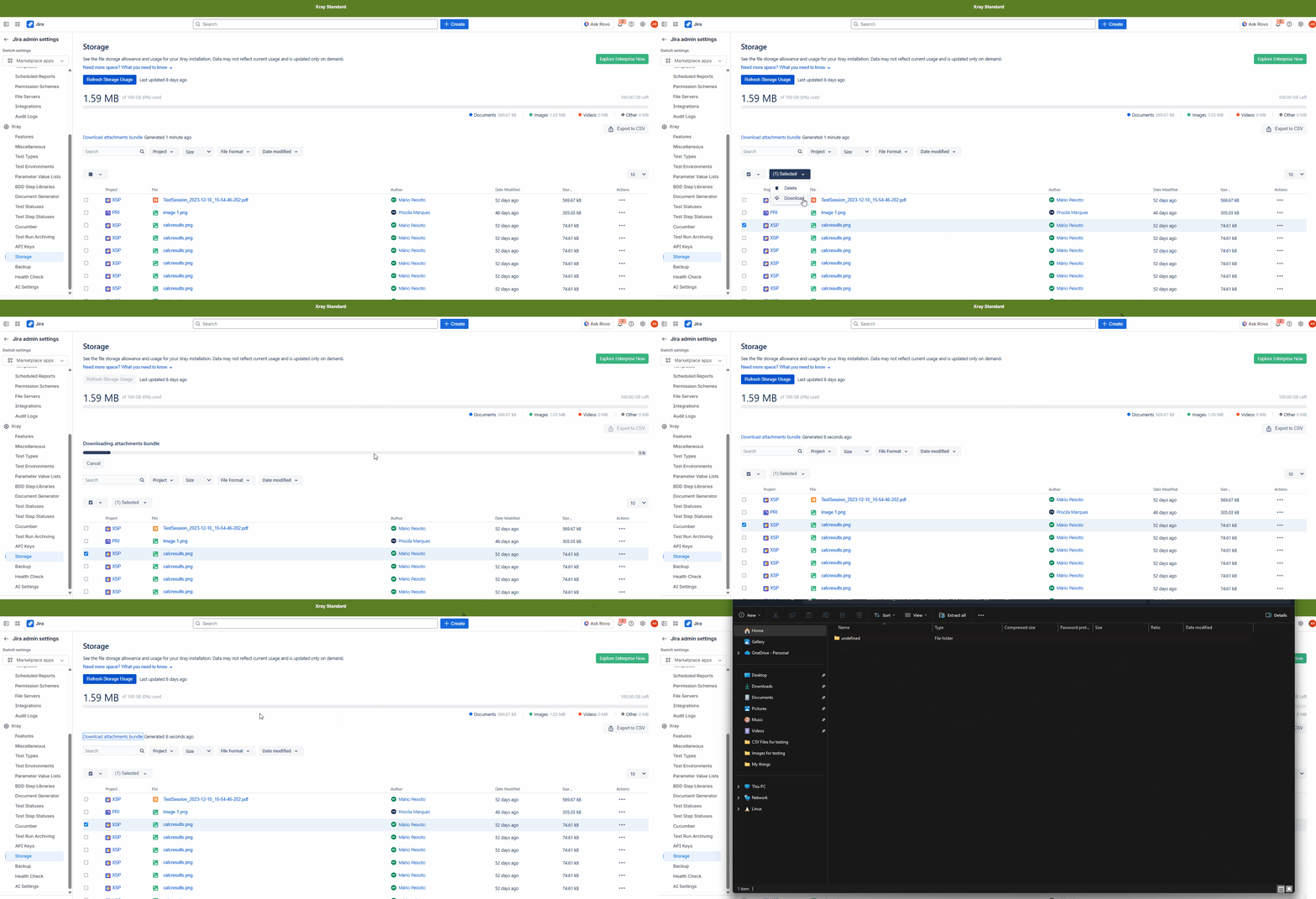
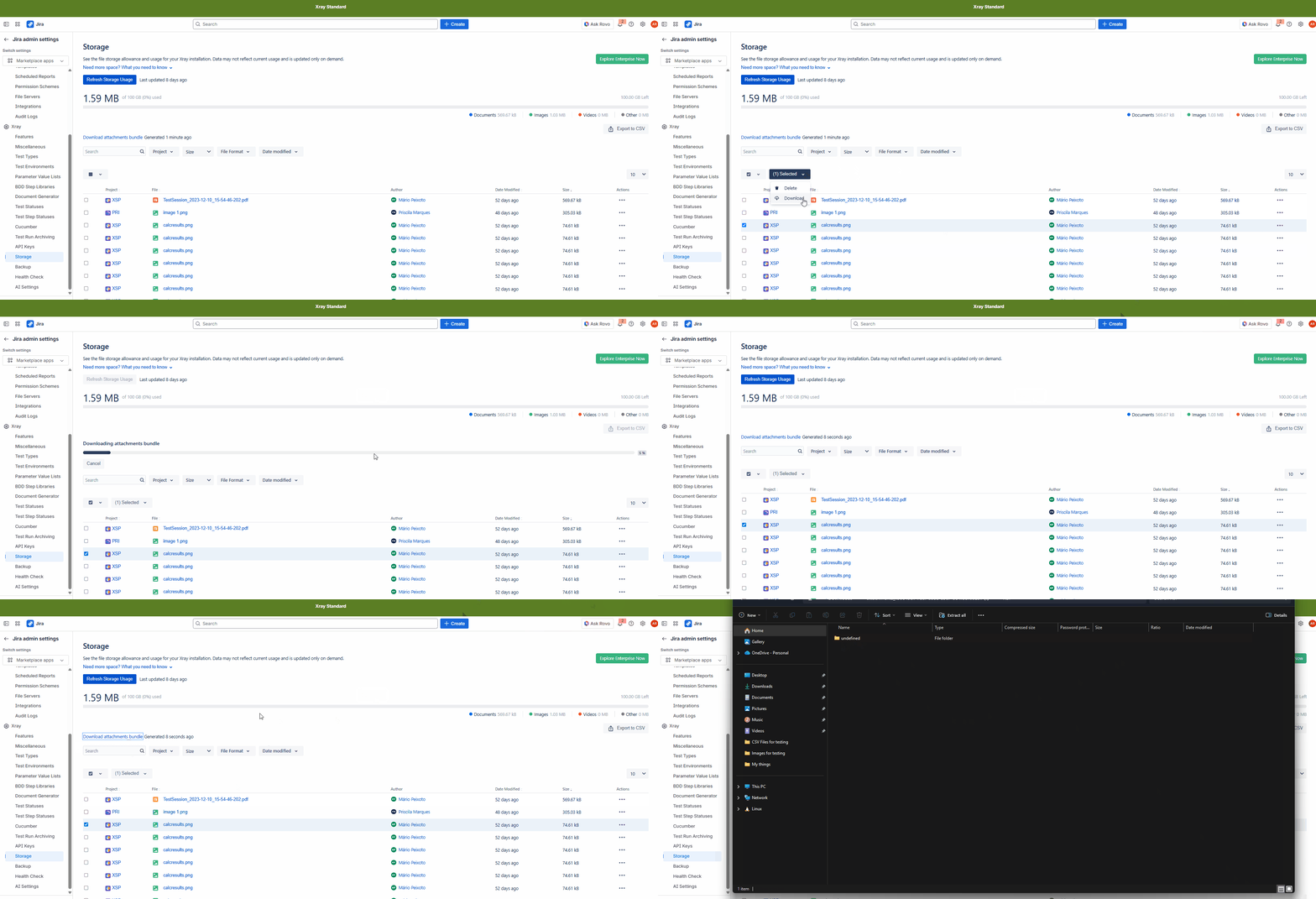
When downloading an attachment bundle from the Storage page after selecting multiple elements, the resulting ZIP file does not structure the files as expected.
Upon opening the ZIP, the project folder contains a subfolder named “undefined” instead of a folder corresponding to the associated element (e.g., the issue key or element name).
Expected Result:
Each selected element should generate a correctly named folder inside the project folder (e.g., using the issue key or element identifier), allowing users to quickly identify which files belong to which element.
Actual Result:
The ZIP file contains a folder named “undefined”, making it unclear which element the files belong to.
Steps to Reproduce:
- Go to the Storage page.
- Select single/multiple attachments.
- Download the attachment bundle.
- Extract the generated ZIP file.
- Observe the folder structure inside the project folder.
Attachments
Issue Links
- duplicates
-
XCC-2271 Loading...