Details
-
Bug
-
Status: Closed
-
 Medium
-
Resolution: Fixed
-
Xray Cloud 6.12.2
-
None
-
UI
Description
Description
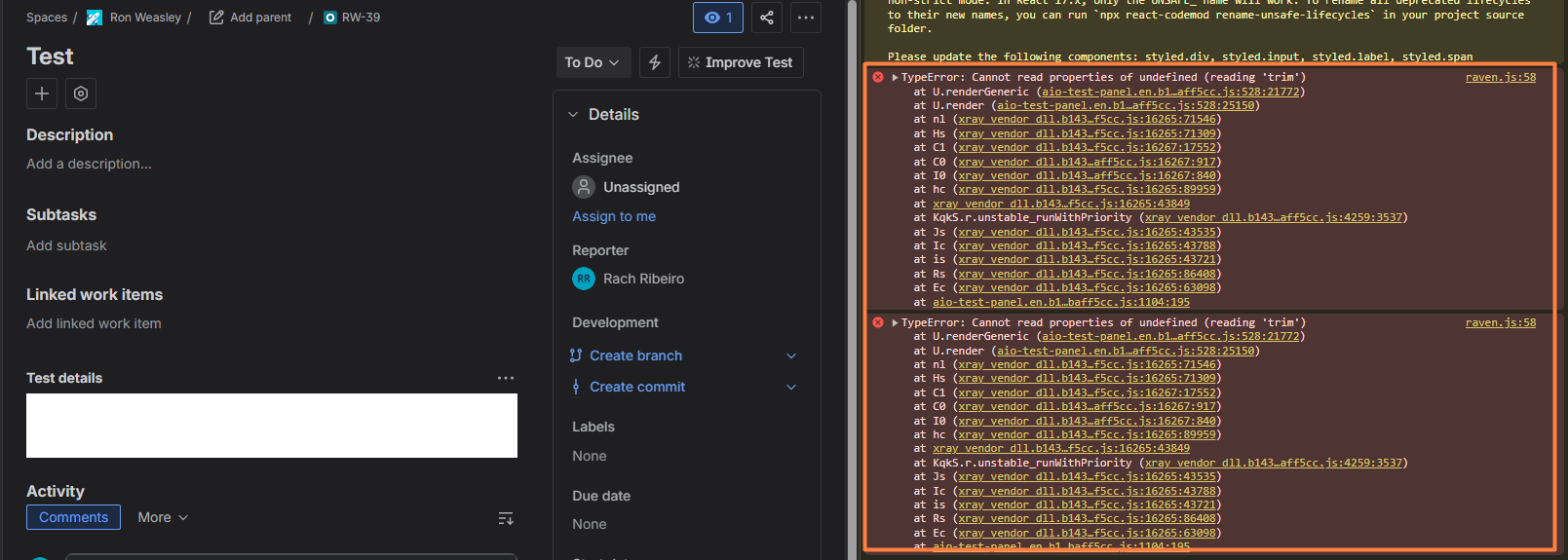
When converting a Task or Sub-Task into a Test issue type, the Test Type panel does not load if the destination project’s default Test Type is set to Unstructured. This issue does not occur when the default Test Type kind is Gherkin or Steps.
The same behavior is observed when moving issues between projects where the target project has Unstructured as its default Test Type kind. In these cases, the Test Type panel consistently fails to render.
How to reproduce
Example 1:
- Create a Task or Sub-Task Issue Type
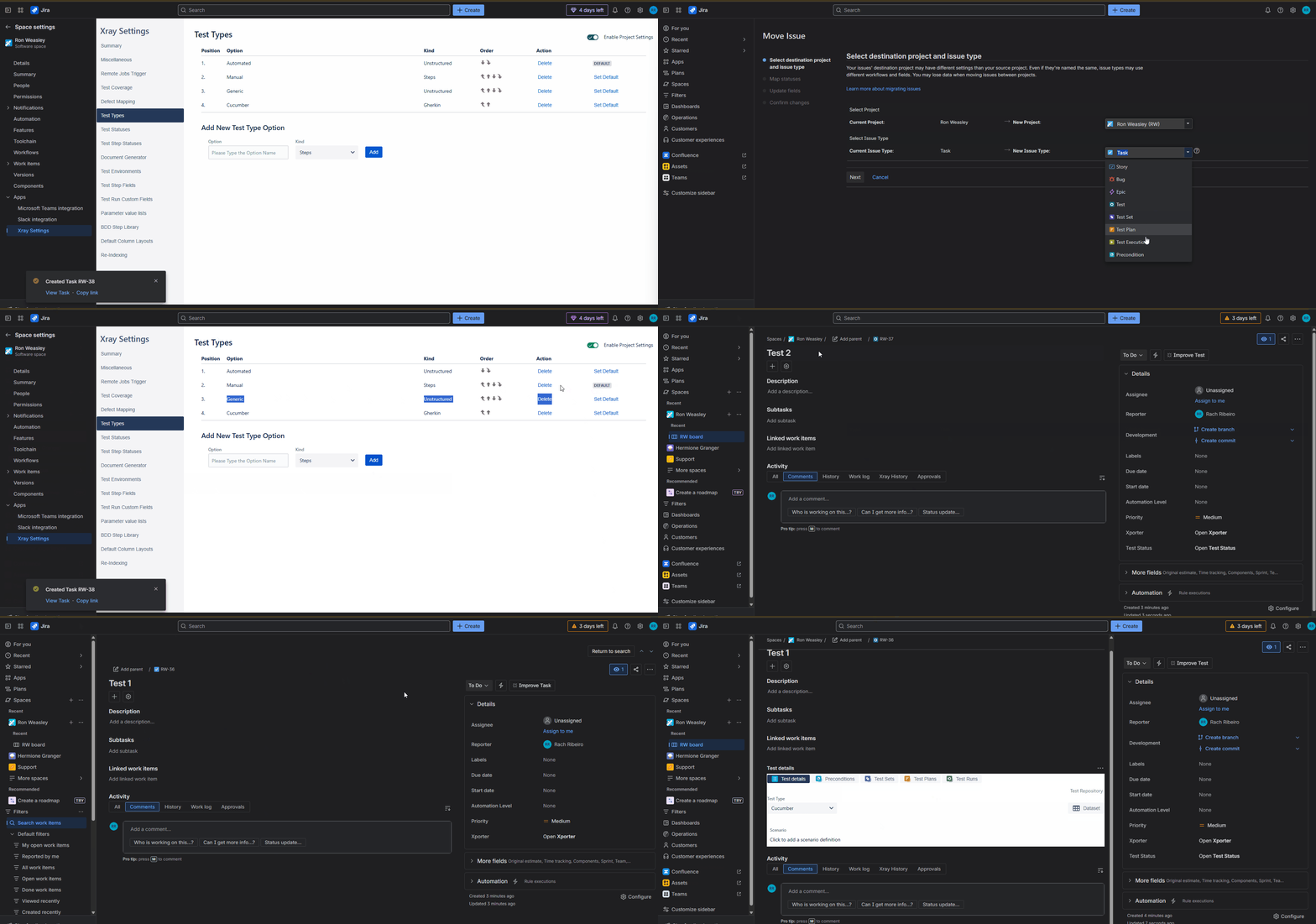
- In Space Settings for the current Project, set the default Test Type to Generic (with kind Unstructured)
- Convert the previously created Task/Sub-Task into a Test issue type. (same Project)
- After conversion, observe that the Test Details panel fails to load.
Example 2:
- Create a Task or Sub-Task issue type.
- In Space Settings for the destination Project, set the default Test Type to Generic (with kind Unstructured).
- Convert the Task/Sub-Task into a Test issue type and move it to the destination project during conversion.
- After the issue is created, observe that the Test Details panel fails to load.
Actual result/Attachments
- When the default Test Type in the current or destination project is set to Generic with kind Unstructured, the Test Details panel does not load after converting a Task or Sub-Task to a Test issue type.
Please refer to the attached Screentogif demonstrating the behavior
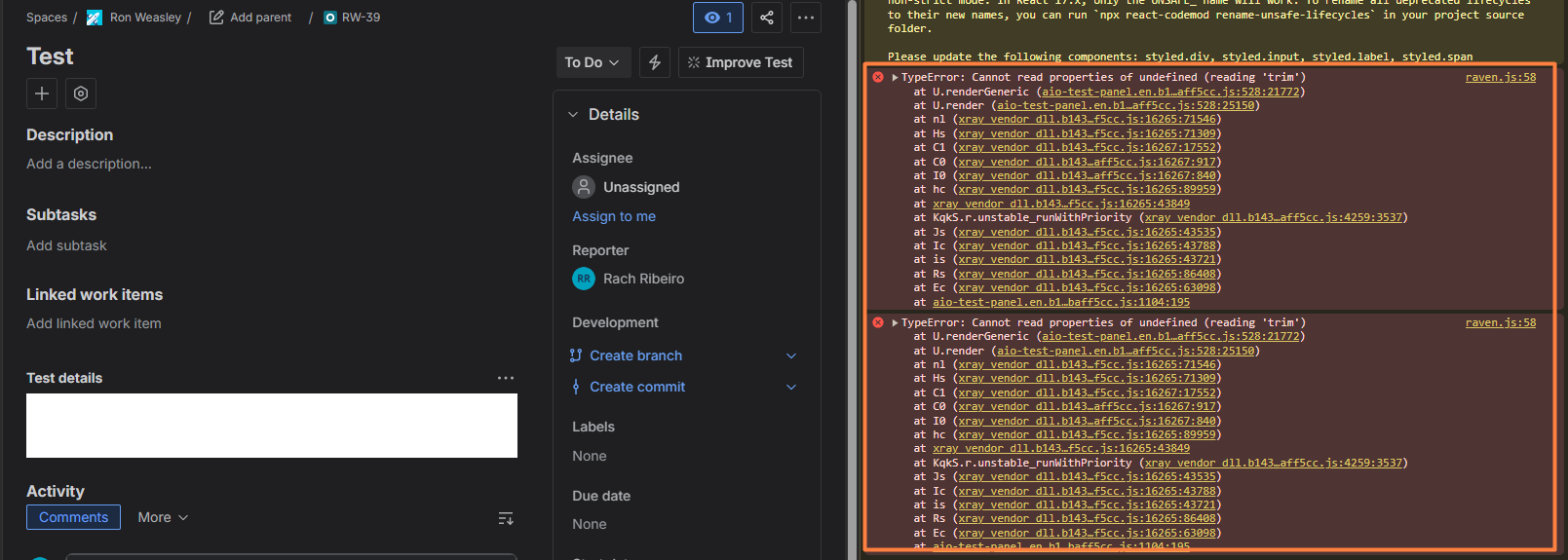
The error shown in the Console Logs:
Expected result
- The panel should render normally whether the default Test Type kind is Unstructured, Gherkin, or Steps, including when the issue is moved between projects during the conversion process.
Version
- 6.12.2
Workaround
Not having the Unstructured settled up in the Test Type as Default, when moving Sub-Task or Task Issue Type to Test