Details
-
Bug
-
Status: Resolved
-
 Medium
-
Resolution: Fixed
-
Xray Cloud 6.12.0 | release/6.12.0
-
None
-
Defect Traceability Report
-
Standard
-
Description
Description
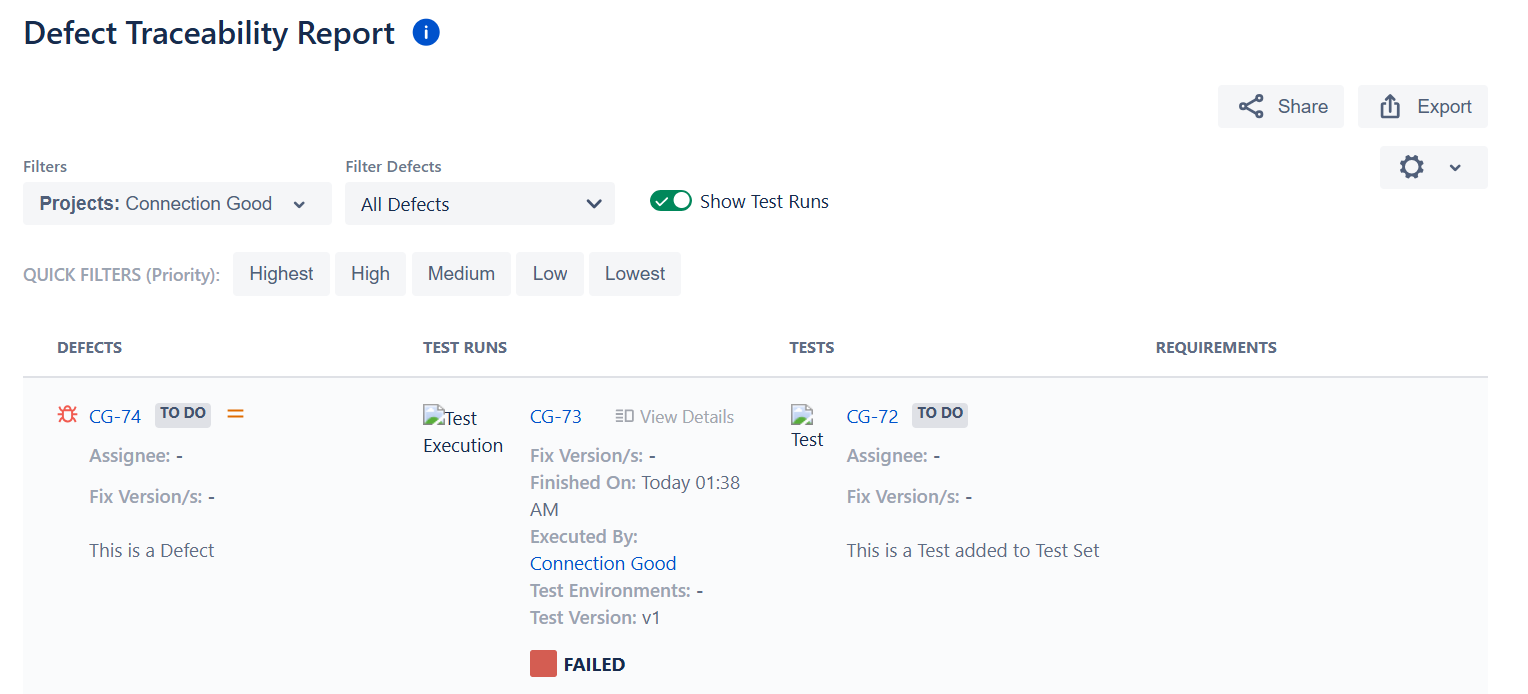
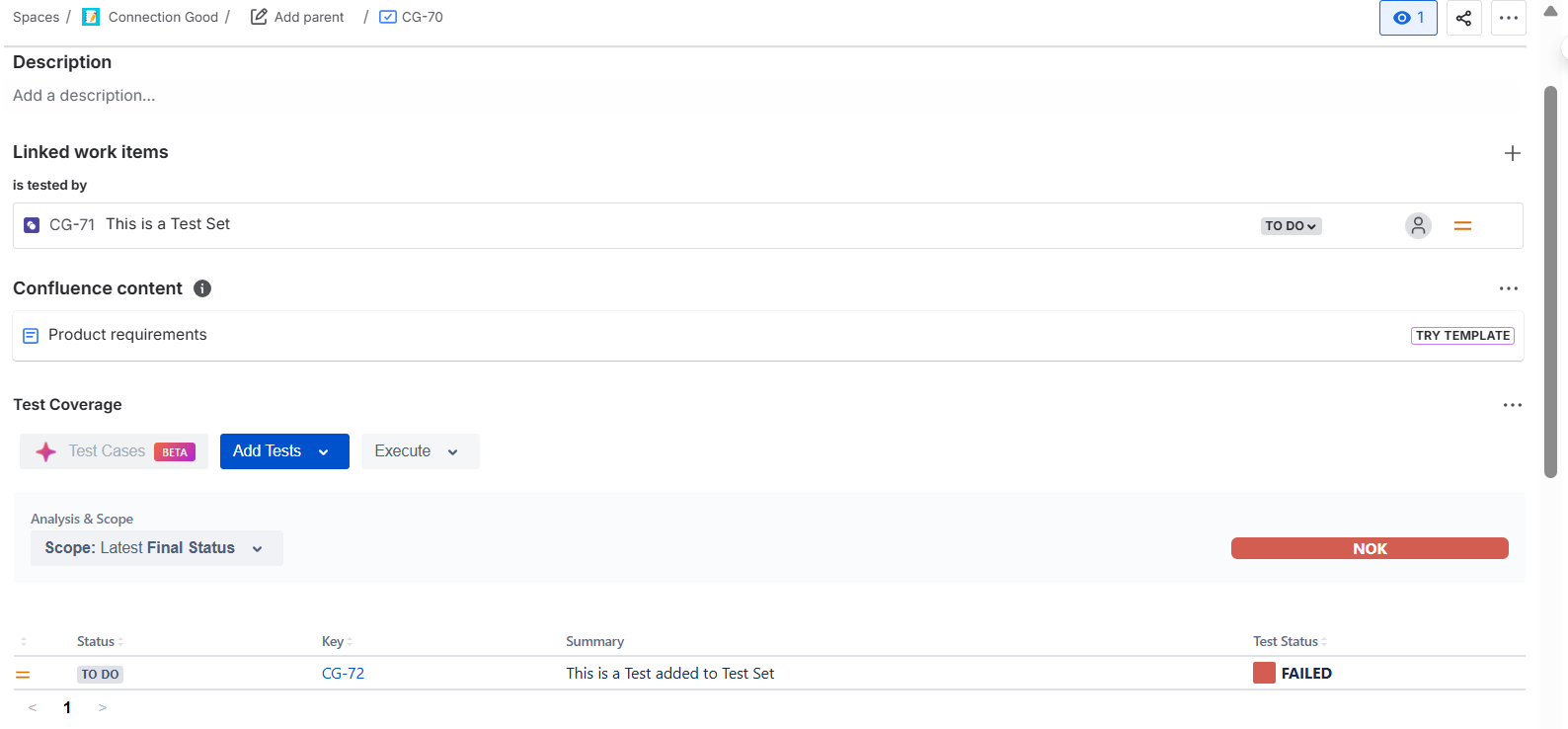
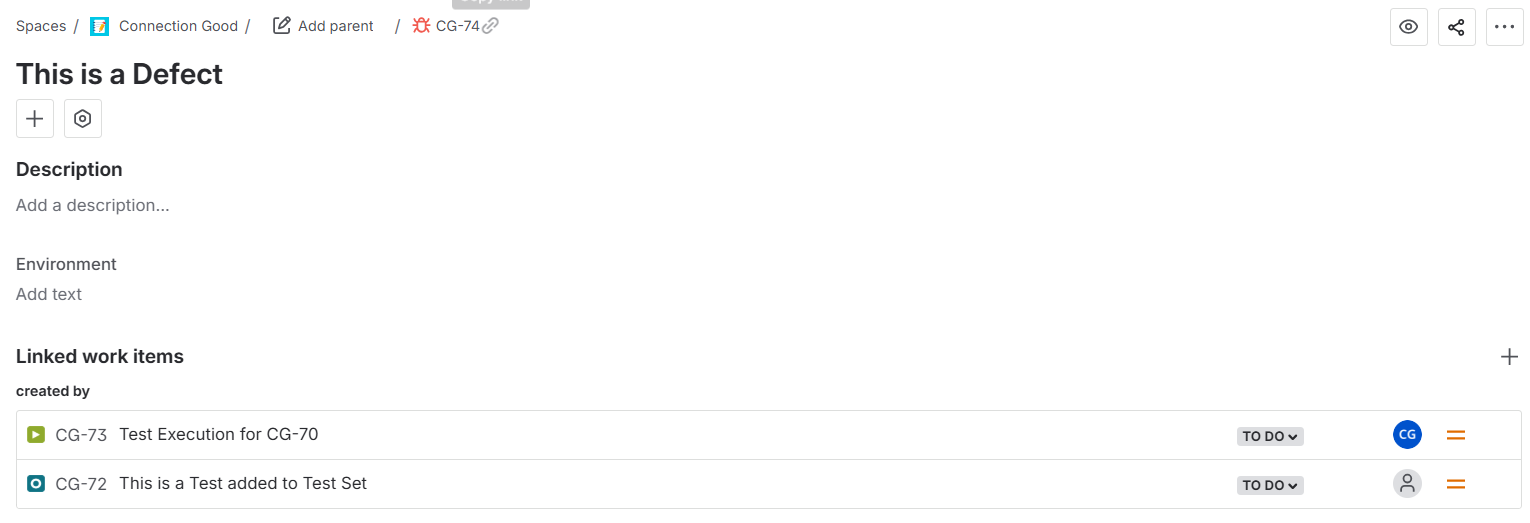
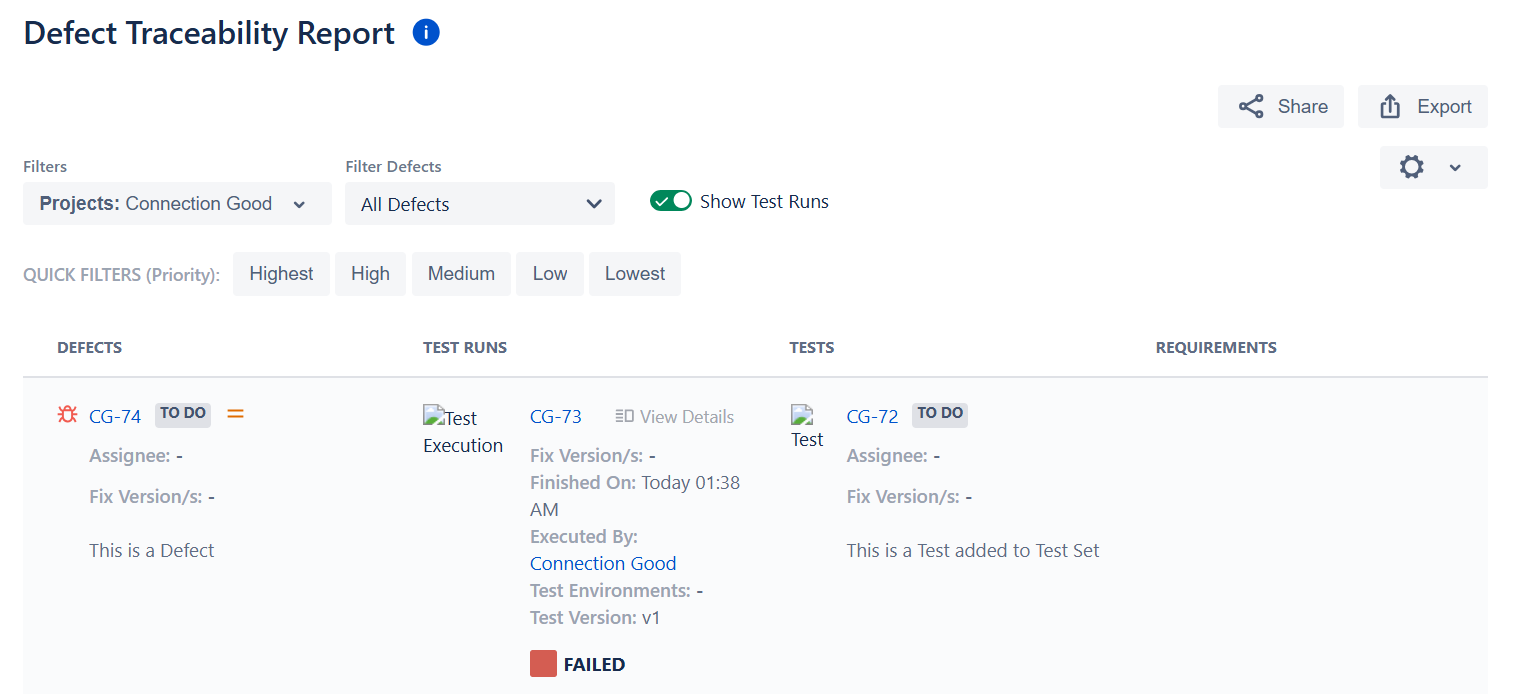
When adding a Test Set, instead of a Test, to a Requirement, i.e., Story, then a Defect is created from the Test Execution page, and the Defect Traceability Report is generated; the Requirement is not showing in Defect Traceability Report.
Pre-conditions
-
How to reproduce
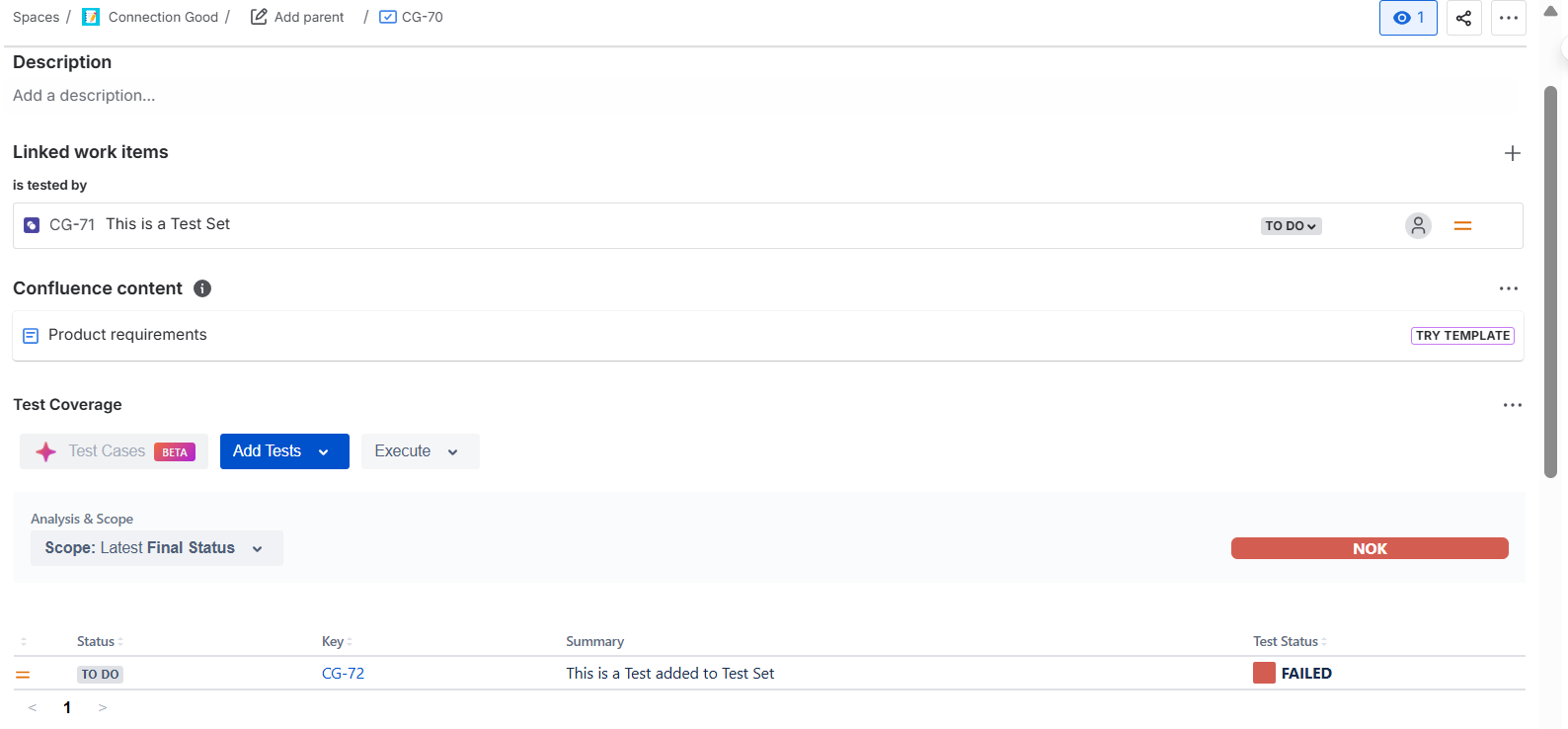
- Create a Story
- Create a Test Set
- Create a Test, add to Test Set
- In the Story, under the Test Coverage Area, click 'Add Tests' >> "Existing test sets" and choose the Test Set you created
- Create a Test Execution and Execute
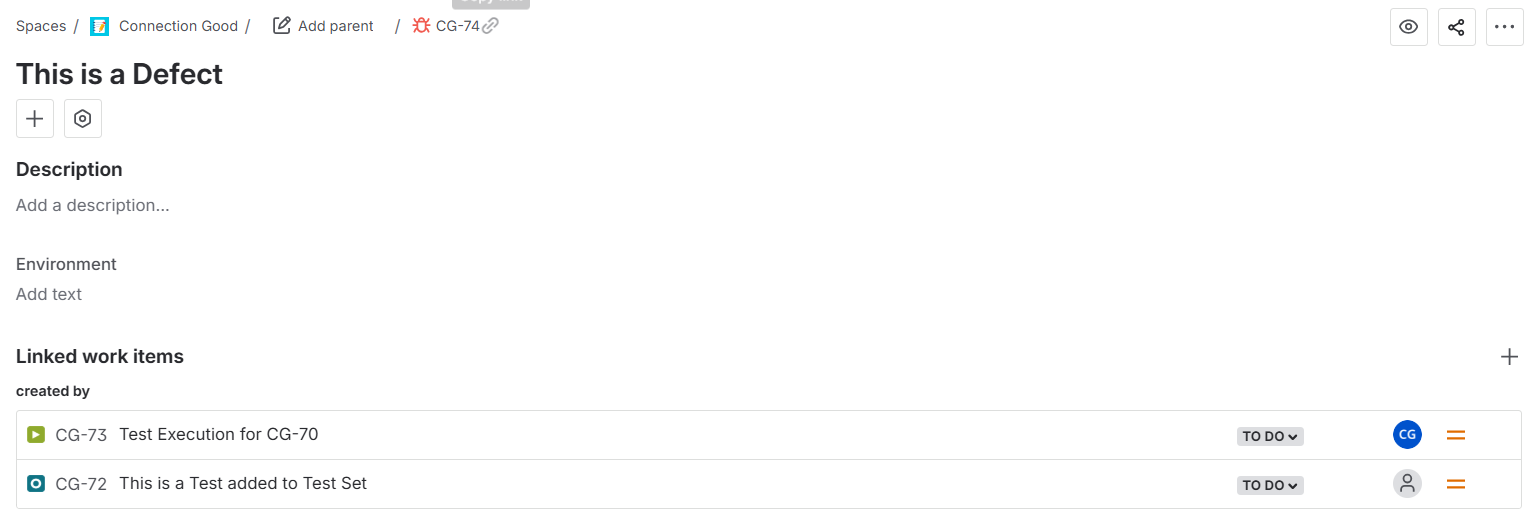
- Add a Defect
- Generate a Defect Traceability Report
Actual result/Attachments
Defect Traceability Report:
Story:
Defect:
Expected result
The Requirement should show up in the Defect Traceability Report
Version
- 6.12.0
Workaround
-
Attachments
Issue Links
- duplicates
-
XCC-2138 Loading...