Uploaded image for project: 'Xray for Jira'
  1. Xray for Jira
  2. XRAY-11667

When creating a Test Execution from a Test Plan, and choosing "Use current list order", it only adds Tests in the first page.

    XporterXMLWordPrintable

Details

    Description

      Description

      When creating a Test Execution from a Test Plan, and choosing Use current list order, it only adds Tests in the first page. For example, if Show "10" entries is selected, only the first 10 visible Tests are added.

      Pre-conditions

      • Enable Test Plan Board option in Global - Miscellaneous Settings
      • Test Plan should have more Tests than the Show "#" entries selected

      How to reproduce

      1. Open a Test Plan with Tests
      2. Click "Create Test Execution" 
      3. Click "All Tests"
      4. Select the "Use current list order" option
      5. Open the newly created Test Execution

      Actual result/Attachments
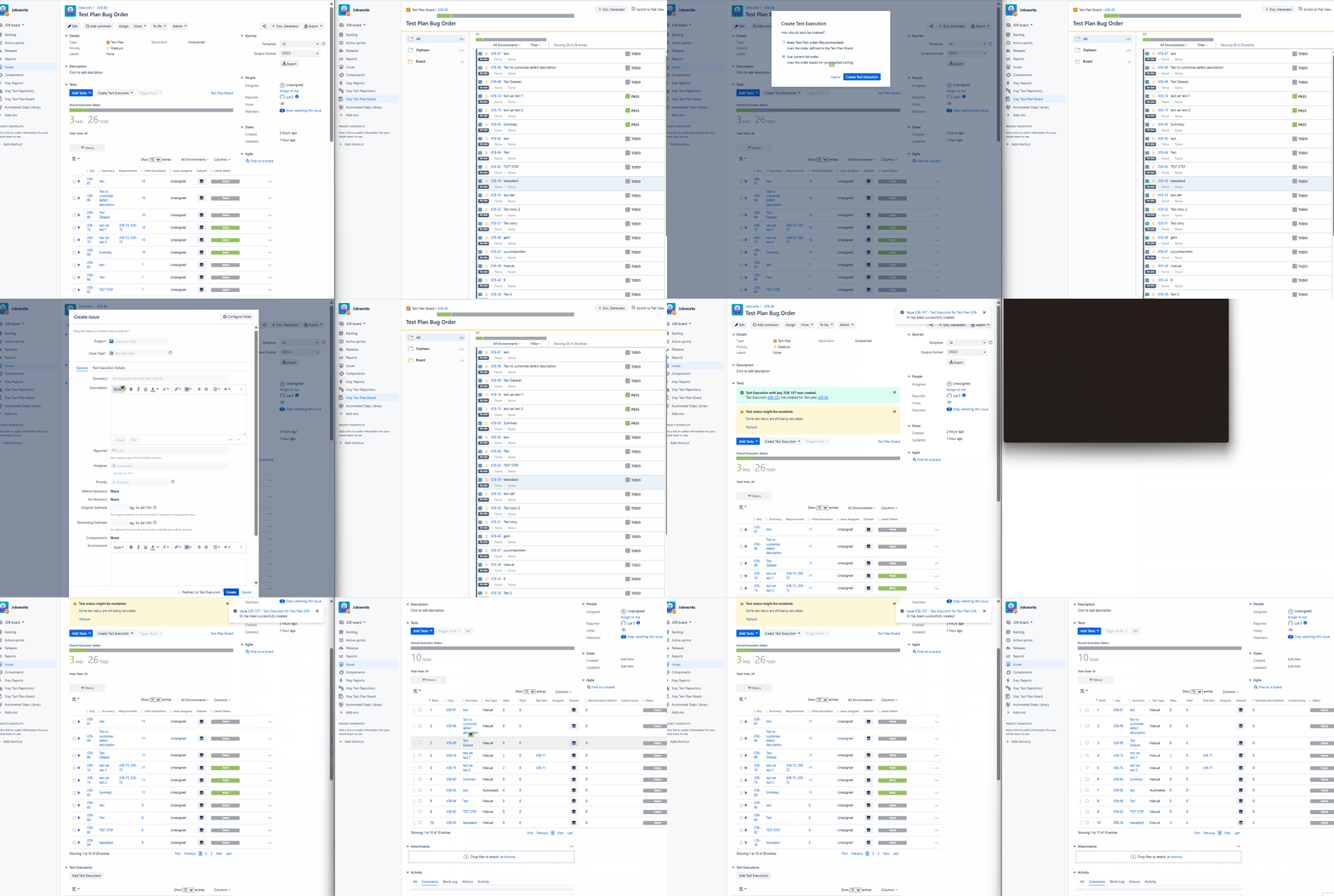
      Expected result

      It should add all the Tests to the Test Executions

      Version

      • 8.4.1

      Workaround

      -

      Attachments

        Issue Links

          Activity

            People

              shivampal Shivam Pal
              lya.sayson Lya Sayson
              Pedro Rodrigues
              Votes:
              0 Vote for this issue
              Watchers:
              0 Start watching this issue

              Dates

                Created:
                Updated:

                Time Tracking

                  Estimated:
                  Original Estimate - Not Specified
                  Not Specified
                  Remaining:
                  Remaining Estimate - 0 minutes
                  0m
                  Logged:
                  Time Spent - 1 week, 2 hours, 30 minutes
                  1w 2h 30m