Details
-
Bug
-
Status: Closed
-
 Major
Major
-
Resolution: Done
-
Xray DC 8.4.1
-
Data Center
Description
Description
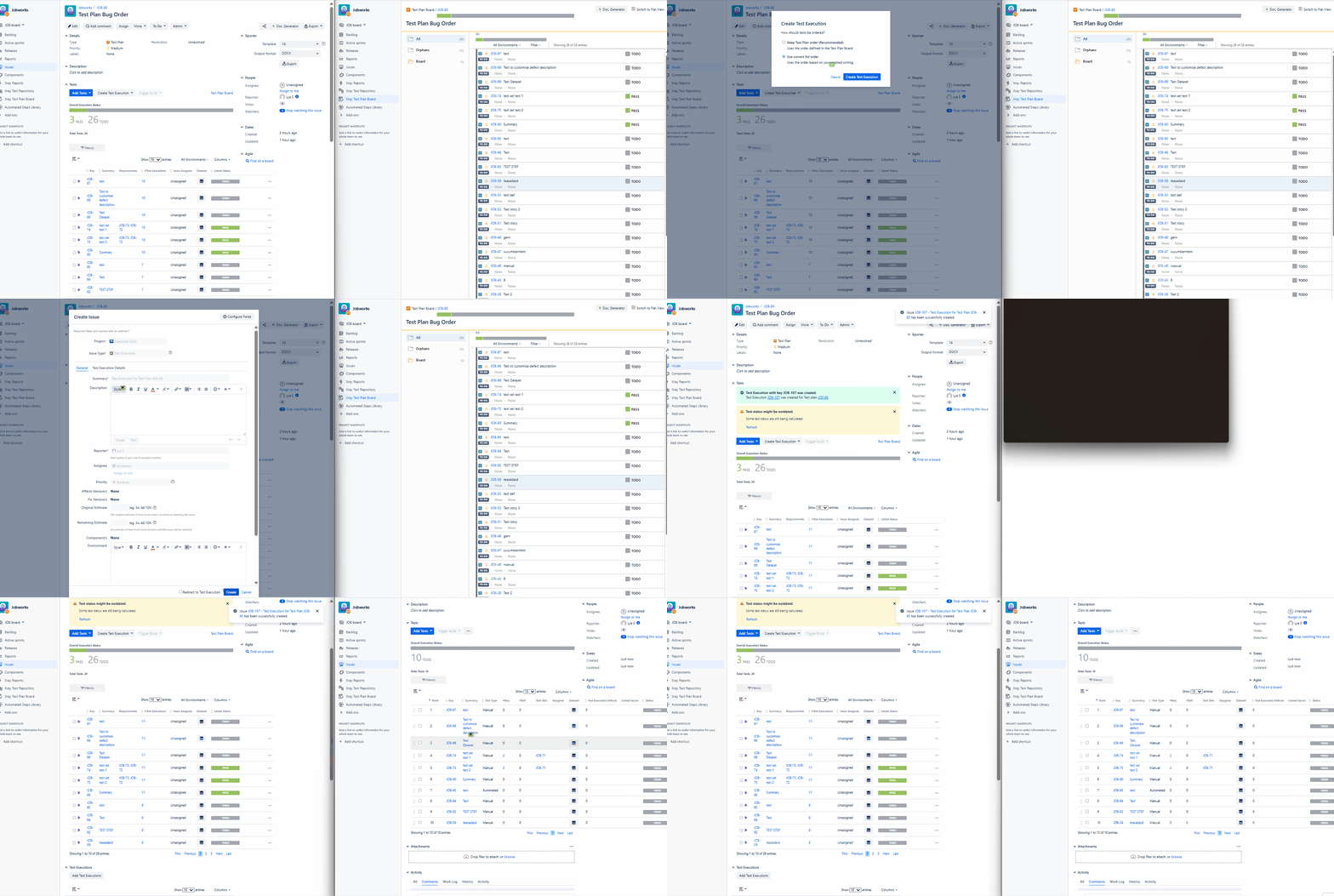
When creating a Test Execution from a Test Plan, and choosing Use current list order, it only adds Tests in the first page. For example, if Show "10" entries is selected, only the first 10 visible Tests are added.
Pre-conditions
- Enable Test Plan Board option in Global - Miscellaneous Settings
- Test Plan should have more Tests than the Show "#" entries selected
How to reproduce
- Open a Test Plan with Tests
- Click "Create Test Execution"
- Click "All Tests"
- Select the "Use current list order" option
- Open the newly created Test Execution
Actual result/Attachments
Expected result
It should add all the Tests to the Test Executions
Version
- 8.4.1
Workaround
-
Attachments
Issue Links
- is duplicated by
-
-
- Resolved
-
- relates to
-
-
- Resolved
-
