Uploaded image for project: 'Xray for Jira Cloud'
  1. Xray for Jira Cloud
  2. XRAYCLOUD-10325

[MSL] When clicking 'Load All', imported Test Steps from the Library are showing as 'None'

    XporterXMLWordPrintable

Details

    • Bug
    • Status: Waiting Approval
    • Major
    • Resolution: Unresolved
    • Xray Cloud 7.4.0
    • None
    • Manual Test, Test Step
    • None
    • Cloud. Manual Steps Library. Test Step.

    • Standard
    • UNCOVERED

    Description

      Description
      For a Test with many Test Steps, when clicking the 'Load All' button, the Test Steps imported from the MSL show up as 'None'

      Pre-conditions
      Enable MSL, add Test Steps to the library

      How to reproduce

      1. Create a Test
      2. Add 10 Test Steps
        • Import Test Steps from MSL
      3. Reload Page
      4. Click 'Load All'

      Actual result/Attachments
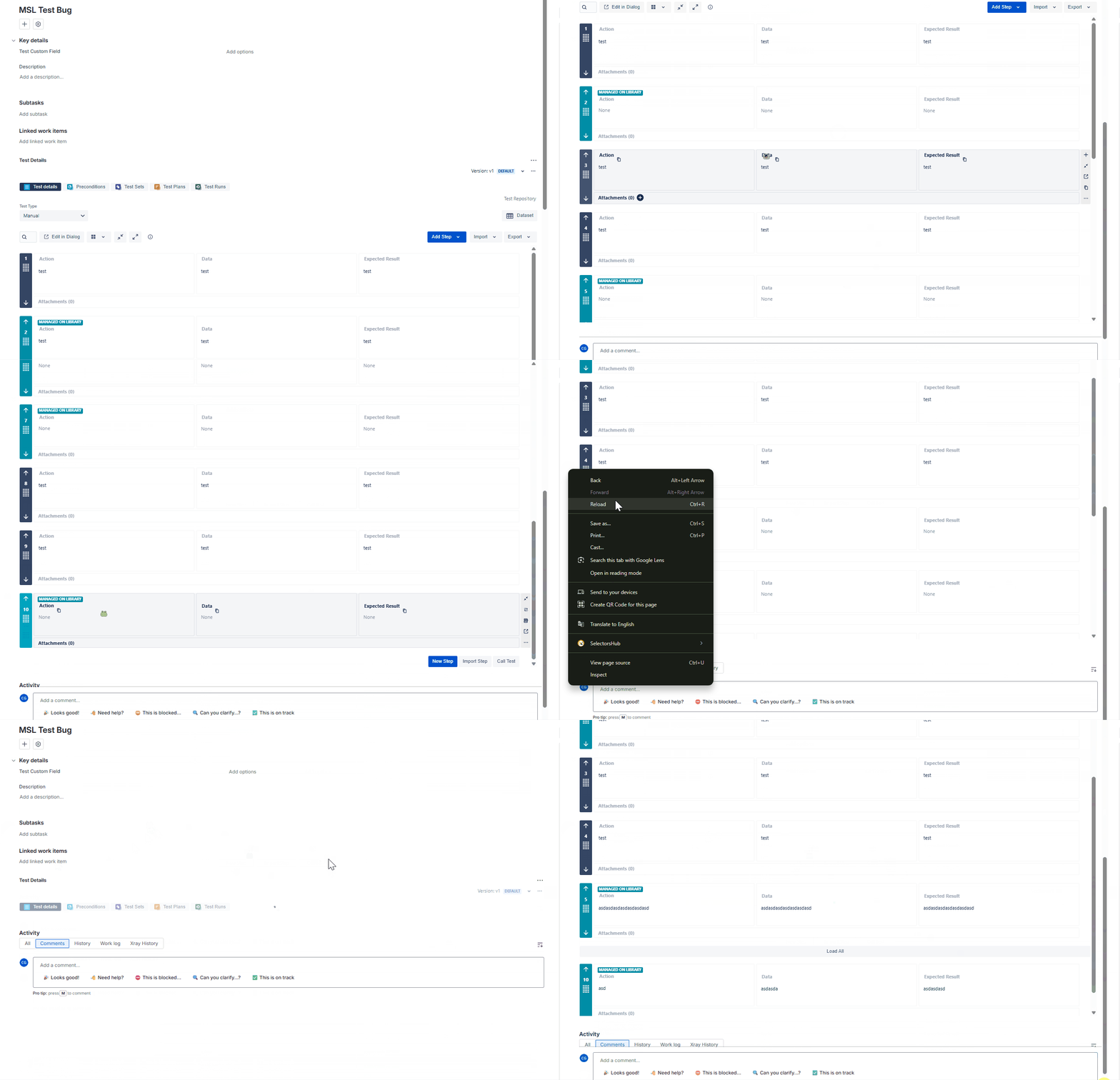
      Expected result

      The imported Test Steps should load properly

      Version

      • 7.4.0

      Workaround

      • To view the imported Test Steps, you can:
        • Click Edit in Dialog
        • Click View on the imported Test Step


      Attachments

        Activity

          People

            bernardo.cottim Bernardo Cottim
            lya.sayson Lya Sayson
            Votes:
            0 Vote for this issue
            Watchers:
            1 Start watching this issue

            Dates

              Created:
              Updated: