Details
-
Bug
-
Status: Waiting Approval
-
 Medium
-
Resolution: Unresolved
-
Xray Cloud (8.0.1) [Silent Release26.4]
-
None
-
None
-
- Chrome Version 146.0.7680.178 (Official Build) (arm64)
- Xray Cloud
Description
Description{}
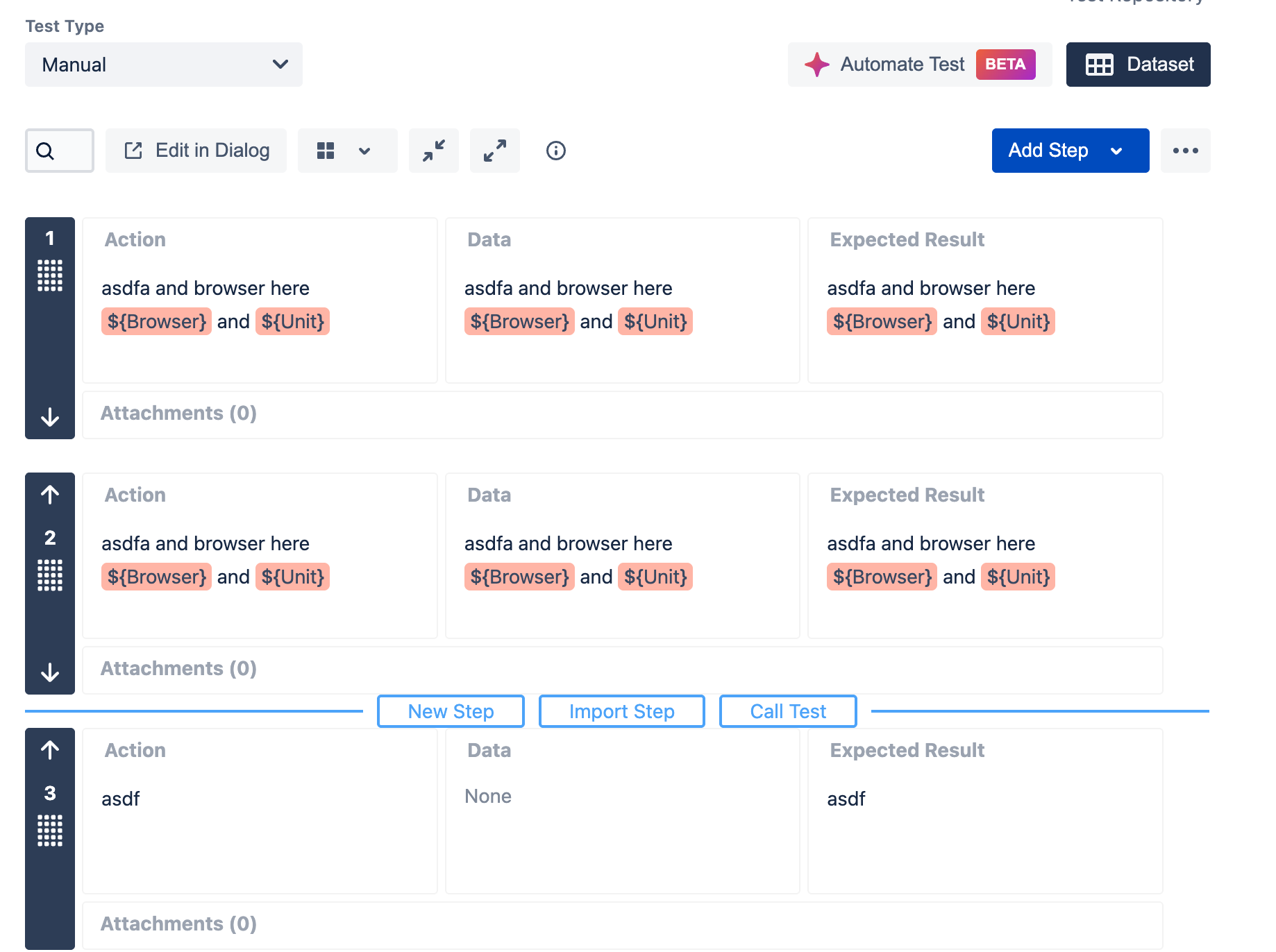
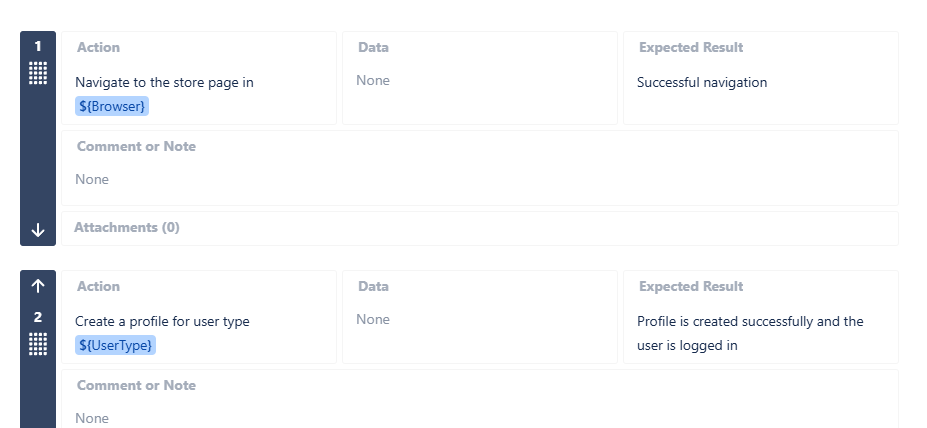
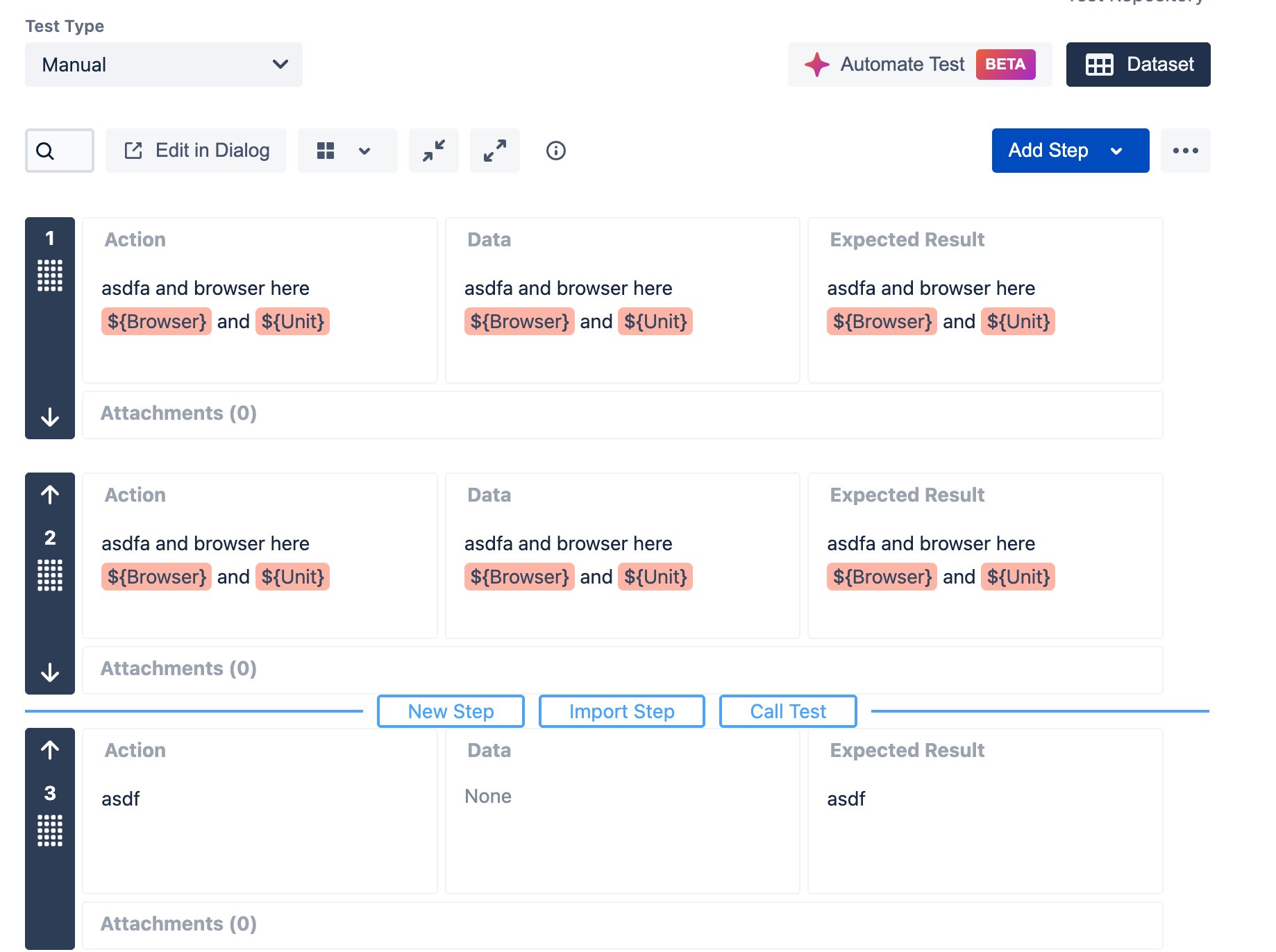
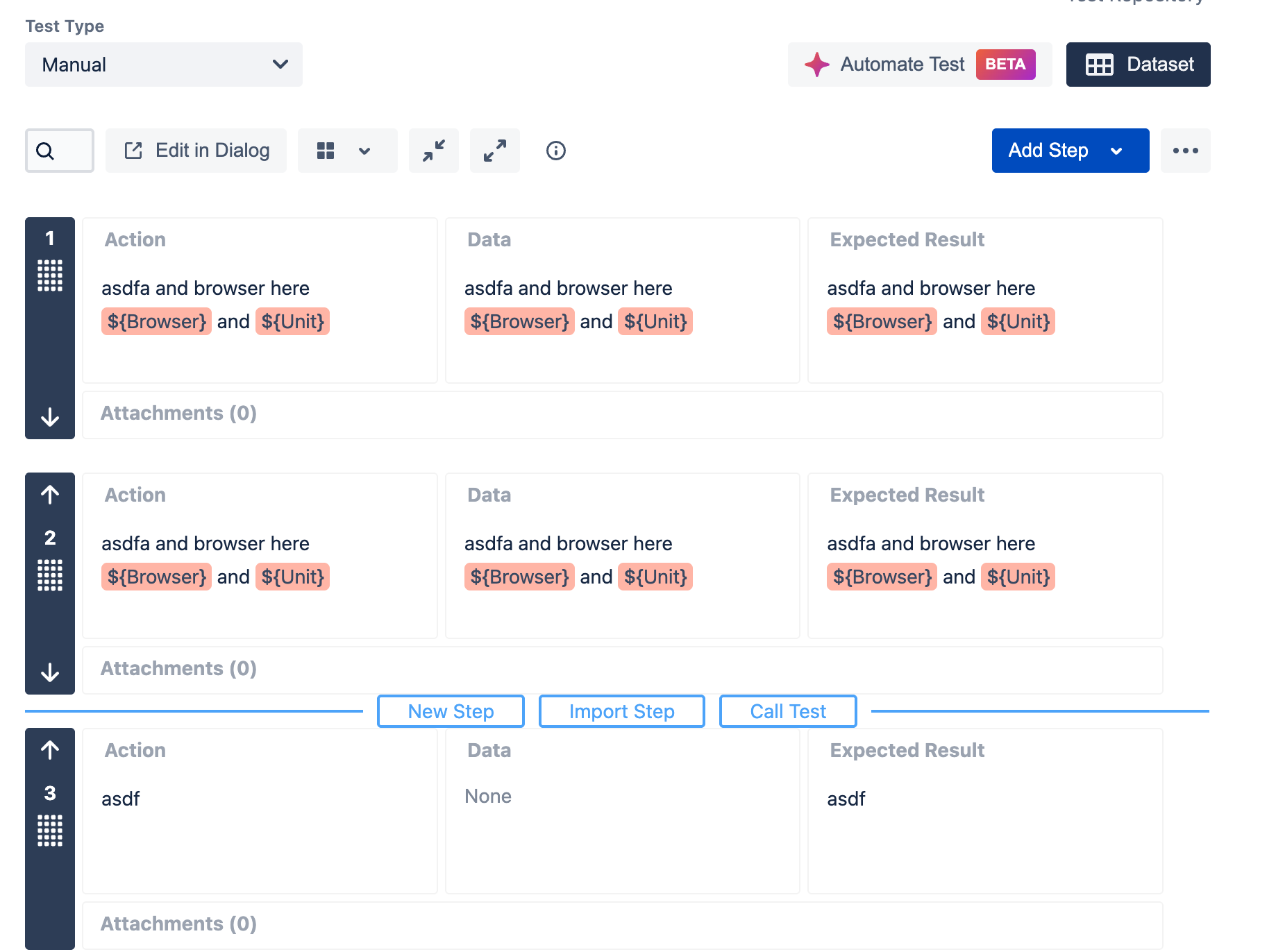
When using placeholder-like values, Example(${Browser}, ${UserType}), test steps (Action, Data, Expected Result fields), they behave inconsistently across export formats.
In DOCX exports, these values are preserved and rendered as plain text
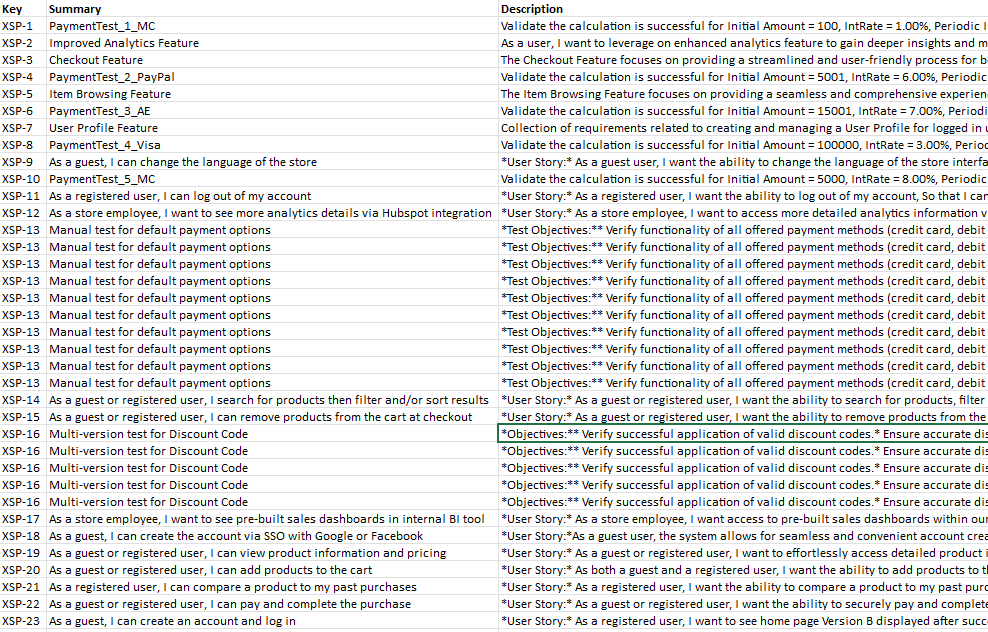
In Excel (XLSX) exports, these same values are treated as placeholders and are removed (rendered as empty), even when they are not linked to any dataset parameter
This behavior occurs regardless of whether wiki markup is used or not.
This creates a discrepancy between DOCX and Excel exports for the same test data.
Pre-conditions
- Test issue with manual test steps
- Test steps include placeholder-like text E.g( ${Browser} or ${UserType})
- These values are not linked to dataset parameters
- DOCX and Excel export templates configured
How to reproduce
- Create a Test issue in Xray Cloud
- Add manual test steps
- In any of the fields (Action, Data, Expected Result), include text like:
- Login using ${Browser}
- Validate user type ${UserType}
- Ensure these values are not defined as dataset parameters
- Export the Test using:
- a DOCX template
- an Excel (XLSX) template
- Compare the exported outputs
Actual result/Attachments
- DOCX export:
- ${Browser}, ${UserType} are displayed correctly as plain text
- Excel export:
- ${Browser}, ${UserType} are treated as placeholders
- Values are removed / rendered as empty
- Attachments:

Expected result
- Placeholder-like values like ${Browser} or ${UserType} that are not linked to dataset parameters should be treated as plain text consistently across all export formats
- Behavior should be identical between DOCX and Excel exports
Version
- Xray Cloud (latest version)
- Jira Cloud
Workaround
- No current workaround available for Excel exports
- Users cannot force Excel templates to treat these values as plain text
Attachments

Issue Links
- duplicates
-
XCC-2314 Loading...