Details
-
Bug
-
Status: Waiting Approval
-
 Medium
-
Resolution: Unresolved
-
Xray Cloud 12.0.0
-
None
-
None
-
macOS 26.3, Google Chrome Version 145.0.7632.160 (Official Build) (arm64)
Description
Description
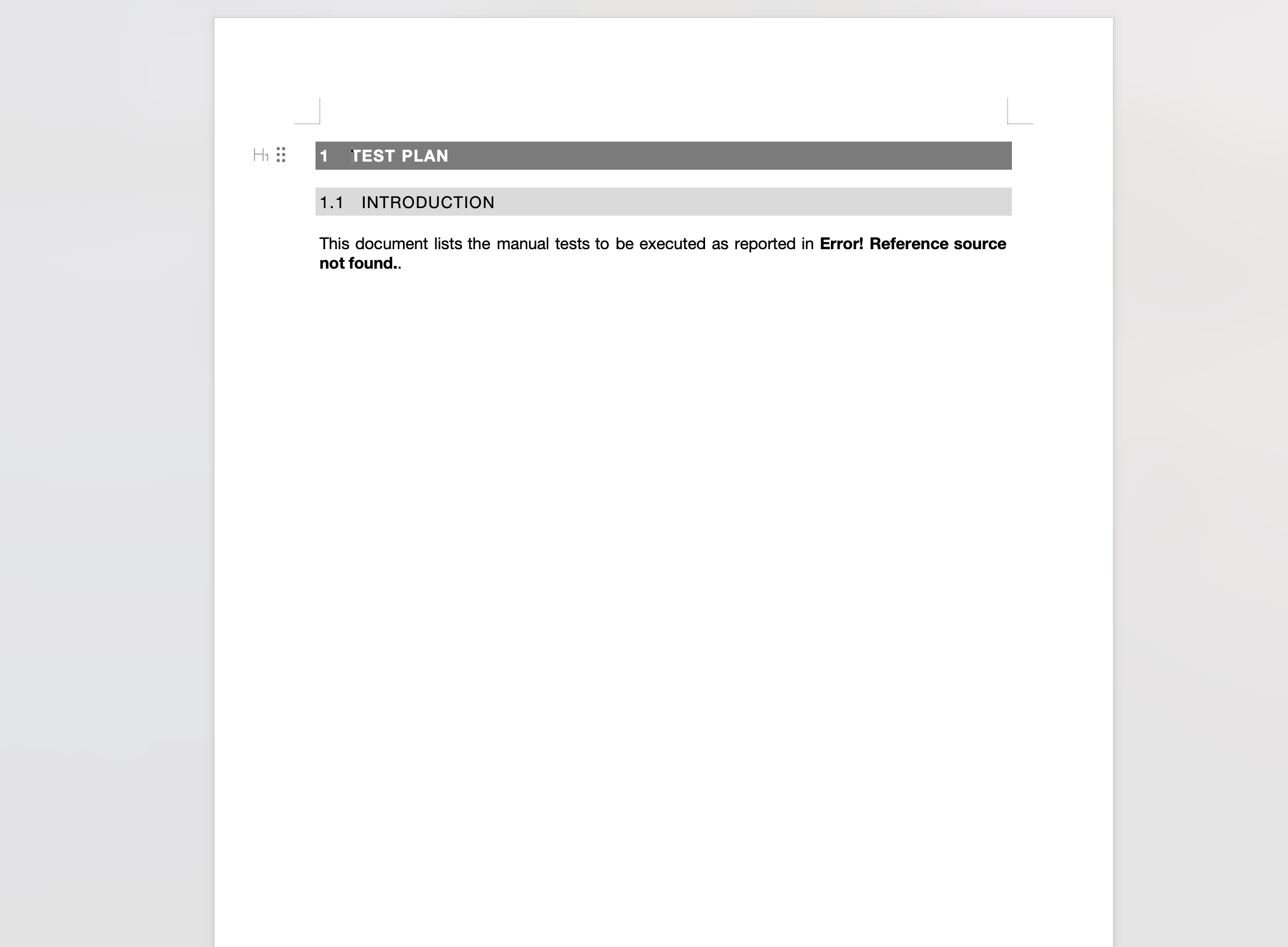
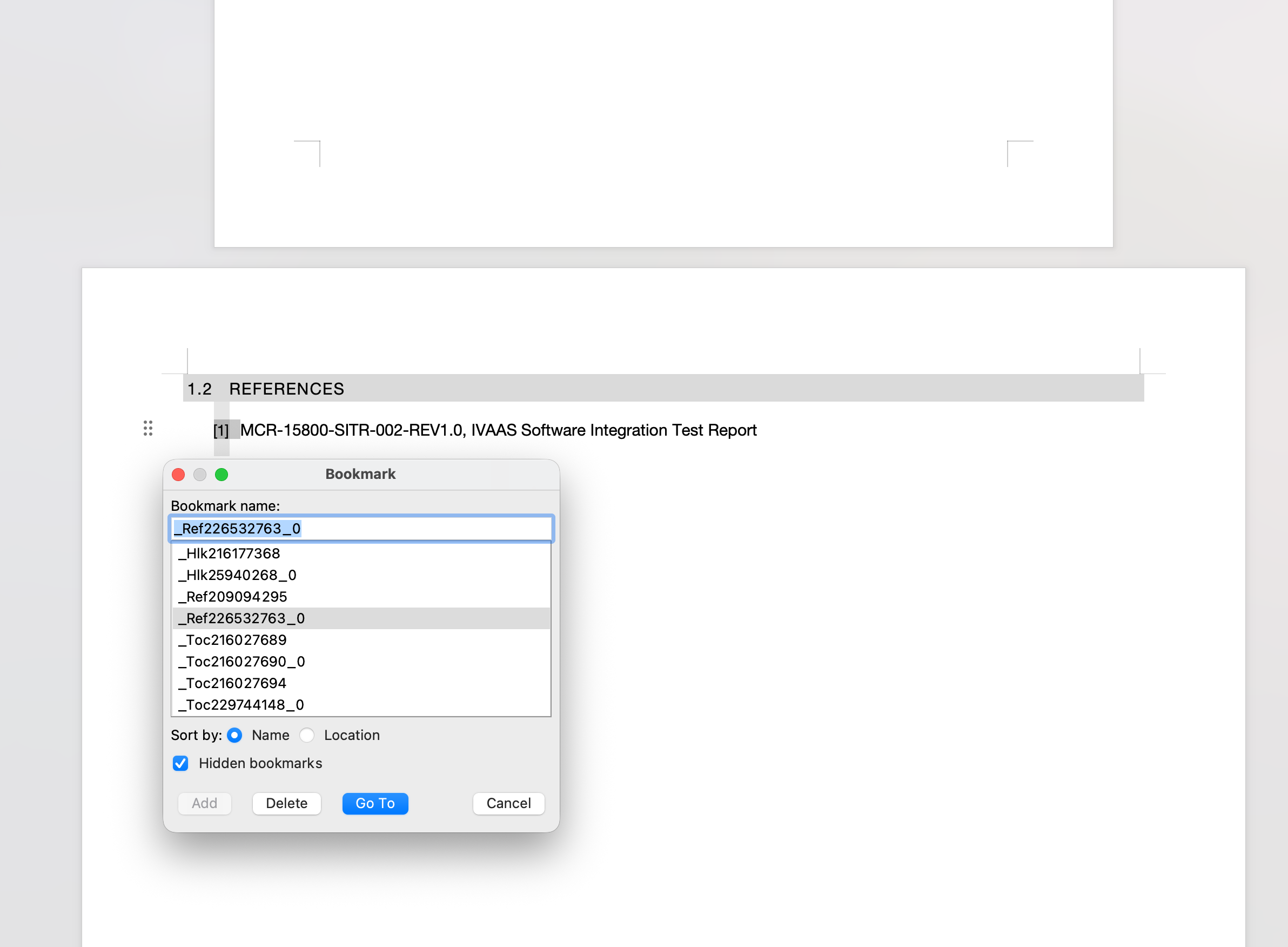
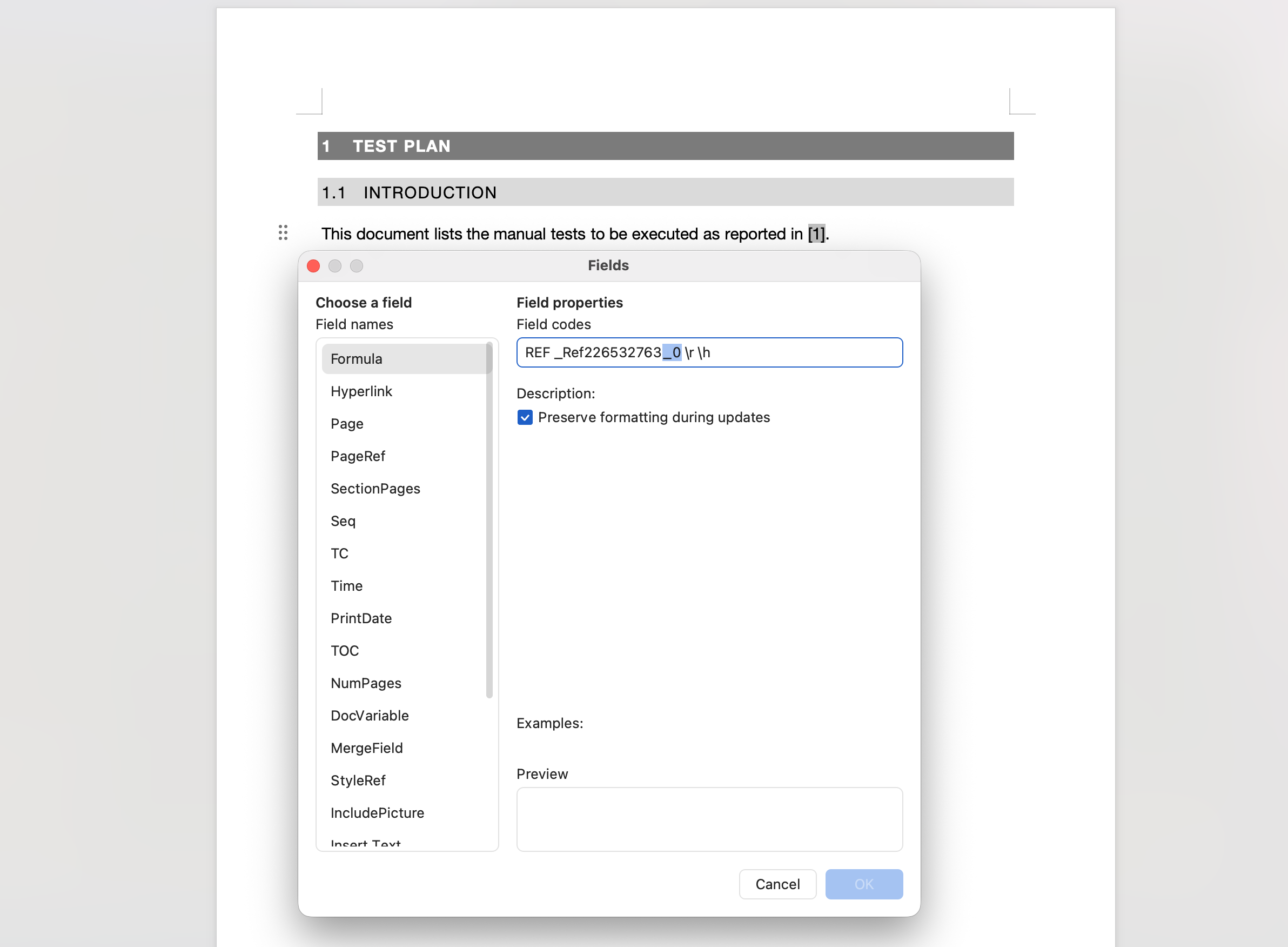
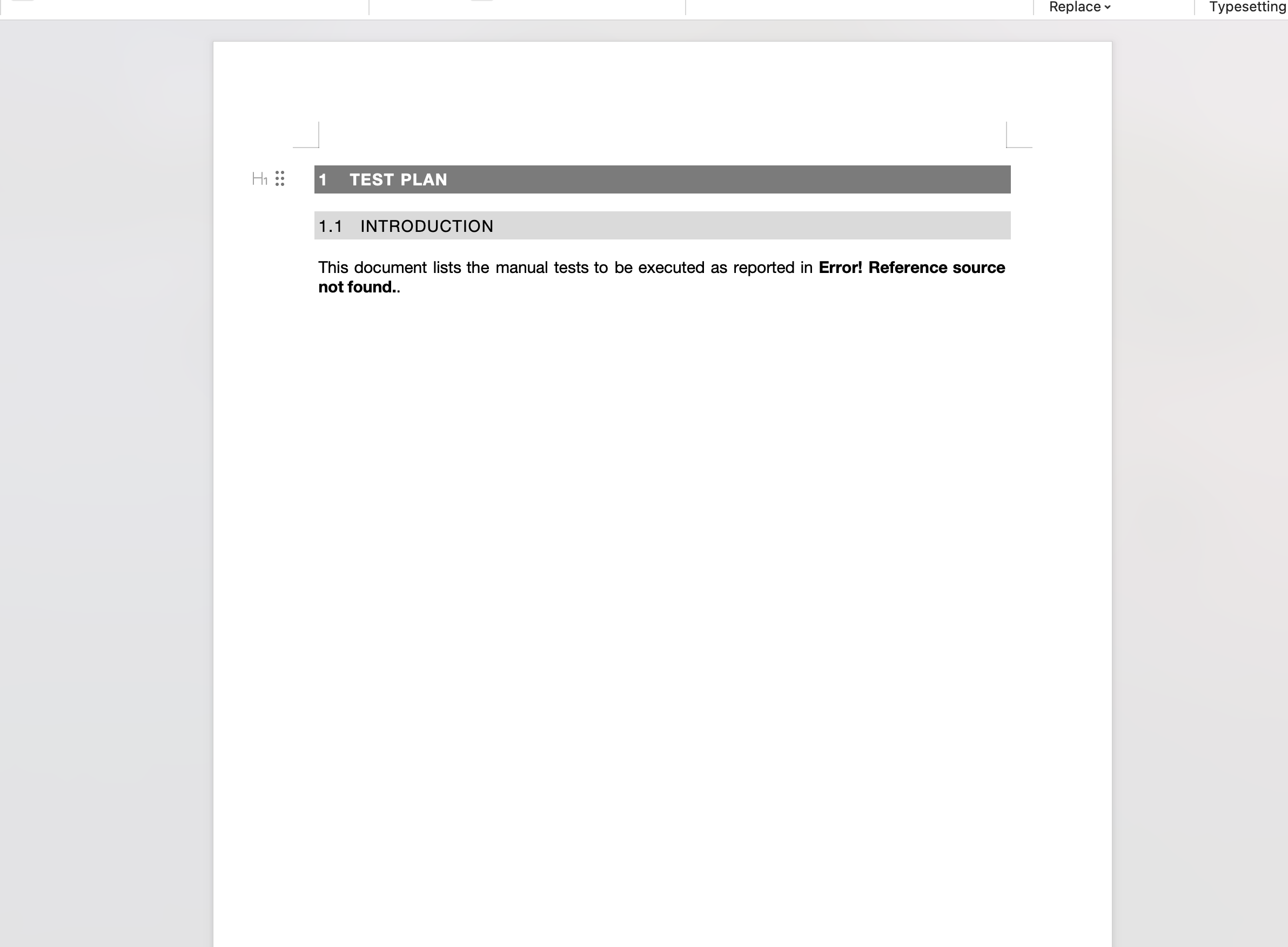
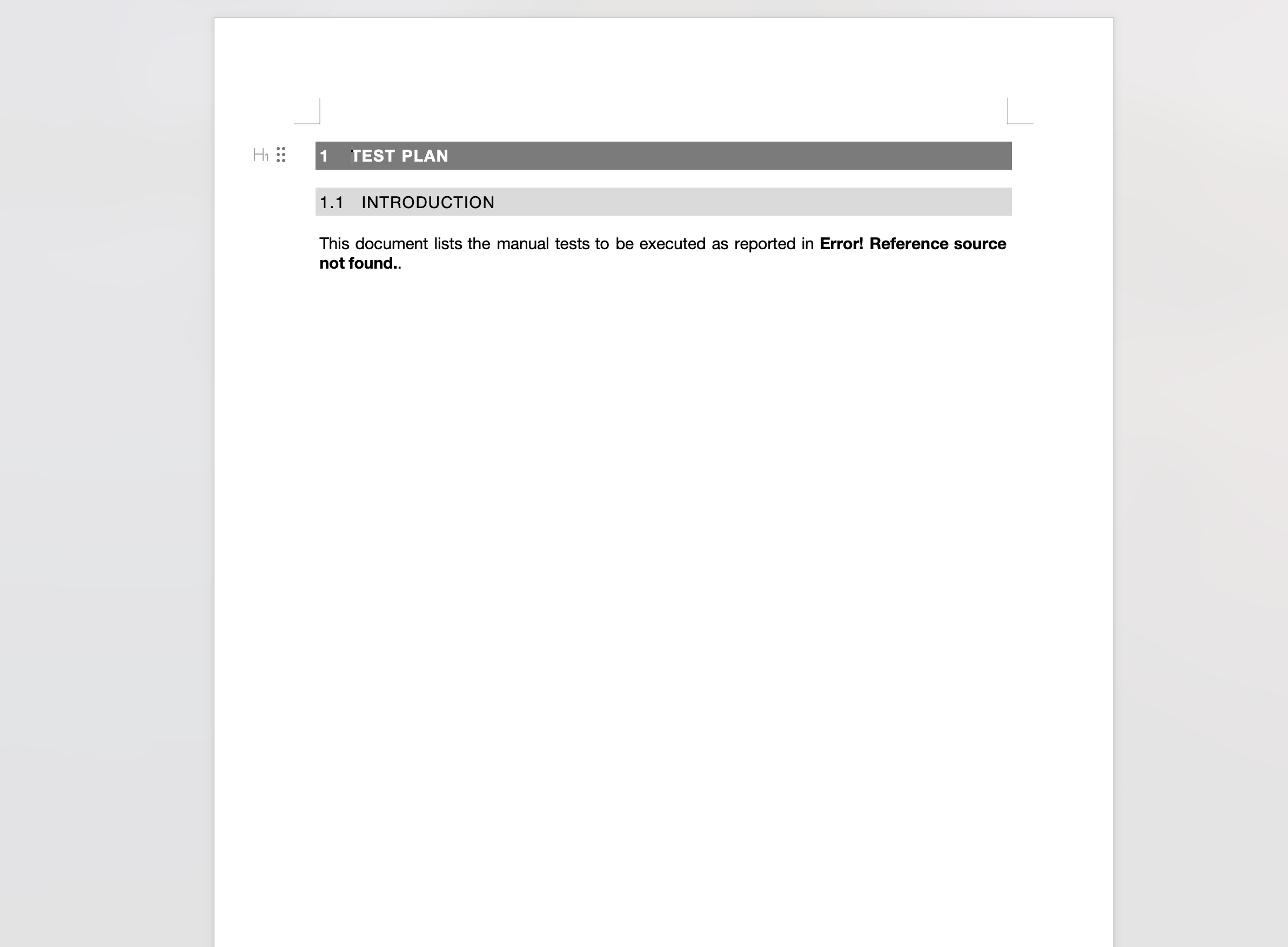
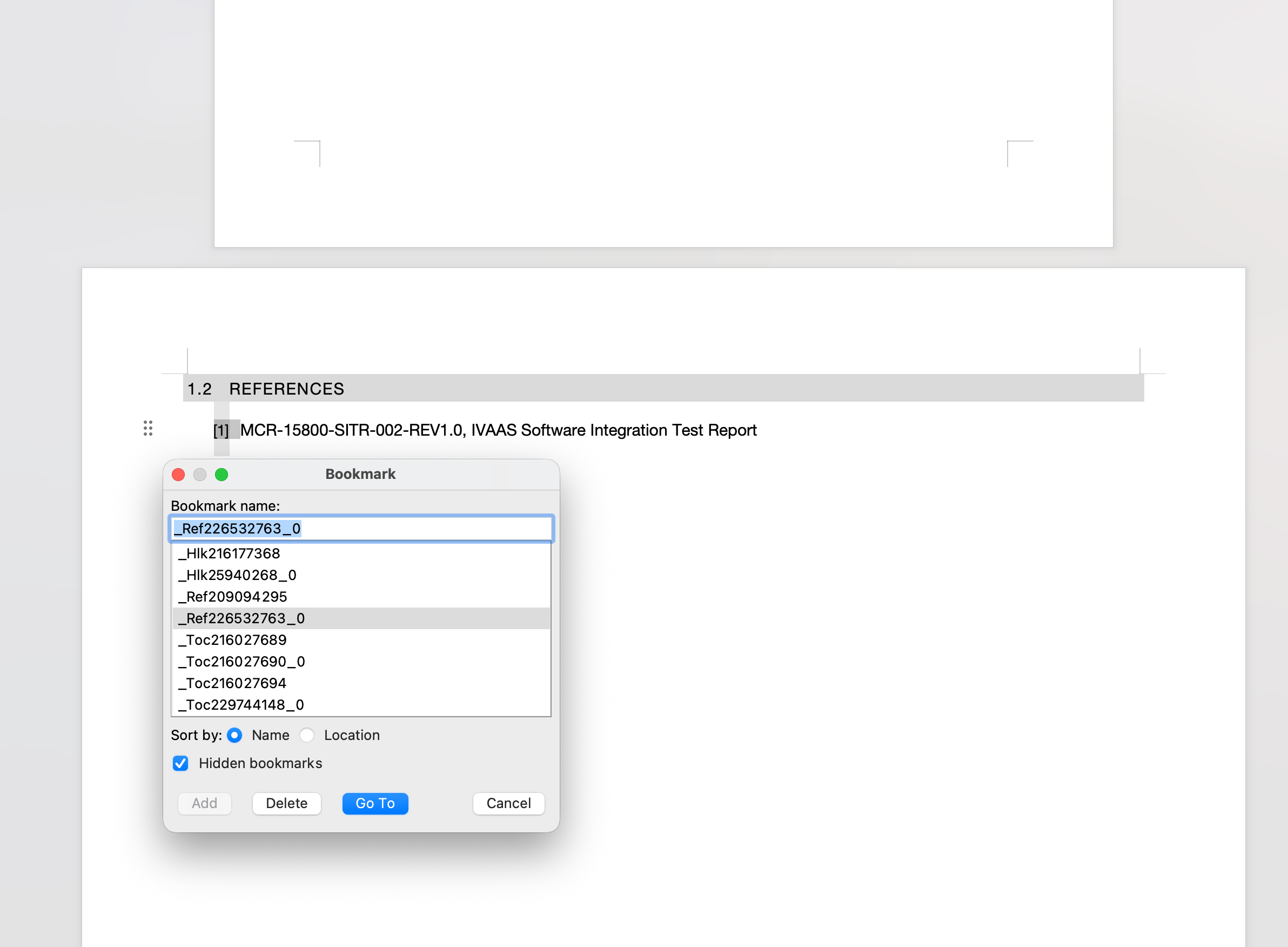
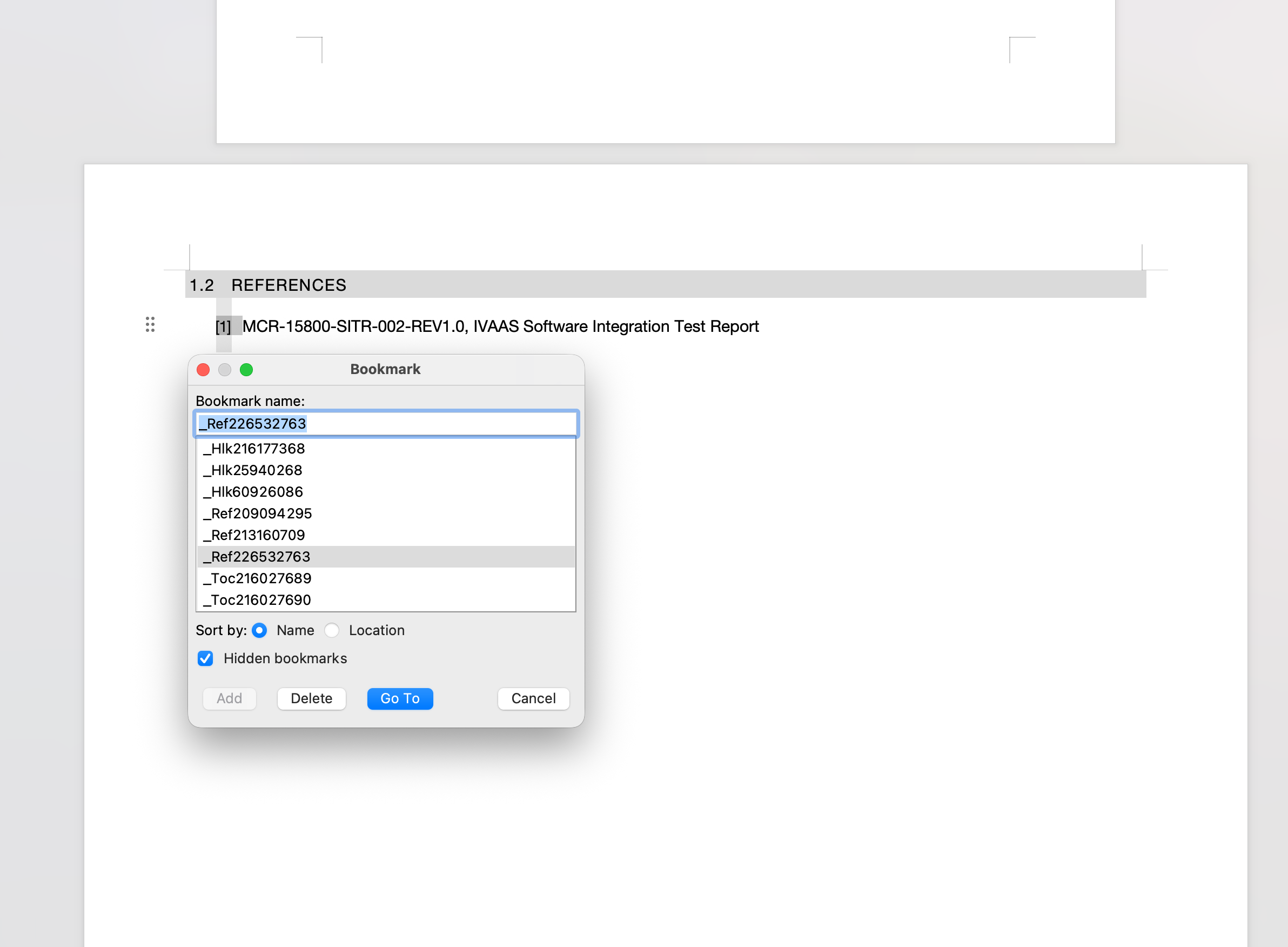
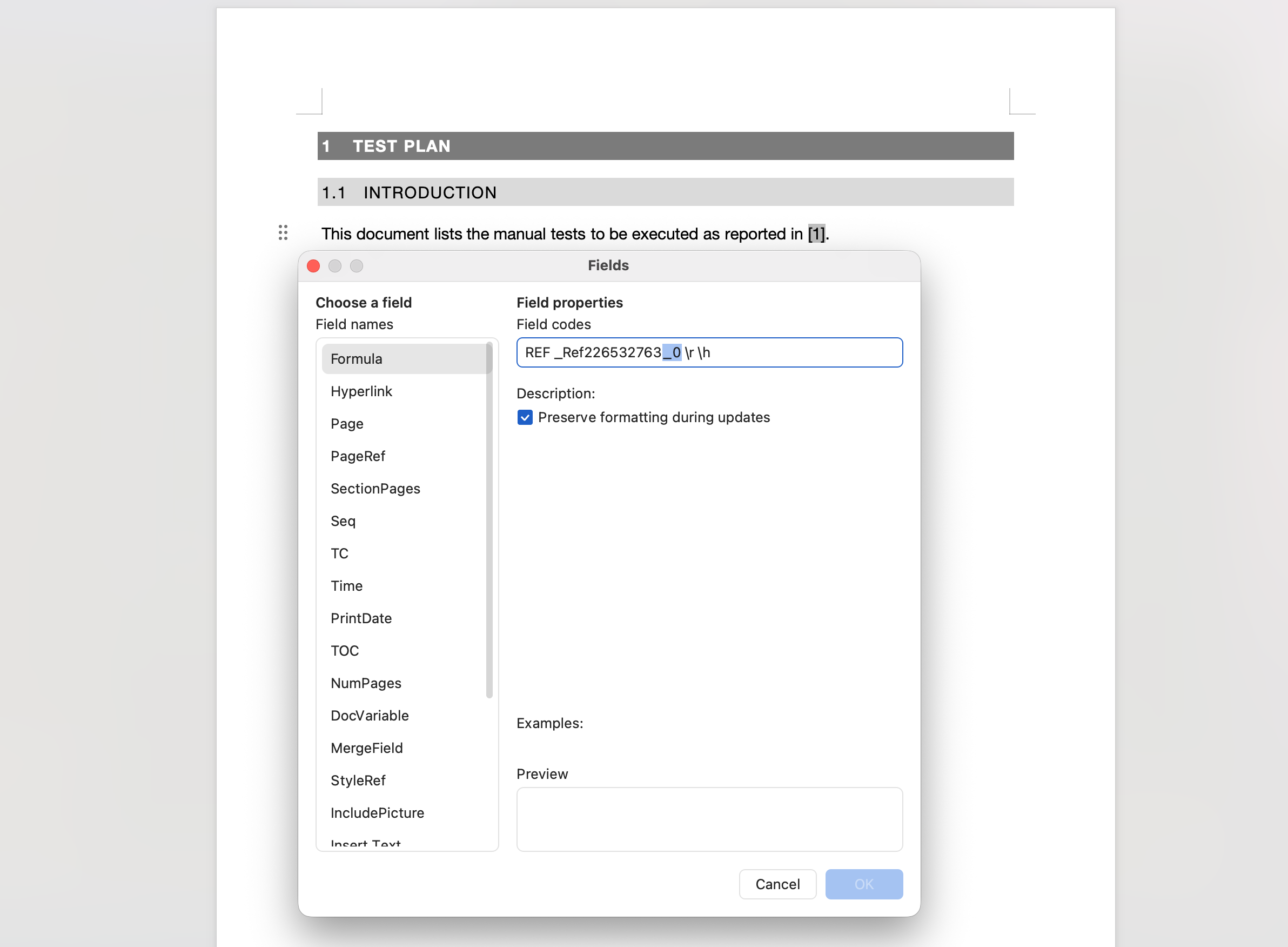
When generating a Word document via Xray's Document Generator using a template that contains Word cross-reference (REF) fields, the generator renames the target bookmark by appending 0 to its name. As a result, the cross-reference cannot be resolved in the generated document, and displays _Error! Reference source not found. in place of the expected reference value.
Pre-conditions
- Xray Cloud instance with Document Generator enabled
- A Test Plan with at least one Test added to it
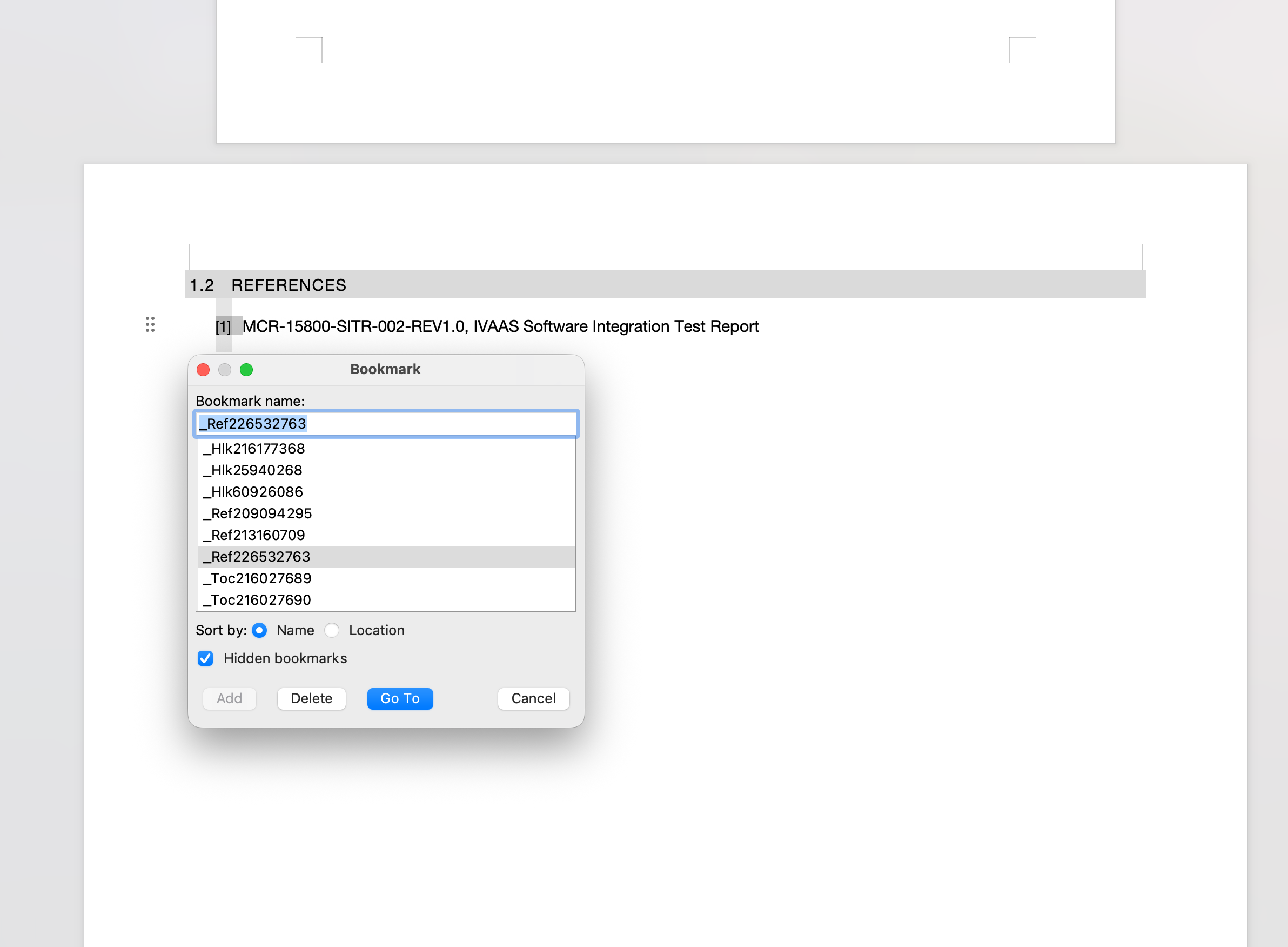
- A custom Word template containing A bookmark.
- A REF cross-reference field elsewhere in the document pointing to that bookmark
How to reproduce
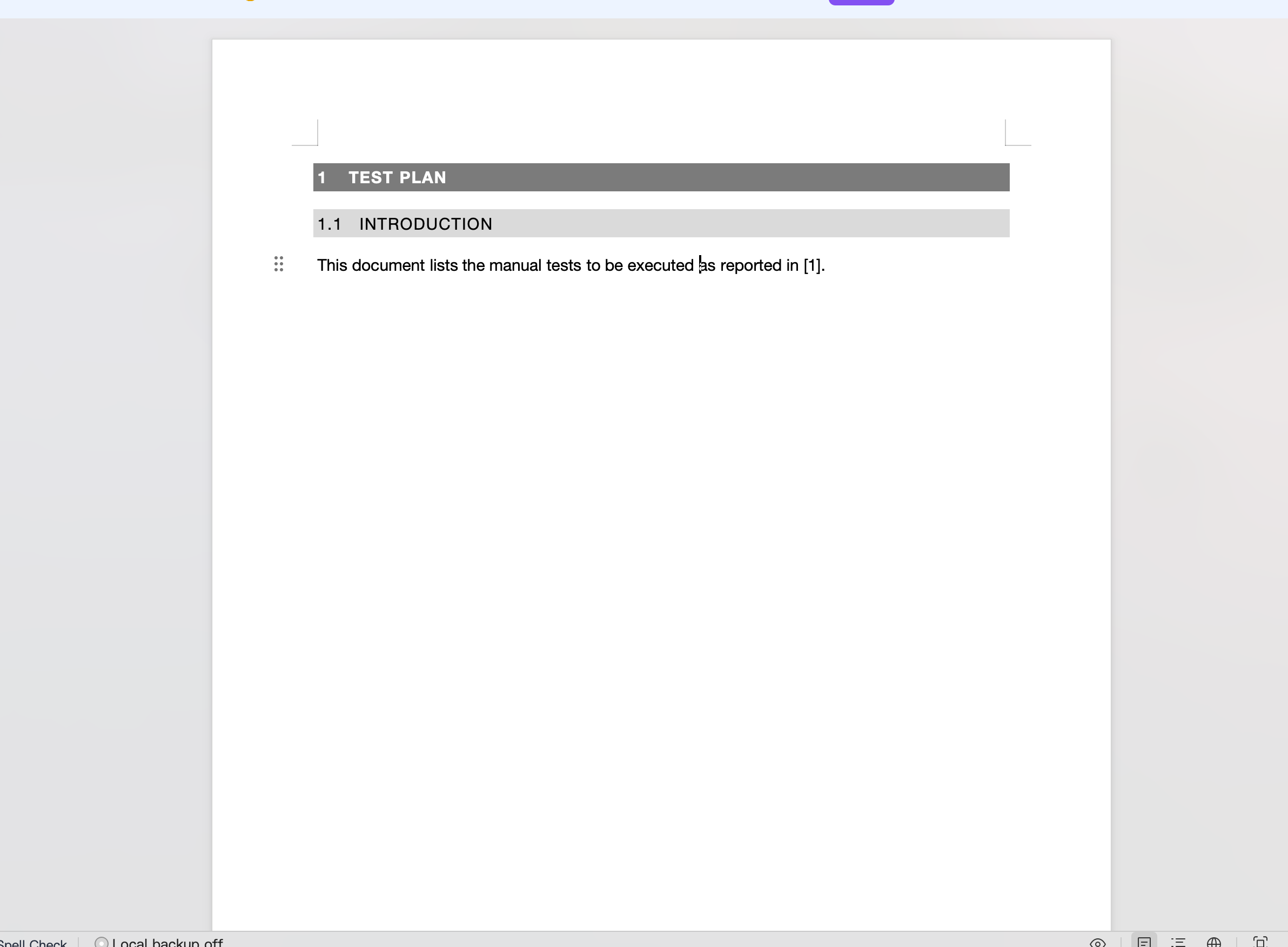
- Open the attached template Bookmark.docx
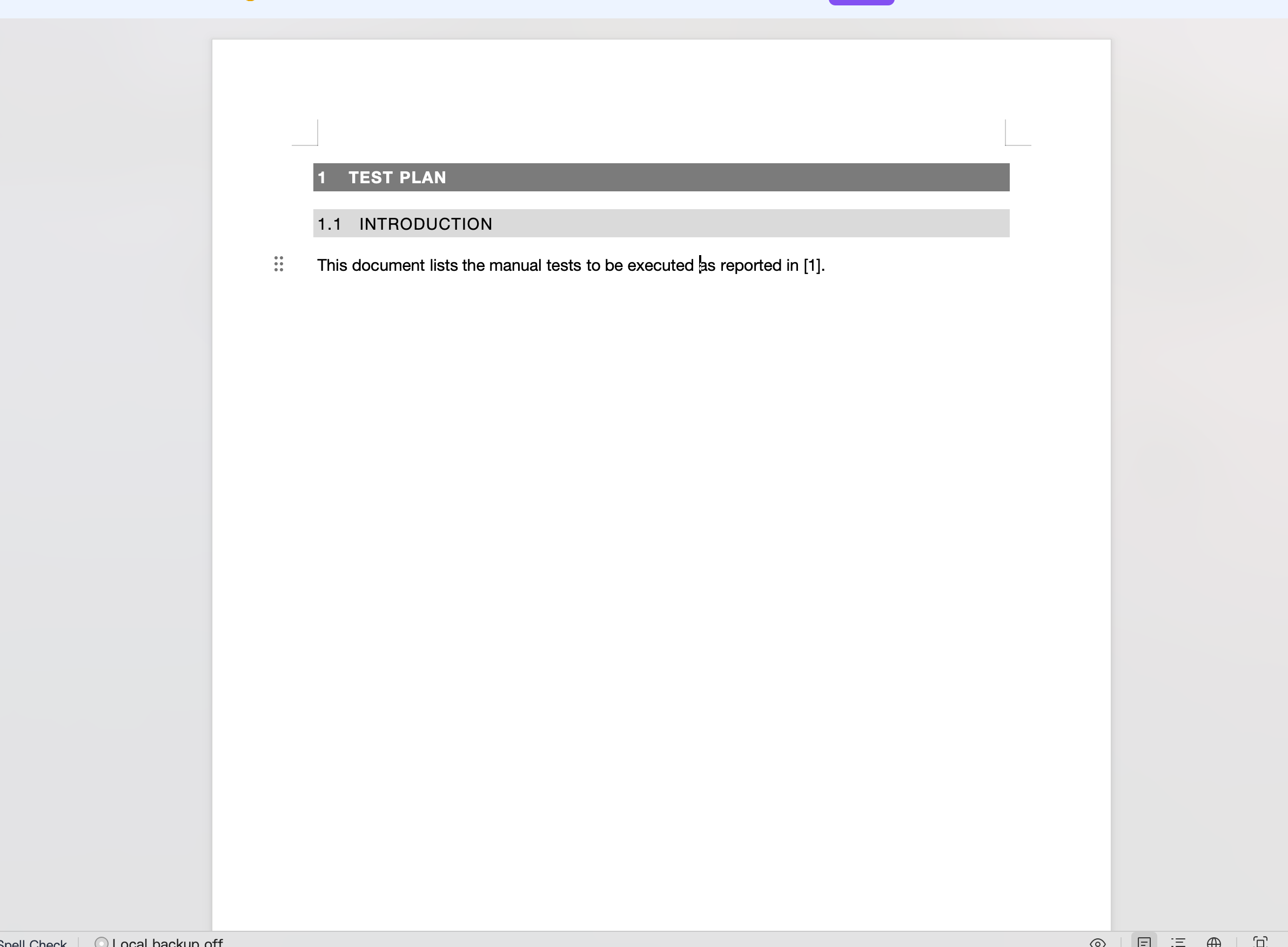
 and confirm the cross-reference correctly displays [1]
 - In Xray Cloud, open a Test Plan that contains at least one Test
- Run the Document Generator on the Test Plan at the Issue Detail level using the attached template
- Download and open the generated document.
- Observe that it shows an error in place of the bookmark.
Actual result/Attachments
Expected result
The cross-reference should resolve to [1], to match the behavior in the original template.
Workaround
Manually update the REF field in the template to anticipate the rename.
Attachments
Issue Links
- duplicates
-
XCC-2101 Loading...