Details
-
Bug
-
Status: Waiting Approval
-
 Medium
-
Resolution: Unresolved
-
Xray Cloud 16.6.0
-
None
-
None
-
Cloud
Description
Description
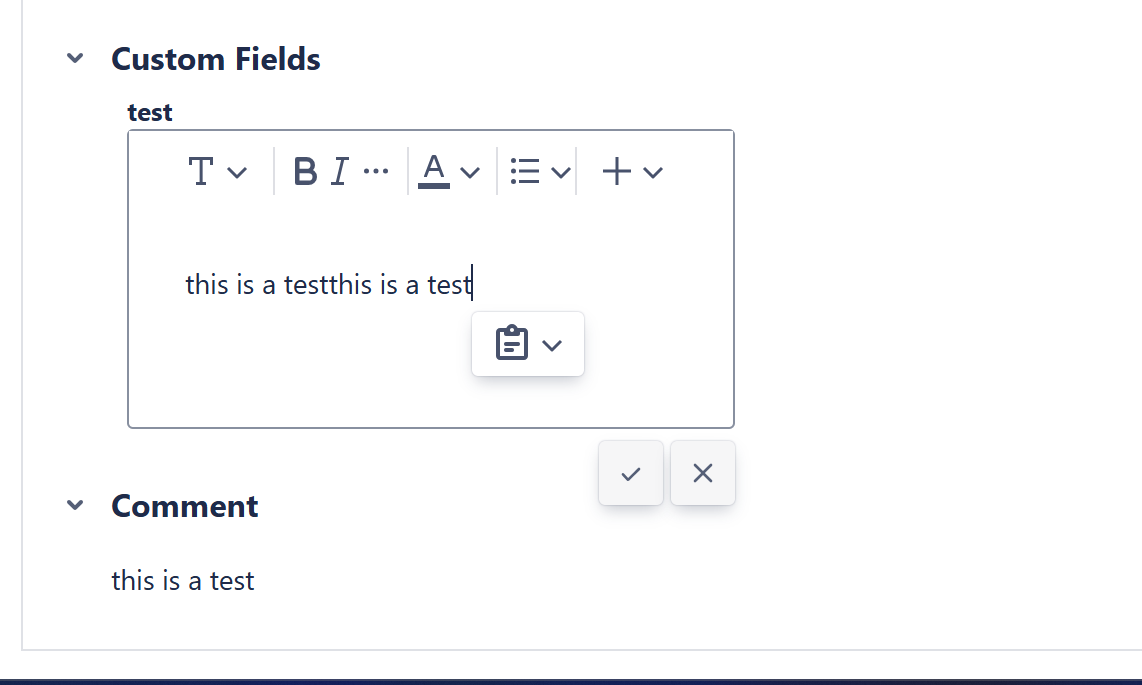
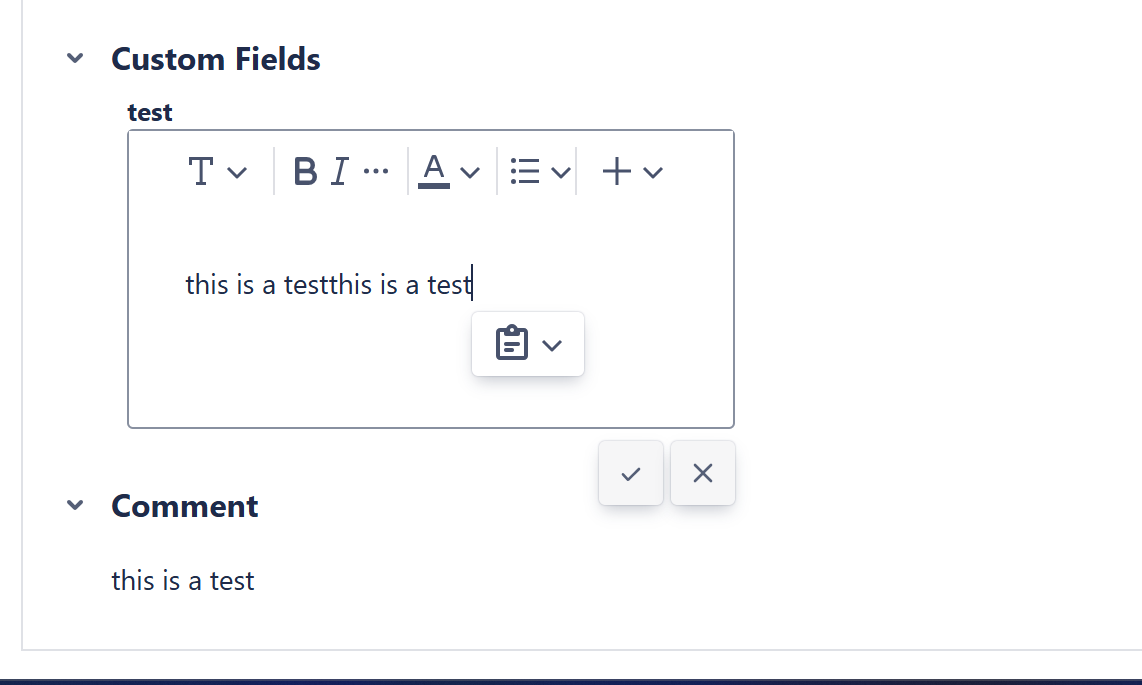
When text is copied and pasted into a Test Run custom field of type “Text,” the pasted content is entered twice.
This only occurs when using copy/paste. Entering the same content manually does not appear to cause duplication.
Pre-conditions
- Create Test Run Custom field of type “Text”
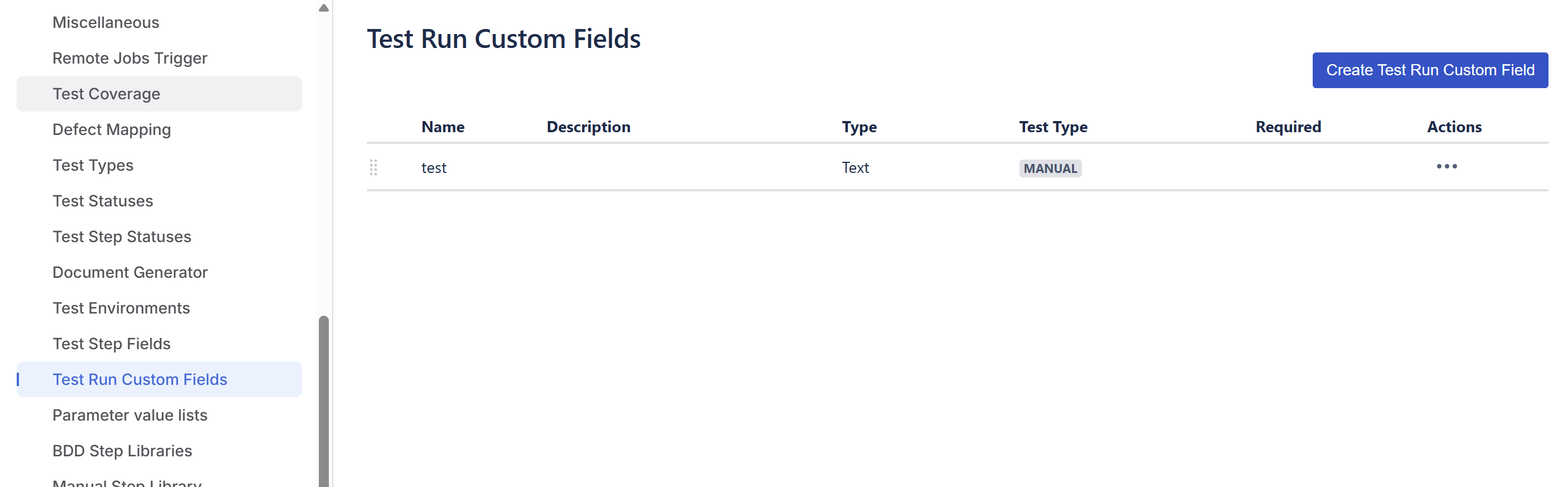
How to reproduce
- Create a Test (same Test type you configured the Test Run Custom Field) and execute it
- Locate the created Test Run custom field
- Copy (Ctrl+c) any text from another location.
- Paste (Ctrl+v) the text into the custom field.
Actual result/Attachments
The pasted text is duplicated in the field.
In the following example, I copied from the Comment field the "this is a test"
Expected result
The text should be pasted only once, exactly as copied.
Workaround
Enter the text manually instead of using copy/paste.
Attachments
Issue Links
- relates to
-
-
- Waiting Approval
-
- duplicates
-
XCC-3337 Loading...