Details
-
Bug
-
Status: Waiting Approval
-
 Medium
-
Resolution: Unresolved
-
Xray Cloud 16.12.0
-
None
-
None
-
Cloud
Description
Description
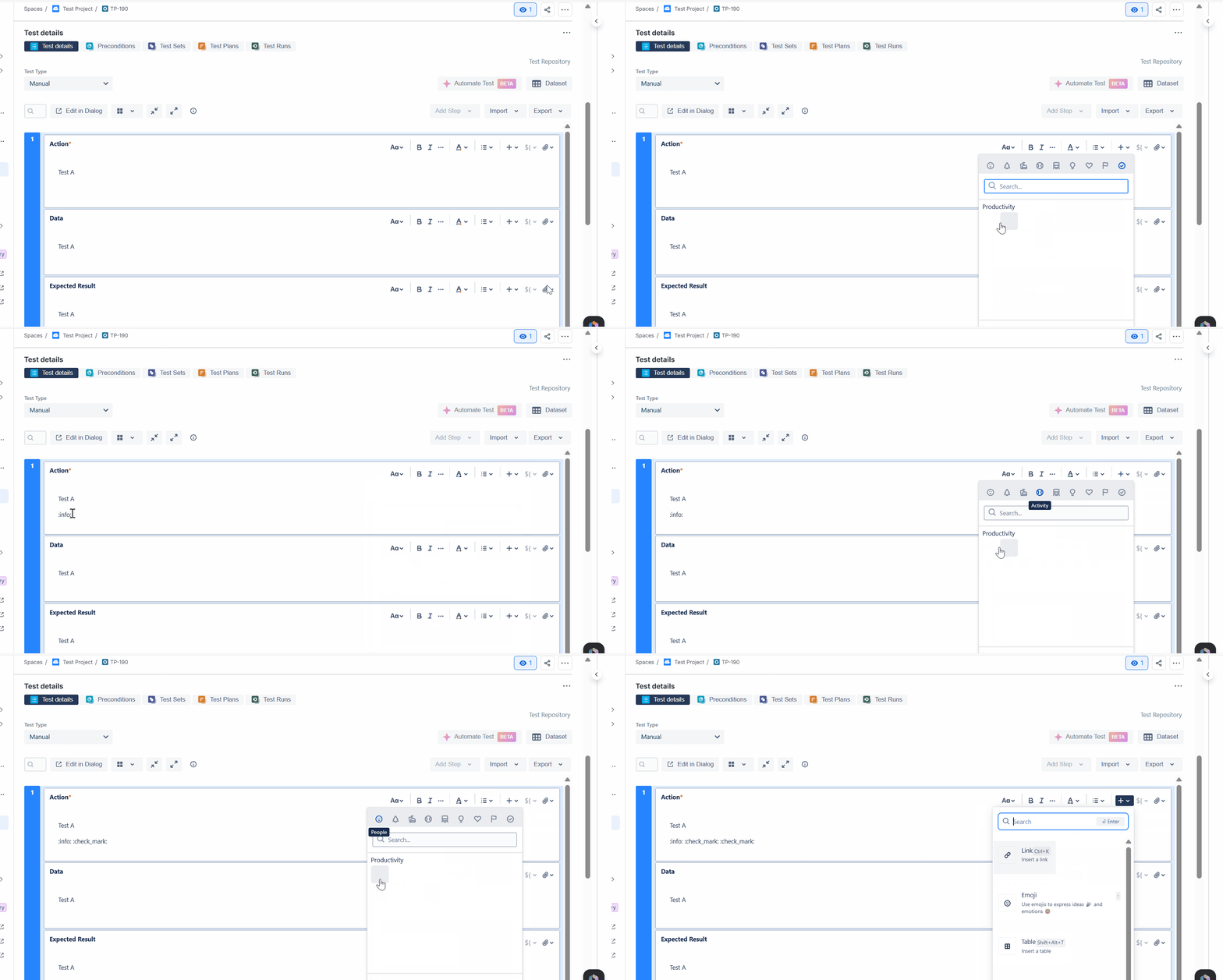
Emojis selected from the emoji picker in Test Steps are not rendered visually in the Test editor. Instead, the emoji shortcode (for example, check_mark:) is displayed.
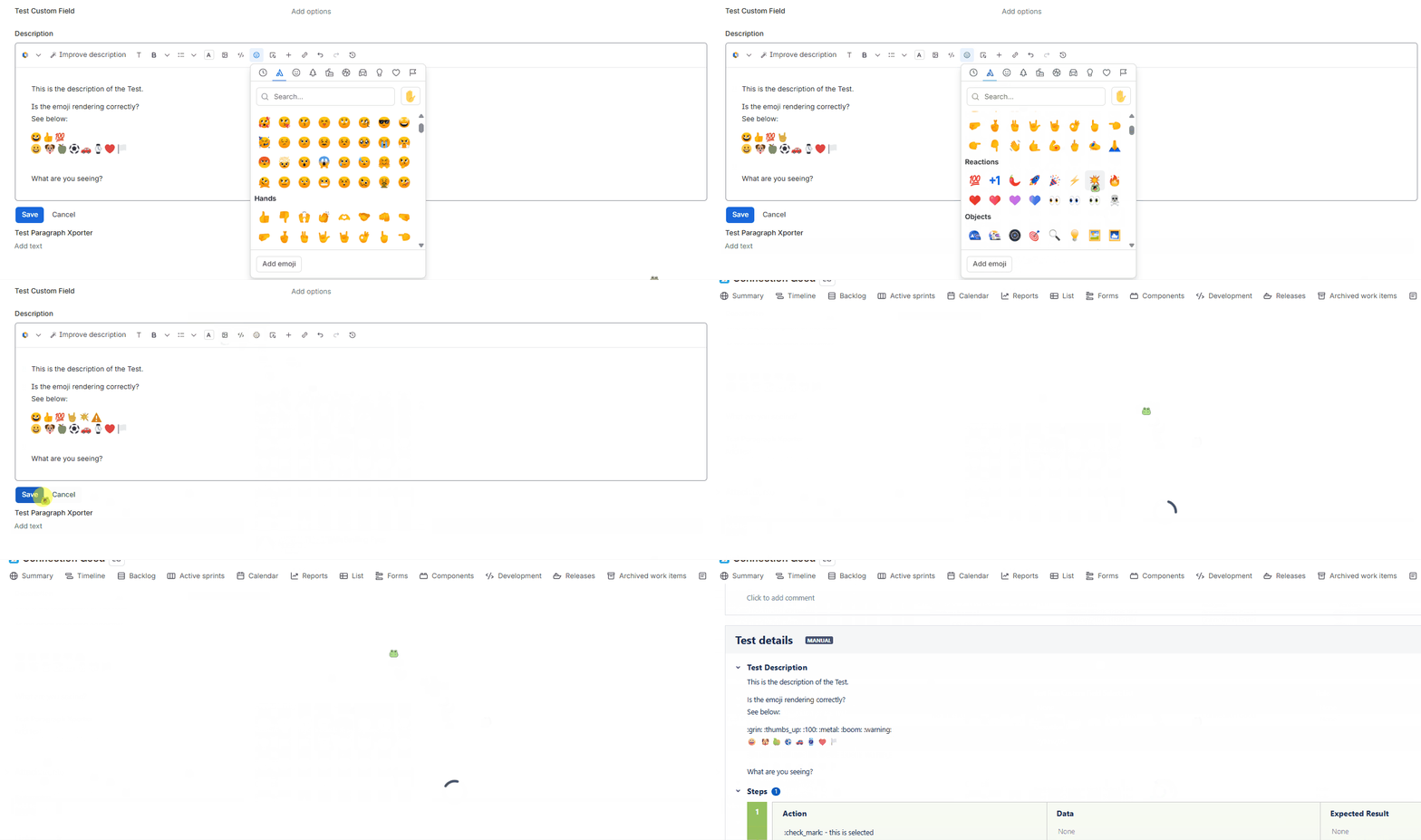
Edit: This is also happening for the Test Description field on the Test Run page. Emojis under the Atlassian & Productivity tab are not rendering correctly on the Test Run page, though they render correctly in the issue view.
Pre-conditions
- Xray installed and configured.
- A Manual Test exists.
- Test Step editor supports emoji insertion.
How to reproduce
- Create or open a Manual Test.
- Edit a Test Step (Action, Data, or Expected Result field).
- Open the emoji picker from the editor toolbar.
- Select an emoji (for example, Check Mark).
- Save the Test Step.
- Observe how the emoji is displayed in the Test editor.
- Execute the test and open the Test Run page.
- Observe how the emoji is displayed in the Test Run.
Actual result / Attachments
- In the Test editor, the emoji is not rendered visually and is shown as its shortcode (for example, :check_mark:{}).
- The emoji is available in the emoji picker and can be selected successfully.
- Edit: The emojis are not rendered on the Test Run page.
Expected result
The selected emoji should render consistently in the Test Steps instead of being displayed as its shortcode.
Version
Xray Cloud 16.12, 17.2.0
Workaround
No workaround currently identified.
Attachments
Issue Links
- duplicates
-
XCC-3355 Loading...