Details
-
Bug
-
Status: Waiting Approval
-
 Medium
-
Resolution: Unresolved
-
Xray Cloud 16.12.0
-
None
-
None
-
Cloud
Description
Description
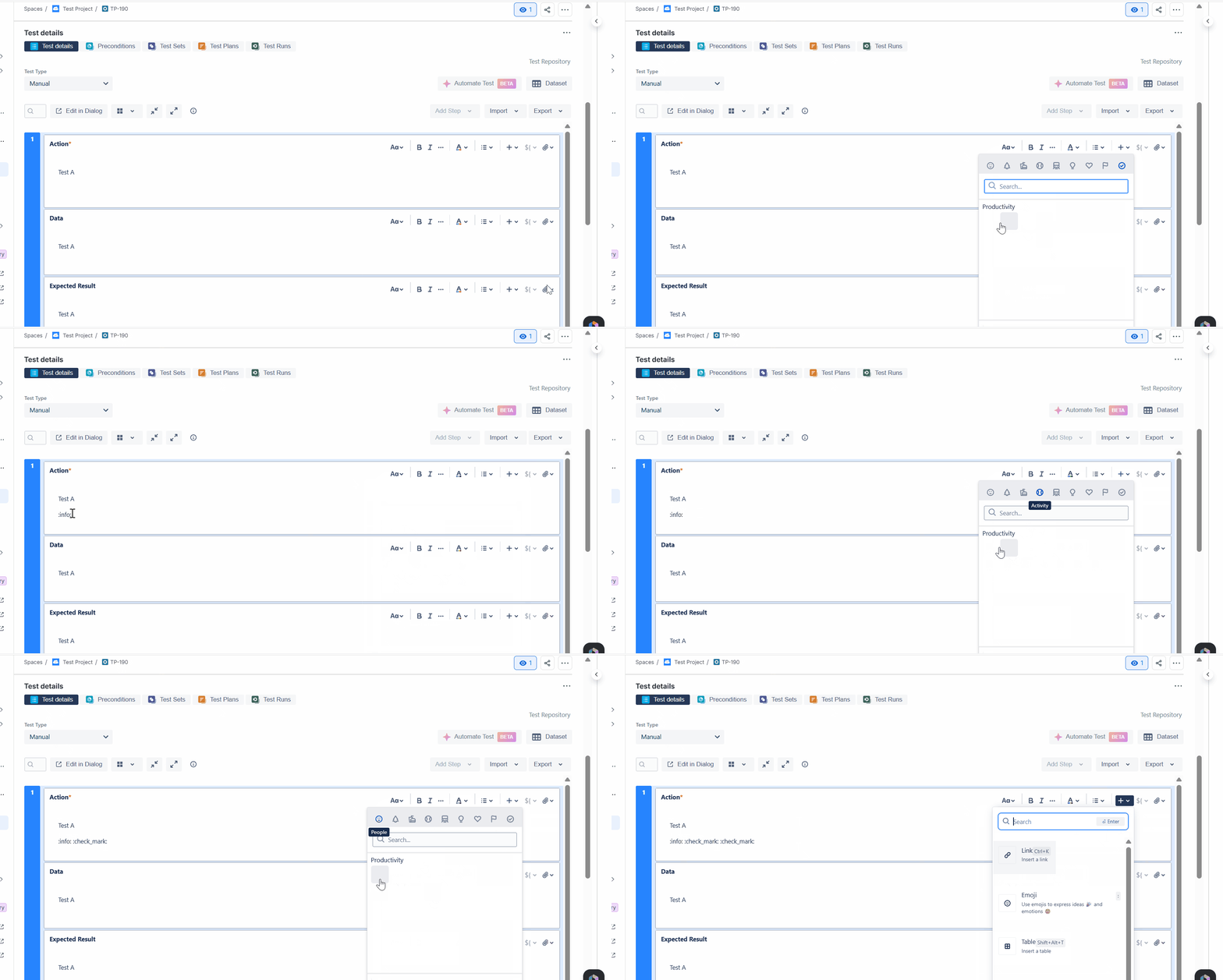
Emojis selected from the emoji picker in Test Steps are not rendered visually in the Test editor. Instead, the emoji shortcode (for example, check_mark:) is displayed. However, the same emoji appears correctly on the Test Run page when the test is executed.
Pre-conditions
- Xray installed and configured.
- A Manual Test exists.
- Test Step editor supports emoji insertion.
How to reproduce
- Create or open a Manual Test.
- Edit a Test Step (Action, Data, or Expected Result field).
- Open the emoji picker from the editor toolbar.
- Select an emoji (for example, Check Mark).
- Save the Test Step.
- Observe how the emoji is displayed in the Test editor.
- Execute the test and open the Test Run page.
- Observe how the emoji is displayed in the Test Run.
Actual result / Attachments
- In the Test editor, the emoji is not rendered visually and is shown as its shortcode (for example, :check_mark:{}).
- The emoji is available in the emoji picker and can be selected successfully.
- On the Test Run page, the emoji renders correctly.
Expected result
The selected emoji should render consistently in the Test Steps instead of being displayed as its shortcode.
Version
Xray Cloud 16.12
Workaround
No workaround currently identified. Users can proceed with test execution, as emojis appear correctly on the Test Run page.
Attachments
Issue Links
- duplicates
-
XCC-3355 Loading...