Details
-
Bug
-
Status: Waiting Approval
-
 Low
Low
-
Resolution: Unresolved
-
Xray Cloud 16.14.0
-
None
-
None
-
Jira Cloud, Windows OS, Edge and Chrome browsers
Description
Description
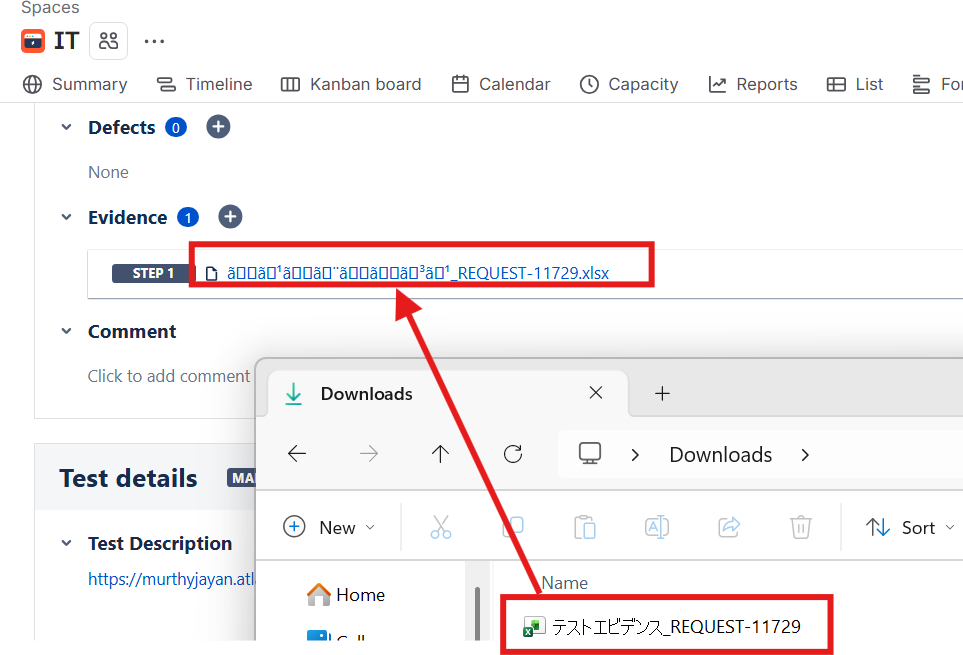
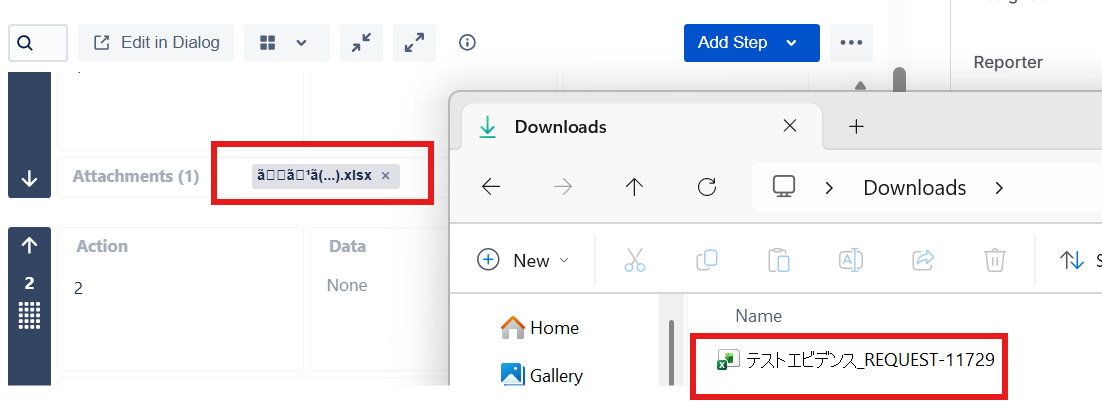
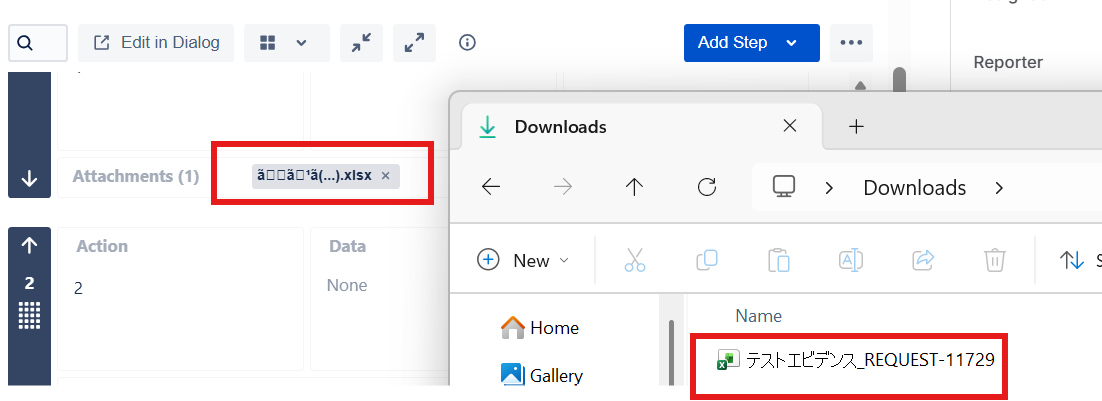
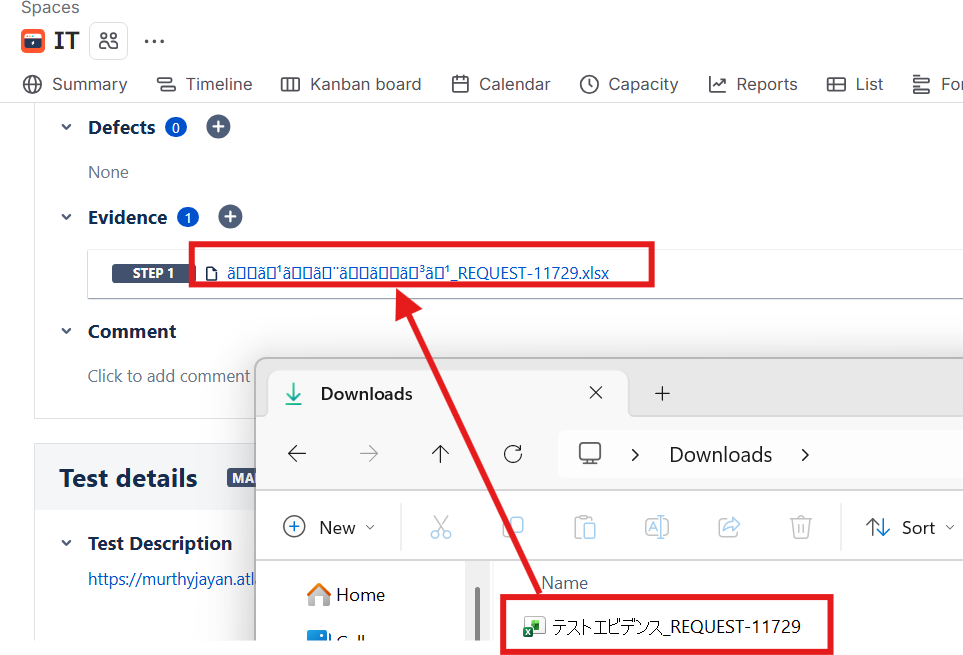
When an attachment is added to Xray Test Step or TestRun as Evidence with a filename containing Japanese characters, the attachment name is not rendered correctly in the UI. English text within the filename appears correctly, while the Japanese characters are displayed incorrectly or become unreadable.
Pre-conditions
An attachment filename contains both Japanese and English characters.
How to reproduce
- Create or open an existing Manual Test in Xray.
- Navigate to the Test Steps section. Attach a file as evidence to a test step.
- Similarly add the same file to the TestRun as Evidence
- Use a filename that contains Japanese characters (for example: テスト証跡_TestEvidence.png).
- Observe how the name is renderring.
Actual result/Attachments
The attachment name is not displayed correctly for the Japanese characters. Only the English portion of the filename is rendered correctly.
Expected result
The attachment name should display all characters correctly, including Japanese characters, without any corruption, encoding issues, or rendering problems.
Version
Xray Cloud 16.4.0
Workaround
N/A
Attachments
Issue Links
- duplicates
-
XCC-3526 Loading...