Details
-
Bug
-
Status: Waiting Approval
-
 Blocker
-
Resolution: Unresolved
-
Xray Cloud 16.32.0, Xray Cloud 17.0.0
-
None
-
None
-
macOS 27.0
Google Chrome Version 157.0.8103.39 (Official Build) (arm64)
Description
Description
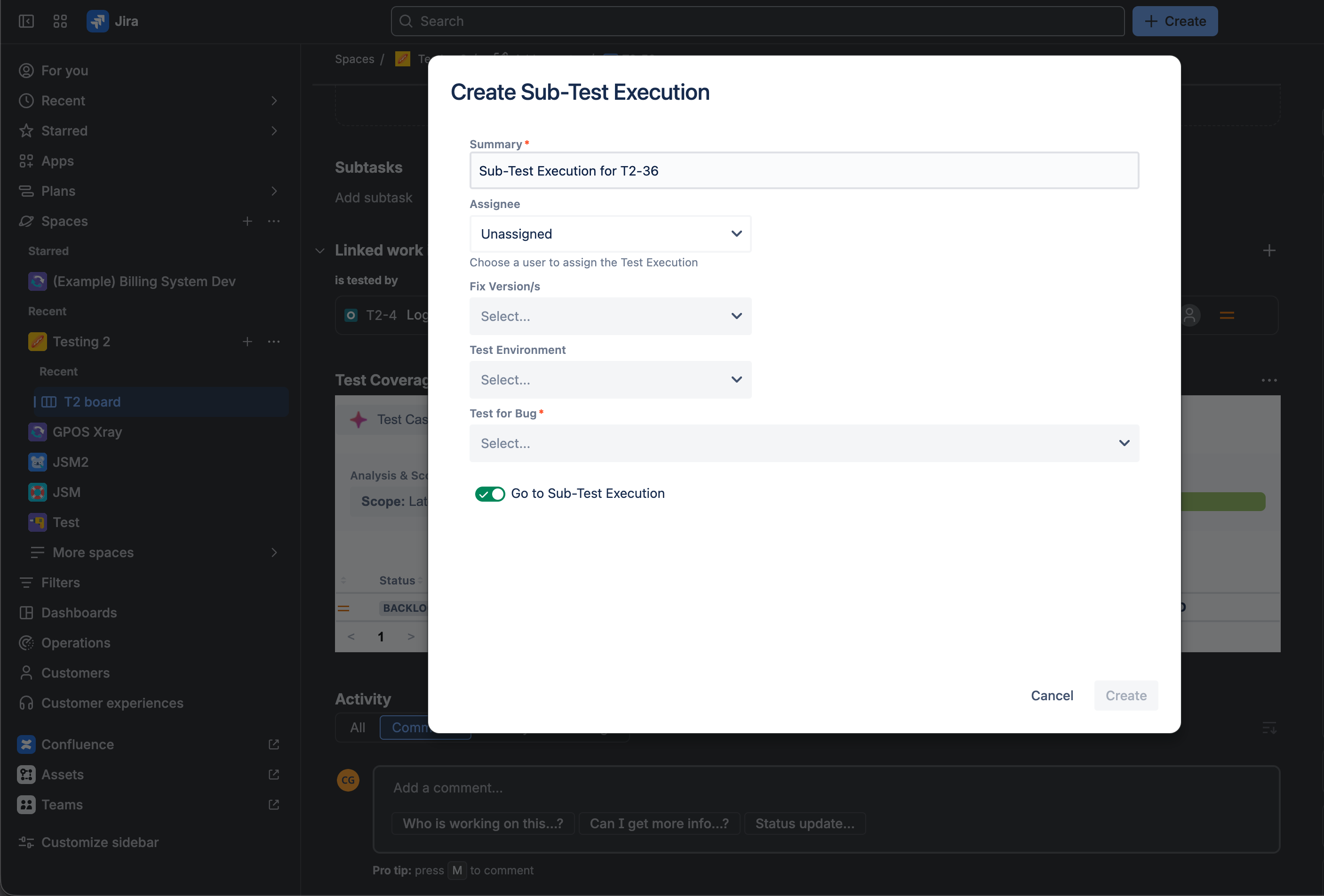
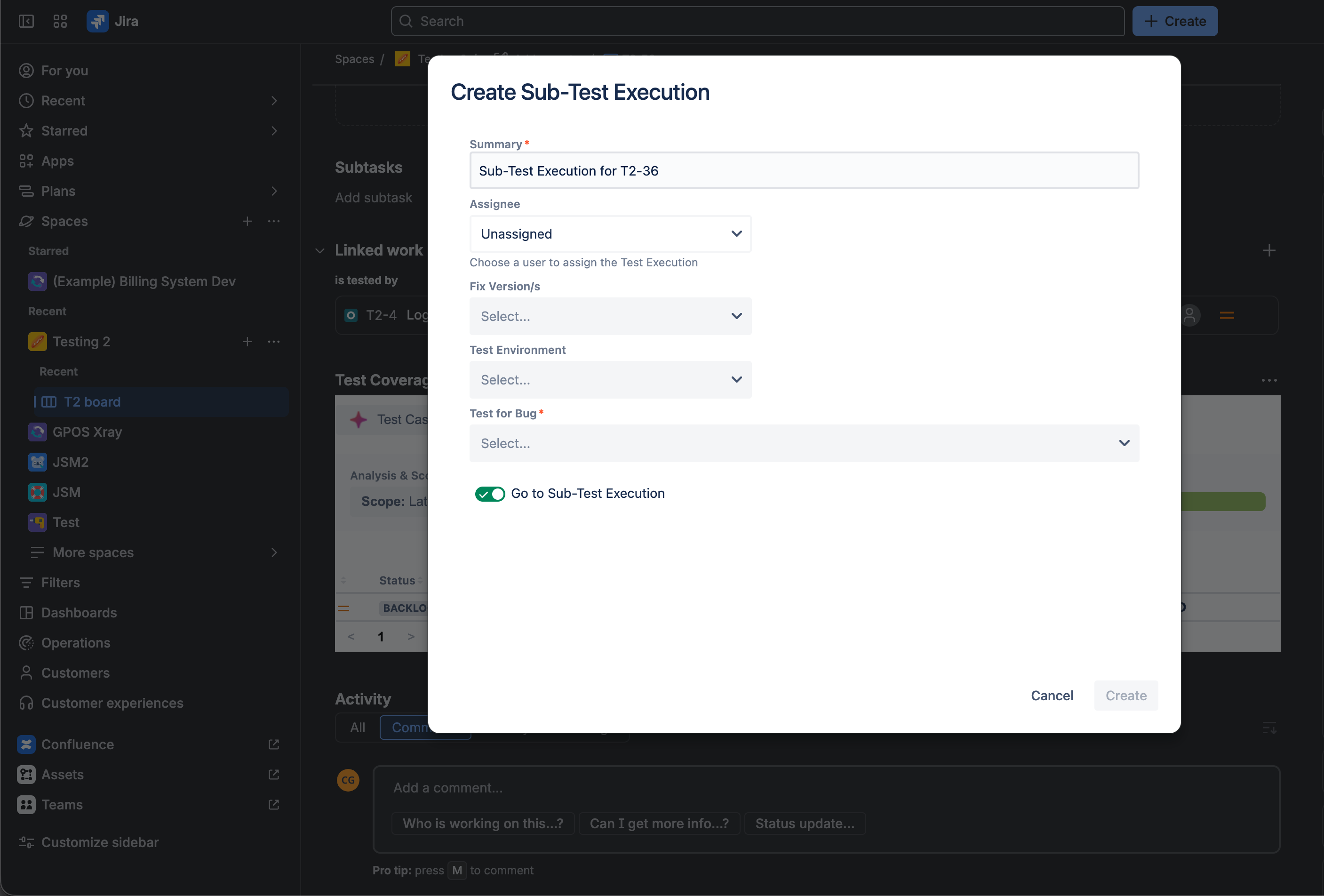
When a user (Admins and non-admins) creates a Sub-Test Execution from the Test Coverage panel and a Select List (single choice) custom field has options, the dropdown shows no values.
Pre-conditions
- Create a custom field of type Select List (single choice) with option values.
- Add the custom field to the project screen.
- Set the field as required in the project’s field configuration.
- Create a requirement and link a Test to it, so it appears in the Test Coverage panel.
How to reproduce
- Open the requirement that has a linked Test.
- In the Test Coverage panel, click Execute.
- Select With Sub-Test Execution.
- In the creation form, open the dropdown for the custom field.
Actual result/Attachments
No option values are displayed in the dropdown.
Expected result
The option values are visible and selectable in the dropdown.
Version
- Xray Cloud: 16.32.0 (reported), 17.0.0 (Tested)
Note:
Related to the fixed bug: XRAYCLOUD-9660
Attachments
Issue Links
- relates to
-
-

- Closed
-
- duplicates
-
XCC-4215 Loading...