Details
-
Bug
-
Status: Waiting Approval
-
 Medium
-
Resolution: Unresolved
-
Xray Cloud (8.0.1) [Silent Release26.4]
-
None
-
None
-
Jira Cloud
-
Enterprise
-
Description
Description
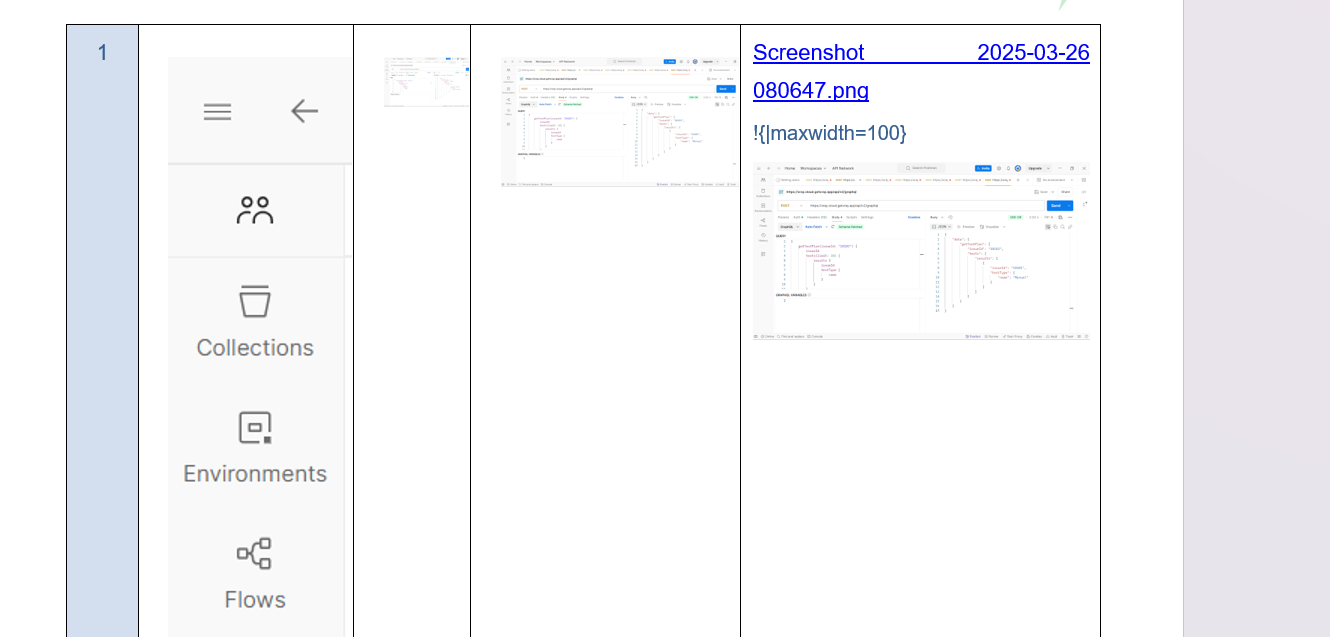
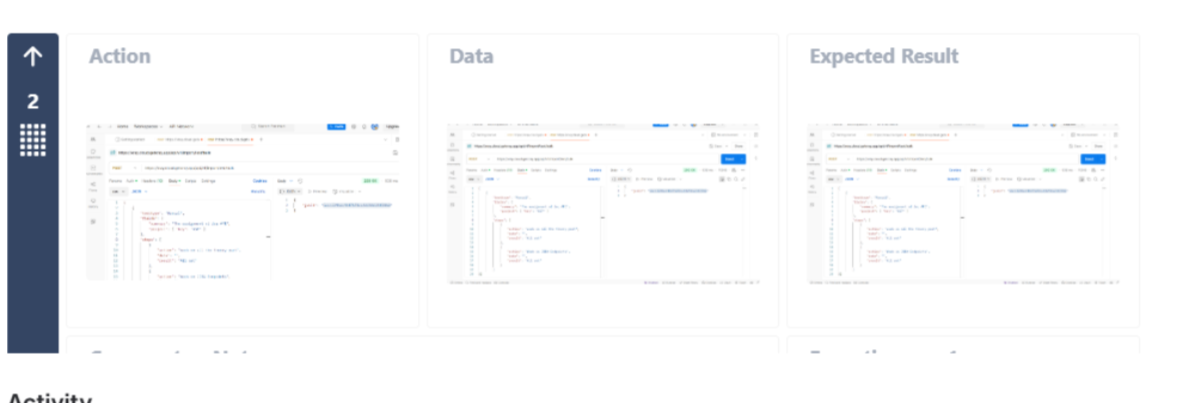
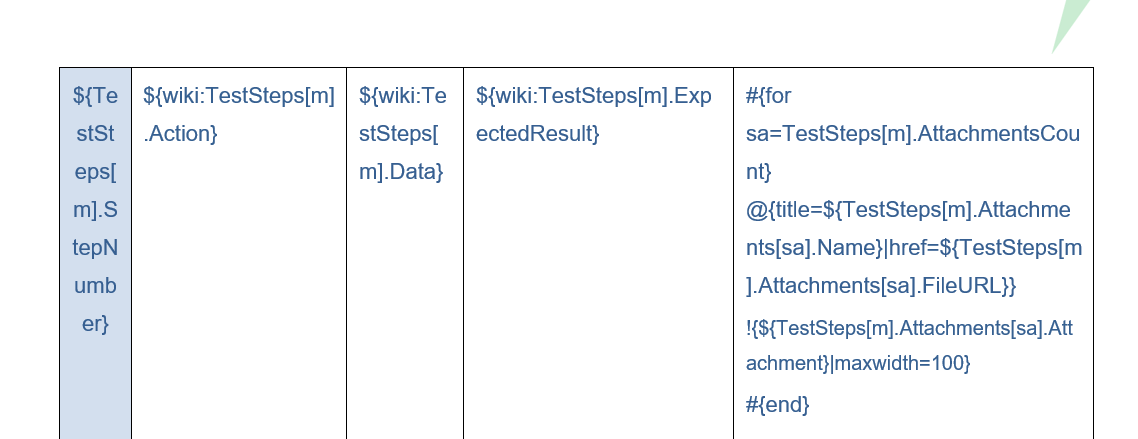
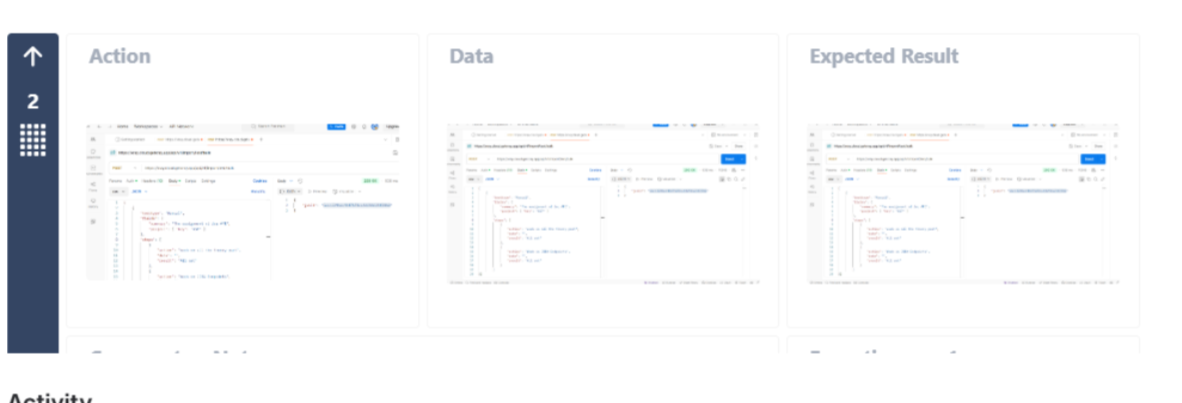
When exporting same image is attached to all 3 Fields (Action, Data, and ExpectedResult) Test Steps using the Document Generator with the wiki renderer (${wiki:TestSteps[m].Action}, ${wiki:TestSteps[m].Data}, and ${wiki:TestSteps[m].ExpectedResult}), images across steps doesn't maintain same dimension.
Pre-conditions
- A Test issue with images with the same image embedded in the Test Steps (Action, Data, or Expected Result).
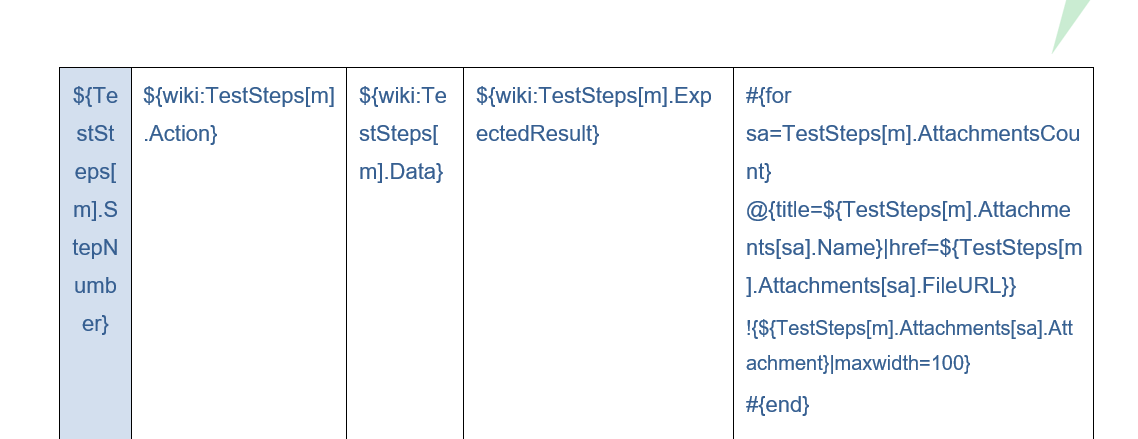
- Use the Document generator store template where (${wiki:TestSteps[m].Action}, ${wiki:TestSteps[m].Data}, and ${wiki:TestSteps[m].ExpectedResult}) should present.
How to reproduce
- Create a Test with multiple steps.
- In Step 1, add the same image to Action, Data, and the expected result.
- Export the Test uisng the template - Xray Test Report, where (${wiki:TestSteps[m].Action}, ${wiki:TestSteps[m].Data}, and ${wiki:TestSteps[m].ExpectedResult}) should present.
Actual result/Attachments
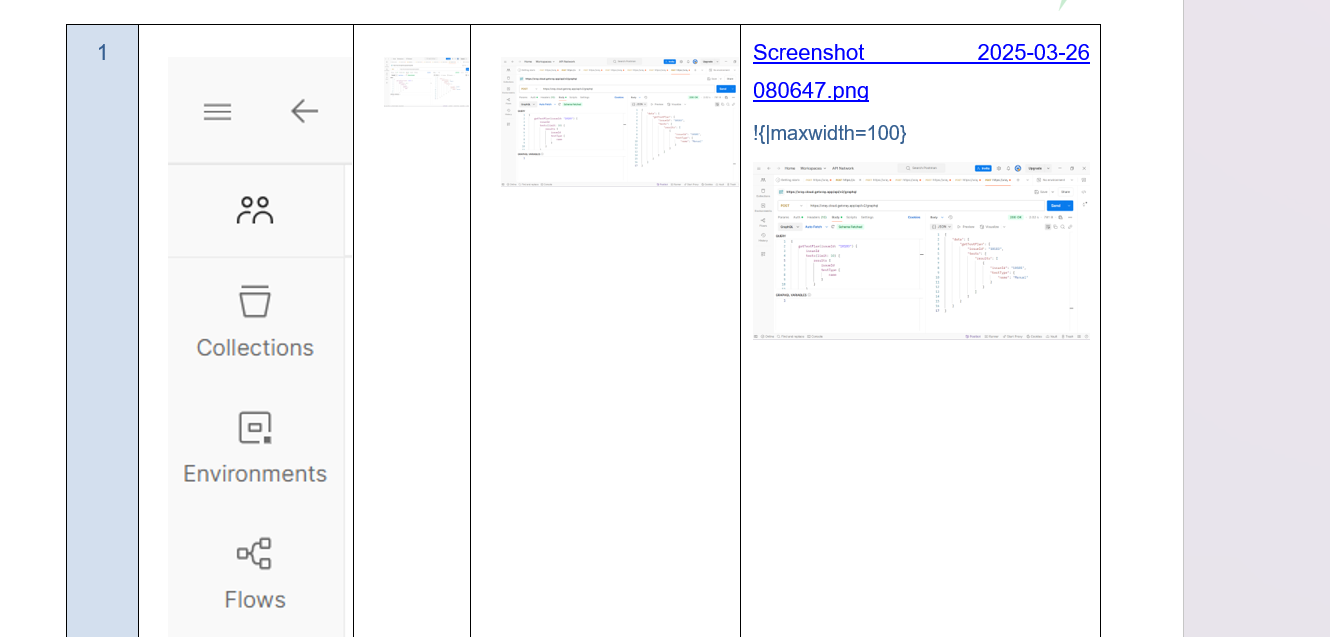
In the Export file, Test Step images are shown in different dimensions.
Expected result
All the images in the Step(Action, Data, and Result) should have the same dimensions.
Version
Xray Could 8.0.1
Template Xray Test report - Xray Test Report (docgen cloud)_Modified_May2024 (5).docx
Export file reference - XSP15-3429.docx
Attachments
Issue Links
- duplicates
-
XCC-2099 Loading...